This site uses cookies to enhance your user experience. By clicking any link on this site you are giving your consent to our cookie policy. Read more
Reject
Accept All

Advertiser and Editorial Disclosures

Fax.Plus - Send Fax from Phone

Fax.Plus - Send Fax from Phone

verified

Alohi

4.7
Rating
1,000,000+ Downloads
19.9.0 Version
  • category

    Category: Business

  • price

    Price: free

  • age rating

    Age Rating: Everyone

  • rating

    Rating: 4.7

  • available on

    Available on: /

  • updated on

    Updated on: Jun 30, 2026

Screenshot 1
Screenshot 2
Screenshot 3
Screenshot 4
Screenshot 5
Screenshot 6
Screenshot 7
Screenshot 8
Screenshot 9
Screenshot 10
Screenshot 11
Screenshot 12
Screenshot 13
Screenshot 14
Screenshot 15
Screenshot 16
Screenshot 17
Screenshot 18
Screenshot 19
Screenshot 20
Screenshot 21
Screenshot 22
Screenshot 23
Screenshot 24

Features & Highlights

Easy Faxing Process

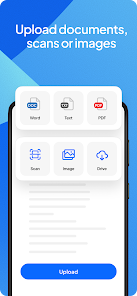
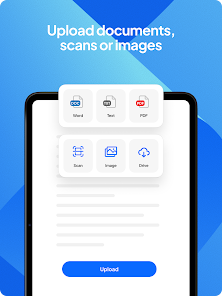
Sending faxes has never been simpler with Fax.Plus. Just upload your documents from your phone, enter the recipient's fax number, and hit send. The intuitive interface makes the entire process seamless, so you can focus on what matters most without any hassle.

Multi-Platform Support

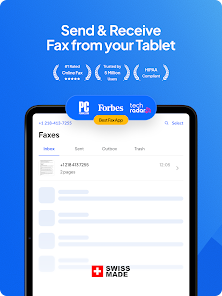
Whether you're using a smartphone, tablet, or computer, Fax.Plus is compatible across all platforms. You can send and receive faxes on the go or from the comfort of your home, making it incredibly versatile for both personal and professional use.

Real-Time Tracking

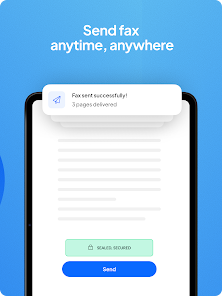
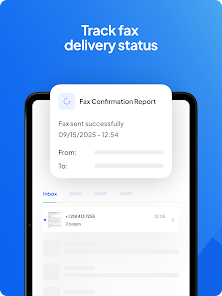
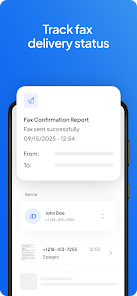
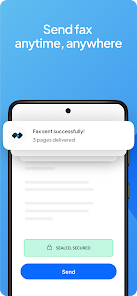
Stay updated with real-time notifications about your fax status. You'll receive alerts when your document is sent successfully or if there were any issues during transmission. This feature ensures you're always in the loop, giving you peace of mind with every fax you send.

Secure Document Handling

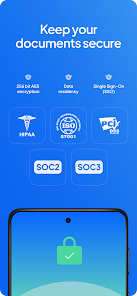
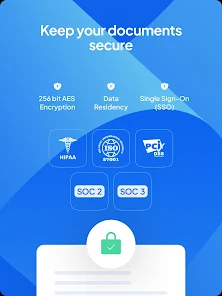
Fax.Plus prioritizes your data security with end-to-end encryption. Your sensitive documents are protected throughout the entire faxing process, ensuring that your information remains confidential and secure. This way, you can send faxes without worrying about unauthorized access.

Pros & Cons

Pros
  • Send faxes directly from your smartphone anytime.
  • Easy-to-use interface simplifies the faxing process.
  • Secure and reliable transmission protects your documents.
  • Track sent faxes for peace of mind.
  • No need for a physical fax machine or line.
Cons
  • Limited free trial period available for new users
  • Requires internet connection for sending faxes
  • Potentially high costs for additional pages sent
  • User interface can be confusing for beginners

Real Experience Using Fax.Plus - Send Fax from Phone

Application Scenarios

Fax.Plus is a versatile application designed for individuals and businesses that require a reliable solution for sending and receiving faxes directly from their smartphones. Whether you are a busy professional needing to send important documents while on the move, a small business owner looking to streamline your operations, or even a student needing to submit assignments or documents, Fax.Plus offers a straightforward way to manage your faxing needs. The app caters to various scenarios, including sending contracts, legal documents, medical records, and other sensitive materials securely. With built-in features like fax tracking, users can easily monitor the status of their sent faxes, ensuring that crucial documents reach their intended recipients without delay.

User Experience

The user experience of Fax.Plus is intuitive and user-friendly, making it accessible to users of all tech-savviness levels. The app's clean interface allows for easy navigation, and users can quickly access features such as sending faxes, checking their fax history, and managing contacts. Uploading documents is seamless, with support for various file formats, including PDFs, images, and Microsoft Office files. Users have noted the speed of sending faxes, often completing transmissions in a matter of minutes. Additionally, the ability to sign documents electronically adds a layer of convenience for those needing to complete paperwork quickly. Overall, Fax.Plus provides a reliable and efficient service that enhances productivity and eliminates the hassle of traditional faxing methods.

Pricing

Fax.Plus offers a flexible pricing model that caters to different user needs. The app provides a free tier, allowing users to send a limited number of faxes each month, making it an excellent choice for occasional users. For those who require more frequent faxing capabilities, the app offers several subscription plans. These plans vary in terms of the number of fax pages included, with options for both individual users and businesses. The pricing is competitive compared to traditional fax services, and users can easily upgrade or downgrade their plans based on their changing needs. This flexibility ensures that users only pay for what they use, making Fax.Plus an economical choice for faxing solutions.

Updates & Support

Fax.Plus regularly updates its app to enhance functionality and user experience. These updates often include new features, performance improvements, and bug fixes, ensuring that the app remains reliable and effective. The development team is responsive to user feedback, often implementing suggestions that enhance the app's usability. In terms of support, Fax.Plus offers a comprehensive help center that includes FAQs, tutorials, and troubleshooting guides. Users can also reach out to customer service via email or through the app for personalized assistance. This level of support ensures that users can resolve any issues quickly and continue to utilize the app without interruptions.

verified Security & Privacy Review

The security and privacy practices of Fax.Plus are commendable, ensuring users can send and receive faxes with confidence. The app employs end-to-end encryption to protect sensitive documents during transmission, safeguarding them from unauthorized access. This level of encryption is essential for maintaining the confidentiality of user data, particularly for industries handling sensitive information, such as healthcare and legal sectors. Fax.Plus adheres to strict privacy policies, clearly outlining how user data is collected, used, and stored. The app does not sell or share personal information with third parties, reinforcing its commitment to user privacy. Additionally, Fax.Plus provides users with options to manage their data, including the ability to delete sent and received faxes from their account. Regarding permissions, Fax.Plus requires access to essential features, such as storage for document retrieval and the camera for scanning. Users can review these permissions during installation, ensuring transparency. Overall, Fax.Plus demonstrates robust security measures and responsible data handling practices, making it a reliable choice for users concerned about privacy and data security.

User Reviews

  • Lupe Peppars
    2026/02/22

    I did not see a free option of 10 pages, the basics you will pay for and you do need some type of credit card. Even though their pop up response on rate this app says it does offer free trial for 10 pages it's not there. Since I had a deadline it was close to midnight I paid for it and will cancel once I get they received it. It did give a confirmation email saying it was sent. Update: it not there either, have to go under my info. then my credit, view plans it shows free with no option to send

  • John Z.
    2026/05/08

    I like the Fax.Plus app. However, I wish it would allow sending a fax by entering only the fax number. After preparing the cover page and documents, if I enter a number without a contact name, the app asks me to add a contact. Sometimes I don’t want to save or display a personal name. Please allow users to send faxes with just the number. I'm going to get a app updated now to see what changes.

  • Lindsay Phelps
    2024/07/01

    While the description states you get to fax for free, you only get a handful or two of pages. I was disappointed about this misrepresentation of what is actually offered as "free", but I can honestly say that I caved and ended up paying as they appeared to be cheaper and much more secure than other fax apps I had browsed. I like that you can choose a set number of pages to purchase rather than having a monthly membership, as I only send maybe 6 pages max a month.

  • Lisa Manrique
    2025/01/09

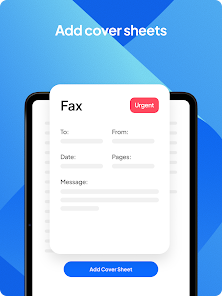
    I did not realize there were only 10 pages free and then you had to pay to fax any more! When I installed the App, I used it right away. I did not see any verbiage about only getting 10 pages free to fax. Program itself is ok to use, can add a cover page to go with the file you want to fax. I do not want any monthly/yearly fee or any of my banking/PayPal info used for the App. Too much overcharging and no refund. I might pay a $5.99 one time fee only but no more.

  • Weavre Molina
    2021/01/11

    I signed up for a free trial, 10 pages total, and sent one fax (two pages) on December 25. Today, I tried to send another fax (also two pages) when my partner could see, to confirm we want to buy it. Today's fax wouldn't send; it said we have insufficient credit. But, the free trial says it's supposed to include 10 pages total. We don't want to buy into something that appears to promise something specific, even something as simple as 10 free pages of faxes, and then doesn't deliver that thing.

Review Source: Google Play store public user reviews.

FAQ

1

Does Fax.Plus - Send Fax from Phone collect my personal data?

Fax.Plus is committed to user privacy and security, and while it may collect certain personal data to provide its services, it adheres to strict privacy policies and does not sell user data.

2

Does Fax.Plus - Send Fax from Phone offer a free trial or free version?

Yes, Fax.Plus offers a free version with limited features and a trial period for some premium features, allowing users to test the app before committing to a subscription.

3

Does Fax.Plus - Send Fax from Phone require an internet connection?

Yes, Fax.Plus requires an active internet connection to send and receive faxes, as it operates through cloud-based technology.

4

How can I contact support or send feedback for Fax.Plus - Send Fax from Phone?

Users can contact Fax.Plus support through the app’s help section, by visiting their website, or by sending an email to their customer support team for assistance or to provide feedback.

5

How do I manage or cancel my Fax.Plus - Send Fax from Phone subscription?

Users can manage or cancel their subscription directly within the app or through their account settings on the Fax.Plus website, where they can also find additional details about their subscription status.

How to use Fax.Plus - Send Fax from Phone

1

How do I activate my FAX.PLUS account?

After signing up, check your email for a verification link. Click the link to activate your account before using the service.

2

How do I find my customer number in FAX.PLUS?

Your customer number can be found in your account settings within the app under "Profile" or "Account Information."

3

How do I log in to the FAX.PLUS app?

Open the app, enter your email and password, then tap "Log In." If you forgot your password, use the "Forgot Password?" link.

4

How do I reach customer service for FAX.PLUS?

You can contact FAX.PLUS customer service through their support page on the app or website, or by emailing support

What's New

• Fax.Plus is now available in more languages: Russian, Dutch, Vietnamese, Indonesian and Czech.

Editor's Choice