This site uses cookies to enhance your user experience. By clicking any link on this site you are giving your consent to our cookie policy. Read more
Reject
Accept All

Advertiser and Editorial Disclosures

Deputy: Employee Scheduling

Deputy: Employee Scheduling

verified Verified App

Developer: Deputy.com

  • category

    Category: Business

  • price

    Price: free

  • age rating

    Age Rating: Everyone

  • rating

    Rating: 4.7

  • download

    Downloads: 1,000,000+

  • version

    Version: 26.4.0

Screenshot 1
Screenshot 2
Screenshot 3
Screenshot 4
Screenshot 5
Screenshot 6
Screenshot 7
Screenshot 8
Screenshot 9
Screenshot 10
Screenshot 11
Screenshot 12
Screenshot 13
Screenshot 14
Screenshot 15
Screenshot 16
Screenshot 17
Screenshot 18

Features & Highlights

Reporting & Analytics

With comprehensive reporting and analytics, Deputy provides valuable insights into workforce performance and scheduling efficiency. Managers can easily track labor costs, attendance trends, and employee productivity, enabling data-driven decisions that enhance overall business performance.

Smart Scheduling

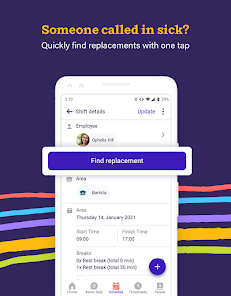
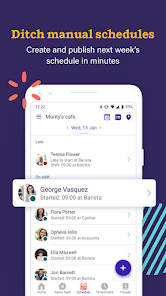
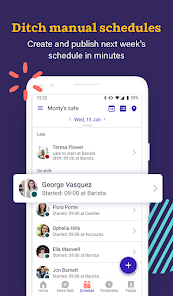
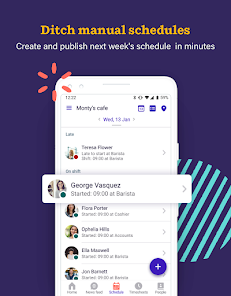
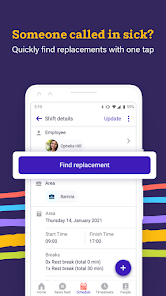
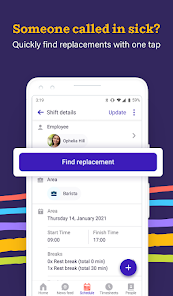
Deputy makes scheduling a breeze with its smart scheduling feature, allowing managers to create efficient rosters that meet business needs and employee preferences. With automated conflict detection and shift swapping, it ensures everyone is happy and on the same page, reducing last-minute chaos.

Team Communication

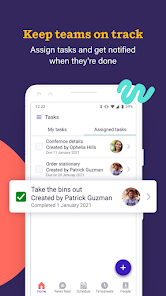
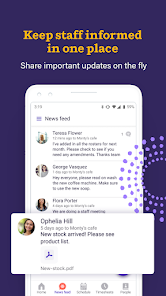
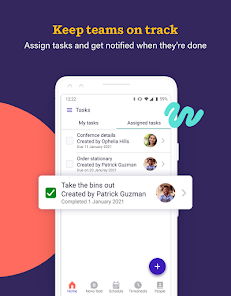
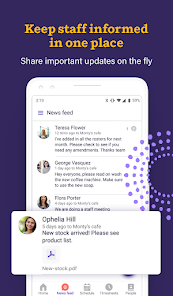
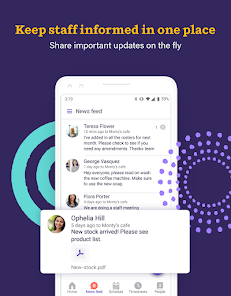
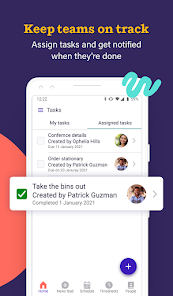
Deputy enhances team communication with built-in messaging tools that allow staff to connect easily regarding shifts, tasks, or any urgent updates. This fosters a collaborative environment where everyone stays informed, reducing misunderstandings and ensuring smoother operations across the board.

Time Tracking

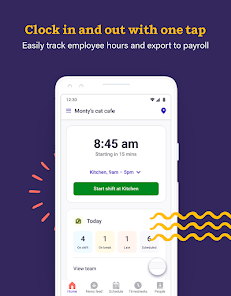
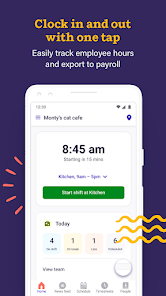
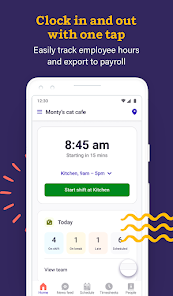
The time tracking feature empowers employees to clock in and out seamlessly, providing accurate records for payroll and attendance. This not only streamlines processes for managers but also helps employees keep track of their hours, ensuring transparency and boosting trust within the workplace.

Pros & Cons

Pros
  • Streamlines scheduling for increased efficiency
  • Reduces scheduling conflicts and errors
  • Enhances employee communication and collaboration
  • Offers mobile access for on-the-go management
  • Integrates seamlessly with payroll systems
Cons
  • Limited customization options for specific business needs
  • User interface can be confusing for new users
  • Pricing may be high for smaller businesses
  • Integrations with other tools can be challenging

Real Experience Using Deputy: Employee Scheduling

Application Scenarios

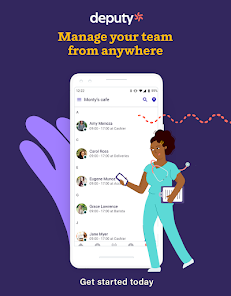
The Deputy: Employee Scheduling app is designed to streamline workforce management for businesses of all sizes. It is particularly beneficial in industries such as retail, hospitality, healthcare, and service sectors, where employee scheduling can be complex and time-consuming. Managers can utilize the app to create and manage schedules efficiently, ensuring that shifts are filled according to demand. The app also allows for real-time communication between employees and managers, facilitating quick adjustments when unforeseen circumstances occur, such as last-minute absences or changes in customer flow. Furthermore, the time-tracking feature helps businesses accurately monitor employee hours, making payroll processing easier and more transparent.

User Experience

User experience with the Deputy app is generally positive, with many users praising its intuitive interface and ease of use. The onboarding process is straightforward, allowing new users to set up their accounts and start scheduling with minimal hassle. Employees appreciate the mobile accessibility of the app, enabling them to view their schedules, request time off, and swap shifts directly from their smartphones. The notification system keeps users informed of any scheduling changes or important announcements, enhancing communication within teams. However, some users have noted occasional glitches or delays in syncing schedules across devices, which can be frustrating. Overall, the app enhances collaboration and reduces the administrative burden on managers, making it a valuable tool for workforce management.

Pricing

Deputy offers a variety of pricing plans to accommodate different business needs, ranging from small businesses to larger enterprises. The pricing structure is tiered, with basic features available at a lower cost and more advanced functionalities available in higher-tier plans. This flexibility allows businesses to choose a plan that aligns with their budget and operational requirements. While some users find the pricing competitive given the features offered, others feel that certain functionalities could be included in the lower-tier plans to provide better value. A free trial is available, giving potential users the opportunity to evaluate the app before committing to a subscription.

Updates & Support

Deputy is committed to continual improvement, regularly releasing updates that enhance functionality and user experience. Users can expect new features, bug fixes, and performance improvements as part of these updates. The support team is accessible and responsive, with multiple channels for assistance, including email, live chat, and an extensive knowledge base. Many users have reported positive experiences with customer support, highlighting the team's willingness to help resolve issues promptly. Overall, the combination of regular updates and solid customer support contributes to a reliable and efficient scheduling solution for businesses.

verified Security & Privacy Review

Deputy: Employee Scheduling places a strong emphasis on security and user privacy. The app employs robust encryption protocols to safeguard sensitive data, ensuring that employee information remains confidential during transmission and storage. User access is controlled through customizable permissions, allowing managers to grant specific levels of access to different team members, which minimizes the risk of unauthorized data exposure. In terms of privacy practices, Deputy adheres to industry standards and regulations, including GDPR and CCPA, providing users with clear information about data collection and usage. The app collects necessary information such as employee names, contact details, and work schedules to facilitate effective scheduling and management, but it does not sell user data to third parties. Users are also given options to manage their data preferences, including the ability to delete their accounts and request data removal at any time. Overall, Deputy demonstrates a commitment to protecting user data while providing transparency in its privacy practices, making it a reliable choice for organizations seeking effective employee scheduling solutions.

Reviews

4.7

“User-friendly interface makes scheduling a breeze”

“Great for managing shifts effectively”

“Reliable app for team communication”

“Flexible scheduling features save time”

“Excellent customer support when needed”

FAQ

1

Does Deputy: Employee Scheduling collect my personal data?

Yes, Deputy: Employee Scheduling may collect personal data such as employee names, contact information, and work hours, as part of its functionality to manage scheduling and time tracking.

2

Does Deputy: Employee Scheduling offer a free trial or free version?

Yes, Deputy: Employee Scheduling offers a free trial for new users, allowing them to explore the application's features before committing to a subscription.

3

Does Deputy: Employee Scheduling require an internet connection?

Yes, Deputy: Employee Scheduling requires an internet connection to access its features and functionalities, as it is a cloud-based application.

4

How can I contact support or send feedback for Deputy: Employee Scheduling?

You can contact support for Deputy: Employee Scheduling through their help center, via email, or by using the in-app chat feature. Feedback can also be submitted directly through the app or website.

5

How do I manage or cancel my Deputy: Employee Scheduling subscription?

You can manage or cancel your Deputy: Employee Scheduling subscription by logging into your account, navigating to the billing section, and following the prompts to modify or cancel your plan.

How to use Deputy: Employee Scheduling

1

How can I contact Customer Service for Deputy?

You can contact Deputy's Customer Service via their support email or through the help section in the app. Visit their website for more details.

2

How do I activate my Deputy account?

To activate your account, check your email for the activation link sent during registration, and follow the instructions provided.

3

How do I log in to Deputy?

To log in, visit the Deputy website or open the app, enter your email and password, then click "Log In."

4

What is the Customer Number for Deputy?

Deputy does not have a specific customer number; support can be accessed through their website or app.

Editor's Choice