This site uses cookies to enhance your user experience. By clicking any link on this site you are giving your consent to our cookie policy. Read more
Reject
Accept All

Advertiser and Editorial Disclosures

Zwift Companion

Zwift Companion

verified Verified App

Developer: Zwift, Inc.

  • category

    Category: Health & Fitness

  • price

    Price: free

  • age rating

    Age Rating: Everyone

  • rating

    Rating: 4.4

  • download

    Downloads: 1,000,000+

  • version

    Version: 3.77.0

Screenshot 1
Screenshot 2
Screenshot 3
Screenshot 4
Screenshot 5
Screenshot 6
Screenshot 7

Features & Highlights

Activity Tracking

With Zwift Companion, you can effortlessly track your workouts and performance metrics in real-time. The app provides detailed statistics on your rides, including distance, elevation, and power output, allowing you to monitor your progress and set new goals with ease.

Custom Workouts

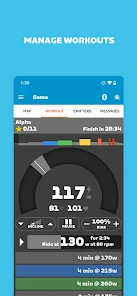
Create and customize your own workouts with Zwift Companion, tailoring them to fit your personal training needs. The app allows you to design sessions that focus on specific skills, helping you improve your performance and achieve your fitness objectives.

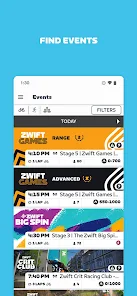
Event Discovery

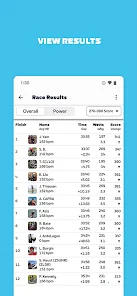
Stay in the loop with upcoming events and group rides tailored to your interests. Zwift Companion makes it easy to browse, register, and participate in live events, ensuring you never miss a chance to ride with others and experience new challenges.

Social Interaction

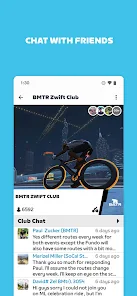
Engage with fellow Zwifters through the social features of Zwift Companion. You can send messages, cheer on friends, and even join group rides, creating a vibrant community atmosphere that keeps motivation high and makes every session more enjoyable.

Pros & Cons

Pros
  • Track your workouts and progress effortlessly
  • Connect with friends and join group rides easily
  • Access real-time stats during your training sessions
  • Customize your avatar for a personal touch
  • Discover new routes and challenges regularly
Cons
  • Limited functionality compared to the main app
  • Connectivity issues can disrupt experience
  • User interface may feel cluttered or confusing
  • Frequent updates required for optimal performance

Real Experience Using Zwift Companion

Application Scenarios

Zwift Companion serves a myriad of cycling and running enthusiasts, offering a unique platform that integrates fitness with social interaction. This app is particularly useful for users who want to enhance their training regimens through virtual environments. Whether you’re a seasoned athlete preparing for a race or a beginner looking to improve your fitness levels, Zwift Companion provides tailored experiences to suit all skill levels. Users can join group rides, participate in races, or simply track their performance metrics while exploring engaging terrains. The app seamlessly connects with various fitness equipment like smart trainers and heart rate monitors, making it an essential tool for in-home workouts. Additionally, it allows users to plan and join events, making it easier to stay motivated and connected with friends and the global community.

User Experience

The user interface of Zwift Companion is intuitive and user-friendly, enabling users to navigate effortlessly through its features. Upon logging in, users can easily access their activity feed, join events, or customize their avatars. The app's real-time tracking capabilities provide instant feedback on performance metrics, which can be a significant motivator. Many users appreciate the community aspect, which allows them to interact, chat, and share achievements with fellow athletes. The integration with social media further enhances this experience, allowing users to showcase their accomplishments. However, there are occasional reports of connectivity issues, particularly during peak usage times, which can disrupt the immersive experience Zwift aims to provide. Overall, the app excels at fostering a sense of community while keeping users engaged in their fitness journeys.

Pricing

Zwift Companion operates on a subscription model, offering various pricing tiers to cater to different user needs. The standard monthly subscription is reasonably priced, providing full access to the app's extensive features, including virtual worlds, training plans, and community events. For those who are serious about their training, annual subscriptions offer better value, reducing the overall monthly cost. Occasionally, Zwift runs promotional offers for new users, allowing them to experience the app without any financial commitment for a limited time. While some users may find the subscription cost a bit steep, many agree that the value provided by the app justifies the investment, particularly when compared to traditional gym memberships or cycling classes.

Updates & Support

Zwift Companion is regularly updated to enhance user experience and address any technical issues. The developers are responsive to user feedback, frequently introducing new features, improvements, and bug fixes. Users can expect seasonal updates that often include new routes, challenges, and customization options for their avatars. Support is readily available through the app and the official website, where users can access a comprehensive FAQ section, community forums, and direct customer service options. This commitment to continuous improvement and user support significantly contributes to the overall satisfaction and loyalty of the Zwift community.

verified Security & Privacy Review

The Zwift Companion app prioritizes user security and privacy through robust data protection measures. It employs encryption protocols to safeguard personal information during transmission and storage, ensuring that sensitive data remains confidential. Users are encouraged to create strong, unique passwords and enable two-factor authentication for an additional layer of security. In terms of privacy practices, Zwift Companion clearly outlines its data handling policies in its privacy policy. The app collects user data primarily to enhance the user experience, including activity metrics, preferences, and device information. However, it is important for users to understand what data is being collected and how it may be used, especially for marketing purposes. The app requests several permissions, including access to location services and device sensors, which are necessary for accurate performance tracking and social features. Users have control over these permissions and can adjust them according to their comfort levels. Overall, Zwift Companion demonstrates a commitment to user privacy while providing features that enhance connectivity and engagement within the platform.

Reviews

4.4

“Great for tracking workouts and connecting with friends”

“User-friendly interface enhances training experience”

“Syncs seamlessly with my Zwift account”

“Motivates me to push harder during rides”

“Love the community features and challenges offered”

FAQ

1

Does Zwift Companion collect my personal data?

Yes, Zwift Companion collects certain personal data to enhance user experience and provide personalized services, but this data is governed by Zwift's privacy policy.

2

Does Zwift Companion offer a free trial or free version?

Zwift Companion itself is free to download and use, but access to the full Zwift platform requires a subscription.

3

Does Zwift Companion require an internet connection?

Yes, Zwift Companion requires an internet connection to function properly, as it syncs data and interacts with the Zwift platform in real-time.

4

How can I contact support or send feedback for Zwift Companion?

You can contact Zwift support or send feedback through the help section of the Zwift website or via the Zwift Companion app itself, where you can find options for support and feedback.

5

How do I manage or cancel my Zwift Companion subscription?

To manage or cancel your Zwift subscription, you'll need to access your account settings through the Zwift website or app, as the Companion app is primarily for managing your Zwift experience.

How to use Zwift Companion

1

Do I need to activate the Zwift Companion app separately?

No separate activation is needed; simply log in with your Zwift account credentials to use the app.

2

How can I find my customer number for Zwift?

Your customer number can be found in your account settings on the Zwift website or within the app under your profile.

3

How do I contact customer service for the Zwift Companion app?

You can reach Zwift customer service through their support website or via the in-app help section.

4

How do I log in to the Zwift Companion app?

Open the app, enter your Zwift account email and password, then tap 'Log In' to access your account.

Editor's Choice