This site uses cookies to enhance your user experience. By clicking any link on this site you are giving your consent to our cookie policy. Read more
Reject
Accept All

Advertiser and Editorial Disclosures

Calm - Sleep, Meditate, Relax

Calm - Sleep, Meditate, Relax

verified Verified App

Developer: Calm.com, Inc.

  • category

    Category: Health & Fitness

  • price

    Price: free

  • age rating

    Age Rating: Everyone

  • rating

    Rating: 4.5

  • download

    Downloads: 50,000,000+

  • version

    Version: /

Screenshot 1
Screenshot 2
Screenshot 3
Screenshot 4
Screenshot 5
Screenshot 6
Screenshot 7
Screenshot 8
Screenshot 9
Screenshot 10
Screenshot 11
Screenshot 12
Screenshot 13
Screenshot 14
Screenshot 15
Screenshot 16
Screenshot 17
Screenshot 18
Screenshot 19
Screenshot 20
Screenshot 21
Screenshot 22
Screenshot 23
Screenshot 24
Screenshot 25
Screenshot 26
Screenshot 27

Features & Highlights

Breathing Exercises

Calm features simple and effective breathing exercises that can quickly reduce stress and anxiety. These guided techniques teach you to focus on your breath, providing a moment of calm amidst the chaos of daily life, and helping to enhance your overall mental clarity.

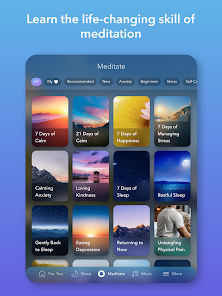
Meditation Sessions

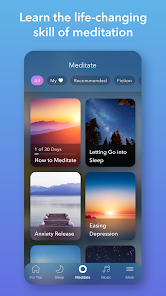
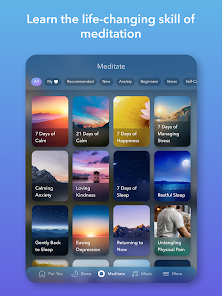
With a variety of guided meditation sessions, Calm caters to both beginners and seasoned practitioners. These sessions focus on mindfulness, stress relief, and emotional well-being, allowing you to find your center and cultivate a sense of inner peace wherever you are.

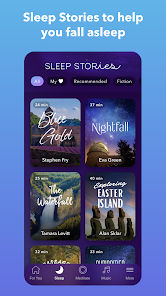
Sleep Stories

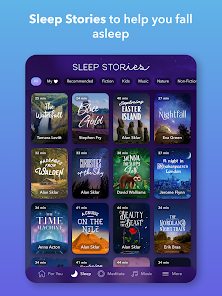
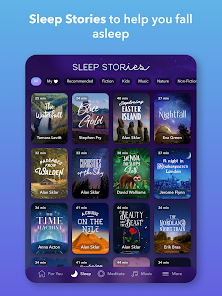
Calm offers a delightful collection of sleep stories narrated by soothing voices, designed to help you drift off into a peaceful slumber. Each story is carefully crafted to transport you to a tranquil world, making it easier to unwind and forget the stresses of the day.

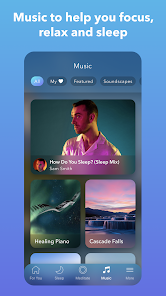
Soundscapes

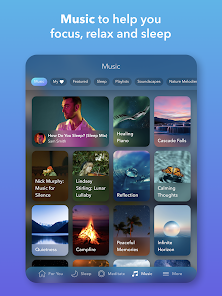
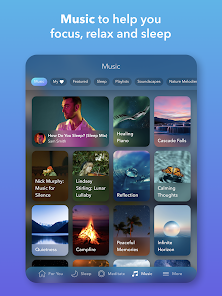
Immerse yourself in a selection of calming soundscapes that create a serene backdrop for relaxation or focus. Whether you prefer the gentle sounds of nature or soothing ambient music, these soundscapes are perfect companions for meditation, yoga, or simply winding down after a long day.

Pros & Cons

Pros
  • Promotes deep, restful sleep for rejuvenation
  • Guided meditations reduce stress and anxiety levels
  • Relaxing soundscapes enhance focus and concentration
  • Customizable sleep stories for personalized relaxation
  • Mindfulness practices improve overall emotional well-being
Cons
  • Limited free content available for users
  • Subscription costs can be high
  • Audio selections may not appeal to everyone
  • User interface can be confusing at times

Real Experience Using Calm - Sleep, Meditate, Relax

Application Scenarios

Calm is designed for various scenarios where users seek relaxation, better sleep, or mindfulness. Whether you’re navigating a stressful workday, trying to unwind after a long day, or needing assistance to fall asleep, Calm offers tailored content to meet your needs. Users can use the app during meditation sessions in quiet spaces, while commuting, or even as part of a bedtime routine. The app's vast library includes guided meditations, sleep stories, and soothing soundscapes that can be utilized in diverse settings, making it a versatile tool for mental well-being.

User Experience

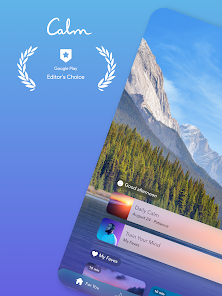
The user experience of Calm is notably intuitive and visually appealing. Upon opening the app, users are greeted with serene visuals and a simple interface that encourages exploration. The guided meditations are categorized by duration, theme, and purpose, allowing users to easily find sessions that fit their schedules and requirements. The soothing voiceovers and calming background sounds enhance the overall experience, creating an immersive environment for relaxation. Additionally, features such as reminders and progress tracking help users stay committed to their mental health journey. New users may initially feel overwhelmed by the extensive library, but the app’s curated recommendations and daily meditations help ease them into the experience.

Pricing

Calm adopts a freemium model, offering a selection of content for free while reserving more advanced features for premium subscribers. The premium subscription unlocks access to the full library of guided meditations, sleep stories, and exclusive content. As of October 2023, Calm’s premium pricing is competitive within the wellness app market, with options for monthly, annual, or lifetime subscriptions. Users often express that the investment is worthwhile, given the quality of content and the potential benefits to mental health and sleep quality.

Updates & Support

Calm regularly updates its content library, introducing new meditations, sleep stories, and features to keep users engaged. These updates are communicated through in-app notifications and emails, ensuring users are aware of new offerings. Customer support is accessible through the app, where users can find FAQs or contact the support team for assistance. Many users report positive experiences with the support team, noting quick responses and helpful solutions to their queries. Overall, Calm demonstrates a commitment to continuous improvement and user satisfaction, fostering a supportive community around mental health and wellness.

verified Security & Privacy Review

The Calm app prioritizes user security and privacy, employing robust measures to safeguard personal information. It adheres to industry standards for data protection, utilizing encryption protocols during data transmission to prevent unauthorized access. When users sign up, Calm collects minimal personal information, primarily for account creation and personalization purposes. The app's privacy policy clearly outlines the types of data collected, including usage statistics and device information, while ensuring that sensitive data is handled with care. Calm requests certain permissions, such as access to notifications and audio playback, which enhance user experience without compromising privacy. Users have the option to manage these permissions easily through their device settings. Importantly, Calm does not sell user data to third parties, and any data shared with partners is done in a de-identified format to maintain anonymity. Users can also request data deletion or access their information at any time, reinforcing transparency and control over personal data. Overall, Calm demonstrates a commitment to user privacy, making it a trustworthy option for those seeking meditation and relaxation resources.

Reviews

4.5

“Soothing sounds help me sleep better nightly”

“Great meditation options for beginners and experts alike”

“User-friendly interface makes meditation enjoyable”

“Sleep stories are wonderfully calming and relaxing”

“Helps reduce anxiety and improve focus effectively”

FAQ

1

Does Calm - Sleep, Meditate, Relax collect my personal data?

Calm collects personal data as outlined in their privacy policy, which may include information such as user preferences and usage patterns to enhance the user experience.

2

Does Calm - Sleep, Meditate, Relax offer a free trial or free version?

Calm does offer a free trial for new users to explore the app's features, but access to premium content typically requires a subscription.

3

Does Calm - Sleep, Meditate, Relax require an internet connection?

While an internet connection is required for initial downloads and streaming content, many features can be accessed offline once downloaded.

4

How can I contact support or send feedback for Calm - Sleep, Meditate, Relax?

Users can contact Calm's support team through the app's help section, or by visiting the Calm website where they can find additional resources and feedback options.

5

How do I manage or cancel my Calm - Sleep, Meditate, Relax subscription?

Users can manage or cancel their subscriptions through their account settings in the app or by accessing the subscription management options on the app store from which they downloaded Calm.

How to use Calm - Sleep, Meditate, Relax

1

Can I recover my Calm account if I forgot my password?

Yes, you can reset your password by tapping "Forgot Password?" on the login screen and following the instructions sent to your email.

2

How can I contact customer service for the Calm app?

You can contact Calm's customer service through the app's settings or visit their website for support options.

3

How do I activate my Calm subscription?

If you have a promo code, go to "Settings," select "Account," and enter the code to activate your subscription.

4

How do I log in to my Calm account?

Open the app, tap on "Log In," and enter your email and password associated with your account.

5

How do I update my payment information for the Calm app?

Navigate to "Settings," select "Account," and then "Manage Subscription" to update your payment details.

Editor's Choice