This site uses cookies to enhance your user experience. By clicking any link on this site you are giving your consent to our cookie policy. Read more
Reject
Accept All

Advertiser and Editorial Disclosures

Fitbit

Fitbit

verified Verified App

Developer: Google LLC

  • category

    Category: Health & Fitness

  • price

    Price: free

  • age rating

    Age Rating: Everyone

  • rating

    Rating: 4.1

  • download

    Downloads: 100,000,000+

  • version

    Version: /

Screenshot 1
Screenshot 2
Screenshot 3
Screenshot 4
Screenshot 5
Screenshot 6
Screenshot 7
Screenshot 8
Screenshot 9
Screenshot 10
Screenshot 11

Features & Highlights

Activity Tracking

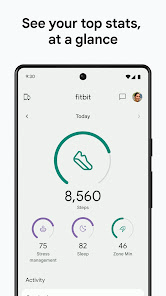
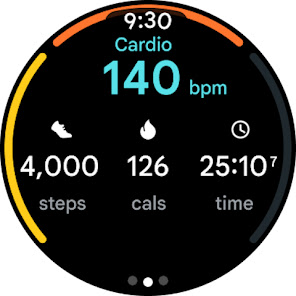
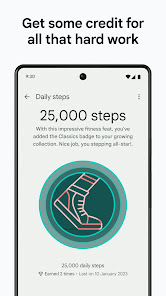
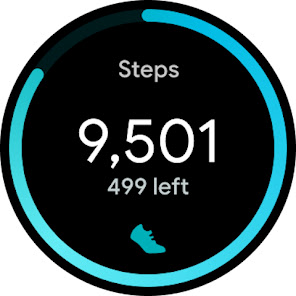
Fitbit automatically tracks your daily activities, from steps taken to calories burned, providing a holistic view of your fitness journey. With personalized goals and reminders, it keeps you motivated to stay active throughout the day, making it easier to reach your health objectives.

Heart Rate Monitoring

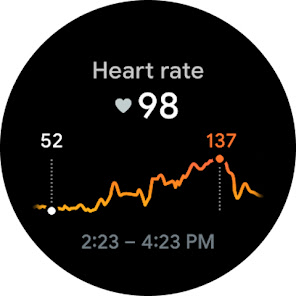
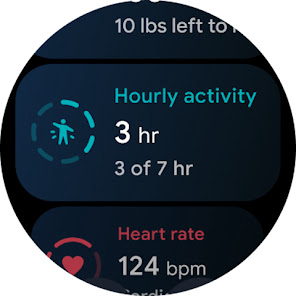
Fitbit’s advanced heart rate monitoring technology provides real-time insights into your heart health. With continuous tracking throughout the day, you can easily see how your heart responds to different activities and stress levels, helping you make informed fitness choices and manage your well-being effectively.

Sleep Tracking

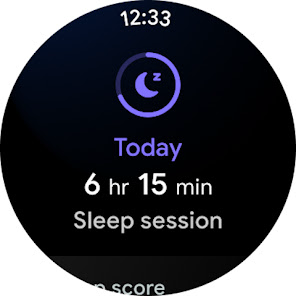
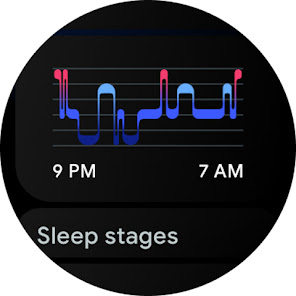
The sleep tracking feature offers a comprehensive analysis of your sleep patterns, including duration and quality. By understanding your sleep stages, you can identify trends and make adjustments to improve your rest, leading to better overall health and enhanced daily performance.

Smart Notifications

Stay connected with smart notifications that allow you to receive calls, texts, and app alerts directly on your wrist. This feature helps you manage your time efficiently, ensuring you never miss important updates while keeping your phone tucked away during workouts or meetings.

Pros & Cons

Pros
  • Tracks daily activity effortlessly
  • Monitors heart rate continuously
  • Offers personalized fitness insights
  • Encourages healthy sleep habits
  • Syncs easily with smartphones
Cons
  • Limited battery life requires frequent recharging
  • Syncing issues with some smartphones can occur
  • Inaccurate heart rate tracking during intense workouts
  • Lacks advanced features of higher-end fitness trackers

Real Experience Using Fitbit

Application Scenarios

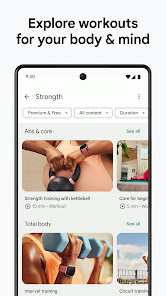
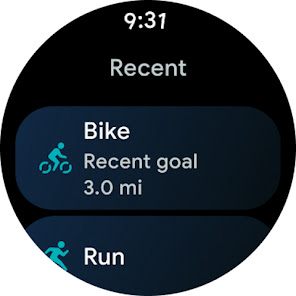
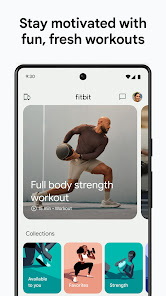
Fitbit is a versatile app designed to cater to a wide array of fitness and health tracking needs. Whether you are a casual walker, an avid runner, or someone looking to monitor your overall well-being, Fitbit adapts to various lifestyles. Users can track daily steps, monitor heart rate, log food intake, and even analyze sleep patterns. The app is particularly useful for setting personalized fitness goals, such as weight loss or endurance training. Many users utilize Fitbit during specific activities like hiking, cycling, or gym workouts, leveraging its ability to provide real-time stats and post-workout summaries. Additionally, the app integrates seamlessly with Fitbit devices, enhancing its functionality and allowing for an even richer tracking experience.

User Experience

The overall user experience with Fitbit is largely positive, characterized by an intuitive interface that makes navigation simple. The app’s dashboard is visually appealing and allows for easy access to health metrics, including calories burned, active minutes, and distance traveled. Notifications and reminders help users stay on track with their fitness goals. Many users appreciate the community aspect of the app, where they can join challenges, share progress with friends, and receive encouragement. However, some users have reported occasional syncing issues between the app and their devices, which can detract from the overall experience. Despite this, the app continually evolves based on user feedback, making it a valuable companion for health-conscious individuals.

Pricing

Fitbit offers a free version of the app, which provides essential features for tracking fitness and health metrics. However, for more advanced functionalities, such as in-depth analytics, personalized coaching, and additional health insights, users can opt for Fitbit Premium. The subscription service is reasonably priced, with a monthly fee that unlocks a wealth of features designed to enhance the user’s fitness journey. Many users find that the benefits of a Premium subscription outweigh the cost, especially if they are serious about their health and fitness goals. Additionally, occasional promotions may offer discounts or free trials, making it easier for users to explore the Premium features without immediate financial commitment.

Updates & Support

Fitbit consistently rolls out updates to improve user experience and add new features. The app’s development team is responsive to user feedback, ensuring that common issues are addressed promptly. Regular updates often include enhancements to existing features, bug fixes, and new workout tracking options. For support, Fitbit provides a comprehensive help center with articles covering a range of topics, from troubleshooting to fitness tips. Users can also reach out to customer support via email or chat for more personalized assistance. Overall, Fitbit’s commitment to regular updates and robust support helps create a reliable and engaging platform for its users.

verified Security & Privacy Review

The Fitbit app prioritizes user security and privacy by employing robust encryption protocols to protect personal data both in transit and at rest. Users are informed about data collection practices, as Fitbit clearly outlines what information is gathered, including health metrics, activity details, and location data. This transparency allows users to make informed decisions regarding their data. Fitbit requests various permissions to access features such as location services, notifications, and health tracking capabilities. Users have the option to customize these permissions, granting them control over what data is shared. Additionally, Fitbit offers users the ability to manage their privacy settings, including options to delete data and disable specific tracking features. Fitbit adheres to applicable privacy regulations and has measures in place to handle user data responsibly. However, it is essential for users to regularly review their privacy settings and understand the implications of data sharing. Overall, while Fitbit provides a comprehensive approach to security and privacy, users should remain vigilant about their personal information and usage preferences.

Reviews

4.1

“Accurate tracking and user-friendly interface”

“Great battery life, lasts for days”

“Stylish design, fits any outfit”

“Helpful health insights and reminders”

“Syncs easily with my smartphone”

FAQ

1

Does Fitbit collect my personal data?

Yes, Fitbit collects personal data related to your health and fitness activities, but it is committed to protecting your privacy and allows you to manage your data preferences.

2

Does Fitbit offer a free trial or free version?

Fitbit offers a free version of its app with basic features, while Fitbit Premium provides a free trial for new users, allowing access to advanced insights and personalized coaching.

3

Does Fitbit require an internet connection?

While Fitbit devices can track data offline, an internet connection is required to sync data to the app, access certain features, and receive updates.

4

How can I contact support or send feedback for Fitbit?

You can contact Fitbit support through their official website, where you can find help articles, chat with a representative, or submit feedback through their contact form.

5

How do I manage or cancel my Fitbit subscription?

You can manage or cancel your Fitbit subscription through the Fitbit app or the Fitbit website by navigating to your account settings and selecting subscription options.

How to use Fitbit

1

How can I contact Fitbit customer service?

You can contact Fitbit customer service through their official website or by calling their support number available in the app.

2

How do I activate my Fitbit device?

To activate your Fitbit device, charge it, open the app, tap “Join Fitbit,” and follow the prompts to pair your device.

3

How do I find my customer number for Fitbit?

Your customer number is usually found in the app under Account settings or in the confirmation email from your purchase.

4

How do I log in to my Fitbit account?

Open the Fitbit app, tap "Log In," and enter your email and password. If you don't have an account, you can create one from the same screen.

Editor's Choice