This site uses cookies to enhance your user experience. By clicking any link on this site you are giving your consent to our cookie policy. Read more
Reject
Accept All

Advertiser and Editorial Disclosures

Cronometer: Calorie Counter

Cronometer: Calorie Counter

verified Verified App

Developer: Cronometer Software Inc.

  • category

    Category: Health & Fitness

  • price

    Price: free

  • age rating

    Age Rating: Everyone

  • rating

    Rating: 4.6

  • download

    Downloads: 1,000,000+

  • version

    Version: /

Screenshot 1
Screenshot 2
Screenshot 3
Screenshot 4
Screenshot 5
Screenshot 6
Screenshot 7
Screenshot 8
Screenshot 9
Screenshot 10
Screenshot 11
Screenshot 12
Screenshot 13
Screenshot 14
Screenshot 15
Screenshot 16
Screenshot 17
Screenshot 18
Screenshot 19
Screenshot 20
Screenshot 21
Screenshot 22
Screenshot 23
Screenshot 24
Screenshot 25
Screenshot 26
Screenshot 27
Screenshot 28

Features & Highlights

Comprehensive Food Database

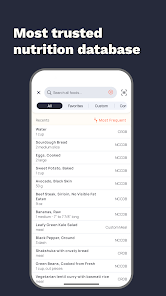
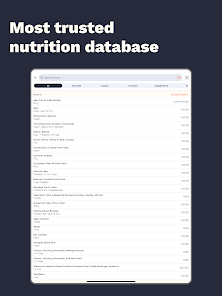
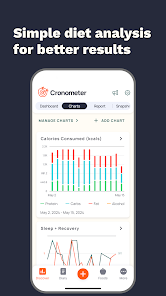
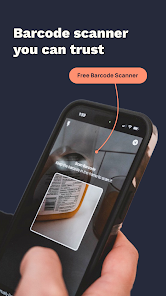
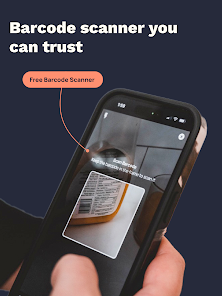
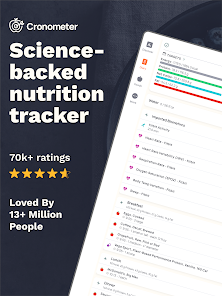
Cronometer boasts an extensive food database that includes thousands of foods, allowing users to easily track their calorie intake and nutritional values. Whether you're scanning barcodes or searching for specific items, you'll find the information you need to make informed dietary choices right at your fingertips.

Customizable Nutrient Tracking

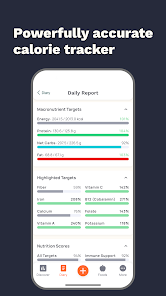
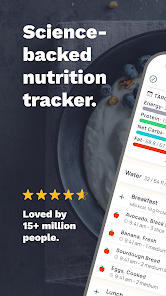
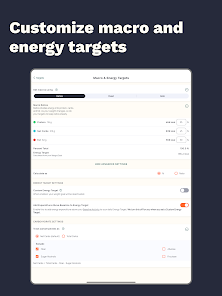
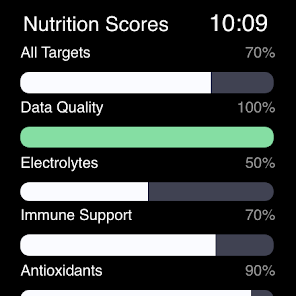
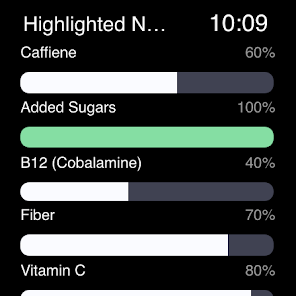
With Cronometer, you can tailor your nutrient tracking to focus on specific vitamins, minerals, and macronutrients that matter most to you. This personalized approach helps you achieve your health goals by providing insights into your unique dietary needs and promoting balanced nutrition.

Intuitive User Interface

The app's user-friendly interface makes logging meals and monitoring progress a breeze, even for those new to calorie counting. Its clean design and straightforward navigation ensure that users can effortlessly track their food intake without feeling overwhelmed or confused.

Robust Activity Logging

Cronometer allows users to log various physical activities, giving a holistic view of calorie burn and nutritional balance. By integrating exercise data with dietary information, you can better understand how your lifestyle choices impact your overall health and fitness goals.

Pros & Cons

Pros
  • Track your nutrition with precision and accuracy for optimal health.
  • Access a vast database of foods and their nutritional values with ease.
  • Customize your goals to fit your lifestyle and dietary preferences perfectly.
  • Gain insights into micronutrient intake to support overall wellness.
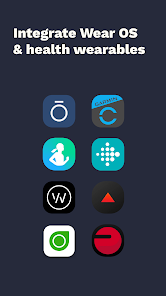
  • Sync with devices and apps for seamless tracking and monitoring.
Cons
  • Limited food database may hinder accurate tracking for some users
  • User interface can feel overwhelming for beginners
  • Premium features require a subscription, limiting access to full functionality

Real Experience Using Cronometer: Calorie Counter

Application Scenarios

Cronometer: Calorie Counter is an ideal tool for a variety of users, whether you are looking to lose weight, maintain a balanced diet, or simply keep track of your nutritional intake. Health-conscious individuals can utilize the app to monitor their daily caloric consumption and ensure they are meeting their macro and micronutrient goals. Fitness enthusiasts may find it particularly useful for tracking their energy expenditure during workouts, allowing them to adjust their food intake accordingly. Additionally, users with specific dietary needs, such as those following a vegan or ketogenic diet, can benefit from the app’s extensive food database and customizable goals. The app also caters to those managing chronic health conditions by providing detailed nutrient tracking, which can aid in making informed dietary choices.

User Experience

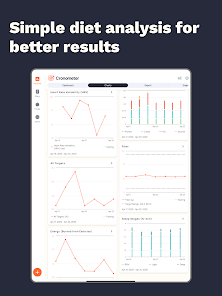
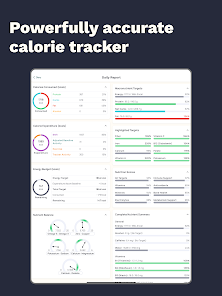
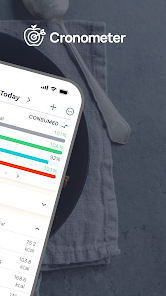
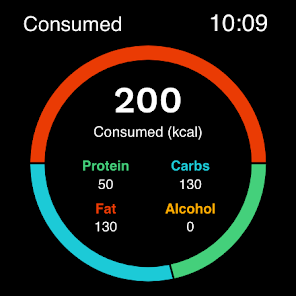
The user experience of Cronometer is remarkably intuitive and user-friendly. Upon launching the app, users are greeted with a clean interface that makes navigation seamless. Inputting food items is straightforward, thanks to a comprehensive database that includes both generic and brand-name products. Users can easily search for foods, scan barcodes, or even create custom entries, ensuring accuracy in their dietary tracking. The app also features a visually appealing dashboard that summarizes key metrics, making it easy to understand daily intake at a glance. Additionally, the community features, such as forums and user-generated content, foster a sense of support and motivation among users. One standout aspect is the level of detail offered in nutrient tracking, enabling users to delve deeply into their nutritional profiles and make informed adjustments as needed.

Pricing

Cronometer offers a robust free version, which is quite comprehensive for casual users. However, users looking for an enhanced experience may consider the premium subscription, which unlocks additional features such as advanced nutrient analysis, food diary customization, and priority customer support. The premium pricing is competitive compared to other nutrition apps, making it an attractive option for serious health enthusiasts. The monthly, yearly, or lifetime subscription options provide flexibility, allowing users to select a plan that best fits their lifestyle and budget. Overall, the value offered by the premium features justifies the cost for those committed to optimizing their health.

Updates & Support

Cronometer is consistently updated to improve functionality and user experience. The developers actively listen to user feedback, often implementing requested features and enhancements in new releases. Regular updates ensure that the app remains compatible with the latest operating systems and devices, preserving its reliability. Support is readily available through a comprehensive FAQ section, user guides, and responsive customer service. Users can submit inquiries or report issues directly within the app, making it easy to receive assistance. The commitment to continuous improvement and user support makes Cronometer a dependable choice for anyone serious about tracking their nutrition.

verified Security & Privacy Review

Cronometer: Calorie Counter prioritizes user security and privacy, implementing robust measures to protect personal data. The app employs encryption protocols to safeguard sensitive information both in transit and at rest, ensuring that user data remains confidential and secure from unauthorized access. Users are informed about the data they share, which includes personal health information such as dietary habits and biometric data. Cronometer adheres to strict privacy practices, providing a clear privacy policy that outlines data collection, usage, and sharing practices. The app does not sell user data to third parties, which enhances user trust and confidence. When it comes to permissions, Cronometer requests access only to necessary features, such as health and activity data, to enhance functionality. Users maintain control over their personal information, with options to manage privacy settings effectively. Overall, Cronometer demonstrates a commitment to protecting user privacy while providing a comprehensive health tracking experience.

Reviews

4.6

“Great for tracking micronutrients and calories!”

“User-friendly interface makes tracking easy.”

“Comprehensive food database, very helpful.”

“Helps maintain healthy eating habits effectively.”

“Excellent support and frequent updates improve experience.”

FAQ

1

Can I submit suggestions or feedback to Calorie Counter by Cronometer?

Yes, users can submit suggestions or feedback directly through the app or by contacting customer support via their website.

2

Does Calorie Counter by Cronometer collect my personal data?

Calorie Counter by Cronometer does collect some personal data to enhance user experience, but they prioritize privacy and provide options to manage your data.

3

Does Calorie Counter by Cronometer support offline use?

Yes, Calorie Counter by Cronometer allows users to log food and track their intake offline, with data syncing once the device is connected to the internet.

4

How do I cancel my Calorie Counter by Cronometer subscription?

Users can cancel their subscription through their account settings in the app or via the app store where the subscription was purchased.

5

How much does a subscription to Calorie Counter by Cronometer cost?

The subscription cost for Calorie Counter by Cronometer varies, but it typically includes options for monthly or yearly plans, with discounts available for longer commitments.

How to use Cronometer: Calorie Counter

1

Can I change my customer number after activation?

No, once activated, your customer number cannot be changed. Please keep it safe for future reference.

2

How can I activate my Cronometer account after signing up?

Check your email for the activation link. Click it to activate your account and start using Cronometer.

3

How can I update my email address linked to my Cronometer account?

Log in to your account, go to account settings, and update your email address there.

4

How do I contact customer service for help with my Cronometer account?

You can reach customer service by emailing support

5

How do I log in if I haven't activated my account yet?

You must activate your account first using the link sent to your email before you can log in.

Editor's Choice