This site uses cookies to enhance your user experience. By clicking any link on this site you are giving your consent to our cookie policy. Read more
Reject
Accept All
ZArchiver

ZArchiver

verified Verified App

Developer: ZDevs

  • category

    Category: Tools

  • price

    Price: free

  • age rating

    Age Rating: Everyone

  • rating

    Rating: 4.1

  • download

    Downloads: 100,000,000+

  • version

    Version: 1.0.10

Screenshot 1
Screenshot 2
Screenshot 3
Screenshot 4
Screenshot 5
Screenshot 6
Screenshot 7
Screenshot 8
Screenshot 9
Screenshot 10

Features & Highlights

Easy File Compression

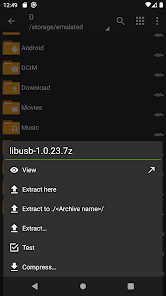
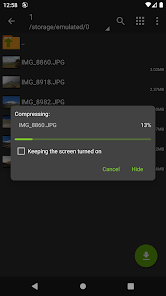
ZArchiver makes it a breeze to compress files into various formats like ZIP and RAR. This feature is perfect for saving storage space and sharing files quickly without losing quality, ensuring your data is always manageable and easy to send across platforms.

Multi-Format Support

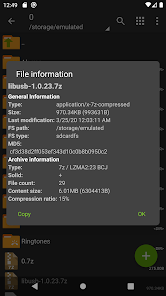
With ZArchiver, you can handle a wide range of archive formats including 7z, zip, rar, and more. This versatility lets you open, extract, and create archives seamlessly, making it a one-stop solution for all your file compression needs.

Password Protection

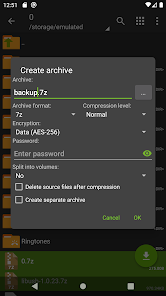
ZArchiver offers robust encryption options, allowing you to protect your sensitive files with strong passwords. This feature is essential for keeping your data secure while sharing it, giving you peace of mind that your information remains private and safe from unauthorized access.

User-Friendly Interface

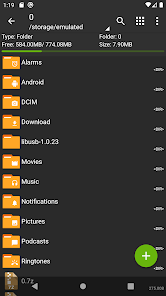
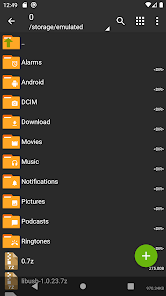
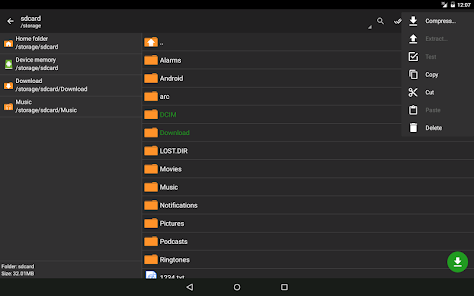
The app boasts an intuitive interface that simplifies navigation and file management. Whether you're a tech-savvy user or a beginner, ZArchiver's straightforward design allows you to perform complex tasks with ease, ensuring a smooth user experience every time.

Pros & Cons

Pros
  • User-friendly interface for easy navigation and use.
  • Supports a wide range of archive formats seamlessly.
  • Offers fast compression and extraction speeds.
  • Lightweight app that saves storage space.
  • No ads for an uninterrupted user experience.
Cons
  • Limited support for larger file sizes
  • User interface can be confusing at times
  • Occasional stability issues during file extraction
  • Lacks advanced features found in competitors

Real Experience Using ZArchiver

Application Scenarios

ZArchiver is a versatile archiving tool that caters to a wide range of file management needs. Users can effortlessly create and extract various archive formats, including ZIP, RAR, and 7Z, making it an essential app for those who frequently handle compressed files. Whether you are a student needing to organize class materials or a professional managing large datasets, ZArchiver simplifies the process of file compression and extraction. It is particularly useful for users who need to save storage space on their devices or share large files over the internet. The app is also ideal for developers who require the ability to package and distribute software projects in a compressed format. With its ability to handle multi-part archives, users can manage complex file structures with ease.

User Experience

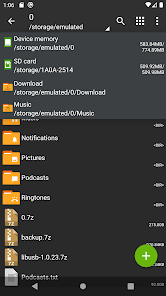
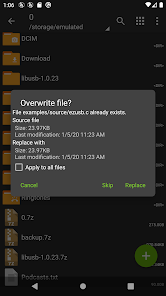
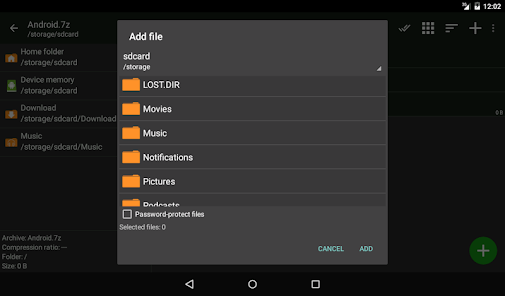
The user interface of ZArchiver is intuitive and easy to navigate, which enhances the overall user experience. Upon launching the app, users are greeted with a clean layout that allows for quick access to files and folders. The drag-and-drop functionality streamlines the process of moving files into archives, and the app supports password protection for secure file sharing. Users appreciate the speed and efficiency of ZArchiver, as it processes files quickly, even those that are large or contain multiple components. Additionally, the app provides a built-in file manager, enabling users to explore their device’s storage without needing to switch between applications. The ability to view and manage files directly in the app makes ZArchiver a comprehensive solution for all archiving needs.

Pricing

Updates & Support The developers of ZArchiver are committed to providing regular updates that enhance functionality and improve user experience. Frequent updates ensure compatibility with the latest Android versions and introduce new features based on user feedback. The app also boasts an active support community, with users able to find assistance through forums and dedicated online resources. For any technical issues, users can reach out to the support team, which is known for its responsiveness and helpfulness. This commitment to consistent updates and user support makes ZArchiver a reliable choice for anyone in need of an archiving solution.

verified Security & Privacy Review

ZArchiver prioritizes user privacy and data security, ensuring that sensitive information remains protected throughout its usage. The app does not require unnecessary permissions, focusing on essential functionalities that do not infringe upon user privacy. Users can create and manage archives without the need for internet access, which minimizes exposure to external threats. The app employs strong encryption methods for compressed files, allowing users to secure their data with passwords. This feature is crucial for individuals handling confidential information, as it adds an extra layer of protection. Furthermore, ZArchiver does not collect personal data or track user behavior, adhering to a strict no-data policy that bolsters user trust. In terms of permissions, ZArchiver primarily requires access to storage, which is standard for file management applications. This access is limited to the files the user chooses to interact with, ensuring that no additional data is accessed without consent. Overall, ZArchiver demonstrates a commendable commitment to maintaining user privacy and securing data, making it a reliable choice for those concerned about their digital footprint.

Reviews

4.1

“User-friendly interface and great functionality!”

“Fast compression and extraction speeds.”

“Handles large files effortlessly.”

“Ad-free experience is a big plus.”

“Regular updates improve performance consistently.”

Editor's Choice