This site uses cookies to enhance your user experience. By clicking any link on this site you are giving your consent to our cookie policy. Read more
Reject
Accept All

Advertiser and Editorial Disclosures

QR & Barcode Scanner

QR & Barcode Scanner

verified Verified App

Developer: 1MB

  • category

    Category: Tools

  • price

    Price: Free

  • age rating

    Age Rating: /

  • rating

    Rating: 4.3

  • download

    Downloads: 10M+

  • version

    Version: 3.6.0

Screenshot 1
Screenshot 2
Screenshot 3
Screenshot 4
Screenshot 5
Screenshot 6

Features & Highlights

History Log

The app keeps a comprehensive history of all your scanned codes, allowing you to revisit any links or information whenever you need. This feature is perfect for keeping track of important details or for reviewing past scans without the hassle of rescaning.

Instant Scanning

With QR & Barcode Scanner, you can quickly scan codes using your device's camera, making it incredibly easy to access information on the go. Just point and shoot, and you'll be directed to the relevant content in seconds, saving you time and effort in your daily tasks.

Multiple Code Formats

QR & Barcode Scanner supports a wide range of code formats, including QR codes, barcodes, and more. This versatility ensures that you can scan various products, tickets, or promotional materials, making it a handy tool for both personal and professional use.

User-Friendly Interface

The app boasts an intuitive and clean interface that makes scanning and accessing information a breeze for users of all ages. Whether you're tech-savvy or a novice, you'll find it easy to navigate and utilize all its features effectively.

Pros & Cons

Pros
  • Quickly access product information with a scan.
  • Enhance transaction speed for customers and businesses.
  • Reduce human error in data entry processes.
  • Easily share digital content and promotions instantly.
  • Streamline inventory management and tracking efficiently.
Cons
  • Limited functionality for complex data types
  • Requires camera access for scanning
  • Vulnerable to counterfeit or tampering
  • Can be difficult to scan in poor lighting

Real Experience Using QR & Barcode Scanner

Application Scenarios

The QR & Barcode Scanner app proves to be an invaluable tool in a variety of everyday situations. Whether you're shopping and need to quickly compare prices, or you want to access detailed product information, this app has you covered. Users can scan QR codes at restaurants to view menus or make payments, or at events to check in seamlessly. For business professionals, the app is essential for scanning barcodes to manage inventory or access product details swiftly. The versatility of the app extends to social interactions as well; users can share Wi-Fi passwords and contact information through QR codes, making it easier than ever to connect with others.

User Experience

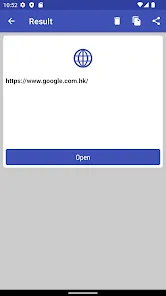
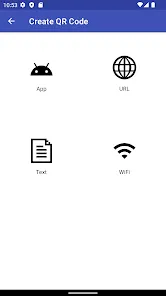
The user experience of the QR & Barcode Scanner is intuitive and pleasant. The interface is clean and user-friendly, allowing even the least tech-savvy individuals to navigate with ease. Upon launching the app, users are greeted with a simple scanning interface that activates the camera immediately, ensuring that scanning is quick and efficient. The app supports a wide range of barcode formats, including QR codes, UPCs, and EANs, and the scanning accuracy is impressive, with most codes recognized in less than a second. Additional features such as a history of scanned codes, the ability to create custom QR codes, and the option to share scanned information directly via social media or messaging apps enhance the overall functionality. Users have reported satisfaction with the speed and reliability of the app, making it a go-to solution for many.

Pricing

The QR & Barcode Scanner app offers a free version that includes essential scanning features, which is ideal for casual users. However, for those who require advanced functionalities, such as ad-free usage, premium templates for QR codes, and enhanced data analysis tools, a subscription model is available. The premium subscription is reasonably priced, providing excellent value for users who rely on the app for business or frequent scanning. This tier allows users to maximize their experience without the interruptions of ads, making it a worthwhile investment for dedicated users.

Updates & Support

Regular updates to the QR & Barcode Scanner app ensure that users benefit from the latest features and improvements. The developers are committed to enhancing the user experience, as evidenced by the frequent release of updates that address bugs and introduce new functionalities. Support is readily available through an integrated help section within the app, as well as through social media channels and email. Users have reported prompt responses to their inquiries, indicating that the development team values customer feedback and is dedicated to providing assistance whenever needed. Overall, the combination of consistent updates and reliable support contributes significantly to the app's positive user experience.

verified Security & Privacy Review

The QR & Barcode Scanner app prioritizes user security and privacy by implementing several safeguards to protect sensitive information. The app does not require unnecessary permissions, limiting access to only what is essential for its functionality, such as camera access for scanning. This minimal permission approach reduces potential vulnerabilities. Data handling practices are transparent, ensuring that user data is not stored or shared with third parties without explicit consent. The app does not create user profiles or track scanning history, which enhances user privacy. Additionally, all scanned data is processed locally on the device, minimizing exposure to external threats. Users are encouraged to review the privacy policy for detailed insights into data usage and protection measures. Regular updates help maintain security standards, addressing any newly discovered vulnerabilities. Overall, QR & Barcode Scanner demonstrates a commitment to safeguarding user information while providing a seamless scanning experience.

Reviews

4.3

“Fast and reliable scanning capabilities!”

“User-friendly interface makes it easy to navigate.”

“Scans various codes quickly and accurately.”

“Great for shopping and inventory management.”

“Occasional ads can be intrusive but tolerable.”

FAQ

1

Does QR & Barcode Scanner collect my personal data?

QR & Barcode Scanner does not collect personal data unless explicitly required for specific features, and it generally prioritizes user privacy. Always review the app's privacy policy for detailed information.

2

Does QR & Barcode Scanner offer a free trial or free version?

Many QR & Barcode Scanner apps offer a free version with basic features, while premium features may require a subscription. Some apps also provide a trial period for premium features.

3

Does QR & Barcode Scanner require an internet connection?

While QR & Barcode Scanner can function offline for scanning codes, an internet connection may be necessary for accessing online content or services linked to the scanned codes.

4

How can I contact support or send feedback for QR & Barcode Scanner?

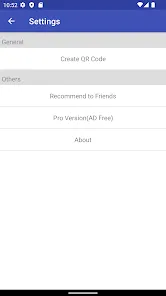
You can contact support or send feedback for QR & Barcode Scanner through the app's settings menu, where you'll usually find options for customer support or feedback forms, or by visiting the app's official website.

5

How do I manage or cancel my QR & Barcode Scanner subscription?

You can manage or cancel your QR & Barcode Scanner subscription through your device's app store settings or directly within the app, depending on how the subscription was set up.

How to use QR & Barcode Scanner

1

How can I contact customer service for the QR & Barcode Scanner app?

You can contact customer service through the app's support section or visit our website for additional contact information.

2

How do I log in to my account in the QR & Barcode Scanner app?

To log in, open the app and enter your registered email and password in the login section.

3

Is there an activation process for the QR & Barcode Scanner app?

No activation is required; simply download the app and start using it immediately.

4

What is the customer number for support inquiries?

The customer number can be found in the app's settings under "Help" or on our official website.

Editor's Choice