This site uses cookies to enhance your user experience. By clicking any link on this site you are giving your consent to our cookie policy. Read more
Reject
Accept All
PDF Reader - PDF Viewer

PDF Reader - PDF Viewer

verified Verified App

Developer: L4B Software Inc.

  • category

    Category: Tools

  • price

    Price: 0

  • age rating

    Age Rating: Everyone

  • rating

    Rating: 4.6

  • download

    Downloads: /

  • version

    Version: 1.7.1

Screenshot 1
Screenshot 2
Screenshot 3
Screenshot 4
Screenshot 5
Screenshot 6
Screenshot 7

Features & Highlights

Advanced Annotation Tools

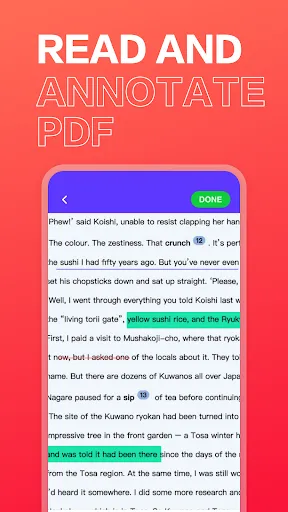
With PDF Reader - PDF Viewer, you can easily annotate your documents using a variety of tools like highlights, notes, and shapes. This feature makes it perfect for both personal and professional use, allowing you to mark important information and collaborate effectively with others.

Fast Document Loading

Say goodbye to frustrating delays! PDF Reader - PDF Viewer loads your documents quickly, ensuring you can access your files without any lag. This efficiency is particularly useful for users who need to review multiple PDFs on the go, making it a reliable choice for busy professionals.

Seamless Cloud Integration

Easily access your PDFs stored in popular cloud services like Google Drive and Dropbox. PDF Reader - PDF Viewer offers seamless integration, allowing you to open, edit, and save documents directly from your cloud accounts, which enhances your productivity and ensures your files are always within reach.

User-Friendly Interface

Navigating through your PDF documents is a breeze with the app's intuitive design. The user-friendly interface allows you to quickly find tools and features, ensuring a smooth reading experience whether you're zooming in on text or flipping through pages.

Pros & Cons

Pros
  • Fast and efficient document loading for quick access
  • User-friendly interface for easy navigation and reading
  • Supports annotations for enhanced note-taking capabilities
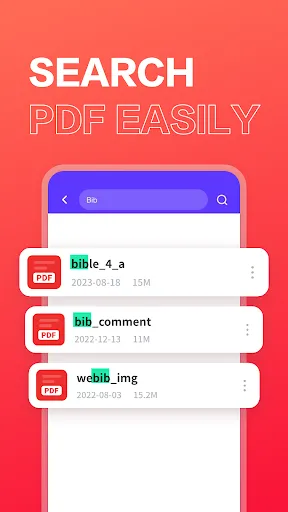
  • Offers advanced search features for quick information retrieval
  • Compatible with various devices for seamless use everywhere
Cons
  • Limited editing capabilities for PDF documents
  • May struggle with large file sizes
  • User interface can be confusing for newcomers
  • Frequent ads disrupt user experience

Real Experience Using PDF Reader - PDF Viewer

Application Scenarios

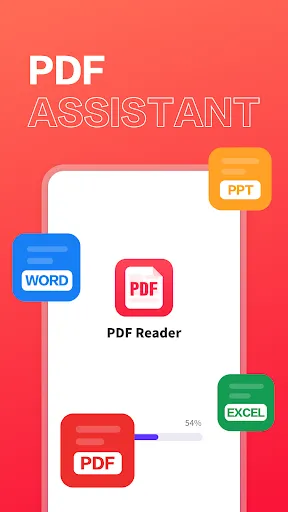
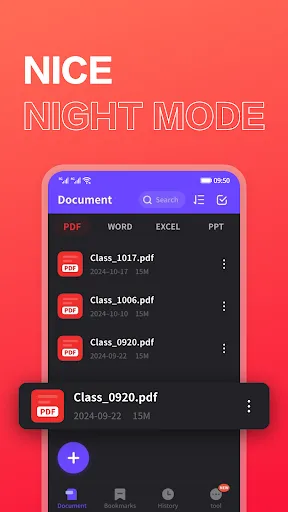
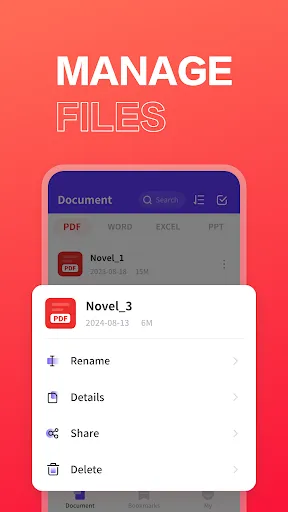
PDF Reader - PDF Viewer is a versatile application designed to cater to a wide range of users, from students to professionals. In academic settings, students can easily annotate PDFs, making it a breeze to highlight essential information during lectures or while studying. For professionals, the app allows for seamless viewing and editing of business documents, contracts, and reports on the go, ensuring that crucial tasks are never delayed. Additionally, users can store and organize their PDF files into folders, making it ideal for anyone who needs to manage extensive documentation efficiently. Whether you’re reading an eBook, reviewing a research paper, or checking a work proposal, PDF Reader offers the tools necessary to enhance productivity in various scenarios.

User Experience

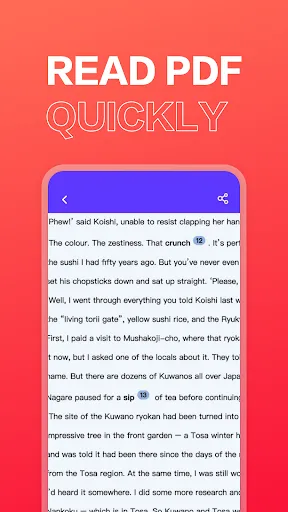
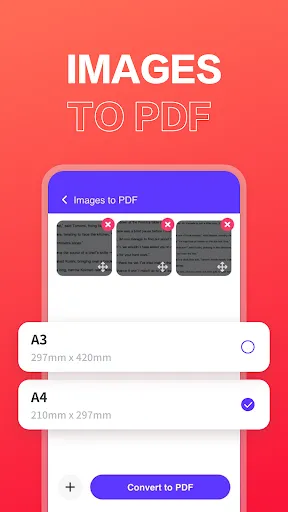
The user experience of PDF Reader - PDF Viewer is designed with simplicity and functionality in mind. Upon launching the app, users are greeted with an intuitive interface that allows for easy navigation through their documents. The viewing experience is smooth, with features like pinch-to-zoom and scrolling that make reading PDFs enjoyable. The annotation tools are particularly impressive, offering options to highlight, underline, and add comments, which can be vital for collaborative projects. Additionally, the app supports various formats, ensuring that users can open and edit not just PDFs but also images and other document types. Overall, the experience is fluid, making it a joy to use for both casual readers and those requiring advanced features.

Pricing

PDF Reader - PDF Viewer operates on a freemium model, allowing users to access basic features without any cost. However, for those seeking a more robust experience, the premium version is available at a reasonable price. This upgrade unlocks additional functionalities such as advanced editing tools, cloud storage integration, and priority customer support. The pricing structure is competitive compared to similar applications in the market, making it an attractive option for users who want quality features without breaking the bank. Overall, the value provided by the premium features justifies the investment for frequent users of PDF documents.

Updates & Support

The developers of PDF Reader - PDF Viewer are committed to providing regular updates to enhance the app's performance and user experience. These updates typically include new features, bug fixes, and improvements based on user feedback, demonstrating a dedication to customer satisfaction. Moreover, the support system is robust, offering users access to a comprehensive FAQ section and responsive customer service for any issues encountered. Whether users need assistance with functionality or troubleshooting, help is readily available, making the overall experience even more reliable and user-friendly.

verified Security & Privacy Review

The PDF Reader - PDF Viewer app prioritizes user security and privacy through a series of robust practices. The app does not require excessive permissions, only accessing files necessary for reading and annotating PDFs. This limited access helps to mitigate potential data exposure risks. Data handling is transparent, with clear policies outlining how user information is collected and used. The app ensures that any personal data is encrypted during transmission, safeguarding it against unauthorized access. Users can expect that their documents remain private, as the app does not store or share files on external servers without explicit consent. Furthermore, users have control over their data, with options to delete or export their information easily. Regular updates help maintain security standards, addressing any vulnerabilities promptly. Overall, PDF Reader - PDF Viewer demonstrates a commitment to protecting user privacy while providing a reliable and efficient reading experience.

Reviews

4.6

“User-friendly interface makes reading PDFs a breeze.”

“Fast and efficient, perfect for my daily use.”

“Great annotation tools enhance my document review process.”

“Syncs well across devices, easy access anywhere.”

“Ads can be intrusive, but overall a solid app.”

Editor's Choice