This site uses cookies to enhance your user experience. By clicking any link on this site you are giving your consent to our cookie policy. Read more
Reject
Accept All
Google Translate

Google Translate

verified Verified App

Developer: Google LLC

  • category

    Category: Tools

  • price

    Price: free

  • age rating

    Age Rating: Everyone

  • rating

    Rating: 4.3

  • download

    Downloads: 1,000,000,000+

  • version

    Version: /

Screenshot 1
Screenshot 2
Screenshot 3
Screenshot 4
Screenshot 5
Screenshot 6
Screenshot 7
Screenshot 8
Screenshot 9
Screenshot 10
Screenshot 11
Screenshot 12
Screenshot 13
Screenshot 14
Screenshot 15

Features & Highlights

Camera Translation

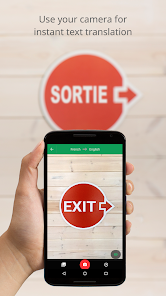
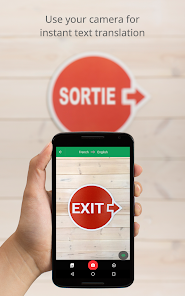
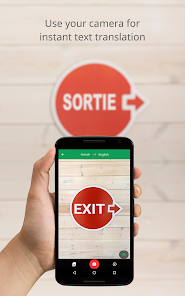
With the camera translation feature, you can point your device’s camera at text in another language, and Google Translate will provide real-time translations. This is perfect for menus, signs, or any printed text, making it easier to navigate foreign environments.

Conversation Mode

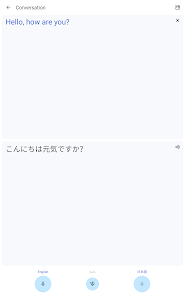
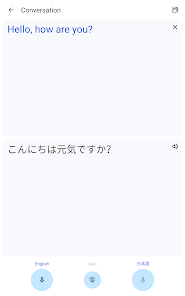
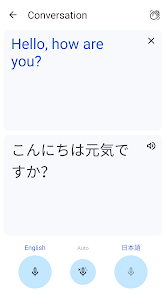
The conversation mode feature allows two users speaking different languages to engage in a dialogue seamlessly. By using voice recognition and instant translation, this feature facilitates real-time communication, making it easier to connect with others across language barriers.

Instant Text Translation

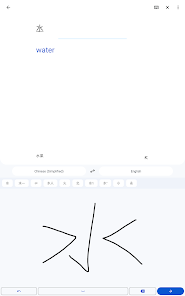
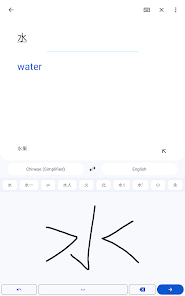
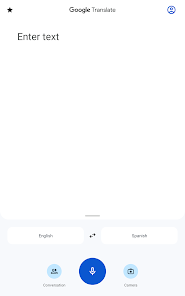
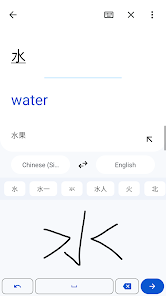
Google Translate allows users to instantly translate text in over 100 languages simply by typing or pasting the text into the app. This feature makes it incredibly handy for quick conversations, reading foreign articles, or understanding signs when traveling abroad.

Offline Translation

Google Translate enables users to download specific language packs for offline use, ensuring that you can still translate text even without an internet connection. This is especially useful when traveling to areas with limited connectivity, providing peace of mind during your adventures.

Pros & Cons

Pros
  • Supports numerous languages for global communication
  • Quick translations enhance travel and business efficiency
  • User-friendly interface simplifies text input and navigation
  • Voice and camera features aid real-time understanding
  • Continuous updates improve accuracy and language support
Cons
  • Inaccurate translations for complex phrases occur often.
  • Contextual nuances may be lost or misinterpreted.
  • Limited support for idiomatic expressions and slang.
  • Cannot replace human translators for nuanced texts.

Real Experience Using Google Translate

Application Scenarios

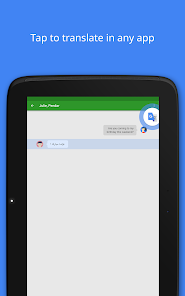
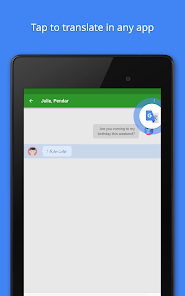
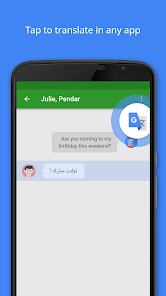
Google Translate is an essential tool for travelers, students, and professionals alike, serving a multitude of scenarios where language barriers exist. For travelers exploring foreign countries, the app's instant translation feature allows for smooth communication in restaurants, hotels, and shops. Users can simply point their device's camera at text, such as signs or menus, and receive immediate translations, making it an invaluable companion on any trip. In educational settings, students studying foreign languages can utilize Google Translate to assist with homework, understand complex texts, or even practice pronunciation through its audio features. For professionals dealing with international counterparts, the app facilitates effective communication, helping users draft emails or understand documents in multiple languages. Furthermore, Google Translate's offline mode allows for seamless use in areas with poor internet connectivity, making it versatile for various environments.

User Experience

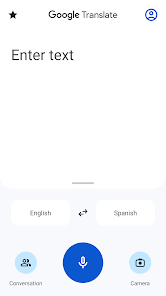
The user experience of Google Translate is generally intuitive and user-friendly. The interface is clean and straightforward, allowing users to easily select their desired languages and input text through typing, voice, or camera. The speed of translation is impressive, with results displayed almost instantly. However, while the app excels in many areas, users occasionally report inaccuracies in translations, particularly with idiomatic expressions or complex sentences. The app's voice recognition feature is a highlight, enabling users to speak phrases and receive immediate audio translations, which is particularly useful for pronunciation practice. Additionally, the app supports a wide range of languages, making it a comprehensive tool for anyone needing translation services. Customizable features, such as phrasebooks for saving frequently used translations, enhance the overall experience by allowing users to personalize the app according to their needs.

Pricing

Google Translate is a free application, which is one of its most appealing aspects. Users can access all features without any subscription or one-time payment, making it accessible to a broad audience. The absence of ads within the app further enhances the user experience, as it allows for uninterrupted translation. This free model has made Google Translate a go-to resource for millions worldwide, democratizing access to language translation services. While some may argue that premium features could improve the app, the current offering is robust enough to meet the needs of most users without any financial commitment.

Updates & Support

Google regularly updates the Translate app, introducing new features and improving existing functionalities to keep pace with technological advancements and user needs. Recent updates have focused on enhancing accuracy and expanding language support, which is crucial in our increasingly globalized world. The app benefits from Google's extensive resources, allowing for continuous refinements. Support is readily available through the Google support page, where users can find FAQs, troubleshooting tips, and community forums. However, some users have expressed a desire for more direct customer support options, especially for resolving specific issues. Overall, the commitment to regular updates and the extensive support resources reflect Google’s dedication to providing a quality translation tool.

verified Security & Privacy Review

The Google Translate app prioritizes user privacy and data security, implementing stringent measures to protect user information. The app requires certain permissions, such as access to the camera for translating text in real-time and microphone access for voice input. Users are informed about these permissions and can choose what to enable, ensuring a level of control over their data. Google adheres to robust privacy policies, clearly outlining how user data is collected, used, and stored. The app does not save translation history by default, though users can opt to save their translations within their Google account. This feature allows for easy access across devices while maintaining user anonymity. End-to-end encryption is utilized for data transmission, safeguarding user interactions from unauthorized access. Google also offers transparency regarding data usage, allowing users to review their privacy settings and manage their information effectively. Overall, Google Translate combines functionality with a commitment to protecting user data, making it a reliable choice for secure translation needs.

Reviews

4.3

“Accurate translations for multiple languages.”

“User-friendly interface, easy to navigate.”

“Offline mode is a game changer.”

“Voice translation feature is impressive.”

“Sometimes struggles with complex phrases.”

Editor's Choice