This site uses cookies to enhance your user experience. By clicking any link on this site you are giving your consent to our cookie policy. Read more
Reject
Accept All

Advertiser and Editorial Disclosures

Norton360 Antivirus & Security

Norton360 Antivirus & Security

verified Verified App

Developer: NortonMobile

  • category

    Category: Tools

  • price

    Price: free

  • age rating

    Age Rating: Everyone

  • rating

    Rating: 4.6

  • download

    Downloads: 50,000,000+

  • version

    Version: 26.0.0.260126066

Screenshot 1
Screenshot 2
Screenshot 3
Screenshot 4
Screenshot 5
Screenshot 6
Screenshot 7
Screenshot 8
Screenshot 9
Screenshot 10
Screenshot 11
Screenshot 12
Screenshot 13
Screenshot 14
Screenshot 15
Screenshot 16
Screenshot 17
Screenshot 18
Screenshot 19
Screenshot 20
Screenshot 21
Screenshot 22
Screenshot 23
Screenshot 24

Features & Highlights

Password Manager

Norton360 includes a robust password manager that helps you store, generate, and auto-fill passwords securely. By simplifying the management of your login credentials, it not only enhances your security but also makes your online experience more convenient.

Real-Time Threat Protection

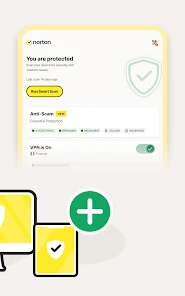
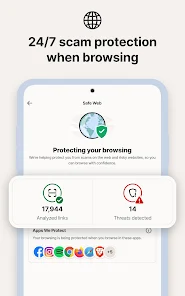
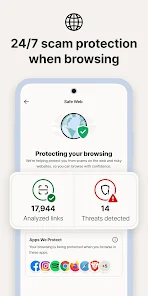
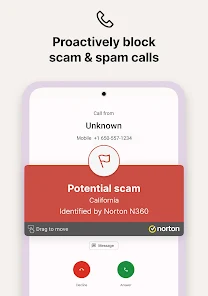
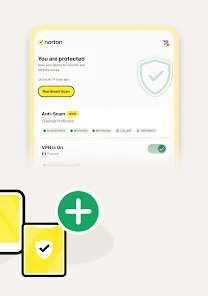
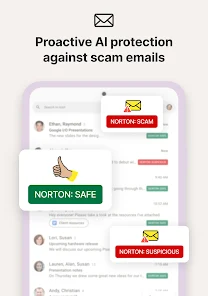
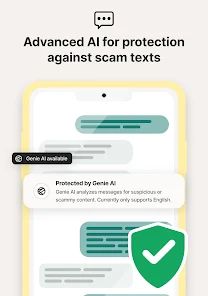
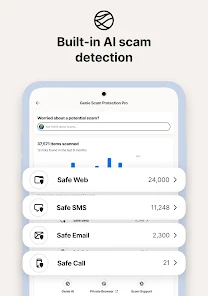
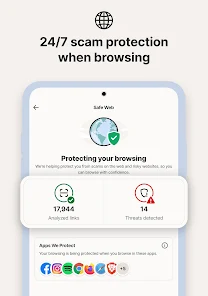
Norton360 provides cutting-edge real-time threat protection that continuously scans for malware, ransomware, and other malicious software. This proactive approach helps ensure your devices remain safe from emerging threats, giving you peace of mind while you browse the internet or download new files.

Smart Firewall

The built-in Smart Firewall acts as a barrier between your computer and cyber threats, monitoring incoming and outgoing traffic. By filtering potentially harmful data, it enhances your overall security, making it harder for attackers to gain unauthorized access to your system.

VPN for Privacy

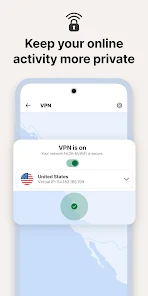
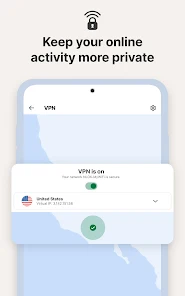
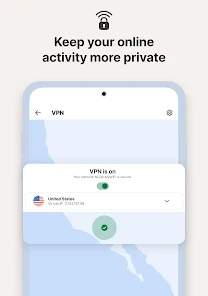
With Norton360's secure VPN, your online activities are encrypted, ensuring your privacy while surfing the web. This feature is especially valuable when using public Wi-Fi networks, as it protects your sensitive information from hackers and prying eyes.

Pros & Cons

Pros
  • Comprehensive malware protection safeguards your mobile device against threats.
  • Real-time threat detection ensures immediate response to potential risks.
  • Secure VPN keeps your online activities private and encrypted.
  • Anti-theft features help locate and protect lost or stolen devices.
  • Easy-to-use interface simplifies navigation and security management.
Cons
  • Norton 360 can slow down device performance during scans and updates.
  • The subscription cost is relatively high compared to other mobile security options.
  • Limited customization options may not suit advanced users' preferences.

Real Experience Using Norton360 Antivirus & Security

Application Scenarios

Norton360 Antivirus & Security is designed to cater to various user needs, making it a versatile tool for both individuals and families. Whether you are browsing the web, shopping online, or engaging in remote work, the app provides robust protection against malware, ransomware, and other cyber threats. For parents, the app features parental controls that help monitor and manage children's online activities, ensuring a safer browsing experience for younger users. Additionally, with the rise of remote work, Norton360 is essential for safeguarding sensitive information on personal and work devices. Users can also utilize the VPN feature to secure their internet connection, especially when using public Wi-Fi networks. Overall, whether you are a casual user or someone who frequently engages in online transactions, Norton360 is equipped to meet your security needs.

User Experience

The user experience with Norton360 is generally positive, characterized by its intuitive interface and comprehensive functionality. Upon installation, users are greeted with a clean dashboard that provides a clear overview of their device's security status. The app offers easy navigation, allowing users to access various features without complications. Scanning for threats is straightforward, with options for quick, full, or custom scans. Many users appreciate the real-time protection feature, which actively monitors activities and alerts them to potential threats instantly. Furthermore, the app's performance impact is minimal, making it suitable for devices with limited resources. However, some users have reported minor issues with false positives, where legitimate applications are flagged as threats. Overall, Norton360 delivers a seamless experience that balances security with usability.

Pricing

Norton360 offers several pricing plans tailored to different user needs and budgets. Typically, the subscription options range from individual plans to family packages, accommodating multiple devices. For a single device, users can expect to pay a reasonable annual fee, while the family plan, which covers up to five devices, offers better value for larger households. Additionally, Norton frequently runs promotions, providing discounts for first-time subscribers. While there are free antivirus options available, many users find that the comprehensive features and reliable support justify the investment in Norton360. The pricing structure is competitive compared to other premium security solutions, making it an attractive option for those prioritizing online safety.

Updates & Support

Regular updates are a cornerstone of Norton360, ensuring users are protected against the latest threats. The app automatically updates its virus definitions and software components, providing peace of mind without requiring user intervention. Furthermore, Norton offers a robust support system, including a knowledge base, FAQs, and customer service via chat and phone. Users have reported prompt responses and helpful guidance from support representatives, enhancing the overall experience. Additionally, the app includes an online community forum where users can share experiences and tips. This combination of regular updates and responsive support makes Norton360 a reliable choice for those seeking dependable cybersecurity solutions.

verified Security & Privacy Review

Norton360 Antivirus & Security excels in providing robust data security and privacy features that cater to a wide range of user needs. The app employs advanced encryption methods to protect sensitive information, ensuring that personal data remains confidential and secure from potential cyber threats. In terms of privacy practices, Norton360 is transparent about its data handling policies. The app collects minimal user data, primarily for enhancing its security services, and adheres to strict privacy regulations. Users are provided with clear options to manage their data, including the ability to opt-out of certain data collection practices. The permissions requested by Norton360 are typical for security applications, including access to device storage and network connections. These permissions are necessary for the app to function effectively and provide real-time protection against malware and other threats. Overall, Norton360 demonstrates a strong commitment to user privacy and data security, making it a reliable choice for those seeking comprehensive protection in a digital landscape fraught with risks.

Reviews

4.6

“Effective protection, easy to use!”

“Great features, but heavy on resources.”

“Reliable security, peace of mind guaranteed.”

“Customer support is responsive and helpful.”

“User-friendly interface, highly recommend for families.”

FAQ

1

Can I submit suggestions or feedback to Norton 360: Mobile Security?

Yes, users can submit suggestions or feedback through the app or by visiting the Norton support website, where they can find options for contacting customer service.

2

Does Norton 360: Mobile Security collect my personal data?

Norton 360: Mobile Security may collect some data to enhance its services, but it adheres to strict privacy policies and safeguards user information.

3

Does Norton 360: Mobile Security support offline use?

Yes, certain features of Norton 360: Mobile Security can be used offline, such as malware scanning, but some functionalities, like VPN and web protection, require an internet connection.

4

How do I cancel my Norton 360: Mobile Security subscription?

You can cancel your subscription by logging into your Norton account online and following the cancellation process outlined under your subscription settings.

5

How much does a subscription to Norton 360: Mobile Security cost?

Subscription costs can vary based on the plan chosen, typically starting from a few dollars per month, with options for annual subscriptions that may offer savings.

How to use Norton360 Antivirus & Security

1

Can I update my customer number through my Norton360 account?

No, customer numbers are assigned and cannot be changed directly through your account. Contact customer service for assistance.

2

How can I contact customer service for Norton360?

You can reach Norton360 customer service through their official website or by calling their support hotline for assistance.

3

How can I update my payment information in my Norton360 account?

Log in to your Norton account, go to the billing section, and update your payment information there.

4

How do I activate my Norton360 account?

To activate your account, log in to your Norton account and enter your activation code found in your purchase confirmation.

5

How do I find my customer service number for Norton360?

Your customer service number is available on the Norton website or within your account dashboard.

Editor's Choice