This site uses cookies to enhance your user experience. By clicking any link on this site you are giving your consent to our cookie policy. Read more
Reject
Accept All
Google Authenticator

Google Authenticator

verified Verified App

Developer: Google LLC

  • category

    Category: Tools

  • price

    Price: free

  • age rating

    Age Rating: Everyone

  • rating

    Rating: 3.9

  • download

    Downloads: 100,000,000+

  • version

    Version: /

Screenshot 1
Screenshot 2
Screenshot 3
Screenshot 4
Screenshot 5
Screenshot 6
Screenshot 7
Screenshot 8
Screenshot 9
Screenshot 10
Screenshot 11
Screenshot 12
Screenshot 13
Screenshot 14
Screenshot 15
Screenshot 16
Screenshot 17
Screenshot 18
Screenshot 19
Screenshot 20
Screenshot 21

Features & Highlights

Multi-Account Support

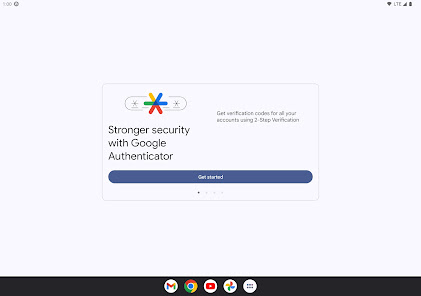
The app supports multiple accounts, allowing users to manage various services and platforms all in one place. Whether it's for email, social media, or banking, Google Authenticator conveniently stores and generates codes for all your accounts, simplifying your authentication process.

Offline Access

One of the standout features of Google Authenticator is its ability to function without an internet connection. Once set up, the app generates codes locally on your device, allowing you to access your accounts even in areas with poor connectivity, ensuring you’re always in control.

Simple Interface

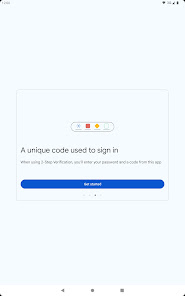
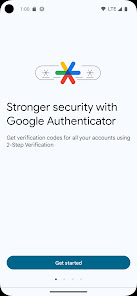
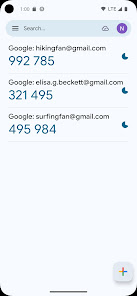
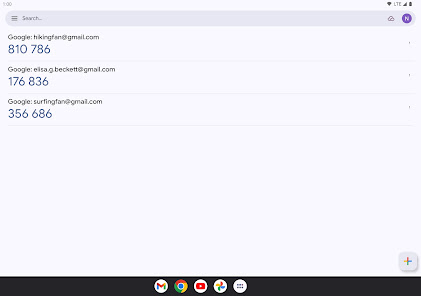
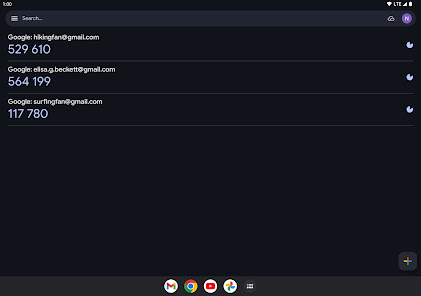
Google Authenticator boasts a clean and user-friendly interface, making it easy for anyone to navigate. With straightforward setup instructions and intuitive code generation, users can quickly familiarize themselves with the app, enabling a hassle-free experience in managing their security.

Two-Factor Authentication

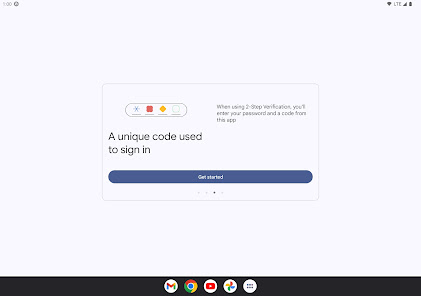
Google Authenticator provides an added layer of security through two-factor authentication, ensuring that only authorized users can access their accounts. By generating time-based one-time passwords (TOTPs), it helps protect against unauthorized access, making your online presence safer and more secure.

Pros & Cons

Pros
  • Enhances security with two-factor authentication.
  • User-friendly interface for easy access.
  • Works offline without internet connection.
  • Supports multiple accounts in one app.
  • Quick setup process for new devices.
Cons
  • No backup options for lost devices
  • Manual code entry can be cumbersome
  • Limited recovery options for accounts
  • Not user-friendly for non-tech-savvy users

Real Experience Using Google Authenticator

Application Scenarios

Google Authenticator is an essential tool for enhancing security in various online environments. Users can utilize the app in scenarios where two-factor authentication (2FA) is required, such as logging into email accounts, social media platforms, and banking applications. The application is particularly beneficial for individuals who prioritize the safeguarding of sensitive information. With the rise of cyber threats, Google Authenticator serves as a reliable second layer of protection, ensuring that even if passwords are compromised, unauthorized access remains thwarted. It is widely used in corporate settings where secure access to internal systems is crucial, allowing employees to log in safely to company resources from various devices, whether in the office or working remotely.

User Experience

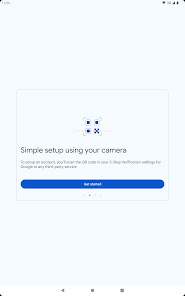
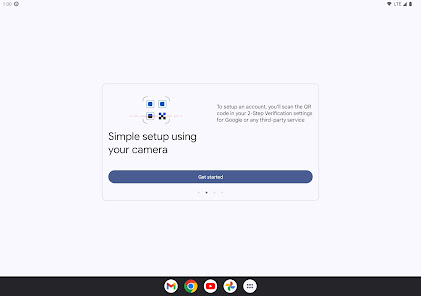
The user experience of Google Authenticator is straightforward and intuitive. Upon installation, the app prompts users to link their accounts by scanning QR codes or entering a setup key, making the initial setup seamless. The interface is clean and uncluttered, displaying time-based one-time passwords (TOTPs) for each linked account in an easily readable format. Users appreciate the quick access to their codes, which updates every 30 seconds, ensuring they are always current. The app's simplicity allows users to navigate effortlessly, even for those who may not be tech-savvy. However, some users have noted that the app lacks backup options, which can pose challenges if they lose their device or uninstall the app. Overall, the user experience is highly favorable, with many praising its reliability and speed in generating codes.

Pricing

Google Authenticator is a free application, making it an attractive option for users seeking to enhance their account security without incurring additional costs. Unlike other authentication apps that may offer premium features at a price, Google Authenticator provides essential functionalities at no charge. This free model has contributed to its widespread adoption, as users can enjoy robust security features without the burden of subscription fees or one-time payments. Consequently, it is an excellent choice for individuals and organizations looking to implement 2FA without impacting their budget.

Updates & Support

Google Authenticator receives regular updates, ensuring compatibility with the latest operating systems and security protocols. Users can expect periodic enhancements that improve the app's performance and security features. While Google does not offer extensive customer support specifically for the app, users can find help through community forums and online resources. The app's documentation is accessible, providing guidance on setup and troubleshooting common issues. However, some users have expressed a desire for direct support channels, particularly for resolving more complex problems. Overall, the app remains reliable, with updates that keep it relevant and functional in an ever-evolving security landscape.

verified Security & Privacy Review

The Google Authenticator app is designed with a strong emphasis on security and privacy, making it a reliable choice for two-factor authentication (2FA). It generates time-based one-time passwords (TOTPs) that enhance account security by requiring a second verification step beyond just a password. This method significantly reduces the risk of unauthorized access. In terms of data handling, Google Authenticator does not store any user data on its servers. All codes are generated locally on the device, ensuring that sensitive information remains private and secure. Additionally, the app does not require internet access to function, further minimizing the risk of data breaches. The app requests only essential permissions, primarily for camera access to scan QR codes, which is a standard practice for 2FA setup. Users retain full control over their data, as the app does not collect or share personal information with third parties. Overall, Google Authenticator adheres to robust security practices, making it a trustworthy option for users seeking to safeguard their online accounts.

Reviews

3.9

“Easy to use and reliable for two-factor authentication.”

“Perfect for securing accounts without hassle.”

“Simple interface with quick access to codes.”

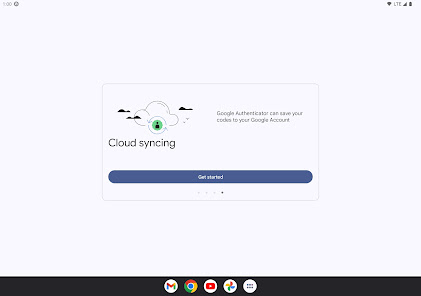
“Syncing across devices would be great.”

“Needs backup options for lost devices.”

Editor's Choice