This site uses cookies to enhance your user experience. By clicking any link on this site you are giving your consent to our cookie policy. Read more
Reject
Accept All
Samsung Smart Switch Mobile

Samsung Smart Switch Mobile

verified Verified App

Developer: Samsung Electronics Co., Ltd.

  • category

    Category: Tools

  • price

    Price: 0

  • age rating

    Age Rating: Everyone

  • rating

    Rating: 4

  • download

    Downloads: /

  • version

    Version: 3.7.60.1

Screenshot 1
Screenshot 2
Screenshot 3
Screenshot 4
Screenshot 5
Screenshot 6
Screenshot 7
Screenshot 8

Features & Highlights

Backup and Restore

With Smart Switch, you can easily back up your important data to your Samsung device or restore it from a previous backup. This feature ensures that your memories and essential information are safe and accessible, giving you peace of mind as you switch devices or reset your phone.

Cross-Platform Compatibility

Samsung Smart Switch supports data transfer not only between Samsung devices but also from other platforms like iOS and Windows. This cross-platform capability means you can switch to a Samsung phone without losing your important data, making it a versatile tool for users transitioning between different operating systems.

Data Transfer Made Easy

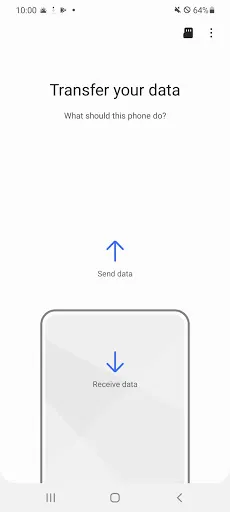
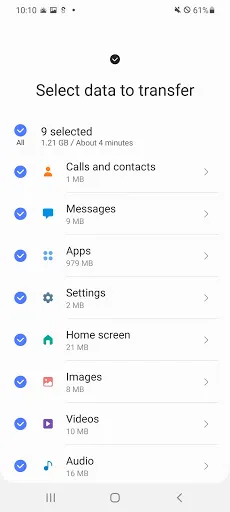
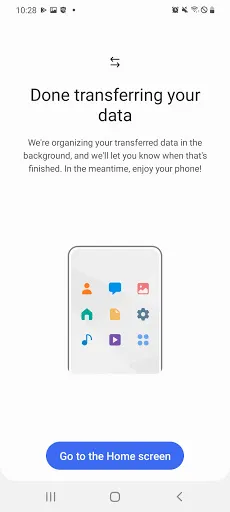
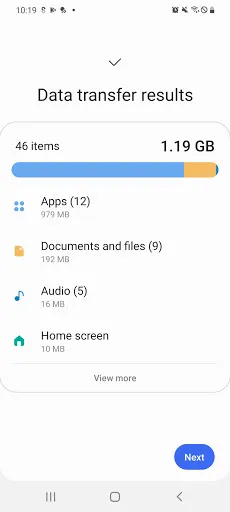
Samsung Smart Switch Mobile simplifies the process of transferring data between devices, whether it's from an old phone to a new Samsung device or between Samsung models. With just a few taps, you can move contacts, photos, messages, and more, making your transition seamless and hassle-free.

User-Friendly Interface

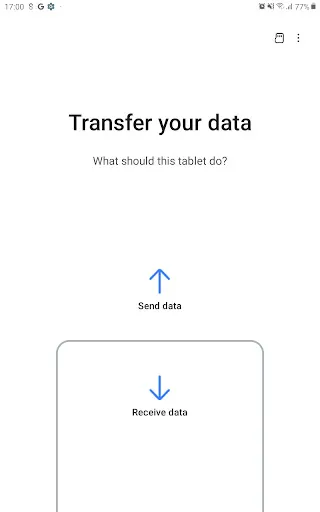
The app boasts a clean and intuitive interface that guides you through the transfer process step-by-step. Even if you're not tech-savvy, you'll find it easy to navigate, ensuring that anyone can make the most of their device switch with confidence.

Pros & Cons

Pros
  • Easily transfer data between devices seamlessly
  • Supports various file types for comprehensive backups
  • User-friendly interface makes setup a breeze
  • No need for complex cables or software installations
  • Secure transfers protect your personal information
Cons
  • Limited compatibility with non-Samsung devices
  • Slow transfer speeds for large files
  • Requires stable internet connection for best performance
  • Some features may not work on older devices

Real Experience Using Samsung Smart Switch Mobile

Application Scenarios

Samsung Smart Switch Mobile is an indispensable tool for anyone transitioning to a new Samsung device or looking to maintain their current one. This app excels in various scenarios, primarily when users upgrade from an older smartphone to a newer Samsung model. It seamlessly transfers contacts, photos, messages, and even apps, making the setup process incredibly smooth. Additionally, it serves as a backup solution for existing Samsung users who want to securely store their data before performing a factory reset or system update. The versatility of Smart Switch extends to cross-platform transfers as well, enabling users to migrate data from iOS and other Android devices, thus catering to a broad audience.

User Experience

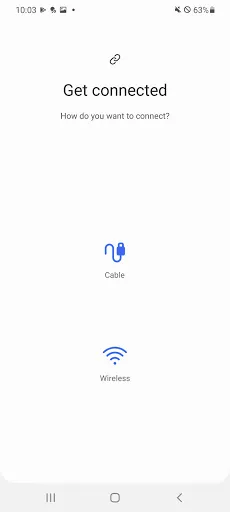
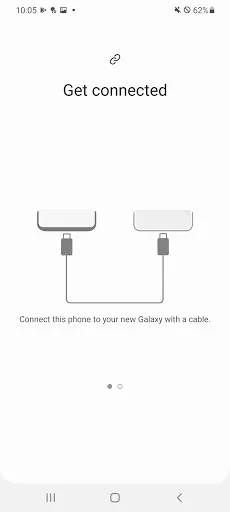
The user experience with Samsung Smart Switch Mobile is generally positive, characterized by its intuitive interface and straightforward functionality. Upon launching the app, users are greeted with a clean layout that guides them through the transfer process with ease. The app supports both wireless and wired connections, offering flexibility depending on user preferences and device capabilities. Most users appreciate the quick transfer speeds, which can significantly reduce downtime during the migration. Moreover, the app ensures that all essential data is retained, preserving the user’s digital life intact. However, some users have reported occasional hiccups during the transfer process, especially with large volumes of data, which may lead to frustration. Overall, the user experience is enhanced by a well-designed interface and reliable functionality.

Pricing

One of the standout features of Samsung Smart Switch Mobile is that it is completely free to download and use. There are no hidden fees or premium versions, making it an accessible choice for all Samsung users. Given the importance of data transfer and backup in today’s digital age, the absence of a cost barrier is a significant advantage. Even for users who may not own a Samsung device, the app offers valuable functionalities, particularly when transferring data from other platforms. This free model encourages widespread adoption and allows users to manage their data without financial concerns.

Updates & Support

Samsung regularly updates Smart Switch Mobile to enhance its performance and add new features, demonstrating a commitment to user satisfaction. These updates often address bugs and improve compatibility with the latest devices and operating systems. Users can easily access support through Samsung’s official website, where they can find troubleshooting guides, FAQs, and customer service options. While the app generally runs smoothly, the support system ensures that any issues faced by users can be resolved promptly. This commitment to regular updates and responsive support adds an extra layer of reliability, making Smart Switch a trusted tool for data management.

verified Security & Privacy Review

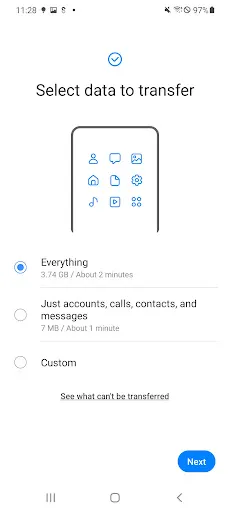
The Samsung Smart Switch Mobile app prioritizes user security and privacy by employing robust data encryption protocols during the transfer of files between devices. This ensures that personal information, such as contacts, photos, and messages, remains secure throughout the migration process. The app operates with a clear focus on minimizing data exposure, as it allows users to select specific data types for transfer, thus limiting unnecessary sharing. In terms of permissions, Smart Switch requires access to contacts, storage, and other relevant features to function effectively. Users are informed about the permissions needed prior to installation, promoting transparency. Samsung also provides users with options to manage their data, including the ability to delete transferred data from the receiving device, should they choose to do so. Samsung's commitment to user privacy is evident in its adherence to global data protection regulations. The app does not collect personal data without explicit consent, ensuring users have control over their own information. Overall, Smart Switch Mobile demonstrates a strong dedication to maintaining user security and privacy throughout its operation.

Reviews

4

“Easy to use and very effective for transfers”

“Quickly migrated all my data seamlessly”

“User-friendly interface makes switching devices a breeze”

“Perfect solution for backing up my phone”

“Saved me hours of setup time on my new device”

Editor's Choice