This site uses cookies to enhance your user experience. By clicking any link on this site you are giving your consent to our cookie policy. Read more
Reject
Accept All
Yale Access

Yale Access

verified Verified App

Developer: August Home, Inc.

  • category

    Category: Lifestyle

  • price

    Price: free

  • age rating

    Age Rating: Everyone

  • rating

    Rating: 3.6

  • download

    Downloads: 500,000+

  • version

    Version: 25.23.0

Screenshot 1
Screenshot 2
Screenshot 3
Screenshot 4
Screenshot 5
Screenshot 6

Features & Highlights

Activity Notifications

Stay informed with real-time activity notifications that alert you whenever your door is locked or unlocked. This feature helps you keep track of who is coming and going, providing an added layer of security and allowing you to monitor access to your home at all times.

Integration with Smart Home Devices

Yale Access effortlessly integrates with various smart home ecosystems, allowing you to control your locks through voice commands or automation routines. This compatibility enhances your overall smart home experience, making it easy to manage your home security alongside other connected devices.

Keyless Entry Convenience

Say goodbye to fumbling for keys! Yale Access offers keyless entry options, enabling you to unlock your door with a simple code or through your smartphone. This feature not only enhances security but also makes it easier for family and friends to access your home without the hassle of physical keys.

Smart Lock Control

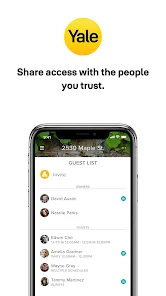
Yale Access provides seamless control over your smart lock from anywhere, allowing you to lock and unlock your door remotely. With just a tap on your smartphone, you can grant temporary access to guests or service providers, ensuring convenience and peace of mind while you're away.

Pros & Cons

Pros
  • Remote access for easy control from anywhere
  • Keyless entry for convenient access without keys
  • Real-time notifications for enhanced security awareness
  • Seamless integration with smart home devices
  • User-friendly app for effortless management and monitoring
Cons
  • Limited compatibility with older locks
  • Higher cost compared to traditional systems
  • Dependence on smartphone battery life
  • Potential connectivity issues in weak signal areas

Real Experience Using Yale Access

Application Scenarios

The Yale Access app serves as a comprehensive solution for managing smart locks and security systems in various settings. Homeowners can seamlessly integrate the app to control multiple Yale smart locks, allowing them to grant or revoke access to family members, friends, or service providers with just a tap on their smartphones. This is especially useful for those who frequently have visitors or rental properties, where temporary access codes can be created and scheduled with ease. Additionally, the app is ideal for businesses looking to enhance their security; employers can remotely manage access to restricted areas, track entry logs, and ensure that only authorized personnel can enter specific spaces. Moreover, the app's compatibility with smart home systems such as Google Assistant and Amazon Alexa further expands its functionality, enabling voice-activated access and integration with other smart devices.

User Experience

The user experience of the Yale Access app is designed to be intuitive and user-friendly. Upon installation, users are greeted with a clean interface that allows easy navigation through the various features. Setting up a Yale smart lock is straightforward, with step-by-step instructions guiding users through the process. The app offers real-time notifications, keeping users informed of who enters or exits their home, which adds an extra layer of security and peace of mind. Additionally, the app's ability to generate unique access codes for different users enhances convenience, eliminating the need for physical keys. Users have reported that the lock's performance is reliable, with quick response times when unlocking or locking via the app. However, some users have noted occasional connectivity issues, particularly in areas with weak Wi-Fi signals.

Pricing

The Yale Access app itself is free to download and use, but it requires a Yale smart lock for full functionality. The pricing of Yale smart locks varies depending on the model and features, typically ranging from $150 to $300. For users looking for advanced features, such as remote access and smart home integration, a Yale Connect Wi-Fi Bridge may be necessary, which often comes at an additional cost. While the initial investment in a smart lock can be significant, many users find the convenience and enhanced security worth the price. Furthermore, there are no subscription fees associated with the app, making it a cost-effective solution for home and business security.

Updates & Support

Yale is committed to providing regular updates to the Yale Access app, ensuring that it remains compatible with the latest smartphone operating systems and smart home technologies. The developers often release patches to improve performance, fix bugs, and introduce new features based on user feedback. For support, the app offers a comprehensive help section, along with FAQs that address common issues. Users can also reach out to Yale's customer service via email or phone for more personalized assistance. Overall, the combination of regular updates and responsive support helps maintain user satisfaction and trust in the Yale Access ecosystem.

verified Security & Privacy Review

The Yale Access app prioritizes user security and privacy, implementing robust measures to protect sensitive information. The app employs advanced encryption protocols for data transmission, ensuring that all communication between the app and Yale devices remains secure. Additionally, user authentication features, such as two-factor authentication, enhance access control, providing an extra layer of security against unauthorized access. In terms of privacy practices, Yale Access is transparent about data collection. The app only gathers essential information to function effectively, such as user credentials and device configurations. Users are informed about data usage policies, and sensitive data is not shared with third parties without explicit consent. Permissions requested by the app are minimal and relevant to its functionality, focusing on Bluetooth and location access necessary for device connectivity. Users have the option to manage these permissions, ensuring control over their data. Overall, Yale Access demonstrates a strong commitment to safeguarding user data while maintaining transparency in its privacy practices, making it a reliable choice for those concerned about security.

Reviews

3.6

“User-friendly interface, easy to manage locks.”

“Reliable connection, works seamlessly with smart home.”

“Great security features, peace of mind.”

“Quick setup, smooth integration with other devices.”

“Responsive customer support, very helpful.”

Editor's Choice