This site uses cookies to enhance your user experience. By clicking any link on this site you are giving your consent to our cookie policy. Read more
Reject
Accept All

Advertiser and Editorial Disclosures

Substack

Substack

verified Verified App

Developer: Substack Inc.

  • category

    Category: Lifestyle

  • price

    Price: 0

  • age rating

    Age Rating: Teen

  • rating

    Rating: 4.8

  • download

    Downloads: /

  • version

    Version: 2.23.1

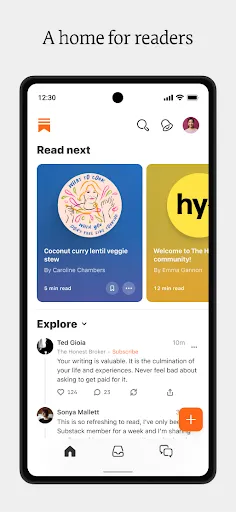
Screenshot 1
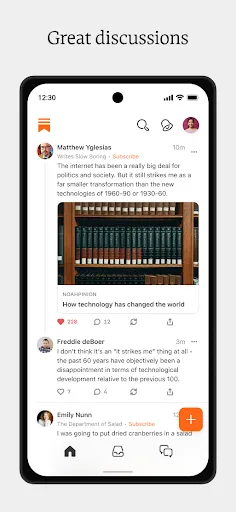
Screenshot 2
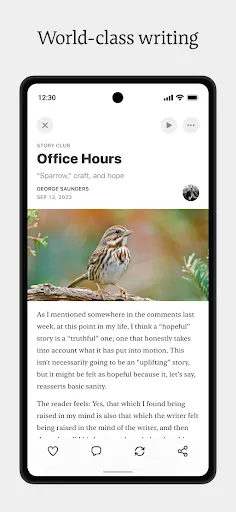
Screenshot 3
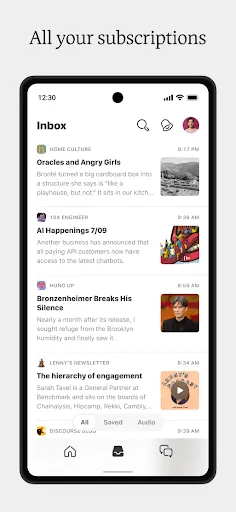
Screenshot 4
Screenshot 5
Screenshot 6

Features & Highlights

Built-In Analytics

Understand your audience better with Substack's built-in analytics tools. You can access detailed insights about open rates, subscriber engagement, and growth trends, which helps you make informed decisions about your content strategy and optimize for better performance.

Community Engagement

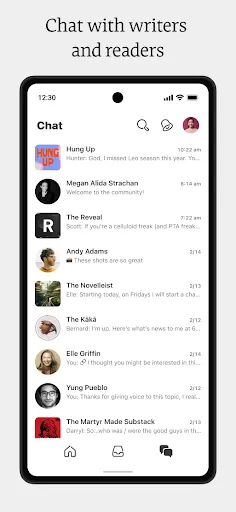
Substack fosters a sense of community by enabling direct interaction between writers and their readers. You can encourage discussions through comments and feedback, creating an engaging environment that keeps your audience coming back for more while building lasting relationships.

Newsletter Creation

Substack makes it incredibly easy to create and publish newsletters, allowing writers to focus on their content without getting bogged down by technical details. With a user-friendly interface, you can customize your newsletter's design and layout to reflect your unique voice and style effortlessly.

Subscriber Management

Managing your subscriber list is a breeze with Substack. You can easily track your audience growth, segment your subscribers, and even monetize your content through subscriptions, giving you the tools you need to build a loyal readership while generating revenue.

Pros & Cons

Pros
  • Direct connection with your audience
  • Monetize content through subscriptions
  • User-friendly publishing platform
  • Control over your branding and content
  • Built-in community engagement tools
Cons
  • Limited customization options for design and layout
  • Revenue sharing can reduce earnings significantly
  • Subscriber acquisition can be challenging for new writers
  • Dependence on platform policies may restrict content freedom

Real Experience Using Substack

Application Scenarios

Substack is an innovative platform designed for writers, journalists, and content creators looking to monetize their work through newsletters. It serves various scenarios, including independent writers wanting to build a direct relationship with their audience, creators seeking to establish paid subscription models, and organizations aiming to disseminate specialized content. The platform is particularly beneficial for niche topics, allowing creators to cultivate a loyal subscriber base. Whether the content is focused on politics, technology, health, or personal development, Substack provides a user-friendly interface for writers to publish regularly and engage with their readers effectively.

User Experience

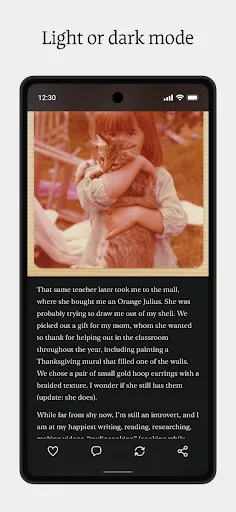
The user experience on Substack is generally smooth and intuitive. Upon signing up, users can easily navigate through the dashboard, where they can manage their publications, analyze subscriber metrics, and customize their newsletter's appearance. The platform allows users to create visually appealing posts with minimal technical know-how, making it accessible for individuals who may not be tech-savvy. Email delivery is efficient, and subscribers benefit from a clean reading experience across various devices. Substack also offers features such as comment sections and post analytics, enabling creators to interact with their audience and gauge content performance. However, some users may find the lack of advanced customization options limiting, especially those who are accustomed to more traditional blogging platforms.

Pricing

Substack operates on a freemium model, allowing users to create and distribute free newsletters with ease. However, for those looking to monetize their content, Substack takes a 10% commission on paid subscriptions. This pricing structure is straightforward, with no hidden fees, making it easy for creators to understand their potential earnings. Many users appreciate that they can offer both free and paid content under the same platform, providing flexibility in how they engage with their audience. Overall, Substack's pricing is competitive, especially for independent creators who may find other platforms more expensive or complicated to navigate.

Updates & Support

Substack is committed to continuously improving its platform based on user feedback. Regular updates introduce new features, enhance existing tools, and fix bugs, ensuring that creators have a robust experience. The support system includes an extensive help center with articles, FAQs, and guides covering various aspects of using the platform. Additionally, users can reach out to Substack's support team for personalized assistance. However, response times may vary, and some users have reported delays in receiving help during peak times. Overall, Substack's focus on user experience through regular updates and support resources contributes positively to the overall usability of the platform.

verified Security & Privacy Review

Substack takes user security and privacy seriously, implementing several measures to protect sensitive information. The app employs encryption protocols to safeguard user data during transmission, ensuring that personal information remains confidential. Users are encouraged to create strong passwords and enable two-factor authentication to enhance account security further. In terms of privacy practices, Substack is transparent about its data handling policies. The platform collects minimal user data, primarily for account management and service improvement purposes. Users can access their data, manage preferences, and even request deletion of their accounts and associated information at any time. Substack does not sell user data to third parties, which is a significant advantage for those concerned about privacy. Permissions requested by the app are limited and relevant to its core functionalities, minimizing unnecessary access to personal information. Overall, Substack provides a reliable environment for users who prioritize their privacy while engaging with content creators and newsletters.

Reviews

4.8

“Great platform for independent writers and creators!”

“User-friendly interface makes publishing a breeze.”

“Fantastic community engagement and subscriber interaction.”

“Monetization options are straightforward and effective.”

“Love the customizable newsletter features!”

FAQ

1

Does Substack collect my personal data?

Substack collects some personal data as part of its service, including email addresses and payment information, to facilitate subscriptions and ensure communication with subscribers.

2

Does Substack offer a free trial or free version?

Substack does not offer a free trial, but it allows creators to set up free newsletters alongside paid subscription options for their audiences.

3

Does Substack require an internet connection?

Yes, an internet connection is required to access Substack's platform, publish newsletters, and manage subscriptions.

4

How can I contact support or send feedback for Substack?

You can contact Substack support or provide feedback via their help center, where you can find resources and submit inquiries directly through their support form.

5

How do I manage or cancel my Substack subscription?

You can manage or cancel your Substack subscription through your account settings on the Substack website or app, where you will find options to adjust your subscription details.

How to use Substack

1

Do I need to activate my Substack account?

No activation is necessary; just log in with the email you used to create your account.

2

How can I find my customer number for Substack?

Substack does not require a customer number; you can log in using your email and password.

3

How can I reset my Substack password?

Click on "Forgot password?" on the login page and follow the instructions to reset your password.

4

How do I contact Substack customer service?

You can reach Substack customer service via their help center on the website or by emailing support

5

How do I log into my Substack account?

Go to the Substack website, click on "Log In," and enter your email and password.

Editor's Choice