This site uses cookies to enhance your user experience. By clicking any link on this site you are giving your consent to our cookie policy. Read more
Reject
Accept All
TP-Link Tapo

TP-Link Tapo

verified Verified App

Developer: TP-LINK SYSTEMS INC.

  • category

    Category: Lifestyle

  • price

    Price: free

  • age rating

    Age Rating: Everyone

  • rating

    Rating: 4.6

  • download

    Downloads: 10,000,000+

  • version

    Version: 3.16.185

Screenshot 1
Screenshot 2
Screenshot 3
Screenshot 4
Screenshot 5
Screenshot 6
Screenshot 7
Screenshot 8
Screenshot 9
Screenshot 10
Screenshot 11
Screenshot 12
Screenshot 13
Screenshot 14
Screenshot 15

Features & Highlights

Energy Monitoring

Keep tabs on your energy usage with TP-Link Tapo's built-in energy monitoring features. The app allows you to track consumption, helping you make informed decisions about your energy use, reduce costs, and contribute to a more sustainable lifestyle.

Flexible Scheduling Options

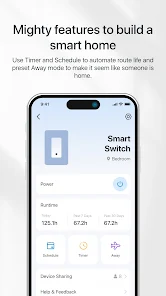
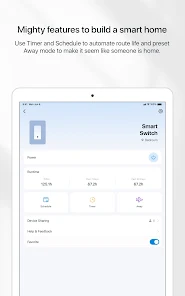
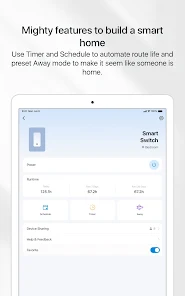
Set schedules and timers for your devices to automate your home routines effortlessly. TP-Link Tapo lets you customize when devices turn on or off, providing you with convenience and peace of mind, while optimizing energy usage and enhancing security.

Remote Access Control

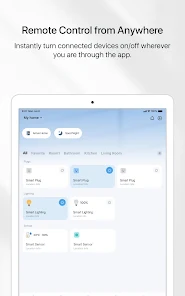
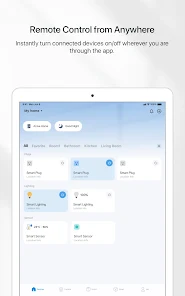
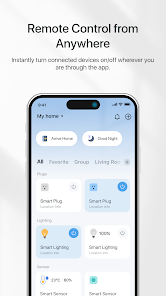
With TP-Link Tapo, you can monitor and control your devices from anywhere using your smartphone. The easy-to-use app provides real-time notifications and allows you to adjust settings on-the-go, ensuring you always stay connected and in control of your home environment.

Smart Home Integration

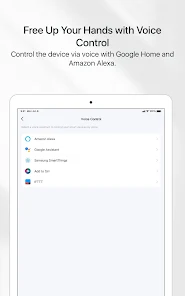
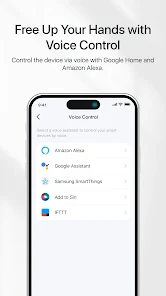
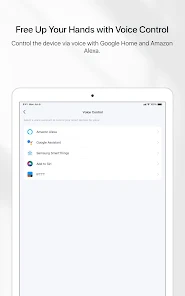
TP-Link Tapo seamlessly integrates with various smart home ecosystems, allowing you to control your devices effortlessly through voice commands or mobile apps. Whether you prefer Alexa, Google Assistant, or proprietary apps, managing your home has never been easier or more intuitive.

Pros & Cons

Pros
  • User-friendly app for easy device management
  • Affordable smart home solutions for everyone
  • High compatibility with various smart home devices
  • Energy monitoring helps reduce power consumption
  • Reliable security features protect your home network
Cons
  • Limited integration with third-party smart home systems
  • Mobile app can be unintuitive at times
  • Dependence on Wi-Fi can affect functionality
  • Customer support may be slow to respond

Real Experience Using TP-Link Tapo

Application Scenarios

The TP-Link Tapo app is designed to enhance the smart home experience by providing users with a seamless way to control their Tapo smart devices. From smart plugs and cameras to light bulbs and sensors, the app serves as a centralized hub for managing all connected devices. Users can create specific scenarios such as scheduling lights to turn on at sunset or setting up a security camera to alert them when motion is detected. The app also allows for remote access, enabling users to monitor their homes while away, which is particularly useful for busy professionals or frequent travelers. Additionally, the integration with voice assistants like Amazon Alexa and Google Assistant allows for hands-free control, making it ideal for individuals who embrace voice technology in their daily routines.

User Experience

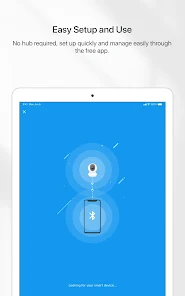
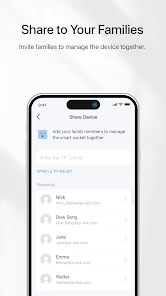
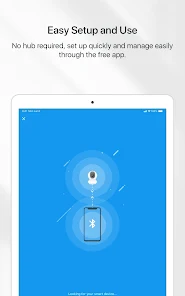
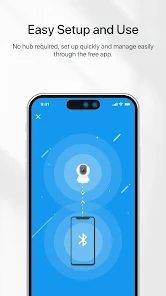
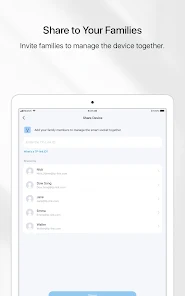
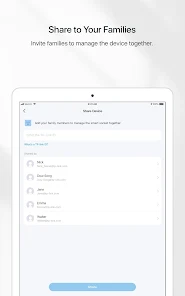
The user experience of the TP-Link Tapo app is intuitive and user-friendly. Upon downloading, users are greeted with a clean and well-organized interface that makes navigation straightforward. Setting up devices is a breeze, thanks to the step-by-step guides provided within the app. Once devices are connected, users can easily customize settings and create schedules or automation rules. The app's responsiveness is commendable, with minimal lag when controlling devices. Moreover, the real-time notifications for events, such as motion detection from cameras, enhance the overall user experience by keeping users informed. The app also supports sharing access with family members, allowing multiple users to manage devices without compromising security.

Pricing

The TP-Link Tapo app itself is free to download and use, making it accessible to a wide audience interested in smart home technology. However, users must purchase Tapo devices, which vary in price based on the type and functionality. For instance, smart plugs are generally more affordable, while security cameras may cost more due to their advanced features. Overall, the pricing of Tapo devices is competitive within the smart home market, offering good value for the quality and functionality they provide. There are often promotions and discounts available, making it even easier for users to invest in a complete smart home setup without breaking the bank.

Updates & Support

The TP-Link Tapo app is regularly updated to enhance performance, introduce new features, and ensure compatibility with the latest devices. Users can expect improvements in the app's functionality and security patches, which are vital for maintaining a secure smart home environment. TP-Link also provides a robust support system, with an extensive FAQ section, user manuals, and troubleshooting guides accessible through the app and website. Additionally, customer service is responsive, offering assistance via email or phone for more complex inquiries. This commitment to updates and support ensures that users can enjoy a smooth experience while using the TP-Link Tapo app and its associated devices.

verified Security & Privacy Review

The TP-Link Tapo app places a significant emphasis on security and privacy, ensuring user data is handled with care. The app uses encryption protocols to protect data transmitted between devices and the cloud, minimizing the risk of unauthorized access. Users are encouraged to enable two-factor authentication (2FA) for an added layer of security, enhancing account protection against potential breaches. In terms of permissions, the Tapo app requests access to essential features necessary for its functionality, such as camera and location services. Users should review these permissions during installation, ensuring they align with their comfort levels regarding privacy. The app provides clear information on how user data is collected, stored, and used, emphasizing that personal information is not shared with third parties without consent. TP-Link maintains a transparent privacy policy that outlines its commitment to safeguarding user data. Regular updates are also released to address security vulnerabilities, demonstrating the company’s proactive approach to maintaining a secure user environment. Overall, the Tapo app prioritizes user security and privacy while delivering a seamless smart home experience.

Reviews

4.6

“Easy setup and reliable performance every time”

“Great value for smart home integration”

“User-friendly app with excellent features”

“Solid build quality and responsive support”

“Camera clarity exceeds expectations for the price”

Editor's Choice