This site uses cookies to enhance your user experience. By clicking any link on this site you are giving your consent to our cookie policy. Read more
Reject
Accept All

Advertiser and Editorial Disclosures

Nextdoor: Neighborhood Network

Nextdoor: Neighborhood Network

verified Verified App

Developer: Nextdoor, Inc.

  • category

    Category: Lifestyle

  • price

    Price: free

  • age rating

    Age Rating: Teen

  • rating

    Rating: 4.6

  • download

    Downloads: 10,000,000+

  • version

    Version: 4.190.4

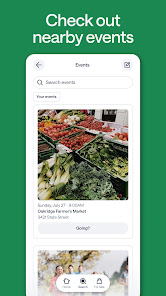
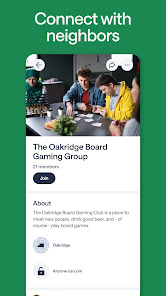
Screenshot 1
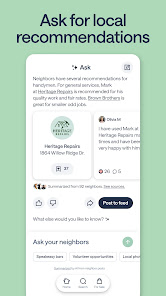
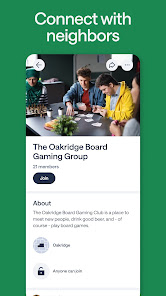
Screenshot 2
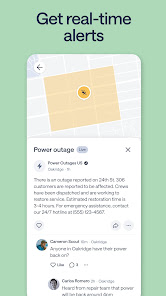
Screenshot 3
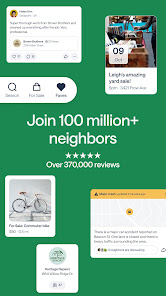
Screenshot 4
Screenshot 5
Screenshot 6
Screenshot 7
Screenshot 8
Screenshot 9
Screenshot 10
Screenshot 11
Screenshot 12
Screenshot 13
Screenshot 14
Screenshot 15
Screenshot 16
Screenshot 17
Screenshot 18
Screenshot 19
Screenshot 20
Screenshot 21
Screenshot 22
Screenshot 23
Screenshot 24

Features & Highlights

Group Discussions

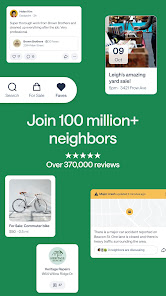
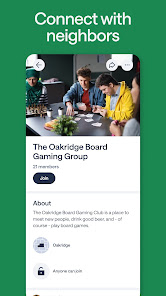
Engage in meaningful conversations with your neighbors through group discussions on various topics. From community projects to shared interests, Nextdoor's platform encourages dialogue and connection, making it easier to build relationships with those who live nearby.

Local Recommendations

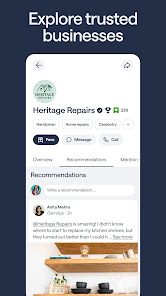
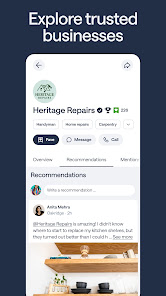
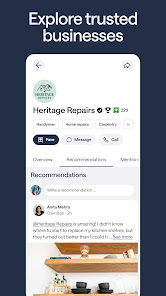
Discover the best local services and businesses through trusted recommendations from neighbors. Whether you’re looking for a handyman or the best pizza place, Nextdoor makes it easy to find reliable options right in your area.

Neighborhood Updates

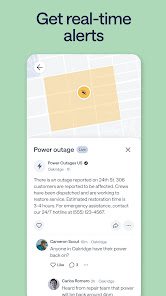
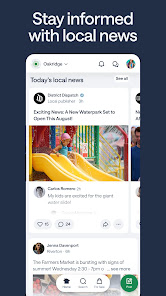
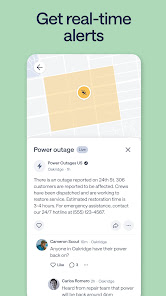
Stay connected with your community through real-time updates about local events, news, and happenings. Nextdoor allows neighbors to share important information, ensuring everyone stays informed and engaged in their neighborhood’s activities.

Safety Features

Nextdoor fosters a safer neighborhood environment by enabling users to report suspicious activities and share safety tips. This feature helps build a sense of community vigilance, allowing residents to look out for one another and enhance overall security.

Pros & Cons

Pros
  • Nextdoor fosters a strong sense of community among neighbors.
  • It offers a platform for local recommendations and services.
  • Users can easily share safety alerts and updates.
  • The app promotes local events and activities for engagement.
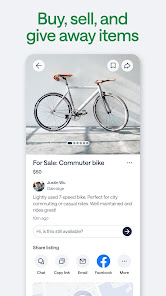
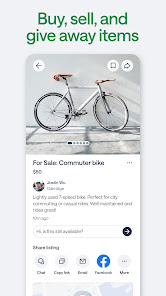
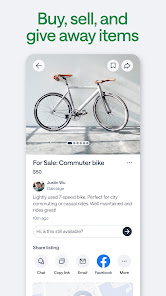
  • It provides a space for buying, selling, and giving away items nearby.
Cons
  • Nextdoor can foster divisive neighborhood tensions among residents.
  • Privacy concerns arise from sharing personal information.
  • Limited engagement often leads to stagnant community discussions.

Real Experience Using Nextdoor: Neighborhood Network

Application Scenarios

The Nextdoor app serves as a digital bulletin board for neighborhoods, facilitating communication and connection among residents. It is particularly useful for community announcements, local events, and safety alerts. For instance, users can share information about lost pets, local garage sales, or upcoming block parties, thereby fostering a sense of community. Additionally, the app provides a platform for neighbors to share recommendations for local services such as plumbers, babysitters, or restaurants, making it a go-to resource for those new to the area or looking to support local businesses. Nextdoor also plays a critical role in emergency situations, allowing users to send out alerts about suspicious activity or natural disasters, helping to keep the neighborhood informed and safe.

User Experience

The user experience on Nextdoor is designed to be intuitive and engaging. Upon signing up, users can create a profile that reflects their interests and neighborhood preferences. The layout is clean, with easy navigation through various sections such as messages, events, and local classifieds. Users can customize their feeds to see posts from neighbors they follow or engage with local groups based on specific interests. The interaction features, such as commenting, liking, or sharing posts, encourage a lively community atmosphere. However, some users have reported issues with moderation, as posts can occasionally veer into contentious territory. Despite this, the app generally promotes a friendly, neighborly tone, making it accessible for users of all ages.

Pricing

Nextdoor is free to download and use, making it an accessible platform for all residents within a neighborhood. There are no hidden fees or subscription models, which is a significant advantage for users who wish to engage with their community without incurring costs. However, businesses can opt for paid promotions to reach a wider audience within the app, which can be beneficial for local shops and services looking to gain visibility. This dual approach allows the app to maintain its community-focused essence while also providing opportunities for local businesses to thrive.

Updates & Support

Nextdoor frequently updates its app to enhance user experience and address any reported issues. These updates often include new features, improved performance, and enhanced security measures, ensuring that users feel safe and engaged. The support system consists of a comprehensive FAQ section and an easy-to-navigate help center, allowing users to find answers to common questions quickly. Additionally, users can report problematic posts or users directly through the app, which helps maintain a respectful environment. Overall, Nextdoor is committed to continuous improvement, providing users with a reliable platform for neighborhood interaction.

verified Security & Privacy Review

The security and privacy practices of the Nextdoor app are essential considerations for users looking to engage with their local community. Nextdoor employs encryption protocols to protect user data both in transit and at rest, ensuring that sensitive information remains secure. However, users should be aware that the app requires access to location services, which can raise privacy concerns. This permission is essential for tailoring local content but may lead to potential exposure of personal information if not managed carefully. Nextdoor has a transparent privacy policy detailing how user data is collected, used, and shared. The app allows users to control their privacy settings, including who can see their posts and personal information. Users can also choose to remain anonymous when reporting issues or sharing sensitive topics. Despite these features, data sharing with third-party advertisers can occur, which may not align with all users' privacy expectations. Overall, while Nextdoor implements several security measures, users should remain vigilant and regularly review their privacy settings to safeguard their information.

Reviews

4.6

“Helpful for local recommendations and advice”

“Great for connecting with neighbors”

“Invaluable for community safety updates”

“User-friendly interface makes it easy to navigate”

“Occasional negativity can be off-putting”

Compare APP

FAQ

1

Can I submit suggestions or feedback to Nextdoor?

Yes, users can submit suggestions or feedback to Nextdoor through the app or website, usually found in the help or support sections.

2

Does Nextdoor collect my personal data?

Yes, Nextdoor collects personal data to create user profiles and facilitate community interactions, but it emphasizes privacy and security in its data handling practices.

3

Does Nextdoor support offline use?

Nextdoor does not typically support offline use, as it requires an internet connection to access its features and connect with neighbors.

4

How do I cancel my Nextdoor subscription?

To cancel your Nextdoor subscription, you can go to your account settings in the app or website, find the subscription management section, and follow the prompts to cancel.

5

How much does a subscription to Nextdoor cost?

Nextdoor offers optional premium features through a subscription called Nextdoor Premium, which typically costs around $10 per month or $100 per year, depending on the plan.

How to use Nextdoor: Neighborhood Network

1

How do I activate my Nextdoor account?

After signing up, check your email for a verification link. Click the link to activate your account. If you didn’t receive it, check your spam folder.

2

How do I contact Nextdoor customer service?

You can contact Nextdoor customer service through their Help Center on the app or website. Alternatively, you can reach them via email at support

3

How do I log in to my Nextdoor account?

To log in, open the app or website, enter your email and password, then click "Log In." If you forgot your password, click on "Forgot password?" to reset it.

4

What is the customer service number for Nextdoor?

Nextdoor does not provide a direct customer service number; support is primarily handled through their online Help Center.

Editor's Choice