This site uses cookies to enhance your user experience. By clicking any link on this site you are giving your consent to our cookie policy. Read more
Reject
Accept All
Pinterest

Pinterest

verified Verified App

Developer: Pinterest

  • category

    Category: Lifestyle

  • price

    Price: free

  • age rating

    Age Rating: Teen

  • rating

    Rating: 4.4

  • download

    Downloads: 1,000,000,000+

  • version

    Version: /

Screenshot 1
Screenshot 2
Screenshot 3
Screenshot 4
Screenshot 5
Screenshot 6
Screenshot 7

Features & Highlights

Collaborative Boards

Pinterest makes it easy to collaborate with friends or family through shared boards. You can invite others to contribute their ideas and inspirations, making planning events or projects a fun and interactive experience that brings everyone’s creativity together in one place.

Personalized Recommendations

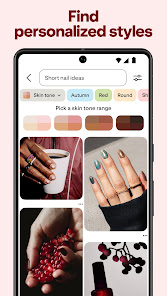
Thanks to its smart algorithms, Pinterest offers personalized recommendations tailored to each user's tastes and past interactions. This means that as you pin and save content, the platform learns what you love and suggests fresh ideas that are likely to spark your creativity and keep you engaged.

Rich Pins Feature

Rich Pins enhance your experience by providing more context about an idea or product. These pins include additional information such as pricing, availability, and real-time updates, allowing users to make informed decisions while browsing, thus enriching their overall discovery journey.

Visual Discovery

Pinterest's visual discovery engine allows users to explore a vast array of images based on their interests. By simply searching or browsing through categories, users can uncover new ideas and inspiration that resonate with their personal style and preferences, making it a treasure trove for creativity.

Pros & Cons

Pros
  • Discover endless creative inspiration for projects
  • Easily organize ideas into themed boards
  • Connect with like-minded users and communities
  • Drive traffic to your website or blog
  • Save and share favorite content effortlessly
Cons
  • Limited organic reach for content creators
  • Overwhelming amount of content can confuse users
  • Difficult to track engagement and analytics
  • Heavy reliance on visuals may alienate text-focused users

Real Experience Using Pinterest

Application Scenarios

Pinterest is a versatile platform that caters to a wide range of interests and activities. Users can utilize the app for various scenarios such as event planning, home decor inspiration, fashion ideas, DIY projects, and cooking recipes. Whether you are preparing for a wedding, redecorating your living space, or looking for healthy meal options, Pinterest serves as a digital mood board that helps users gather and organize their ideas visually. The search functionality allows users to explore trending topics and discover new interests, making it an invaluable tool for both personal and professional projects. Many users also find Pinterest helpful in finding tutorials and step-by-step guides, enhancing their skills in a multitude of areas.

User Experience

The user experience on Pinterest is generally positive, characterized by an intuitive interface and easy navigation. Upon launching the app, users are greeted with a personalized feed that showcases pins based on their interests and previous interactions. The ability to create boards and categorize pins allows for seamless organization of ideas. The visual nature of the app makes it engaging, as users can scroll through an endless stream of images and videos. However, some users may find the abundance of content overwhelming, especially if they are new to the platform. The search feature is robust, enabling users to find specific content quickly. Overall, the app is designed to inspire creativity and encourage exploration, making it a favorite among users who enjoy visual content.

Pricing

Pinterest is free to download and use, making it accessible to a wide audience. Users can create an account without any financial commitment and enjoy the core features of the app at no cost. There are no hidden fees or premium subscriptions required to unlock additional functionalities. However, businesses and content creators may choose to invest in Pinterest Ads to promote their pins and reach a larger audience. This advertising option allows brands to target specific demographics and increase their visibility on the platform, which can be a beneficial investment for those looking to enhance their brand presence.

Updates & Support

Pinterest regularly updates its app to improve user experience and introduce new features. Recent updates have focused on enhancing the search functionality, improving algorithmic recommendations, and integrating video content to keep users engaged. The support resources available within the app, such as FAQs and help articles, assist users in navigating any issues they might encounter. Additionally, Pinterest has an active social media presence where they communicate updates and engage with their community. Users can also report problems directly through the app, ensuring that any concerns are addressed promptly. This commitment to user support and continuous improvement contributes to the app's positive reputation in the digital space.

verified Security & Privacy Review

Pinterest prioritizes user security and privacy through a variety of measures designed to protect personal information. The app employs encryption protocols to safeguard data during transmission, ensuring that sensitive information remains secure from unauthorized access. Users are encouraged to enable two-factor authentication for an added layer of protection against account breaches. When it comes to permissions, Pinterest requires access to certain device features, such as camera and storage, to enhance user experience. However, users can manage these permissions through their device settings, allowing for greater control over what data is shared. Additionally, Pinterest's privacy policy outlines how user data is collected, used, and shared, emphasizing transparency in its operations. The platform utilizes user data primarily for content personalization and recommendations, while also anonymizing data for analytical purposes. Pinterest allows users to adjust their privacy settings, including options to limit visibility and control data sharing with third-party advertisers. Overall, Pinterest demonstrates a commitment to maintaining user privacy and security while providing a creative and engaging platform.

Reviews

4.4

“Inspiring ideas for every occasion!”

“User-friendly interface, easy to navigate.”

“Great for discovering new hobbies and trends.”

“Love the diverse range of content available.”

“Perfect for organizing my creative projects!”

Editor's Choice