This site uses cookies to enhance your user experience. By clicking any link on this site you are giving your consent to our cookie policy. Read more
Reject
Accept All

Advertiser and Editorial Disclosures

SmartLife - Smart Living

SmartLife - Smart Living

verified Verified App

Developer: Volcano Technology Limited

  • category

    Category: Lifestyle

  • price

    Price: free

  • age rating

    Age Rating: Everyone

  • rating

    Rating: 4.6

  • download

    Downloads: 10,000,000+

  • version

    Version: 7.2.3

Screenshot 1
Screenshot 2
Screenshot 3
Screenshot 4
Screenshot 5
Screenshot 6
Screenshot 7
Screenshot 8
Screenshot 9
Screenshot 10
Screenshot 11

Features & Highlights

Custom Automation

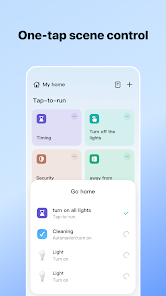
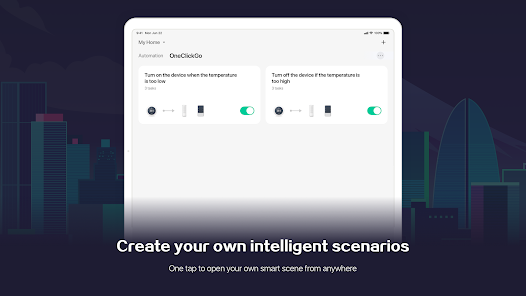
Create personalized automation routines that fit your lifestyle perfectly. With SmartLife, you can set schedules, triggers, and scenes to ensure that your home responds to your unique habits, making everyday tasks feel effortless and intuitive.

Energy Monitoring

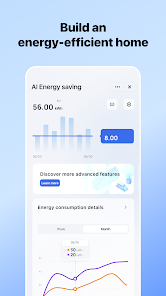
Keep track of your energy consumption with SmartLife's intuitive monitoring features. The app provides real-time insights and usage trends, helping you make informed decisions to reduce your bills and enhance energy efficiency, all while being environmentally conscious.

Smart Home Integration

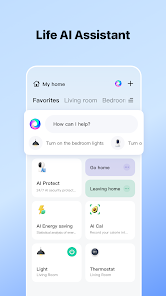
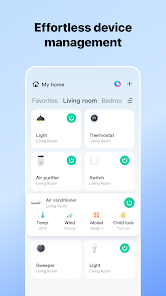
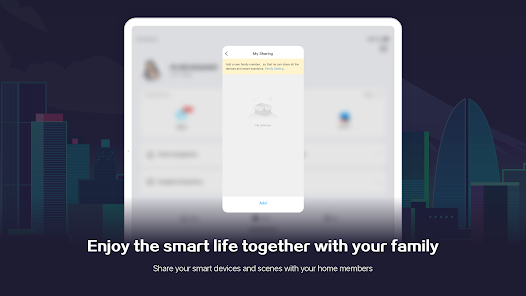
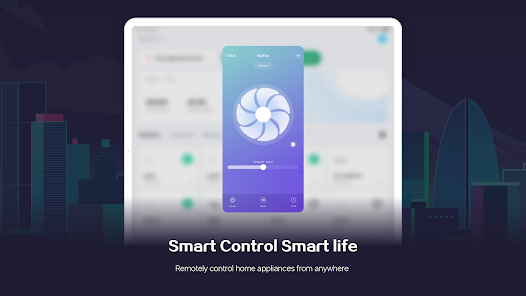
SmartLife seamlessly connects with a variety of smart devices, allowing you to control everything from lights to thermostats with just a tap. Whether you're at home or on the go, you can manage your devices to create the perfect environment tailored to your needs.

User-Friendly Interface

Navigating SmartLife is a breeze, thanks to its clean and intuitive design. The app makes it easy for users of all ages to access features, manage devices, and customize settings, ensuring that everyone can enjoy the benefits of a smart home without any hassle.

Pros & Cons

Pros
  • Enhances convenience with automated home controls for daily tasks.
  • Improves energy efficiency, reducing utility bills and environmental impact.
  • Offers seamless integration with various smart devices for a cohesive experience.
  • Increases security with real-time monitoring and alerts for peace of mind.
  • Provides personalized settings to suit individual lifestyles and preferences.
Cons
  • Limited compatibility with some smart devices may hinder integration efforts.
  • High reliance on internet connectivity can disrupt functionality during outages.
  • Privacy concerns arise from data collection and potential security vulnerabilities.

Real Experience Using SmartLife - Smart Living

Application Scenarios

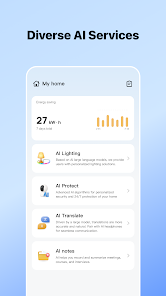
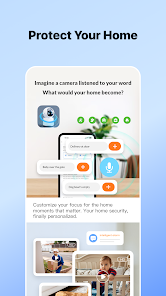
SmartLife - Smart Living is designed to enhance everyday living through seamless integration of smart devices. Users can effectively manage their home environment by controlling lighting, heating, and security systems from a single platform. For instance, a user can schedule their lights to turn on at sunset, ensuring a warm welcome home. Additionally, the app allows for remote access to security cameras, providing peace of mind while away. SmartLife is also ideal for energy management; users can monitor their energy consumption and receive suggestions to optimize usage. From setting up automation for morning routines to managing garden irrigation systems, SmartLife caters to a variety of scenarios that make life easier and more efficient.

User Experience

The user experience of SmartLife is generally positive, with an intuitive interface that simplifies navigation. The onboarding process is straightforward, allowing users to connect their devices quickly. The app’s dashboard provides a clear overview of connected devices and their statuses, making it easy for users to stay informed. Users have reported that the app’s responsiveness is commendable, with minimal lag when switching between devices or executing commands. However, some users have expressed occasional frustration with device compatibility, as not all smart devices are supported. Overall, the ability to create custom automation routines and receive real-time notifications enhances the user experience, making SmartLife a valuable tool for managing smart homes.

Pricing

SmartLife - Smart Living is free to download, which is appealing for users looking to dip their toes into smart living without financial commitment. The app does not require a subscription fee, which sets it apart from many competitors. However, users need to consider the costs associated with purchasing compatible smart devices, which can vary widely. While the initial investment may be substantial for some, the long-term savings on energy bills and enhanced convenience can justify the cost. Additionally, users can explore bundled deals offered by manufacturers to minimize expenses when outfitting their homes with smart technology.

Updates & Support

The development team behind SmartLife is proactive in providing updates and improvements based on user feedback. Frequent updates ensure that the app remains compatible with new devices and operating systems, enhancing overall functionality. Users can access a dedicated support section within the app, which includes FAQs and troubleshooting tips. For more complex issues, customer support is responsive, offering email and chat options for assistance. Community forums also serve as a valuable resource for users seeking advice or sharing their experiences. This commitment to customer support and regular updates fosters a sense of trust and reliability in the SmartLife platform.

verified Security & Privacy Review

The SmartLife - Smart Living app prioritizes user security and privacy, implementing robust measures to safeguard personal information. The app utilizes end-to-end encryption for data transmission, ensuring that sensitive data remains confidential during communication. Additionally, it adheres to industry-standard security protocols to protect user accounts from unauthorized access. In terms of permissions, SmartLife requests access to essential features only, such as location services and device controls, which are necessary for optimal functionality. Users are informed about these permissions clearly and are given the option to opt-out of non-essential access without compromising the app's core features. SmartLife also emphasizes transparency in its data handling practices, providing a comprehensive privacy policy that outlines how user data is collected, used, and shared. The app does not sell user data to third parties, reinforcing its commitment to user privacy. Overall, SmartLife demonstrates a strong dedication to maintaining user trust through its security measures and responsible data management practices.

Reviews

4.6

“User-friendly interface makes smart home setup easy”

“Great compatibility with various devices”

“Reliable performance with minimal connectivity issues”

“Customizable settings enhance user experience”

“Frequent updates improve functionality and features”

FAQ

1

Can I submit suggestions or feedback to SmartLife - Smart Living?

Yes, users can submit suggestions or feedback through the app's support section, which helps improve future updates and features.

2

Does SmartLife - Smart Living collect my personal data?

Yes, SmartLife - Smart Living may collect personal data to enhance user experience, but it has privacy measures in place to protect your information.

3

Does SmartLife - Smart Living support offline use?

SmartLife - Smart Living primarily requires an internet connection to function, but some features may be accessible offline depending on the specific device settings.

4

How do I cancel my SmartLife - Smart Living subscription?

You can cancel your subscription through the app's settings or your app store account settings, depending on how you initially subscribed.

5

How much does a subscription to SmartLife - Smart Living cost?

Subscription costs for SmartLife - Smart Living vary based on features and duration, so it's best to check the app for the most current pricing information.

How to use SmartLife - Smart Living

1

Can I change my customer number if I no longer have access to it?

Unfortunately, customer numbers cannot be changed. Please contact customer service for further assistance.

2

Can I log in using my social media accounts?

Yes, you can log in using your social media accounts if you linked them during the registration process.

3

How do I activate my SmartLife account?

To activate your account, click the activation link sent to your email after registration.

4

How do I activate my account if I didn’t receive the activation email?

Check your spam folder for the activation email. If it's not there, request a new activation email through the app or website.

5

How do I contact customer service for SmartLife?

You can reach our customer service team by calling the number listed on our website or using the chat feature in the app.

Editor's Choice