This site uses cookies to enhance your user experience. By clicking any link on this site you are giving your consent to our cookie policy. Read more
Reject
Accept All

Advertiser and Editorial Disclosures

Amazon Alexa

Amazon Alexa

verified Verified App

Developer: Amazon Mobile LLC

  • category

    Category: Lifestyle

  • price

    Price: free

  • age rating

    Age Rating: Teen

  • rating

    Rating: 4.1

  • download

    Downloads: 100,000,000+

  • version

    Version: 2.2.661452.0

Screenshot 1
Screenshot 2
Screenshot 3
Screenshot 4
Screenshot 5
Screenshot 6
Screenshot 7
Screenshot 8
Screenshot 9
Screenshot 10
Screenshot 11
Screenshot 12
Screenshot 13
Screenshot 14
Screenshot 15
Screenshot 16

Features & Highlights

Information Hub

Need to check the weather, get news updates, or find out trivia? Alexa serves as your go-to information source. Just ask a question, and Alexa will provide quick, accurate answers, helping you stay informed and making your life a little easier every day.

Music Playback

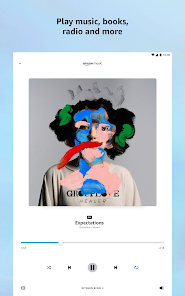
Alexa allows you to stream music from various platforms like Amazon Music, Spotify, and Apple Music just by using your voice. Simply say what you want to hear, and Alexa will play your favorite tunes, creating the perfect soundtrack for any moment or mood.

Skills Integration

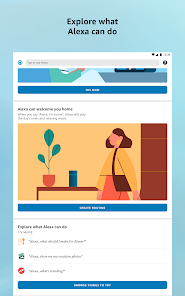
Amazon Alexa boasts thousands of skills that can enhance its functionality. From games and fitness tracking to meditation and recipe guides, you can customize Alexa to fit your needs, ensuring that your smart assistant can do even more than you imagined.

Voice Control

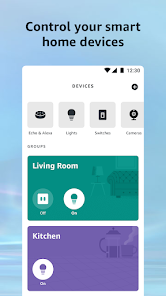
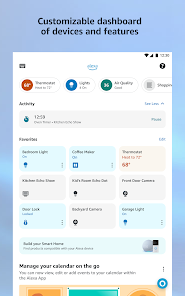
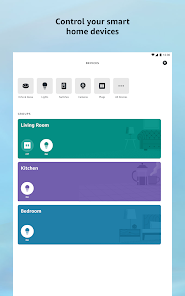
With Amazon Alexa, you can control your smart home devices effortlessly. Just ask Alexa to adjust the lights, thermostat, or even start your coffee maker, making your daily routines more convenient and hands-free. It's like having a personal assistant right in your living room.

Pros & Cons

Pros
  • Voice-activated convenience for hands-free control
  • Smart home integration for seamless automation
  • Access to a vast music library and playlists
  • Instant answers to questions and information requests
  • Customizable skills for personalized experiences
Cons
  • Privacy concerns with data collection and usage
  • Limited compatibility with some smart devices
  • Dependence on stable internet connection for functionality
  • Voice recognition may struggle with accents or background noise

Real Experience Using Amazon Alexa

Application Scenarios

Amazon Alexa is a versatile assistant that seamlessly integrates into various aspects of daily life. Whether you are at home, at work, or on the go, Alexa can assist with a myriad of tasks. In a smart home setup, users can control compatible devices such as lights, thermostats, and security systems with simple voice commands. For those who enjoy cooking, Alexa can provide recipes, set timers, and even convert measurements. In the office, it can help manage schedules, remind users of appointments, and keep track of to-do lists. On-the-go users can utilize Alexa for navigation, checking the weather, or playing music, making it a reliable companion for commuters.

User Experience

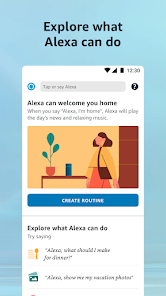
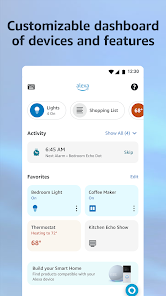
The user experience with Amazon Alexa is generally intuitive and engaging. The voice recognition technology is impressive, offering accurate responses even in noisy environments. Users appreciate the vast array of skills available, which can be customized to suit individual needs. The app interface is user-friendly, designed for easy navigation to manage settings and device connections. Additionally, the ability to create routines allows users to automate multiple actions with a single command, enhancing convenience. However, some users report occasional glitches or misunderstandings with commands, which can be frustrating. Overall, the combination of voice control and smart technology creates a dynamic user experience that evolves as users become more accustomed to the assistant's capabilities.

Pricing

Amazon Alexa itself is free to download and use, but its functionality is often tied to Amazon Echo devices and other compatible smart home products. Prices for these devices vary, ranging from affordable smart speakers to more advanced options with enhanced audio and features. While the initial investment may seem considerable, many users find that the convenience and added functionality justify the expense. Moreover, Alexa can work with a wide range of third-party devices, allowing for further customization without breaking the bank.

Updates & Support

Amazon frequently updates the Alexa app to enhance performance, add new features, and expand its skill set. These updates ensure that users have access to the latest technology and improvements. The support system for Alexa is robust, with a comprehensive help center, community forums, and customer service options available for troubleshooting. Users can easily find solutions to common issues or learn how to maximize the use of their devices. This commitment to ongoing support and improvement highlights Amazon's dedication to providing a satisfactory user experience.

verified Security & Privacy Review

The Amazon Alexa app prioritizes user security and privacy through various measures. It employs encryption protocols to safeguard data transmission, ensuring that voice commands and personal information remain secure. However, users should be aware that the app requires access to certain permissions, such as microphone and location services, to function optimally. This can raise concerns about potential data exposure. Amazon provides users with options to manage their privacy settings, allowing them to review and delete voice recordings. Additionally, the app includes features to mute the microphone and disable voice recording when necessary. Transparency is a focus for Amazon, as the company outlines its data handling practices within its privacy policy. Users are encouraged to familiarize themselves with these policies to understand how their data is collected, stored, and used. Despite these measures, it's essential for users to remain vigilant about their privacy. Regularly updating permissions and utilizing available privacy controls can help mitigate risks associated with data sharing and enhance overall security while using the Amazon Alexa app.

Reviews

4.1

“Great voice recognition and smart home integration!”

“Love the music streaming options available.”

“Occasionally struggles with complex commands.”

“Helpful for reminders and daily tasks.”

“User-friendly interface, easy to set up.”

Compare APP

FAQ

1

Does Amazon Alexa collect my personal data?

Yes, Amazon Alexa collects data to improve its services and provide personalized experiences, but users can manage their privacy settings and review their data.

2

Does Amazon Alexa offer a free trial or free version?

Yes, Amazon Alexa is free to download and use, and there are no required subscription fees for basic functionalities, although some premium features may require a subscription.

3

Does Amazon Alexa require an internet connection?

Yes, Amazon Alexa requires an internet connection to function, as it processes voice commands in the cloud and accesses online services.

4

How can I contact support or send feedback for Amazon Alexa?

You can contact Amazon Alexa support through the Alexa app or the Amazon website, where you can find help articles, chat options, and ways to send feedback.

5

How do I manage or cancel my Amazon Alexa subscription?

You can manage or cancel your Amazon Alexa subscription through the Alexa app or your Amazon account settings, where you can view and modify your subscriptions.

How to use Amazon Alexa

1

How can I contact Amazon Alexa customer service?

You can contact Amazon Alexa customer service by visiting the Amazon website, navigating to 'Help', and selecting 'Contact Us'. You can also reach them via the Alexa app under 'Help' and 'Contact Us'.

2

How can I enable skills in the Alexa app?

Open the Alexa app, tap on 'More', select 'Skills & Games', and browse or search for skills. Tap on the skill you want to enable and follow the instructions.

3

How can I manage my Alexa privacy settings?

Open the Alexa app, go to 'Settings', tap on 'Alexa Privacy', and manage your voice recordings and privacy options from there.

4

How do I activate my Amazon Alexa device?

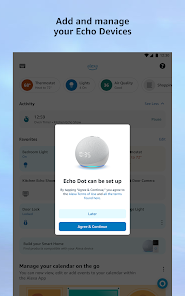
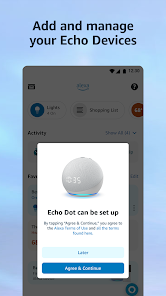
To activate your Alexa device, plug it in and follow the on-screen instructions in the Alexa app. Make sure your device is connected to Wi-Fi during the setup process.

5

How do I check my Alexa shopping list?

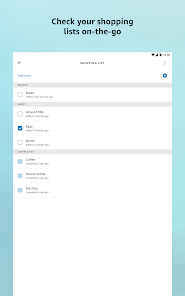
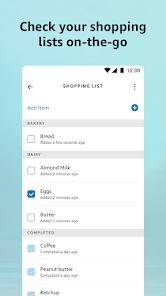
Open the Alexa app, tap on 'Lists', and select 'Shopping List' to view, add, or manage items on your list.

Editor's Choice