This site uses cookies to enhance your user experience. By clicking any link on this site you are giving your consent to our cookie policy. Read more
Reject
Accept All
XLSX Viewer: XLS Reader

XLSX Viewer: XLS Reader

verified Verified App

Developer: A1 Office Apps

  • category

    Category: Productivity

  • price

    Price: free

  • age rating

    Age Rating: Everyone

  • rating

    Rating: 2.5

  • download

    Downloads: 10,000,000+

  • version

    Version: A1 XLS-5.3.0

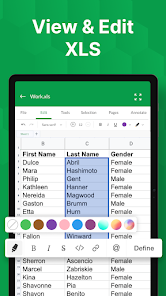
Screenshot 1
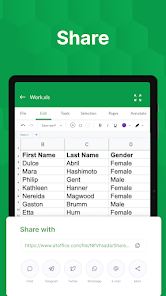
Screenshot 2
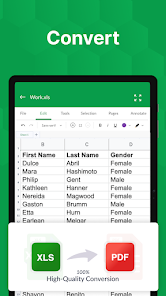
Screenshot 3
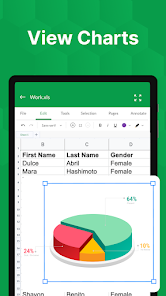
Screenshot 4
Screenshot 5
Screenshot 6
Screenshot 7
Screenshot 8
Screenshot 9
Screenshot 10
Screenshot 11

Features & Highlights

Fast File Opening

XLSX Viewer ensures quick access to your spreadsheets, allowing you to open and view large files without any frustrating delays. Say goodbye to waiting around; just tap and start working on your data instantly, making it perfect for busy professionals on the go.

Rich Viewing Options

Customize your viewing experience with various options like zooming, scrolling, and different display modes. Whether you prefer a full screen or a split view, XLSX Viewer adapts to your needs, ensuring that you can analyze your data comfortably and efficiently.

Seamless Compatibility

XLSX Viewer supports a wide range of Excel file formats, including XLS and XLSM, ensuring you can open virtually any spreadsheet without hassle. This versatility makes it an indispensable tool for anyone who regularly works with Excel documents.

User-Friendly Interface

With its intuitive design, XLSX Viewer makes navigating through your spreadsheets a breeze. You don’t need to be a tech expert to access your files; the clean layout and straightforward controls make it easy for anyone to start viewing their documents right away.

Pros & Cons

Pros
  • User-friendly interface for effortless navigation.
  • Supports various Excel formats for versatility.
  • Quickly open and view large files seamlessly.
  • No installation required for instant access.
  • Lightweight design ensures fast performance.
Cons
  • Limited functionality compared to full Excel features
  • Inability to edit spreadsheets directly
  • May struggle with large file sizes
  • Lacks advanced analytical tools for complex data

Real Experience Using XLSX Viewer: XLS Reader

Application Scenarios

XLSX Viewer: XLS Reader is designed to cater to a wide range of users, from students and professionals to business analysts and casual data enthusiasts. Whether you need to quickly view a spreadsheet on the go or perform in-depth analyses, this app is incredibly versatile. It's perfect for scenarios such as reviewing budgets, analyzing sales data, or preparing presentations where data from Excel files is required. Furthermore, the application is a lifesaver for those who frequently receive spreadsheets via email and need to access them on mobile devices without the hassle of converting formats. The app supports various file types, including .xlsx and .xls, making it suitable for both old and new Excel documents.

User Experience

The user experience of XLSX Viewer is intuitive and straightforward. Upon launching the app, users are greeted with a clean interface that emphasizes ease of navigation. The ability to open files directly from cloud storage services like Google Drive and Dropbox streamlines the workflow, allowing users to access their documents without the need for cumbersome downloads. Features such as zooming in and out, scrolling through sheets, and searching for specific data points enhance usability. The app also offers a night mode, which is a thoughtful addition for those who prefer to work in low-light conditions. On top of that, the performance is commendable, with quick loading times and minimal lag when switching between sheets, ensuring that users can work efficiently.

Pricing

XLSX Viewer operates on a freemium model, providing users with a solid set of features at no cost while offering additional premium functionalities for a nominal fee. The free version includes basic viewing capabilities, which are sufficient for many casual users. However, for those looking for advanced features such as editing options, file conversion, and ad-free experience, the premium subscription is reasonably priced. This flexible pricing structure ensures that users can choose the best plan that fits their needs without feeling forced into unnecessary expenses.

Updates & Support

The developers of XLSX Viewer are committed to continuous improvement and regularly roll out updates to enhance functionality and address any issues. Users have reported that new features and performance enhancements are often added based on community feedback, which fosters a sense of involvement among the user base. Additionally, the support team is readily available, offering prompt responses to inquiries and troubleshooting assistance. Comprehensive FAQs and user guides are accessible within the app, helping users make the most of its capabilities.

verified Security & Privacy Review

The security and privacy practices of the XLSX Viewer: XLS Reader app are crucial for users concerned about their sensitive information. The app is designed to operate without requiring an internet connection, which inherently reduces the risk of data breaches through online vulnerabilities. However, users should be aware of the permissions the app requests upon installation. It typically requires access to files on the device to open and read XLSX documents, which is standard for spreadsheet readers. Data handling is a significant aspect of user privacy. The app does not store user data on external servers, ensuring that files remain on the user's device. This local handling of data minimizes exposure to potential unauthorized access. Furthermore, the app's privacy policy outlines its commitment to safeguarding user information, although users are encouraged to review the policy for specific details on data collection and sharing practices. Overall, XLSX Viewer: XLS Reader takes essential steps to protect user data while offering a functional experience for viewing spreadsheets. Users should still exercise caution and ensure they download the app from trusted sources to enhance their security further.

Reviews

2.5

“Easy to use and navigate through files”

“Great for viewing Excel documents on the go”

“Fast performance with large XLSX files”

“User-friendly interface, highly recommend”

“Reliable and efficient XLS reader app”

Editor's Choice