This site uses cookies to enhance your user experience. By clicking any link on this site you are giving your consent to our cookie policy. Read more
Reject
Accept All
XFINITY Home

XFINITY Home

verified Verified App

Developer: Comcast Cable Communications

  • category

    Category: Lifestyle

  • price

    Price: free

  • age rating

    Age Rating: Everyone

  • rating

    Rating: 4.0

  • download

    Downloads: 1,000,000+

  • version

    Version: 12.74.2

Screenshot 1
Screenshot 2
Screenshot 3
Screenshot 4
Screenshot 5
Screenshot 6
Screenshot 7
Screenshot 8
Screenshot 9

Features & Highlights

24/7 Professional Monitoring

Rest easy knowing that XFINITY Home features 24/7 professional monitoring services. Trained security professionals are always on alert, ready to respond to alarms or emergency situations, ensuring that your home remains safe and secure around the clock.

Customizable Alerts

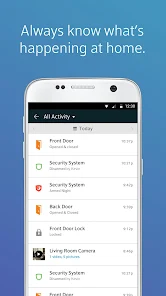
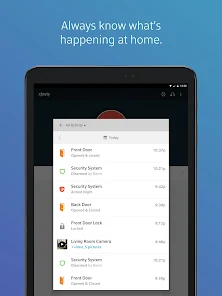
Stay informed with customizable alerts that keep you updated about important events in your home. Whether it's a door opening, motion detected, or a camera capturing activity, you can choose how and when you receive notifications, tailoring the experience to fit your lifestyle.

Home Automation Control

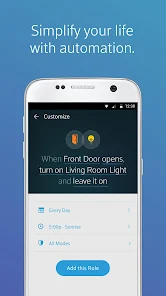
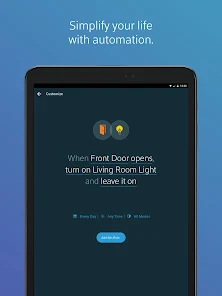
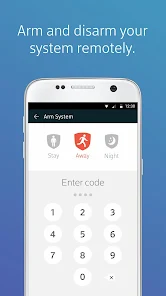
With XFINITY Home, you can easily manage your smart devices from one convenient app. Whether you're adjusting your thermostat, controlling lights, or locking doors, the intuitive interface makes home automation simple and accessible for everyone.

Smart Security System

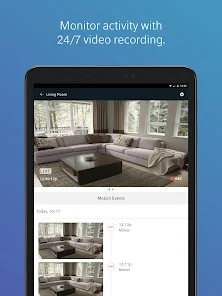
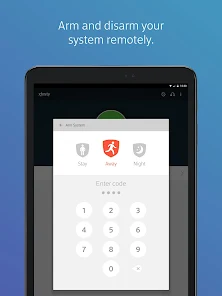
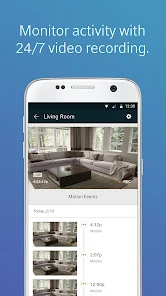
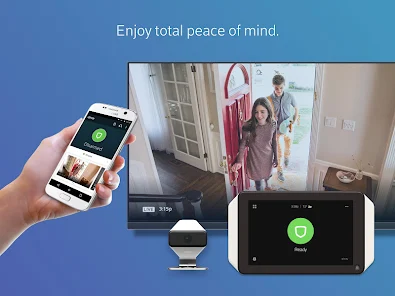
XFINITY Home offers a comprehensive smart security system that includes door and window sensors, indoor and outdoor cameras, and motion detectors. This integrated solution allows you to monitor your home in real-time, providing peace of mind whether you're at home or away.

Pros & Cons

Pros
  • 24/7 professional monitoring for peace of mind
  • Remote access to control your home anytime
  • Customizable security alerts tailored to your needs
  • Seamless integration with smart home devices
  • User-friendly mobile app for easy management
Cons
  • Limited customer service availability leads to frustration
  • High monthly fees compared to competitors
  • Equipment costs can be unexpectedly high
  • Installation process may be time-consuming and complex

Real Experience Using XFINITY Home

Application Scenarios

The XFINITY Home app is designed for users who want to take control of their home security and automation systems from the convenience of their mobile devices. Perfect for homeowners and renters alike, the app allows users to monitor live video feeds from security cameras, manage smart locks, and control lighting systems all in one place. It's particularly useful for busy families who want to ensure their home is secure while away, as well as for tech-savvy individuals looking to streamline their daily routines. The app can be effectively used for setting schedules for lights or thermostats, receiving alerts for unusual activity, and even checking in on pets via indoor cameras, making it a versatile tool for home management.

User Experience

The user experience of the XFINITY Home app is generally smooth and intuitive. The interface is user-friendly, allowing users to navigate through various features with ease. Upon launching the app, users are greeted with a dashboard that provides quick access to important functions such as security status, camera views, and automation controls. Many users appreciate the ease of setting up new devices and customizing settings, which can be done directly through the app. Notifications are timely and informative, keeping users aware of any activity around their home. However, some users have reported occasional connectivity issues, particularly when accessing the app remotely. Overall, the app's design and functionality make it a valuable companion for XFINITY Home customers.

Pricing

XFINITY Home offers various pricing plans, typically starting with a basic package that includes essential security features such as 24/7 monitoring and a selection of smart devices. Pricing can vary based on the level of service and number of devices included. Users can expect to pay a monthly fee that covers both the monitoring service and any additional features they choose to incorporate. While some may find the pricing on the higher side compared to other home security solutions, many users justify this with the reliability and comprehensive nature of the service provided.

Updates & Support

The XFINITY Home app is regularly updated to enhance performance and introduce new features, which keeps the user experience fresh and responsive to user needs. The support system is robust, providing users with access to a comprehensive help center, troubleshooting guides, and customer service representatives who are available for live chat or phone support. Users have noted that responses from the support team are generally quick and helpful, making it easier to resolve any issues they encounter. Overall, the combination of regular updates and accessible support significantly contributes to user satisfaction.

verified Security & Privacy Review

The XFINITY Home app provides users with a robust security and privacy framework designed to safeguard personal information while managing home security systems. The app employs advanced encryption protocols to ensure that data transmitted between devices and servers remains secure. Users are required to create strong passwords, and multi-factor authentication is available to add an extra layer of protection. In terms of permissions, the app requests access to location services, camera, and microphone, which are essential for features like live video monitoring and security alerts. However, users have control over these permissions and can adjust settings as needed. The app’s privacy policy clearly outlines how user data is collected, used, and shared, ensuring transparency in its practices. XFINITY Home commits to complying with relevant privacy regulations, such as GDPR and CCPA, giving users rights over their personal data. Overall, the app prioritizes user security and privacy, making it a reliable choice for managing home safety while keeping sensitive information secure.

Reviews

4.0

“Reliable service with excellent customer support”

“User-friendly app interface”

“Quick installation and setup process”

“Affordable monitoring plans available”

“Great integration with smart home devices”

Editor's Choice