This site uses cookies to enhance your user experience. By clicking any link on this site you are giving your consent to our cookie policy. Read more
Reject
Accept All

Advertiser and Editorial Disclosures

Wyze - Make Your Home Smarter

Wyze - Make Your Home Smarter

verified

Wyze Labs Inc.

4.4
Rating
5,000,000+ Downloads
3.10.0.745 Version
  • category

    Category: Lifestyle

  • price

    Price: free

  • age rating

    Age Rating: Everyone

  • rating

    Rating: 4.4

  • available on

    Available on: /

  • updated on

    Updated on: Jun 22, 2026

Screenshot 1
Screenshot 2
Screenshot 3
Screenshot 4
Screenshot 5
Screenshot 6
Screenshot 7
Screenshot 8
Screenshot 9
Screenshot 10
Screenshot 11
Screenshot 12
Screenshot 13
Screenshot 14
Screenshot 15

Features & Highlights

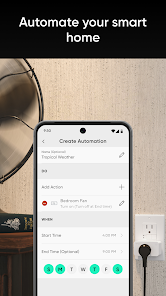
Customizable Routines

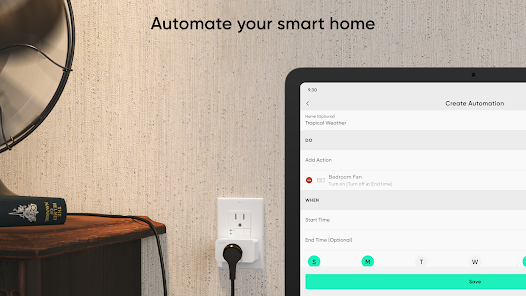
Create personalized routines to automate everyday tasks with Wyze. Whether it's setting the lights to turn on at sunset or scheduling your thermostat to adjust when you leave for work, these customizable options help streamline your lifestyle and enhance comfort in your home.

Real-Time Notifications

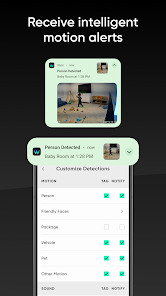
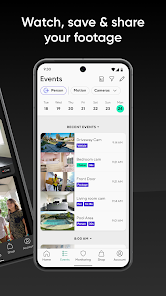
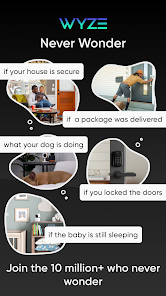
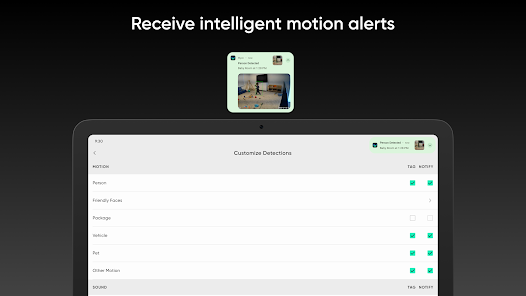
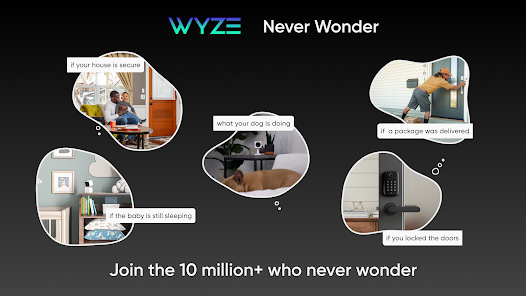
Stay in the loop with real-time notifications for any activity detected by your Wyze devices. Whether it's a motion alert from your security camera or a reminder for a scheduled event, these timely updates keep you informed and offer peace of mind, no matter where you are.

Smart Home Integration

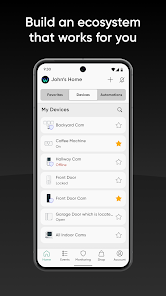
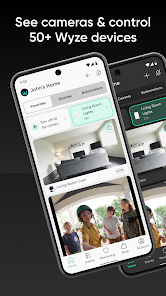
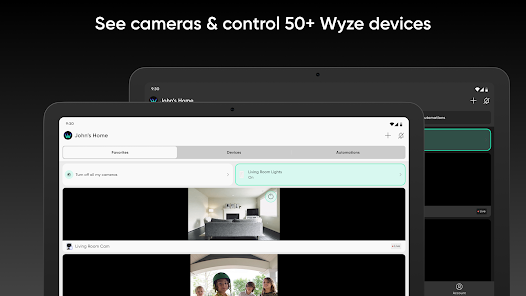
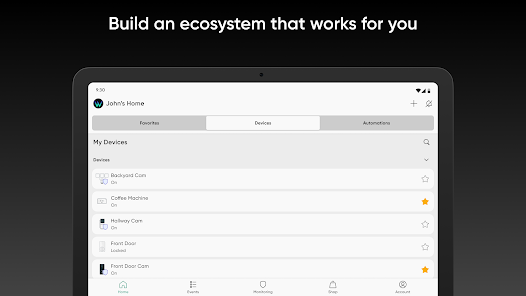
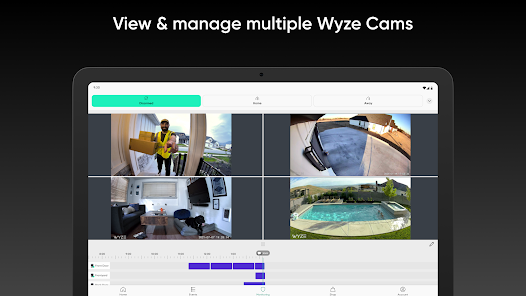
Wyze seamlessly connects with a variety of smart home devices, allowing you to control everything from lights to cameras through a single app. This integration simplifies your daily routines by enabling automation and remote access, making your home smarter and more efficient.

Voice Control Support

With compatibility for popular voice assistants like Alexa and Google Assistant, controlling your Wyze devices is as easy as speaking a command. This feature enhances convenience, allowing you to adjust settings or check the status of your home hands-free, making daily interactions effortless.

Pros & Cons

Pros
  • Affordable smart home solutions for everyone
  • Easy setup and user-friendly app for convenience
  • Wide range of products to fit any need
  • Real-time notifications for enhanced home security
  • Integration with voice assistants for seamless control
Cons
  • Limited customer support availability can be frustrating
  • Privacy concerns over data security and usage
  • Integration issues with some smart home devices
  • Occasional connectivity problems disrupt device functionality

Real Experience Using Wyze - Make Your Home Smarter

Application Scenarios

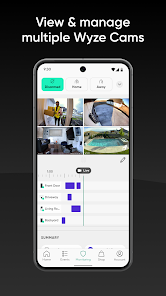
The Wyze app is designed to enhance the user’s home automation experience, making it a crucial tool for anyone looking to build a smarter home. With its versatile features, the app supports a variety of devices including security cameras, smart bulbs, and sensors. Users can monitor their homes in real-time, control indoor and outdoor lighting, and even manage smart plugs for various devices. The app shines in scenarios such as home security, where users can receive instant notifications of any unusual activity captured by the cameras. It also proves beneficial for energy management, allowing users to schedule and automate lighting or appliances to optimize energy consumption. Families can use the app to set up a comprehensive system that alerts them to potential safety hazards, such as smoke or water leaks, ensuring peace of mind whether they are at home or away.

User Experience

Users frequently praise the Wyze app for its intuitive interface and ease of use. The onboarding process is straightforward, guiding new users through the setup of their devices with minimal hassle. The app's layout is clean and organized, enabling users to access various features quickly. Many users appreciate the customization options, allowing them to tailor notifications and settings to suit their needs. Furthermore, the app supports remote access, giving users the freedom to monitor their home from anywhere. The integration of voice control capabilities with smart assistants like Amazon Alexa and Google Assistant adds another layer of convenience, making it easy to manage devices hands-free. However, some users have reported occasional connectivity issues, which can be frustrating, particularly for those relying on real-time monitoring and alerts.

Pricing

Wyze adopts a budget-friendly approach to smart home technology, making it accessible to a wide audience. The app is free to download and use, with many of its features available at no cost. Users can purchase Wyze devices at competitive prices, often significantly lower than those of other smart home brands. For those seeking advanced features, such as cloud storage for video recordings, Wyze offers a subscription service, known as Wyze Cam Plus, at an affordable monthly fee. This pricing strategy allows users to enjoy the benefits of a smart home without a hefty financial commitment, appealing to both tech-savvy individuals and those new to home automation.

Updates & Support

Wyze is committed to continuously improving its app and devices, with regular updates that enhance functionality and fix bugs. Users can expect new features and improvements rolled out consistently, which helps maintain a high level of user satisfaction. The Wyze support team is readily available through various channels, including in-app support, online forums, and social media platforms. Users often commend the responsiveness of the support team, appreciating how they address concerns and provide solutions promptly. Additionally, the active community surrounding Wyze products fosters a collaborative environment where users can share tips, hacks, and troubleshooting advice, further enriching the overall experience.

verified Security & Privacy Review

The Wyze app prioritizes user security and privacy, employing robust encryption protocols to protect user data during transmission and storage. The app requires minimal permissions, primarily accessing the camera and microphone for device functionality, which helps maintain user privacy. Users are prompted to grant permissions selectively, ensuring transparency in how data is collected and used. Wyze adheres to industry-standard data protection practices, including secure cloud storage for video footage and user information. Users can manage their privacy settings within the app, allowing for customization of data sharing preferences. Importantly, Wyze does not sell user data to third parties, reinforcing its commitment to user confidentiality. Regular security updates are implemented to address potential vulnerabilities, and users are encouraged to enable two-factor authentication for an additional layer of security. Overall, Wyze demonstrates a strong dedication to safeguarding user information, making it a reliable choice for those seeking a smart home solution without compromising their privacy.

User Reviews

  • Edy Mendez
    2026/04/28

    products work less than ok but they work so I dont mind their faults. this app on the other hand, almost never works. it literally takes 5-10 mins to pull up the app so what ever event that goes on i only see it after it already ended or I have to go to where the camara is pointing to see it live. thinking of switching to ring or blink. not sure yet

  • Yulia K
    2024/10/17

    Edit: if on the free plan, you will not be getting event notifications. You're supposed to, but you won't. The events will continue to get created and stored in history. The Wyze support will tell you how sorry they are that their app doesn't function and you're having a bad experience. The end. --- Ok app, but cameras repeatedly disconnect on their own and unable to see from the app or reconnect when away, defeating the purpose of buying them.

  • Chaotic Kismet
    2025/06/15

    Definitely not what it once was. We have had Wyze for years. Recently, I have to completly factory reset multiple cameras to get them to come back online. It is time-consuming and frustrating, to say the least. Not sure what changed or if it is to cause customers to buy new cameras/ purchase an upgrade/ package. Disappointed, and have to spend time and money on a new camera system. I do not recommend.

  • Wizzo Wizniak
    2025/07/23

    The app seems to be working better, but I'm still having issues with cameras not recording events, and oftentimes when I open the app, the cameras don't want to load unless I go in and force stop it and clear the cache. I've also had a couple of issues with my locks connecting. Hopefully, this stuff was fixed in the most recent update. As a whole, I still love your company and its products.

  • Nicole Demetrak
    2025/07/09

    I've had Wyze cameras for years & I used to recommend them to everyone. I do not anymore because the quality has gone down so much. The cameras constantly disconnect, events don't register (even though the camera moves with the movement, but still doesn't register as an event), &one has started clicking at night when it never did before (turning off night vision solved it). I hate the idea of going to another company when I've invested so much in so many cameras, but Wyze is unreliable now.

Review Source: Google Play store public user reviews.

FAQ

1

Does Wyze - Make Your Home Smarter collect my personal data?

Wyze - Make Your Home Smarter may collect certain personal data to provide its services, but it emphasizes user privacy and provides options for users to manage their data preferences.

2

Does Wyze - Make Your Home Smarter offer a free trial or free version?

Wyze - Make Your Home Smarter offers a free version that allows users to access basic features, while additional premium features may require a subscription.

3

Does Wyze - Make Your Home Smarter require an internet connection?

Yes, Wyze - Make Your Home Smarter requires an internet connection to enable remote access and control of your smart devices, as well as to receive updates and notifications.

4

How can I contact support or send feedback for Wyze - Make Your Home Smarter?

You can contact Wyze support or send feedback through the app by navigating to the help or support section, or by visiting their official website for additional contact options.

5

How do I manage or cancel my Wyze - Make Your Home Smarter subscription?

You can manage or cancel your Wyze - Make Your Home Smarter subscription through the app’s settings under the subscription management section, where you can view your current plan and make changes as needed.

How to use Wyze - Make Your Home Smarter

1

Do I need to create an account to use the Wyze app?

Yes, you need to create an account to use the Wyze app and manage your devices.

2

How can I contact Wyze customer service?

You can reach Wyze customer service through their support page on the Wyze website or by emailing support

3

How can I reset my Wyze account password?

Open the Wyze app, click on "Forgot Password?" and follow the instructions sent to your registered email.

4

How do I activate my Wyze devices?

To activate, plug in your device, open the Wyze app, and follow the on-screen instructions to add the device to your account.

5

How do I log in to the Wyze app?

Open the Wyze app and enter your registered email and password. Tap "Log In" to access your account.

What's New

- Added ability to convert existing “I’m Home/I’m Away” shortcuts into new location-triggered automations.- Added a "Camera in Privacy Mode" status display on the Favorites Page for supported PTZ cameras.- Added dark mode support for some dialogs.- Bug fixes

Editor's Choice