This site uses cookies to enhance your user experience. By clicking any link on this site you are giving your consent to our cookie policy. Read more
Reject
Accept All
WiFi Analyzer

WiFi Analyzer

verified Verified App

Developer: olgor.com

  • category

    Category: Tools

  • price

    Price: free

  • age rating

    Age Rating: Everyone

  • rating

    Rating: 4.6

  • download

    Downloads: 10,000,000+

  • version

    Version: 6.8

Screenshot 1
Screenshot 2
Screenshot 3
Screenshot 4
Screenshot 5
Screenshot 6
Screenshot 7
Screenshot 8
Screenshot 9
Screenshot 10
Screenshot 11
Screenshot 12
Screenshot 13
Screenshot 14
Screenshot 15
Screenshot 16
Screenshot 17
Screenshot 18
Screenshot 19
Screenshot 20
Screenshot 21

Features & Highlights

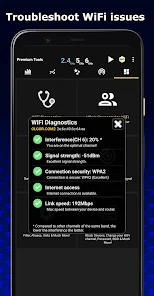
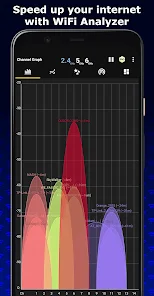
Channel Interference Detection

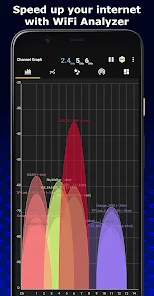
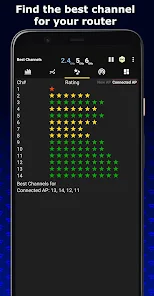
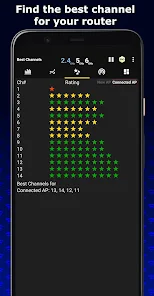
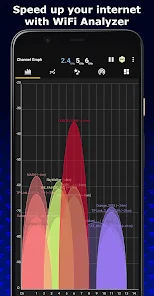
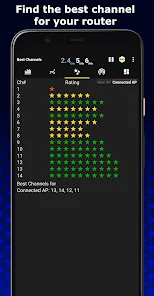
This app efficiently detects channel interference from neighboring networks, helping you choose the least congested channel for your WiFi. By optimizing your channel selection, you can enhance your network's stability and speed, resulting in a smoother online experience.

Historical Data Tracking

The app allows users to track historical data of their WiFi performance over time. By analyzing trends in signal strength and speeds, you can make informed decisions about network improvements and adjustments, ensuring a consistently reliable connection.

Network Speed Testing

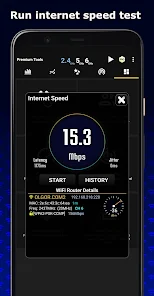
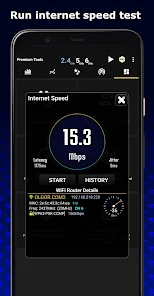
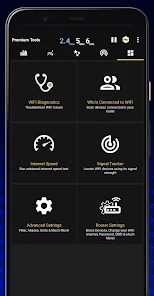
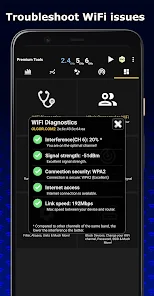
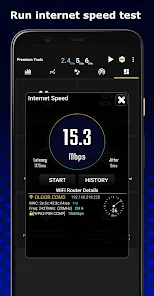
WiFi Analyzer includes a built-in speed test feature that measures your download and upload speeds. This tool enables users to assess their internet performance and troubleshoot any connectivity issues, ensuring you get the most out of your broadband service.

Signal Strength Measurement

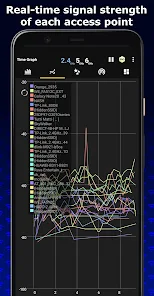
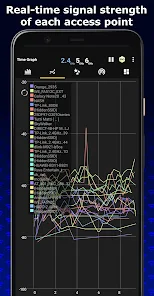
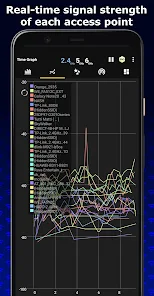
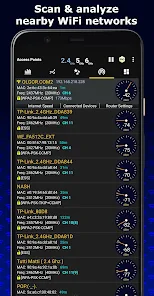
WiFi Analyzer provides real-time signal strength measurements, allowing users to visualize their network's performance. By displaying signal intensity in an easy-to-read format, it helps you identify the best spots for optimal connectivity in your home or office.

Pros & Cons

Pros
  • Identifies network issues for improved performance
  • Optimizes WiFi channels for better connectivity
  • Strengthens security by detecting unauthorized devices
  • Visualizes signal strength for optimal placement
  • Tracks network usage for efficient management
Cons
  • Limited to specific device compatibility
  • May not detect all interference sources
  • Requires technical knowledge for effective use
  • Can be inaccurate in crowded environments

Real Experience Using WiFi Analyzer

Application Scenarios

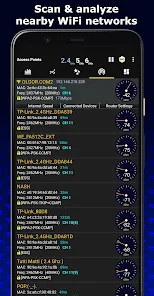
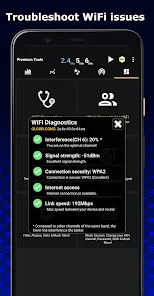
WiFi Analyzer is an invaluable tool for both casual users and professionals alike. Whether you are at home trying to optimize your internet connection, in an office environment troubleshooting connectivity issues, or even setting up a new router, this application proves to be exceptionally useful. Users can analyze the surrounding WiFi networks, identify the least congested channels, and make informed decisions about network configurations. It is particularly beneficial in densely populated areas where multiple networks compete for bandwidth, allowing users to select the best channels for improved performance. Additionally, WiFi Analyzer helps in identifying dead zones within a property, enabling users to strategically place their routers or extenders for maximum coverage.

User Experience

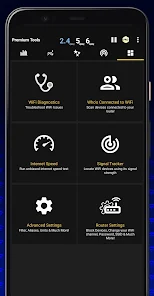
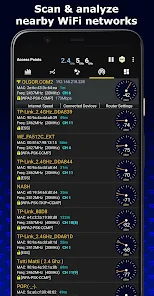
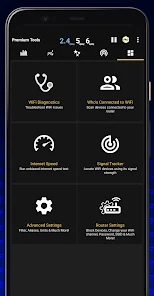
The user experience of WiFi Analyzer is designed to be intuitive and user-friendly. Upon launching the app, users are greeted with a clean and organized interface that presents data in a visually appealing manner. The main dashboard features real-time graphs and charts that display signal strength, channel interference, and other critical metrics. Navigating through the app is seamless, with options to switch between different views and detailed reports. Users have noted that the app's ability to provide detailed information about each network, such as security types and signal quality, enhances their understanding of WiFi performance. The app also includes helpful tips for optimizing network settings, making it suitable for novice users who might not be tech-savvy.

Pricing

WiFi Analyzer adopts a freemium model, providing users with essential features at no cost. The free version is robust enough for most casual users, offering key functionalities such as channel analysis and network monitoring. For those who require advanced features, such as ad-free usage and additional analytical tools, a premium subscription is available at a reasonable monthly or yearly rate. This pricing structure is considered fair, especially considering the value the app brings to users looking to enhance their home or office networks. The app occasionally runs promotions, allowing users to experience premium features at discounted rates, further adding to its appeal.

Updates & Support

WiFi Analyzer is regularly updated, with the developers actively working to enhance its functionality and user experience. Users can expect new features and improvements rolled out periodically, ensuring that the app remains relevant in a rapidly evolving digital landscape. The support team is responsive and provides assistance through multiple channels, including email and a dedicated FAQ section on their website. Users have praised the quick turnaround time for addressing issues and the comprehensive nature of the FAQs, which cover common troubleshooting steps. Overall, the commitment to updates and user support contributes significantly to user satisfaction and trust in the app.

verified Security & Privacy Review

The WiFi Analyzer app prioritizes user security and privacy, ensuring that sensitive information is handled with care. It requires a set of permissions to function effectively, primarily to access Wi-Fi network details and location data. These permissions are essential for providing accurate analysis and insights regarding network strength and connectivity. Users should be aware that the app does not collect personal data beyond what is necessary for its operation. It does not store or transmit any personally identifiable information, ensuring that user privacy is maintained. The app also adheres to industry-standard encryption protocols for any data that may be temporarily cached during usage. Moreover, WiFi Analyzer provides users with clear information regarding the permissions required, allowing for informed consent before installation. The app's privacy policy is transparent, detailing how data is used and protected, which further reinforces its commitment to user security. Overall, WiFi Analyzer takes appropriate measures to safeguard user data while delivering essential network analysis functionalities.

Reviews

4.6

“User-friendly interface with valuable insights!”

“Helps identify dead zones effectively.”

“Accurate signal strength readings, very helpful.”

“Great tool for optimizing home WiFi.”

“Easy to use and understand, highly recommended!”

Editor's Choice