This site uses cookies to enhance your user experience. By clicking any link on this site you are giving your consent to our cookie policy. Read more
Reject
Accept All

Advertiser and Editorial Disclosures

Wansview Cloud

Wansview Cloud

verified Verified App

Developer: AJCLOUD INTERNATIONAL INC.

  • category

    Category: Lifestyle

  • price

    Price: free

  • age rating

    Age Rating: Everyone

  • rating

    Rating: 4.4

  • download

    Downloads: 1,000,000+

  • version

    Version: 2.0.25102706

Screenshot 1
Screenshot 2
Screenshot 3
Screenshot 4
Screenshot 5
Screenshot 6

Features & Highlights

Cloud Storage

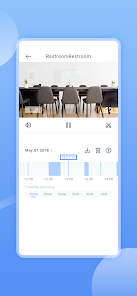
Wansview Cloud offers seamless cloud storage options, ensuring that your footage is securely saved and easily accessible from anywhere. With this feature, you can effortlessly review past recordings, making it a breeze to keep track of important moments and events without the hassle of local storage management.

Real-Time Notifications

Stay informed with real-time notifications that alert you instantly to any movement detected by your Wansview camera. This feature allows you to respond promptly to potential security breaches or important happenings, giving you peace of mind whether you're at home or on the go.

Two-Way Audio

The two-way audio feature allows you to communicate directly through your camera, making it perfect for interacting with pets, family members, or even delivery personnel. This capability enhances your surveillance experience by providing an extra layer of interaction and control, right from your smartphone.

User-Friendly Interface

Wansview Cloud boasts a user-friendly interface that makes navigating through your camera feeds and settings a breeze. With intuitive controls and easy access to all essential features, both tech-savvy users and beginners can enjoy a hassle-free experience while managing their surveillance needs.

Pros & Cons

Pros
  • Easy remote access from anywhere, anytime.
  • User-friendly interface for seamless navigation.
  • High-definition video quality for clear monitoring.
  • Secure cloud storage for peace of mind.
  • Multiple device compatibility for versatile usage.
Cons
  • Limited camera compatibility with other systems
  • User interface can be confusing for beginners
  • Frequent connectivity issues disrupt monitoring
  • Privacy concerns over data storage and access

Real Experience Using Wansview Cloud

Application Scenarios

The Wansview Cloud app is designed for users who want to monitor their surroundings remotely through smart cameras. It serves various scenarios, such as home security, baby monitoring, and pet surveillance. Whether you’re at work, on vacation, or simply out for the day, this app allows you to keep an eye on your property or loved ones in real-time. Users can set up notifications for motion detection, ensuring they receive alerts if any unusual activity occurs. The app is also useful for businesses wanting to oversee their premises, delivering peace of mind with its live streaming and recording features.

User Experience

The user experience of Wansview Cloud is generally positive, with a straightforward interface that makes navigation easy for users of all tech-savviness levels. The app allows for quick camera setup, enabling users to connect their devices seamlessly. The live streaming feature is responsive, with minimal lag time, providing users with a clear view of their monitored areas. The ability to share access with family members or colleagues is another notable feature, enhancing its usability. However, some users have reported occasional connectivity issues, primarily when using Wi-Fi networks with weaker signals. Overall, the app’s functionality, including the user-friendly design and features, caters to a wide range of needs, making it a popular choice among surveillance app users.

Pricing

The Wansview Cloud app is free to download, which is a significant advantage for users looking for a budget-friendly monitoring solution. However, while the app itself is free, users may need to purchase Wansview cameras to take full advantage of its features. The pricing for these cameras can vary, but they are competitively priced compared to other brands in the market. This affordability makes the Wansview Cloud a viable option for consumers who want effective surveillance without breaking the bank. Additionally, there are no hidden fees associated with using the app, which adds to its appeal.

Updates & Support

The developers of Wansview Cloud are proactive in providing updates to enhance functionality and security. These updates are rolled out regularly, ensuring that users have access to the latest features and improvements. The app also includes a help center and customer support options, making it easy for users to resolve any issues they encounter. Many users have praised the responsive customer service team, noting their willingness to assist with questions or concerns. Overall, the combination of regular updates and dedicated support contributes to a reliable user experience.

verified Security & Privacy Review

The Wansview Cloud app prioritizes user security and privacy, implementing several measures to safeguard personal data. The app uses end-to-end encryption to protect video feeds and ensure that only authorized users can access their camera streams. This robust encryption helps mitigate the risks of unauthorized access and data breaches. Regarding permissions, Wansview Cloud requests access to the device's camera and microphone, which are essential for its core functionalities. Users are encouraged to review these permissions and grant access only when necessary. The app also provides clear information on data usage, ensuring transparency in how user data is handled. Wansview Cloud adheres to applicable privacy regulations, offering users control over their data. Users can manage their account settings, including the ability to delete recordings and account information. Regular updates are provided to address security vulnerabilities, ensuring that the app remains secure against emerging threats. Overall, Wansview Cloud demonstrates a commitment to maintaining user privacy while delivering effective surveillance solutions.

Reviews

4.4

“User-friendly interface with seamless setup process”

“Great video quality and reliable performance”

“Excellent cloud storage options for saved footage”

“Responsive customer support with quick resolutions”

“Affordable pricing for advanced features and functionality”

FAQ

1

Does Wansview Cloud collect my personal data?

Wansview Cloud may collect certain personal data such as your account information and usage statistics to enhance user experience, but it typically complies with privacy regulations.

2

Does Wansview Cloud offer a free trial or free version?

Wansview Cloud does offer a free version with basic functionalities, but additional features may require a subscription. Check their official website for the latest offerings.

3

Does Wansview Cloud require an internet connection?

Yes, Wansview Cloud requires an internet connection to access live feeds and features remotely, as it connects to the cameras via Wi-Fi or mobile data.

4

How can I contact support or send feedback for Wansview Cloud?

You can contact Wansview Cloud support through the app's help section or visit their official website for email support and feedback submission options.

5

How do I manage or cancel my Wansview Cloud subscription?

You can manage or cancel your Wansview Cloud subscription through the app settings or your account dashboard, where you will find options for subscription management.

How to use Wansview Cloud

1

How can I contact customer service for the Wansview Cloud app?

You can reach customer service by visiting the Wansview website or through the app's support section for assistance.

2

How do I activate my Wansview Cloud account?

To activate your account, download the app, create an account, and follow the activation steps provided on the screen.

3

How do I log in to the Wansview Cloud app?

Open the app and enter your registered email and password, then tap "Login" to access your account.

4

Is activation necessary for the Wansview Cloud app?

Yes, activation is necessary to use the app with your device. Follow the prompts during setup to activate your account.

5

What is the customer service number for Wansview?

The customer service number for Wansview can be found on their official website under the contact section.

Editor's Choice