This site uses cookies to enhance your user experience. By clicking any link on this site you are giving your consent to our cookie policy. Read more
Reject
Accept All

Advertiser and Editorial Disclosures

Virtual Desktop

Virtual Desktop

verified Verified App

Developer: Virtual Desktop, Inc.

  • category

    Category: Tools

  • price

    Price: $24.99

  • age rating

    Age Rating: Everyone

  • rating

    Rating: 4.0

  • download

    Downloads: 1,000+

  • version

    Version: 1.34.14.0

Screenshot 1
Screenshot 2
Screenshot 3
Screenshot 4
Screenshot 5
Screenshot 6
Screenshot 7

Features & Highlights

Customizable Environments

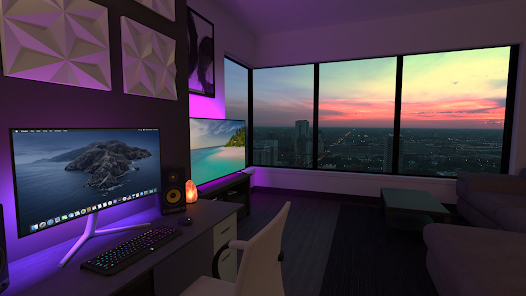
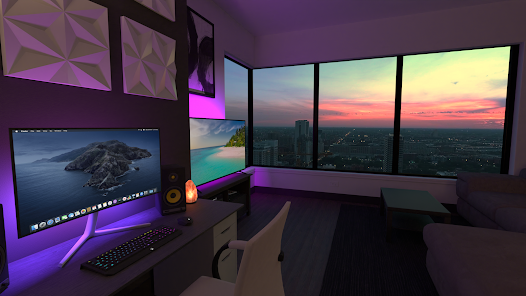
With Virtual Desktop, you can personalize your virtual workspace to suit your preferences. Choose from a variety of customizable environments, adjusting everything from screen layout to background settings, so you always feel comfortable and productive, no matter where you're working from.

Easy File Transfer

Transferring files between your devices has never been easier with Virtual Desktop's intuitive file transfer system. Simply drag and drop files between your virtual desktop and local devices, ensuring that you have all the necessary documents and media at your fingertips without any complicated setup.

High-Performance Streaming

Experience high-performance streaming with Virtual Desktop, designed to minimize latency and deliver smooth graphics. The app utilizes advanced compression techniques to ensure that gaming and multimedia content are rendered beautifully, providing an immersive experience without the frustrating lag often associated with remote access.

Seamless Multi-Device Support

Virtual Desktop offers seamless integration across multiple devices, allowing you to access your PC from anywhere. Whether you're on a VR headset, smartphone, or tablet, you can easily connect and enjoy a consistent experience tailored to your needs, making it perfect for both work and play.

Pros & Cons

Pros
  • Access your desktop from anywhere, anytime.
  • Enhanced security with centralized data management.
  • Simplifies IT management and maintenance tasks.
  • Scalable solutions to fit your business needs.
  • Supports remote work with seamless collaboration tools.
Cons
  • High latency can disrupt user experience
  • Limited offline access to files
  • Dependence on stable internet connection
  • Potential security risks with data transmission

Real Experience Using Virtual Desktop

Application Scenarios

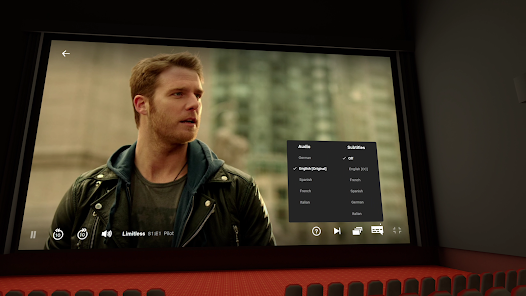
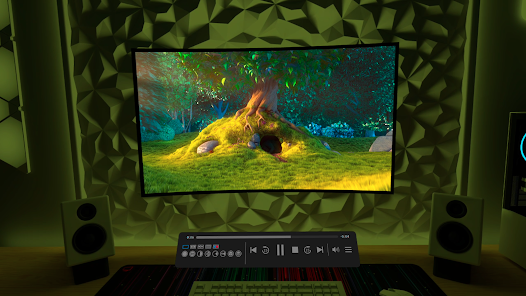
Virtual Desktop is an application that transforms your virtual reality (VR) experience by enabling users to access their computer desktop in a fully immersive environment. This app is particularly useful for gamers, content creators, and professionals who want to utilize their PC's capabilities while enjoying the freedom of VR. For instance, gamers can play their favorite titles on a massive virtual screen, making it feel like they are in a theater setting. Content creators can use it to edit videos or create 3D models, taking advantage of the spatial awareness that VR provides. Additionally, professionals can use Virtual Desktop for remote work, allowing them to attend meetings, access files, and collaborate with colleagues in a virtual office space, enhancing productivity while working from home.

User Experience

The user experience with Virtual Desktop is largely positive, with many users praising its intuitive interface and seamless functionality. The application allows users to navigate their desktop easily, with minimal lag or latency, which is essential for an immersive experience. Users can customize their virtual environment, choosing from various backgrounds and layouts that enhance their comfort and focus. The app supports a wide range of VR headsets, making it accessible to a broad audience. However, some users have noted that the initial setup can be a bit complex, especially for those unfamiliar with VR technology. Once configured, though, the app provides a smooth and enjoyable experience, allowing users to switch between applications effortlessly.

Pricing

Virtual Desktop is competitively priced, making it an appealing option for users looking to enhance their VR experience without breaking the bank. The app typically offers a one-time purchase model, which means users can enjoy its full functionality without worrying about recurring subscription fees. While the price may vary slightly depending on sales or promotions, it remains affordable compared to other VR applications that require ongoing payments. This pricing strategy has made Virtual Desktop a popular choice among VR enthusiasts who appreciate the value it provides for the features it offers.

Updates & Support

The developers of Virtual Desktop are committed to providing regular updates and robust support for their users. Frequent updates not only introduce new features but also improve performance and address any bugs that may arise. The support team is responsive and accessible, assisting users with any issues they encounter during installation or use. Additionally, an active community forum allows users to share their experiences, tips, and tricks, fostering a supportive environment for troubleshooting and advice. Overall, the commitment to updates and customer support enhances the overall experience of using Virtual Desktop, ensuring users feel valued and heard.

verified Security & Privacy Review

Virtual Desktop takes user security and privacy seriously, implementing a range of measures to safeguard data. The app uses end-to-end encryption for all data transmissions, ensuring that sensitive information remains protected from unauthorized access. This robust encryption protocol is vital for users seeking a secure remote desktop experience. In terms of permissions, Virtual Desktop requires access to essential features such as network connectivity and local storage. However, it minimizes the permissions needed for optimal functionality, striving to balance user experience with privacy concerns. Users are informed about the permissions requested during installation, allowing for informed consent. Virtual Desktop adheres to strict data handling practices, ensuring that any personal information collected is used solely for service enhancement and is not shared with third parties without explicit user consent. The app also provides a transparent privacy policy, detailing how user data is collected, stored, and utilized. Regular updates and patches are rolled out to address potential vulnerabilities, further reinforcing the app's commitment to user security and privacy.

Reviews

4.0

“Smooth performance and great graphics in VR!”

“Customizable settings enhance user experience significantly.”

“Reliable connectivity; perfect for remote work.”

“Easy setup and intuitive interface.”

“Frequent updates improve functionality and fix bugs.”

FAQ

1

Are there any limitations to using a Virtual Desktop app?

Limitations can include dependency on internet connectivity, potential latency issues, and restrictions based on the app's features. Additionally, some applications may not perform optimally in a virtualized environment compared to a local installation.

2

Can I access my Virtual Desktop app offline?

Most Virtual Desktop apps require an internet connection to function, but some may offer limited offline capabilities, allowing users to access certain files or applications without being connected. Check the app's documentation for specific details.

3

Can I customize my Virtual Desktop environment?

Many Virtual Desktop apps allow users to customize their environment, including settings for display, application preferences, and desktop layouts. However, the extent of customization may depend on the specific app and permissions set by the organization.

4

Can I transfer files between my local device and Virtual Desktop?

Yes, many Virtual Desktop apps allow file transfer between your local device and the virtual environment, often through drag-and-drop functionality or dedicated file transfer options within the app. Check the documentation for specific instructions.

5

Can I use a Virtual Desktop app for gaming?

While some Virtual Desktop apps can support gaming, they are primarily designed for productivity and business applications. Dedicated game streaming services may offer a better experience for gaming purposes due to their optimized performance for graphics.

How to use Virtual Desktop

1

How can I contact customer service for the Virtual Desktop app?

You can contact customer service through the app's support section or visit the official website for support options and contact details.

2

How do I activate the Virtual Desktop app if necessary?

Activation typically requires entering a license key provided upon purchase or logging into your account associated with the app.

3

How do I log in to the Virtual Desktop app?

To log in, enter your account credentials or connect your account from the platform you purchased the app on.

4

What is the customer number for Virtual Desktop app support?

The customer number may vary by region; please check the app's official support page for the correct contact number.

Editor's Choice