This site uses cookies to enhance your user experience. By clicking any link on this site you are giving your consent to our cookie policy. Read more
Reject
Accept All

Advertiser and Editorial Disclosures

Tunity: Hear Any Muted TV Live

Tunity: Hear Any Muted TV Live

verified

iSpot

3.2
Rating
500,000+ Downloads
2.2.0 Version
  • category

    Category: Productivity

  • price

    Price: free

  • age rating

    Age Rating: Everyone

  • rating

    Rating: 3.2

  • available on

    Available on: /

  • updated on

    Updated on: Apr 20, 2026

Screenshot 1
Screenshot 2
Screenshot 3
Screenshot 4
Screenshot 5
Screenshot 6
Screenshot 7
Screenshot 8
Screenshot 9
Screenshot 10
Screenshot 11
Screenshot 12
Screenshot 13
Screenshot 14
Screenshot 15

Features & Highlights

Live Audio Streaming

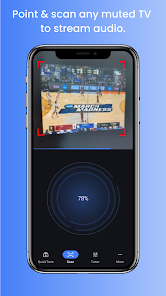
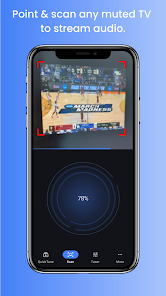
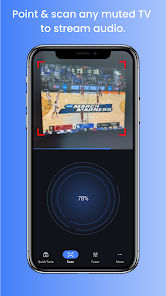
Tunity allows you to hear live audio from muted TVs in real-time, making it perfect for busy bars, gyms, or waiting rooms. Simply point your phone at the TV, and you'll be seamlessly connected to the sound, enhancing your viewing experience without disturbing others around you.

Multiple Device Compatibility

Tunity is designed to work on a wide range of devices, making it accessible for everyone. Whether you're using a smartphone or tablet, the app's compatibility ensures you can enjoy live audio anytime and anywhere, enhancing your flexibility and convenience while out and about.

Personalized Channel Selection

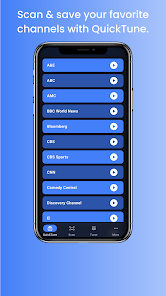
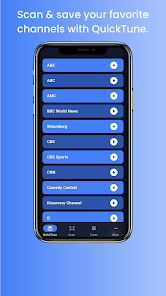
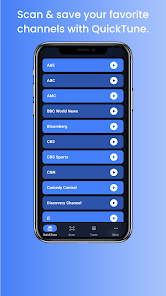
With Tunity, you can easily select your preferred channel or program, ensuring you never miss out on your favorite shows or events. The app provides a user-friendly interface that allows quick access to various channels, putting you in control of what you want to listen to while enjoying the visuals.

User-Friendly Interface

The intuitive design of Tunity makes it easy for anyone to use, regardless of tech-savviness. With a simple setup and straightforward controls, you can connect to any muted TV in just a few taps, allowing you to focus on enjoying the audio without any hassle.

Pros & Cons

Pros
  • Listen to any muted TV in real-time
  • Enjoy your favorite shows without disturbing others
  • Perfect for bars, gyms, and waiting rooms
  • Access a wide range of channels easily
  • Enhance social experiences with shared audio
Cons
  • Limited availability in certain locations
  • May struggle with poor audio quality
  • Requires a stable internet connection
  • Not compatible with all TV models

Real Experience Using Tunity: Hear Any Muted TV Live

Application Scenarios

Tunity is a game-changer for anyone who finds themselves in environments where the TV is muted, yet they want to stay connected to the action. Whether you're at a bar, gym, airport, or waiting room, Tunity allows you to scan the TV screen and stream the audio directly to your smartphone. This is particularly useful during sports events, news broadcasts, or any live shows where missing out on audio can detract from the overall experience. You can enjoy the commentary, dialogue, and sound effects without disturbing others around you. Tunity is also a great option for families in shared living spaces where one person is watching a show with the volume up, while another is trying to catch up on their favorite program on mute.

User Experience

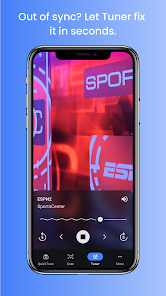
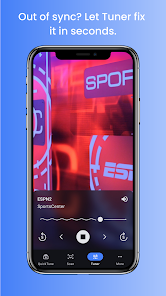
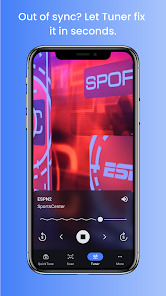
The user experience with Tunity is seamless and intuitive. The app features a straightforward interface that allows users to quickly scan the muted TV screen with their smartphone camera. Once the app recognizes the content, it connects to the audio stream within seconds, providing a smooth listening experience. Users have reported that the audio is well-synchronized with the on-screen action, which is crucial for maintaining immersion. The app also offers the ability to adjust volume levels and switch between channels, making it even more user-friendly. Many users appreciate the convenience of being able to control the audio right from their phones, eliminating the need for external devices or cumbersome setups. Overall, Tunity has received positive feedback for its functionality and ease of use.

Pricing

Tunity operates on a freemium model, offering both free and premium features. The basic version of the app is free, allowing users to access a limited selection of channels and features. However, for those who desire an enhanced experience, the premium subscription offers additional benefits, such as access to a wider range of channels and the option to save favorite shows. The pricing for the premium subscription is competitive compared to other streaming services, making it an appealing choice for users who frequently find themselves in muted environments. The option to try the app for free allows new users to explore its capabilities before committing to a subscription.

Updates & Support

Tunity regularly updates its app to improve functionality and expand its library of accessible channels. The development team is active in addressing user feedback and implementing changes based on user needs. The app’s support team is responsive, providing assistance through various channels, including email and in-app support. Users have reported positive experiences with the customer service team, highlighting their willingness to help resolve any issues quickly. Overall, Tunity's commitment to continuous improvement and user satisfaction is evident in its regular updates and robust support system.

verified Security & Privacy Review

The Tunity app prioritizes user security and privacy while providing a unique service. It requires several permissions, including access to the camera and microphone, which are essential for identifying muted televisions. Users should be aware that these permissions may raise privacy concerns, but the app assures that audio data is processed locally and not stored on external servers. Tunity's privacy policy outlines its commitment to safeguarding user data. The app collects minimal personal information, focusing primarily on usage analytics to enhance user experience. Any data shared with third parties is anonymized, reducing the risk of personal identification. Users have the option to opt-out of data collection, giving them more control over their information. Regular updates are provided to address potential security vulnerabilities, demonstrating the app's commitment to maintaining a secure environment. Overall, while Tunity requires access to sensitive device features, it implements measures to ensure that user data is handled responsibly and securely.

User Reviews

  • James Wood
    2025/01/15

    All great except audio sync. Often in establishments (bars) that have TVs on but no closed caption. This app does really well at finding what I'm watching. Unfortunately, the audio sync doesn't always work. Audio is often delayed and won't let me sync forward far enough. Close, but not quite good enough.

  • G. Wood
    2026/02/16

    Such a brilliant and useful concept, but it doesn't consistently deliver. While I tend not to have any issues finding channels, the audio is so choppy, it's unbearable. Multiple drops per second, then I'll go on a quiet stretch where it's fine, then it'll get choppy again whether I'm on data or Wifi. Doesn't matter the channel. I want to love this app and use it frequently, but it's just not reliable. The developers tout that it doesn't use a lot of bandwidth, so why is it always choppy?

  • Chris Rudisill
    2024/10/12

    Seems like no matter what, I can't make this sync. Sometimes the sound is too far ahead, others too far behind. Yes... i know you can synch it manually. The problem is that It needs the ability to move more than 3 seconds in either direction. Works great except for the fact that it is useless without correct sync. (And yes, I KNOW you can manually sync it... Just not enough to work. )

  • Tony Herring
    2024/11/25

    I've had this maybe 4 weeks. I spend a lot of time in bars and would love to be able to sync up with games that are on, but I have never once been able to sync up. Even on channels that are listed as supported channels on this app. I get "Failed to connect with server" every single time I try it. HUGE disappointment with this app! I wish I could give negative stars.

  • Jon Green
    2021/03/27

    Way too expensive and annoying if you're an occasional user. I guess they're ignoring the occasional user and going for subscriptions. It's not worth paying for. I would pay a one time fee of maybe $5, but a subscription is ridiculous. This might be the one phone app I'd actually pay for, but it should be $5 I don't mind ads, but not if they interrupt the audio.

Review Source: Google Play store public user reviews.

FAQ

1

Does Tunity: Hear Any Muted TV Live collect my personal data?

Tunity may collect some personal data to improve user experience, but it is committed to protecting user privacy and adheres to data protection regulations.

2

Does Tunity: Hear Any Muted TV Live offer a free trial or free version?

Tunity typically offers a free version that allows limited access to its features, and it may also provide a free trial for premium features.

3

Does Tunity: Hear Any Muted TV Live require an internet connection?

Yes, Tunity requires an internet connection to stream audio from the selected TV to your device.

4

How can I contact support or send feedback for Tunity: Hear Any Muted TV Live?

You can contact Tunity’s support team through the app’s help section or visit their official website for additional support and feedback options.

5

How do I manage or cancel my Tunity: Hear Any Muted TV Live subscription?

You can manage or cancel your subscription through the app's settings or your app store account settings, depending on the platform you used to subscribe.

How to use Tunity: Hear Any Muted TV Live

1

How can I contact customer service for the Tunity app?

You can reach Tunity customer service through the app's support section or by visiting their official website for contact details.

2

How do I activate Tunity on my device?

After downloading the app, follow the on-screen instructions to create an account and activate the app by allowing necessary permissions.

3

How do I log in to my Tunity account?

To log in, open the Tunity app and enter your registered email and password, then tap 'Log In.'

4

What is the customer number for Tunity support?

The customer number for Tunity support is typically not publicly listed; use the app or website for assistance.

What's New

- Added a LIVE indicator during live sports events, showing the league and participating teams- Improved loading and display of program images in the Tuner background- Added support for live TV detection on newer devices (e.g., Pixel 10 series)- Fixed the three most common (though rare) app crashes

Editor's Choice