This site uses cookies to enhance your user experience. By clicking any link on this site you are giving your consent to our cookie policy. Read more
Reject
Accept All
Total Commander - file manager

Total Commander - file manager

verified Verified App

Developer: C. Ghisler

  • category

    Category: Tools

  • price

    Price: free

  • age rating

    Age Rating: Everyone

  • rating

    Rating: 3.9

  • download

    Downloads: 10,000,000+

  • version

    Version: 3.61

Screenshot 1
Screenshot 2
Screenshot 3
Screenshot 4
Screenshot 5
Screenshot 6
Screenshot 7
Screenshot 8
Screenshot 9
Screenshot 10
Screenshot 11
Screenshot 12
Screenshot 13
Screenshot 14
Screenshot 15

Features & Highlights

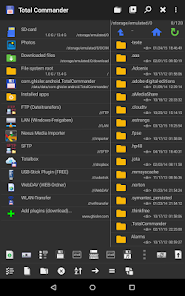
Built-In FTP Client

Total Commander comes equipped with a powerful built-in FTP client, allowing users to connect to remote servers and manage files with ease. This feature supports multiple protocols, ensuring you can transfer files seamlessly, whether you're working on a local network or engaging in remote operations.

Customizable User Interface

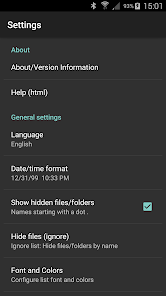
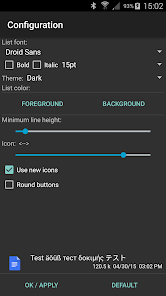
The app allows users to tailor the interface to their liking, with options for themes, layouts, and toolbars. This level of customization ensures that you can create a workspace that suits your personal style and enhances your overall efficiency while navigating through your files.

Dual Pane Interface

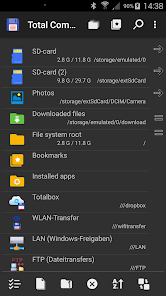
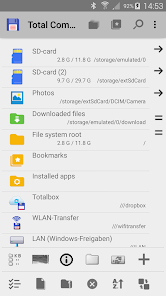
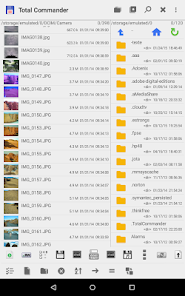
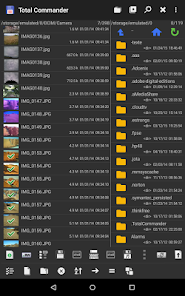
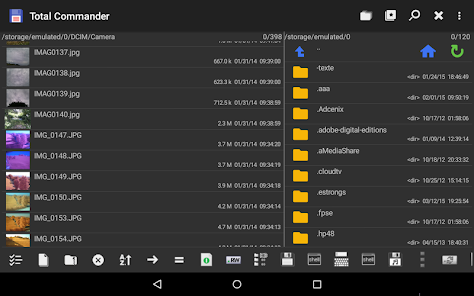
Total Commander's dual pane layout allows for effortless file management by enabling users to view and operate on two directories simultaneously. This intuitive design simplifies tasks like moving or copying files, making it an invaluable tool for anyone looking to enhance their productivity when handling files.

Extensive Plugin Support

With a rich ecosystem of plugins, Total Commander offers users the ability to extend its functionality far beyond basic file management. Whether you need support for cloud storage or specialized file formats, these add-ons make it easy to customize your experience and streamline your workflow.

Pros & Cons

Pros
  • Dual-pane interface enhances file management efficiency
  • Supports various file formats for versatile operations
  • Powerful search function saves time on file retrieval
  • Customizable user interface adapts to personal preferences
  • Built-in FTP client simplifies remote file transfers
Cons
  • Steep learning curve for new users.
  • Limited modern interface design.
  • Lacks built-in cloud storage integration.
  • Some features are not well-documented.

Real Experience Using Total Commander - file manager

Application Scenarios

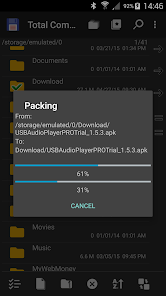
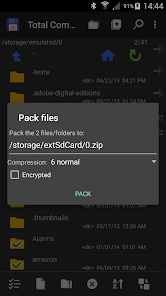
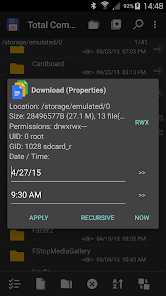
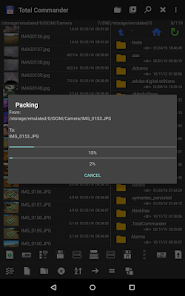
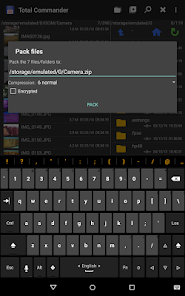
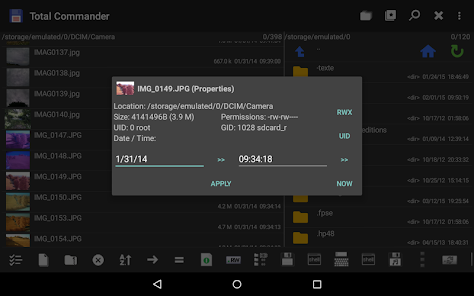
Total Commander serves as a versatile file manager, catering to various scenarios that users encounter daily. Whether you're a casual user looking to organize photos and documents or a professional needing to manage large volumes of files across multiple devices, Total Commander has you covered. Its dual-pane interface allows for effortless file transfers between folders, making it simple to move or copy files without the need for complex navigation. Additionally, the app supports cloud storage services, enabling users to access and manage files stored on platforms like Google Drive and Dropbox seamlessly. Users engaged in software development will also appreciate Total Commander for its ability to handle FTP/SFTP connections, making it easy to upload and download files from remote servers. The app is not just limited to basic file management; it also includes features like file compression, batch renaming, and the ability to view file properties—all essential tools for power users.

User Experience

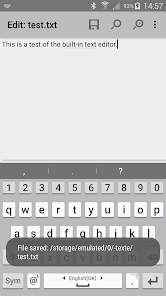
The user experience of Total Commander is largely defined by its intuitive interface and robust feature set. Upon launching the app, users are greeted with a straightforward dual-pane layout, which simplifies file navigation and management. The app is highly customizable, allowing users to tweak settings and layouts to suit their preferences. Many users appreciate the extensive options for sorting and filtering files, which makes locating specific items a breeze. The built-in file viewer supports a wide array of formats, ensuring that users can quickly access and assess their files without needing to open multiple applications. However, new users might initially find the multitude of features somewhat overwhelming, but the availability of tutorials and a comprehensive help section eases this learning curve. Overall, Total Commander provides a solid user experience that balances functionality with ease of use.

Pricing

Total Commander operates on a freemium model, offering a free version with limited features and a paid version that unlocks the full suite of tools. The price for the paid version is quite reasonable, especially considering the extensive features it offers. Users have noted that the value provided by Total Commander is excellent when compared to other file management apps on the market. Given the robust capabilities and frequent updates, many users feel that the one-time purchase price is a worthy investment. For those who rely heavily on file management, the cost is easily justified by the time and effort saved in their workflow.

Updates & Support

Total Commander developers are committed to delivering regular updates, which include new features, performance enhancements, and bug fixes. Users have noted that the update frequency is commendable, reflecting the developers' dedication to improving the app. The support system is also robust, with a dedicated forum where users can seek assistance, share tips, and report issues. Many users appreciate the active community surrounding Total Commander, as it fosters a collaborative environment for problem-solving. Additionally, the developers are responsive to feedback, often incorporating user suggestions into future updates. This level of engagement ensures that Total Commander continues to evolve and meet the needs of its user base effectively.

verified Security & Privacy Review

The Total Commander app prioritizes user security and privacy through its robust data handling practices. The app does not collect personal data unless explicitly provided by the user for specific features. This ensures that user information remains private and secure. Total Commander operates primarily on the device level, meaning that file management tasks are conducted locally, reducing the risk of data exposure over the internet. Regarding permissions, Total Commander requires essential access, such as file storage, to facilitate its core functions. Users are informed of these permissions during installation, allowing them to make informed decisions. The app does not request unnecessary permissions that could compromise user privacy. Furthermore, Total Commander offers various security features, including support for encrypted files and secure FTP connections, which enhance data protection during file transfers. Overall, Total Commander demonstrates a commitment to maintaining user privacy and data security while providing a powerful file management experience.

Reviews

3.9

“Powerful features, but steep learning curve.”

“Excellent for advanced file management tasks.”

“Customization options are fantastic and useful.”

“Interface feels outdated but functional.”

“A must-have for power users, worth the price.”

Editor's Choice