This site uses cookies to enhance your user experience. By clicking any link on this site you are giving your consent to our cookie policy. Read more
Reject
Accept All
Termux

Termux

verified Verified App

Developer: Fredrik Fornwall

  • category

    Category: Tools

  • price

    Price: free

  • age rating

    Age Rating: Everyone

  • rating

    Rating: 4.4

  • download

    Downloads: 10,000,000+

  • version

    Version: googleplay.2026.01.07

Screenshot 1
Screenshot 2
Screenshot 3
Screenshot 4
Screenshot 5
Screenshot 6
Screenshot 7

Features & Highlights

Package Management

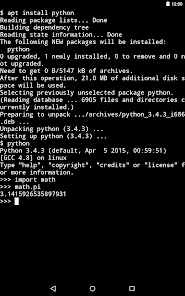
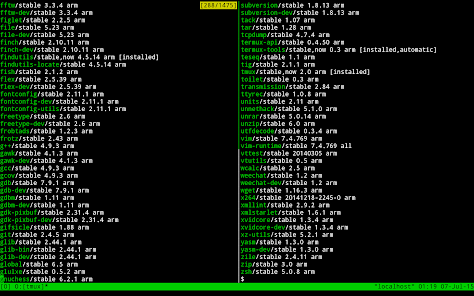
Termux includes a built-in package manager that allows you to install a variety of software packages easily. This feature empowers users to customize their environment by adding tools and libraries as needed, ensuring you have everything required for development or system management right at your fingertips.

Powerful Terminal Emulator

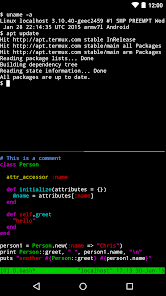
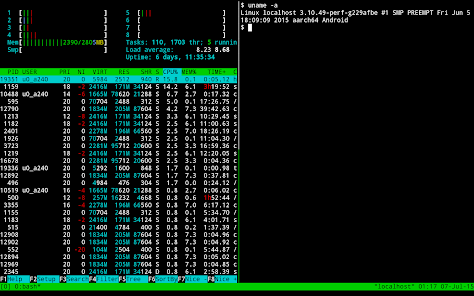
Termux offers a robust terminal emulator that provides a full Linux environment on your Android device. With this, you can access command-line tools and scripts directly from your phone, making it a great tool for developers and tech enthusiasts who need flexibility on the go.

SSH Client

Termux acts as a secure SSH client, allowing you to connect to remote servers seamlessly. This feature is invaluable for system administrators and developers who need to access their servers while traveling or working away from their main workstation.

Scripting Support

With Termux, you can write and run scripts using your favorite programming languages directly on your device. This capability makes it convenient for users to automate tasks or run complex programs, turning your smartphone into a powerful coding platform.

Pros & Cons

Pros
  • Powerful terminal emulator for Android devices
  • Access to a vast package repository
  • Supports multiple programming languages and tools
  • Customizable environment for development and scripting
  • Easy installation of Linux tools on mobile
Cons
  • Limited package support compared to desktop Linux
  • User interface can be challenging for beginners
  • Performance may lag on low-end devices
  • No official support or extensive documentation available

Real Experience Using Termux

Application Scenarios

Termux is a versatile terminal emulator and Linux environment for Android, making it an essential tool for developers, system administrators, and tech enthusiasts. Its ability to run various Linux packages allows users to perform a range of tasks directly from their mobile devices. Whether you are writing code, managing servers, or automating tasks, Termux provides a robust platform that can handle it all. Users can set up a local development environment, perform SSH connections to remote servers, or run scripts and command-line utilities seamlessly. The app is particularly useful for those who prefer command-line interfaces over graphical user interfaces, allowing for greater control and flexibility. Additionally, Termux supports numerous programming languages like Python, Ruby, and Node.js, making it an excellent choice for coding on the go.

User Experience

Termux offers a clean and intuitive user interface that is friendly for both beginners and experienced users. The installation process is straightforward, enabling users to access the terminal environment almost immediately. The app’s performance is commendable, with fast response times and minimal lag, even when running multiple commands or scripts. Users appreciate the extensive package repository, which allows for easy installation of tools and libraries using simple commands. The community-driven nature of Termux means that users can find a wealth of tutorials and forums to help troubleshoot issues or learn new techniques. However, beginners might find the learning curve steep initially, as familiarity with command-line operations is essential for maximizing the app's potential. Overall, the user experience is enhanced by the flexibility and power Termux offers, making it a favorite among tech-savvy individuals.

Pricing

Termux is a free application available on the Google Play Store, which is a significant advantage for users looking for a reliable terminal emulator without any financial commitment. While the base app is free, users may choose to purchase additional packages or plugins to extend its functionality. These packages can be installed using the command line and vary in price, depending on the features offered. The absence of a subscription model or hidden fees makes Termux an attractive choice for users who want a high-quality terminal emulator without ongoing costs.

Updates & Support

Termux benefits from regular updates that enhance its features and performance, ensuring that users have access to the latest tools and security enhancements. The development team is actively engaged with the community, responding to feedback and implementing improvements based on user suggestions. While official support channels are limited, the vibrant Termux community provides extensive forums, documentation, and tutorials, making it easier for users to find help and share knowledge. This strong community support is invaluable for troubleshooting and discovering new ways to utilize the app effectively. Overall, Termux maintains a commitment to continuous improvement, ensuring that it remains a top choice for terminal emulation on Android.

verified Security & Privacy Review

Termux is a powerful terminal emulator and Linux environment for Android that prioritizes user control and privacy. The app does not require any unnecessary permissions, ensuring that users can operate it without compromising their personal data. It operates in a sandboxed environment, which further enhances security by isolating it from other applications and system processes. Data security is bolstered through the use of open-source components, allowing for transparency and community-driven audits. Users can install a variety of packages that can include security tools, ensuring that they have the resources needed to maintain their data's integrity. However, as Termux allows users to execute commands with root access, it is essential for users to exercise caution and understand the implications of their actions. Privacy practices are commendable as Termux does not collect or store user data. This minimal data handling approach assures users that their activities and personal information remain confidential. Overall, Termux provides a secure and privacy-focused environment for technical users, promoting a safe experience while utilizing the app's extensive capabilities.

Reviews

4.4

“Powerful tool for developers on mobile devices”

“Great for learning Linux commands”

“Customizable environment boosts productivity”

“Amazing for scripting and automation tasks”

“User-friendly interface with a rich feature set”

Editor's Choice