This site uses cookies to enhance your user experience. By clicking any link on this site you are giving your consent to our cookie policy. Read more
Reject
Accept All

Advertiser and Editorial Disclosures

TeraBox: 1TB Cloud & AI Space

TeraBox: 1TB Cloud & AI Space

verified Verified App

Developer: Flextech Inc.

  • category

    Category: Tools

  • price

    Price: free

  • age rating

    Age Rating: Everyone

  • rating

    Rating: 4.5

  • download

    Downloads: 100,000,000+

  • version

    Version: 4.11.1

Screenshot 1
Screenshot 2
Screenshot 3
Screenshot 4
Screenshot 5
Screenshot 6
Screenshot 7
Screenshot 8

Features & Highlights

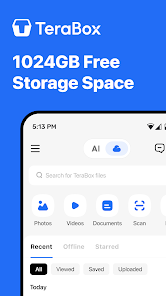
1TB Storage Space

TeraBox offers an impressive 1TB of cloud storage, providing you with ample space to securely store your photos, videos, and important documents. This means you can keep all your files organized and accessible from anywhere, ensuring you never run out of space when you need it most.

AI-Powered Organization

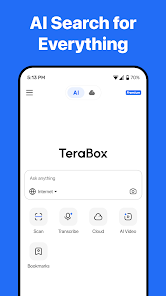
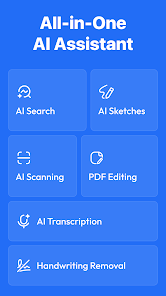
Harness the power of AI with TeraBox, which intelligently categorizes and organizes your files for you. This feature makes it easy to find what you're looking for without the hassle of manual sorting, saving you time and effort in managing your digital life.

Cross-Platform Accessibility

TeraBox ensures that your files are always within reach, thanks to its seamless cross-platform accessibility. Whether you're using a smartphone, tablet, or computer, you can effortlessly access and manage your files on the go, making it a versatile solution for busy lifestyles.

Enhanced File Sharing

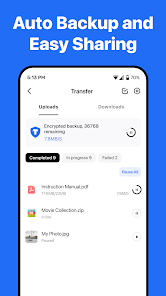
Sharing files with TeraBox is a breeze, allowing you to effortlessly send large files to friends or colleagues. With customizable sharing options and secure links, you can control who has access to your data while enjoying the convenience of easy collaboration.

Pros & Cons

Pros
  • TeraBox offers 1TB of free cloud storage for your files.
  • Access your files anytime, anywhere with seamless synchronization.
  • User-friendly interface makes file management effortless for everyone.
  • Robust security features ensure your data is always protected.
  • Share files easily with friends and family via simple links.
Cons
  • Limited free storage may not meet all user needs
  • Upload speeds can be slower than competitors
  • Customer support can be unresponsive during peak times

Real Experience Using TeraBox: 1TB Cloud & AI Space

Application Scenarios

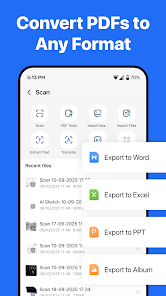
TeraBox is a versatile cloud storage solution that caters to a variety of user needs. Whether you are a student looking to store lecture notes and assignment files, a professional needing a secure space for work documents, or a family wanting to back up precious photos and videos, TeraBox covers it all. The app’s intuitive interface allows users to easily upload, organize, and share files seamlessly across devices. It shines in collaborative settings as well; users can share folders with colleagues or friends, enabling real-time access and collaboration on projects. Additionally, TeraBox's AI capabilities assist users in automatically organizing their files, making it easier to find and manage large volumes of data.

User Experience

The user experience with TeraBox is generally positive, characterized by its straightforward design and functionality. Upon logging in, users are greeted with a clean interface that makes navigation a breeze. The upload process is straightforward, with options to drag and drop files or select them manually. The app's speed is commendable, allowing for rapid uploads and downloads, which is crucial for users dealing with large files. The AI features enhance the experience further by suggesting file organization options and optimizing storage. However, some users have reported occasional glitches, such as slow loading times during peak usage. Overall, the app is user-friendly, but improvements in speed and reliability would elevate the experience even further.

Pricing

TeraBox offers an attractive pricing model that appeals to a wide range of users. With 1TB of free storage, it stands out in a market where many competitors offer limited free space. For users needing more than free storage, TeraBox provides affordable premium plans that unlock additional features such as enhanced security and increased storage capacity. The premium plans are competitively priced, making TeraBox an economical choice for individuals and businesses alike. Users can opt for monthly or yearly subscriptions, and the flexibility in payment options allows users to select a plan that fits their budget.

Updates & Support

TeraBox is committed to continuous improvement, regularly releasing updates that enhance functionality and user experience. These updates often include new features, bug fixes, and performance enhancements based on user feedback. The support system is also commendable, featuring a dedicated help center with FAQs, tutorials, and contact options for direct assistance. Users can reach out via email or through the app for support, and responses are typically prompt, ensuring that any issues are addressed quickly. Overall, TeraBox provides a reliable support structure that reinforces user confidence in the app.

verified Security & Privacy Review

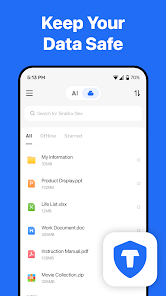
The security and privacy of user data are paramount in TeraBox: 1TB Cloud & AI Space. The app employs advanced encryption protocols to protect files during both storage and transmission. This ensures that sensitive information remains secure from unauthorized access. TeraBox also implements strict access controls, allowing users to manage who can view or edit their files, thus enhancing individual privacy. In terms of permissions, TeraBox requires access to storage for file management, but it is transparent about its needs, providing users with clear explanations. The app does not request unnecessary permissions, minimizing potential risks to user data. TeraBox adheres to robust privacy practices, including compliance with international data protection regulations. User data is not sold or shared with third parties without explicit consent, further reinforcing its commitment to user privacy. Regular updates and security patches are rolled out to address potential vulnerabilities, ensuring that the app remains a safe environment for storing and sharing files. Overall, TeraBox demonstrates a strong emphasis on data security and user privacy, making it a reliable choice for cloud storage solutions.

Reviews

4.5

“Easy to use and great storage options”

“Fantastic value for 1TB of space”

“User-friendly interface with excellent features”

“Reliable backup solution for my files”

“Impressive speed and efficiency in file uploads”

FAQ

1

Can I submit suggestions or feedback to TeraBox: Cloud Storage Space?

Yes, TeraBox encourages users to submit suggestions and feedback through the app or its official website to help improve the service.

2

Does TeraBox: Cloud Storage Space collect my personal data?

TeraBox follows strict privacy policies and only collects necessary personal data to provide its services, ensuring user confidentiality and security.

3

Does TeraBox: Cloud Storage Space support offline use?

Yes, TeraBox allows users to access certain files offline after they have been downloaded, enabling use without an internet connection.

4

How do I cancel my TeraBox: Cloud Storage Space subscription?

Users can cancel their TeraBox subscription through their account settings in the app or by contacting customer support for assistance.

5

How much does a subscription to TeraBox: Cloud Storage Space cost?

Subscription costs for TeraBox vary based on the chosen plan, but typically include monthly and yearly options for enhanced storage and features.

How to use TeraBox: 1TB Cloud & AI Space

1

Can I retrieve my customer number if I've lost it?

Yes, you can retrieve your customer number by checking your account settings after logging in or by contacting customer service.

2

How can I change my account settings after logging in?

After logging in, navigate to the account settings section in the app or website to make changes.

3

How can I log in to my TeraBox account?

To log in, simply open the app or website, enter your email and password, and click the login button.

4

How do I contact customer service for TeraBox?

You can reach customer service through the support section in the app or website, where you'll find chat and email options.

5

How do I update my email after logging in?

Once logged in, go to your account settings, and you’ll find an option to update your email address.

Editor's Choice