This site uses cookies to enhance your user experience. By clicking any link on this site you are giving your consent to our cookie policy. Read more
Reject
Accept All
SurveyMonkey

SurveyMonkey

verified Verified App

Developer: SurveyMonkey

  • category

    Category: Productivity

  • price

    Price: free

  • age rating

    Age Rating: Everyone

  • rating

    Rating: 3.8

  • download

    Downloads: 5,000,000+

  • version

    Version: 4.6.1

Screenshot 1
Screenshot 2
Screenshot 3
Screenshot 4
Screenshot 5
Screenshot 6
Screenshot 7
Screenshot 8
Screenshot 9
Screenshot 10
Screenshot 11
Screenshot 12
Screenshot 13
Screenshot 14
Screenshot 15
Screenshot 16
Screenshot 17
Screenshot 18
Screenshot 19
Screenshot 20
Screenshot 21
Screenshot 22

Features & Highlights

Collaboration Tools

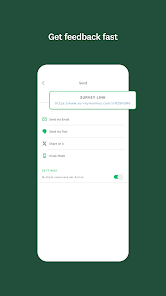
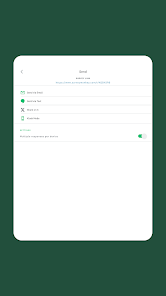
SurveyMonkey offers robust collaboration tools that allow teams to work together seamlessly on survey creation and analysis. You can easily share drafts, gather input, and assign roles, making the process more efficient and ensuring everyone is on the same page.

Customizable Surveys

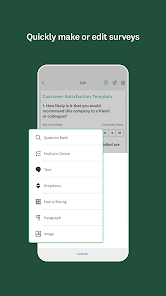
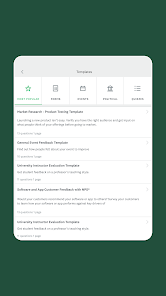
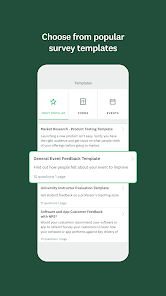
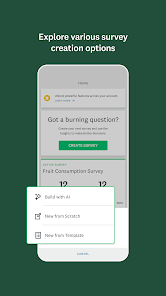
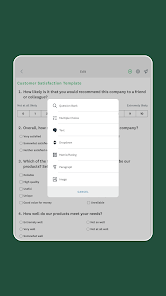
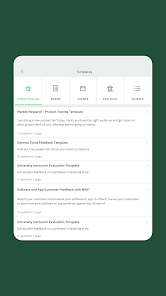
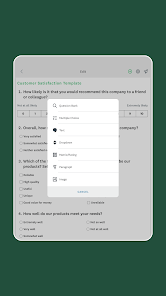
SurveyMonkey allows users to create highly customizable surveys with a variety of question types, themes, and templates. This flexibility ensures that your surveys can be tailored to meet specific needs, making it easy to engage respondents and gather relevant data effectively.

Integration Capabilities

SurveyMonkey integrates smoothly with various third-party applications, including CRM systems and email marketing platforms. This connectivity allows for streamlined workflows and data sharing, making it easier to incorporate survey insights into your existing processes and strategies.

Real-Time Analytics

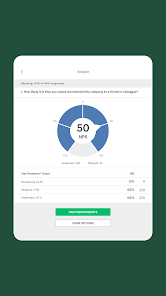
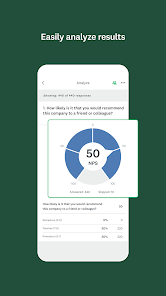
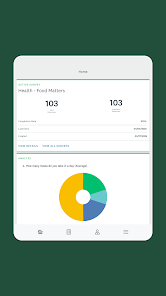
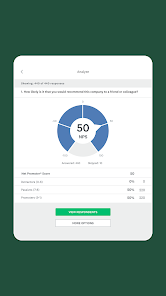
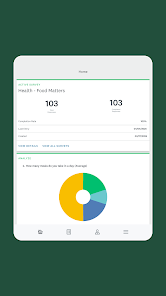
With SurveyMonkey's real-time analytics, users can instantly view responses and gain insights as they come in. This feature enables you to track progress and make data-driven decisions on the fly, enhancing your ability to adapt and act quickly based on respondent feedback.

Pros & Cons

Pros
  • User-friendly interface for easy survey creation
  • Wide range of customizable templates available
  • Real-time analytics for quick decision-making
  • Integrates seamlessly with various applications
  • Supports multiple question types for diverse feedback
Cons
  • Limited customization options for survey design
  • Higher costs for advanced features and analytics
  • Responses may lack depth and detailed insights
  • Dependence on internet access for participation

Real Experience Using SurveyMonkey

Application Scenarios

SurveyMonkey is an invaluable tool for a variety of applications, whether you are a business owner, educator, or a researcher. Businesses frequently use it to gather customer feedback, assess employee satisfaction, or understand market trends. Educational institutions leverage the platform to conduct student surveys or evaluate course effectiveness. Nonprofits often rely on SurveyMonkey to gauge community needs or measure the impact of their initiatives. The versatility of the app allows users to create tailored surveys suitable for various demographics, ensuring that the collected data is relevant and actionable. From simple polls to complex questionnaires, SurveyMonkey accommodates every need, making it a go-to solution for surveys across multiple sectors.

User Experience

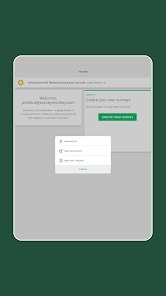
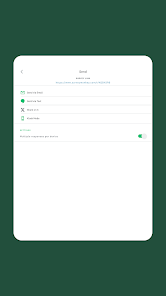
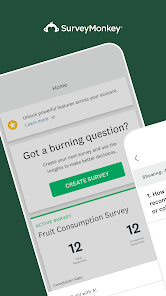
The user experience on SurveyMonkey is designed with simplicity and efficiency in mind. The interface is intuitive, allowing users to navigate easily through the survey creation process. With a drag-and-drop feature, adding questions and customizing layouts is straightforward, even for those with minimal technical skills. The platform offers various question types, including multiple-choice, open-ended, and rating scales, enabling users to gather in-depth insights. Moreover, the analytics dashboard provides real-time data visualization, making it simple to interpret results and derive conclusions. Users appreciate the ability to share surveys via email or social media, increasing response rates. However, some may find that advanced features, such as custom branding or logic jumps, require a premium subscription, which could be a barrier for occasional users.

Pricing

SurveyMonkey offers a tiered pricing structure catering to different user needs. The basic plan is free, allowing users to create simple surveys with a limited number of questions and responses. For those needing more robust features, the paid plans start at a reasonable monthly fee. These plans provide additional functionalities such as advanced question types, unlimited responses, and custom branding options. Organizations that require extensive data analytics or team collaboration can opt for higher-tier subscriptions, which, while more costly, offer enhanced capabilities. The pricing strategy allows users to choose a plan that fits their budget and requirements effectively.

Updates & Support

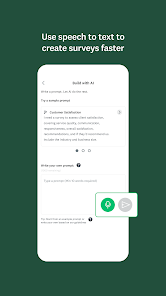
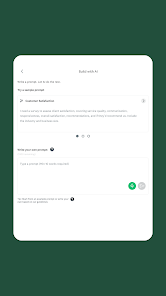
SurveyMonkey regularly updates its platform to enhance user experience and add new features based on user feedback. Recent updates include improvements in mobile responsiveness and the introduction of AI-powered insights, which assist users in analyzing data more effectively. Customer support is accessible through multiple channels, including a comprehensive help center, live chat, and email support. Users report that the support team is knowledgeable and responsive, which is crucial when navigating technical issues or inquiries about features. Overall, the commitment to continuous improvement and customer support reinforces SurveyMonkey’s position as a leading survey tool in the digital landscape.

verified Security & Privacy Review

SurveyMonkey prioritizes user data security and privacy, implementing robust measures to protect sensitive information. The app uses encryption protocols for data transmission and storage, ensuring that responses remain confidential and secure. Regular security audits are conducted to identify and address potential vulnerabilities. In terms of privacy practices, SurveyMonkey adheres to industry standards and regulations, including GDPR and CCPA, providing users with transparency regarding data collection and usage. Users have control over their data, with options to manage sharing settings and delete their accounts whenever desired. Regarding permissions, SurveyMonkey requests access to only essential features, such as contacts for survey distribution. The app does not collect unnecessary personal information, minimizing the risk of data exposure. Overall, SurveyMonkey demonstrates a strong commitment to safeguarding user privacy while delivering a reliable survey experience.

Reviews

3.8

“Easy to use and set up surveys quickly”

“Great analytics tools for detailed insights”

“Customizable templates save time and effort”

“Customer support is responsive and helpful”

“Affordable pricing for small businesses and teams”

Editor's Choice