This site uses cookies to enhance your user experience. By clicking any link on this site you are giving your consent to our cookie policy. Read more
Reject
Accept All
Spell Corrector _Spell Checker

Spell Corrector _Spell Checker

verified Verified App

Developer: Innovative World

  • category

    Category: Productivity

  • price

    Price: free

  • age rating

    Age Rating: Everyone

  • rating

    Rating: 4.0

  • download

    Downloads: 500,000+

  • version

    Version: 3.2.3

Screenshot 1
Screenshot 2
Screenshot 3
Screenshot 4
Screenshot 5
Screenshot 6
Screenshot 7
Screenshot 8
Screenshot 9
Screenshot 10
Screenshot 11
Screenshot 12
Screenshot 13
Screenshot 14
Screenshot 15
Screenshot 16
Screenshot 17
Screenshot 18
Screenshot 19
Screenshot 20
Screenshot 21
Screenshot 22
Screenshot 23
Screenshot 24

Features & Highlights

Contextual Understanding

The app intelligently understands the context of your writing, providing suggestions that fit the intended meaning. This reduces the chances of incorrect replacements, ensuring your messages are not only correct but also coherent and relevant to the subject matter.

Multi-Language Support

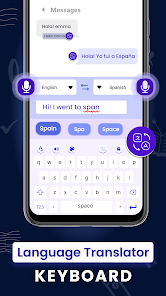
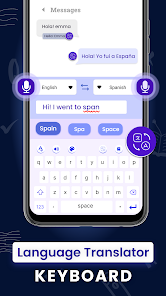
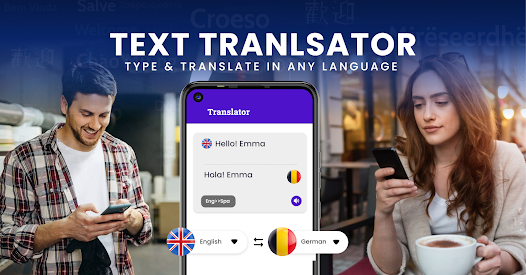
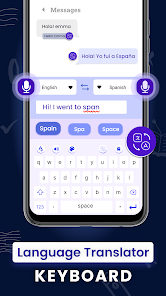
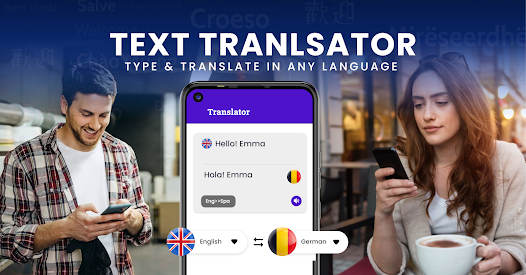
Spell Corrector caters to a global audience with its multi-language support, making it suitable for users worldwide. This feature allows you to effortlessly switch between languages, ensuring that you can write confidently in any language without worrying about spelling mistakes.

Real-Time Suggestions

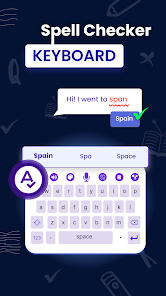
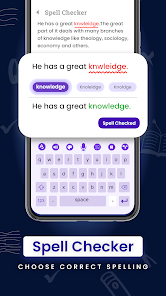
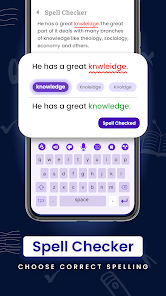
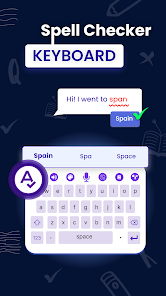
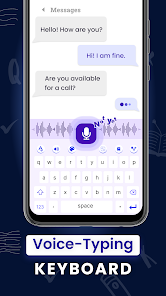
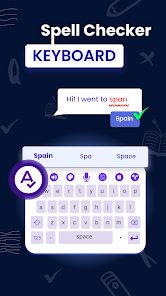
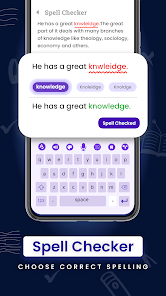
Spell Corrector offers real-time spelling suggestions as you type, making it easy to catch errors instantly. This feature ensures your writing remains clear and professional without the hassle of manually checking each word after finishing your text.

User-Friendly Interface

With its intuitive design, Spell Corrector makes navigating through your text a breeze. You can easily access corrections and suggestions, allowing you to focus on your writing rather than getting bogged down by technicalities or complicated settings.

Pros & Cons

Pros
  • Enhances writing clarity and professionalism
  • Saves time by quickly correcting mistakes
  • Boosts confidence in written communication
  • Supports multiple languages for diverse users
  • Integrates seamlessly with various applications
Cons
  • Limited context understanding leads to incorrect suggestions
  • Often misses homophones and similar-sounding words
  • Can introduce new errors if ignored
  • Over-reliance may hinder personal spelling improvement

Real Experience Using Spell Corrector _Spell Checker

Application Scenarios

The Spell Corrector _Spell Checker app is designed for a wide range of users, making it an essential tool in various scenarios. Students can utilize it to enhance their writing skills, ensuring their essays and assignments are free from spelling errors. Professionals, including writers, editors, and marketers, can benefit from its real-time corrections while drafting emails, reports, or content pieces. Additionally, non-native English speakers can use the app to improve their language proficiency, helping them communicate more effectively. The app is also useful for social media users who wish to make a good impression by avoiding typos in posts and comments. Whether you're a student, a professional, or someone looking to refine their writing, the Spell Corrector app fits seamlessly into your daily tasks and communication needs.

User Experience

The user experience of the Spell Corrector _Spell Checker app is intuitive and straightforward. Upon launching the app, users are greeted with a clean interface that makes navigation a breeze. The app offers real-time spell-checking, which means users can see corrections as they type. This feature not only saves time but also reduces frustration. Furthermore, the app provides contextual suggestions, which help users understand the correct usage of words in various sentences. The ability to customize settings, such as language preferences and correction sensitivity, enhances the overall experience. Users have reported that the app's accuracy is impressively high, catching even the most subtle mistakes. Additionally, the user-friendly tutorials and helpful hints guide new users, making it easy for anyone to get started.

Pricing

The Spell Corrector _Spell Checker app adopts a freemium model, allowing users to access basic features without any cost. However, for those seeking advanced functionalities, such as enhanced grammar checks and personalized vocabulary suggestions, a premium subscription is available. The pricing is competitive, with a monthly or annual subscription option that provides flexibility for users. The premium plan also removes ads, ensuring a smoother experience. Many users have found that the investment in the premium version is well worth the enhanced features, as it significantly improves their writing quality and efficiency.

Updates & Support

The developers of the Spell Corrector _Spell Checker app are committed to continuous improvement and user satisfaction. Regular updates are rolled out to enhance functionality, fix bugs, and introduce new features based on user feedback. The app's support team is responsive and readily available to assist users with any inquiries or issues they may encounter. An extensive FAQ section on the app's website also provides valuable information and troubleshooting tips. Overall, the combination of consistent updates and dedicated support ensures that users can rely on the app as a trustworthy tool in their writing arsenal.

verified Security & Privacy Review

The Spell Corrector _Spell Checker app prioritizes user security and privacy by adhering to robust data protection practices. The app is designed to function efficiently without requiring excessive permissions, limiting access to only what is essential for spell-checking functionalities. This minimalistic approach ensures that personal data remains secure and reduces the risk of unauthorized access. User data handling is transparent, with a clear privacy policy outlining how information is collected, used, and stored. The app does not track user activities outside of its intended purpose, and no personal information is shared with third parties without explicit consent. Additionally, any data processed for spell-checking is typically anonymized, further enhancing user confidentiality. Overall, the Spell Corrector _Spell Checker app demonstrates a strong commitment to security and privacy, making it a reliable choice for users concerned about their data integrity while utilizing spell-checking services.

Reviews

4.0

“Easy to use and accurate spelling suggestions.”

“Helps improve my writing significantly.”

“User-friendly interface, love the design.”

“Fast corrections, saves me time.”

“Great for both casual and professional use.”

Editor's Choice