This site uses cookies to enhance your user experience. By clicking any link on this site you are giving your consent to our cookie policy. Read more
Reject
Accept All

Advertiser and Editorial Disclosures

SpareRoom US

SpareRoom US

verified Verified App

Developer: SpareRoom

  • category

    Category: Lifestyle

  • price

    Price: free

  • age rating

    Age Rating: Teen

  • rating

    Rating: 4.2

  • download

    Downloads: 500,000+

  • version

    Version: 2.82.3194

Screenshot 1
Screenshot 2
Screenshot 3
Screenshot 4
Screenshot 5
Screenshot 6
Screenshot 7
Screenshot 8

Features & Highlights

Community Support

SpareRoom US offers a vibrant community support feature, where users can seek advice and share experiences related to living with roommates. This fosters a sense of belonging and provides valuable insights that can help users make informed decisions about their housing and roommate arrangements.

Roommate Matching

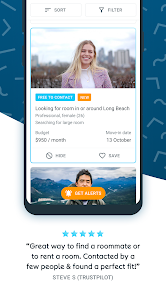
SpareRoom US excels in its roommate matching feature, allowing users to find compatible living partners based on preferences such as lifestyle, interests, and budget. This makes it easier to connect with potential roommates who align with your values and habits, ensuring a harmonious living situation.

Search Filters

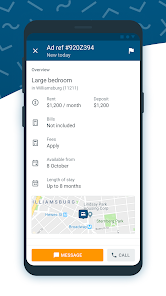
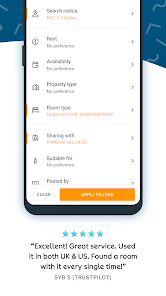
With advanced search filters, SpareRoom US lets users narrow down their options based on location, price range, and desired amenities. This tailored approach saves time and helps users find the perfect place to live that meets all their specific requirements without the hassle of sifting through irrelevant listings.

User-Friendly Interface

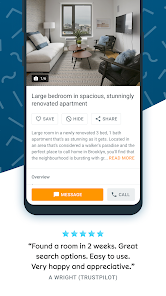
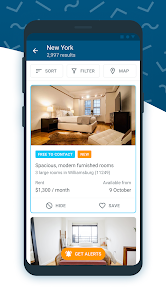
The app boasts a user-friendly interface that simplifies the process of browsing listings and contacting potential roommates. Intuitive navigation and clear categorization make it easy for users of all tech levels to quickly find what they are looking for, enhancing the overall experience of searching for a new home.

Pros & Cons

Pros
  • Find affordable rooms and shared living spaces across the United States
  • Easily connect with potential roommates based on preferences and lifestyle
  • Access detailed listings with photos and descriptions for informed decisions
  • Utilize filters to streamline searches by price, location, and amenities
  • Receive alerts for new listings matching your criteria in real-time
Cons
  • Limited user base may reduce available listings in some areas.
  • Higher competition can make it challenging to secure desired rooms.
  • Some listings may lack thorough verification, risking potential scams.

Real Experience Using SpareRoom US

Application Scenarios

SpareRoom US is designed to cater to a variety of housing situations, making it an ideal solution for individuals seeking shared accommodations. Whether you are a college student looking for a roommate to split rent, a young professional relocating to a new city in need of temporary housing, or someone simply wanting to find a compatible co-habitant, SpareRoom provides a platform that connects users in diverse living scenarios. The app is beneficial for users who may need short-term rentals, as it features listings that allow for flexible lease terms. Moreover, travelers looking for a place to stay while exploring a new city can also find suitable options, making it versatile for both local and out-of-town users.

User Experience

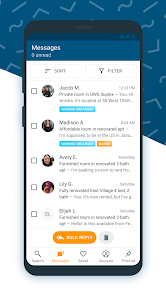
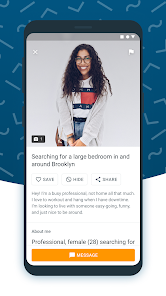
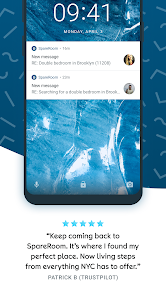
The user experience on SpareRoom US is intuitive and straightforward, which is essential for those who may not be tech-savvy. Upon opening the app, users are greeted with a clean interface that clearly categorizes listings based on their preferences, whether they are looking for a room to rent or a roommate. The search functionality is robust, allowing for filters such as price range, location, and amenities. Users can create detailed profiles to increase their chances of finding the right match, including preferences on living habits, work schedules, and more. The messaging feature facilitates easy communication between potential roommates, which is crucial for establishing rapport before making any commitments. Overall, the app provides a seamless experience, making the often stressful process of finding housing much more manageable.

Pricing

SpareRoom US operates on a freemium model, offering a variety of features at no cost while also providing premium options for those who wish to enhance their experience. Users can browse listings and contact potential roommates for free, which is a significant advantage for those on a tight budget. For a small monthly fee, users can gain access to additional features such as being able to post their own listings and gaining visibility in searches. This tiered pricing structure allows users to choose the level of service that best fits their needs, making it accessible for everyone, whether they are just starting their search or are more serious about finding a living situation quickly.

Updates & Support

SpareRoom US regularly updates its app to enhance user experience and address any technical issues that may arise. The developers are attentive to user feedback, frequently rolling out updates that improve functionality and introduce new features. The app also provides a dedicated support section, where users can find answers to frequently asked questions or reach out for assistance directly. This commitment to customer service ensures that users feel supported throughout their searching process, which is especially important when navigating the challenges of finding suitable housing. Overall, SpareRoom US demonstrates a strong dedication to improving its platform and maintaining user satisfaction.

verified Security & Privacy Review

The SpareRoom US app prioritizes user security and privacy, implementing industry-standard measures to protect personal information. During the registration process, users are required to provide essential details, such as email addresses and phone numbers, which are encrypted to prevent unauthorized access. The app requests permissions that are pertinent to its functionality, including location access to help users find available rooms nearby. Users can opt-out of sharing their location without compromising their ability to browse listings. SpareRoom US also employs secure servers to store user data, minimizing the risk of data breaches. Transparency is a key aspect of SpareRoom’s privacy practices. The app provides a clear privacy policy outlining how user data is collected, used, and shared. Additionally, users have the ability to control their privacy settings, including the option to manage who can view their listings and contact them. Overall, SpareRoom US demonstrates a commitment to safeguarding user information while fostering a secure environment for individuals seeking room rentals or flatmates.

Reviews

4.2

“Easy to use and find great roommates!”

“Helpful filters for searching listings.”

“Safe and reliable platform for room rentals.”

“Quick responses from potential roommates.”

“Great community for shared living opportunities.”

FAQ

1

Can I submit suggestions or feedback to SpareRoom US?

Yes, users can submit suggestions or feedback directly through the app or website, and the SpareRoom US team welcomes input to improve the service.

2

Does SpareRoom US collect my personal data?

Yes, SpareRoom US collects personal data to create user profiles, facilitate connections, and improve user experience, but it adheres to privacy policies to protect user information.

3

Does SpareRoom US support offline use?

SpareRoom US primarily requires an internet connection to function, but certain features like previously viewed listings may be available offline depending on the device and settings.

4

How do I cancel my SpareRoom US subscription?

To cancel your SpareRoom US subscription, you can do so through the app settings or your app store account settings, depending on how you subscribed.

5

How much does a subscription to SpareRoom US cost?

The subscription cost for SpareRoom US varies based on the features selected and the duration of the subscription, with options for monthly or longer-term plans.

How to use SpareRoom US

1

Can I change my Customer Number if needed?

Unfortunately, Customer Numbers cannot be changed. If you have concerns, please reach out to Customer Service for further assistance.

2

How can I contact Customer Service for help with my account?

You can reach Customer Service through the contact form on our website or by calling our support line listed in your account.

3

How can I reach Customer Service if I have questions about my activation?

You can contact Customer Service via the support link on our website or by calling the helpline provided in your account for any activation questions.

4

How do I activate my account after signing up?

To activate your account, check your email for an activation link, and click it to complete the process. If you didn't receive it, contact Customer Service.

5

I activated my account, but I'm still having trouble logging in. What should I do?

If your account is activated but you can't log in, try clearing your browser cache or resetting your password. If the issue continues, reach out to Customer Service.

Editor's Choice