This site uses cookies to enhance your user experience. By clicking any link on this site you are giving your consent to our cookie policy. Read more
Reject
Accept All

Advertiser and Editorial Disclosures

Sound Meter

Sound Meter

verified Verified App

Developer: rootApps

  • category

    Category: Tools

  • price

    Price: free

  • age rating

    Age Rating: Everyone

  • rating

    Rating: 4.5

  • download

    Downloads: 10,000,000+

  • version

    Version: 4.0.8

Screenshot 1
Screenshot 2
Screenshot 3
Screenshot 4
Screenshot 5
Screenshot 6
Screenshot 7

Features & Highlights

Customizable Alerts

Stay informed with customizable alerts that notify you when noise levels exceed a specified threshold. This feature is perfect for monitoring environments where sound control is essential, helping you manage sound exposure effectively and maintain a peaceful atmosphere.

Data Logging Capability

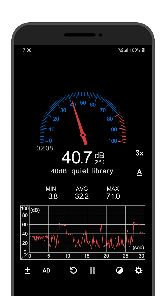
With built-in data logging, Sound Meter allows users to track and record sound levels over time. This feature is invaluable for analyzing noise patterns, whether for personal use or professional assessments, giving you insights into your sound environment.

Real-Time Sound Measurement

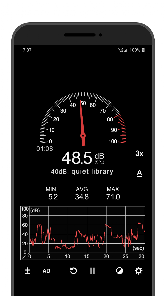
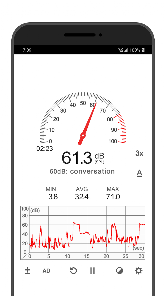
Sound Meter provides accurate real-time sound level measurements, allowing users to monitor noise levels in their environment instantly. With a user-friendly interface, it displays decibel levels clearly, ensuring you can easily understand the sound intensity around you anytime, anywhere.

User-Friendly Interface

Navigating Sound Meter is a breeze thanks to its intuitive design. Users can quickly access features and view sound measurements without any hassle, making it suitable for both novices and experienced users looking to monitor sound levels effortlessly.

Pros & Cons

Pros
  • Accurate measurement of sound levels for various applications
  • Helps identify noise pollution in environments
  • Easy to use with straightforward readings
  • Portable design for on-the-go assessments
  • Supports compliance with noise regulations and standards
Cons
  • Limited accuracy at extreme sound levels
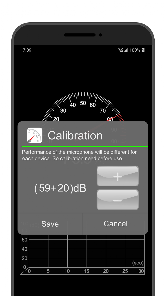
  • Requires calibration for precise measurements
  • Can be affected by environmental conditions
  • May not capture transient sounds effectively

Real Experience Using Sound Meter

Application Scenarios

The Sound Meter app is an invaluable tool for anyone who needs to measure sound levels in various environments. Whether you are an audio engineer working on recording quality, a construction worker monitoring noise pollution, or simply a homeowner assessing the noise from nearby traffic, this app provides the functionality you need. It can be used in schools to ensure that classroom noise levels are conducive to learning, or by event planners to manage sound levels at concerts and gatherings. Additionally, parents can utilize the app to monitor noise levels in children's play areas, ensuring a safe and healthy environment. With its versatility, the Sound Meter app serves professionals and everyday users alike, making it a must-have in any digital toolkit.

User Experience

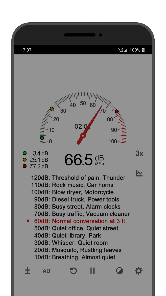
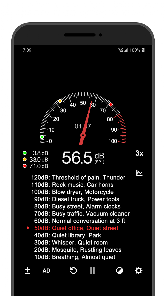
The user experience with the Sound Meter app is smooth and intuitive. Upon opening the app, users are greeted with a clean interface that displays real-time decibel levels prominently. The app features a simple layout, allowing for easy navigation through its various functions, such as recording sound levels and accessing historical data. Users can switch between different display modes, including a graph view for tracking fluctuations over time. Many users have praised the app's accuracy, stating that it provides readings that are consistent with professional sound measurement equipment. Additionally, the app includes helpful features like sound level classifications, which help users understand the impact of different noise levels on health and well-being. Overall, the Sound Meter app creates a pleasant and efficient user experience.

Pricing

The Sound Meter app offers a free version that provides essential features for casual users. However, for those seeking advanced functionalities, a premium version is available at a reasonable one-time price. The premium version unlocks additional features such as unlimited data logging, customizable alerts for specific sound levels, and the ability to share data via email or social media. This pricing model makes the app accessible to a wide audience while also catering to professionals who may require more robust capabilities. The value for money is evident, especially considering the accuracy and convenience it provides.

Updates & Support

The developers of the Sound Meter app are committed to continuous improvement, releasing regular updates that enhance performance and add new features based on user feedback. Users can expect a seamless experience as these updates often address bugs and improve compatibility with the latest devices. Furthermore, customer support is readily available, with a responsive team that addresses inquiries and technical issues promptly. The app also features a comprehensive FAQ section that helps users troubleshoot common problems independently. Overall, the commitment to updates and user support ensures that the Sound Meter app remains a reliable choice in its category.

verified Security & Privacy Review

The Sound Meter app prioritizes user security and privacy, ensuring that personal data remains protected. The app requests minimal permissions, primarily requiring access to the device's microphone to accurately measure sound levels. This focused approach minimizes the risk of unauthorized data collection. Users are informed about the permissions needed upon installation, promoting transparency in data handling practices. Sound Meter does not collect or store any personal information or usage data, which enhances user privacy. Additionally, the app operates offline, ensuring that sound measurements are processed locally without transmitting information over the internet. To further bolster security, the app is regularly updated to address any potential vulnerabilities and to comply with the latest privacy regulations. Users can feel confident that their data remains secure while enjoying the app's functionality. Overall, Sound Meter demonstrates a commitment to maintaining a secure and private user experience, making it a reliable choice for those concerned about data privacy.

Reviews

4.5

“Accurate readings and easy to use!”

“Helpful for noise level awareness.”

“Great app for sound level monitoring.”

“User-friendly interface with reliable results.”

“Perfect for measuring decibel levels.”

FAQ

1

Does Sound Meter collect my personal data?

Sound Meter is designed with user privacy in mind and typically does not collect personal data unless explicitly stated in the privacy policy. Always review the app’s privacy policy to understand what data, if any, is collected.

2

Does Sound Meter offer a free trial or free version?

Yes, Sound Meter offers a free version with basic features, allowing users to measure sound levels. There may also be a free trial available for premium features, which can be accessed through the app.

3

Does Sound Meter require an internet connection?

No, Sound Meter does not require an internet connection to function. It operates offline, using your device’s built-in microphone to measure sound levels. However, some features may require internet access for updates or additional functionalities.

4

How can I contact support or send feedback for Sound Meter?

You can contact support or send feedback for Sound Meter through the app's settings or help section. Additionally, you may find contact information on the app's official website or app store listing.

5

How do I manage or cancel my Sound Meter subscription?

You can manage or cancel your Sound Meter subscription through your app store account settings. Instructions for cancellation are usually provided within the app or on the app store page. Be sure to follow the guidelines specific to your device's operating system.

How to use Sound Meter

1

How can I contact customer service for the Sound Meter app?

You can reach customer service through the app's settings or visit the official website for support options.

2

How do I activate premium features in the Sound Meter app?

To activate premium features, purchase the upgrade through the app store or directly in the app settings.

3

How do I find the customer number for the Sound Meter app?

The customer number can typically be found in the app settings or the help section of the app.

4

How do I log in to the Sound Meter app?

To log in, open the app and enter your registered email and password in the login section.

5

Is activation necessary for the Sound Meter app?

Activation is not required for basic use, but premium features may need activation via in-app purchase.

Editor's Choice