This site uses cookies to enhance your user experience. By clicking any link on this site you are giving your consent to our cookie policy. Read more
Reject
Accept All

Advertiser and Editorial Disclosures

SnoreLab : Record Your Snoring

SnoreLab : Record Your Snoring

verified Verified App

Developer: Reviva Softworks Ltd

  • category

    Category: Health & Fitness

  • price

    Price: free

  • age rating

    Age Rating: Everyone

  • rating

    Rating: 4.5

  • download

    Downloads: 5,000,000+

  • version

    Version: 2.26.0.5764

Screenshot 1
Screenshot 2
Screenshot 3
Screenshot 4
Screenshot 5
Screenshot 6
Screenshot 7
Screenshot 8
Screenshot 9
Screenshot 10
Screenshot 11
Screenshot 12
Screenshot 13
Screenshot 14
Screenshot 15
Screenshot 16
Screenshot 17
Screenshot 18
Screenshot 19
Screenshot 20
Screenshot 21

Features & Highlights

Personalized Recommendations

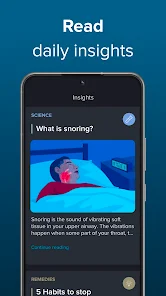
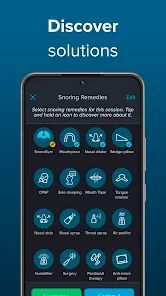
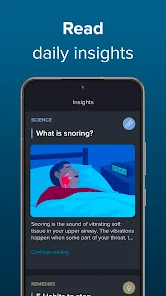
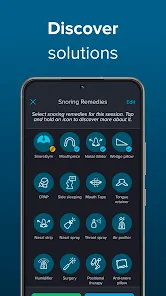
Based on your snoring data, SnoreLab offers personalized tips and recommendations to reduce snoring. Whether it's lifestyle changes or sleep position advice, the app empowers you to take actionable steps towards better sleep and a quieter night.

Sleep Quality Tracking

SnoreLab not only tracks snoring but also monitors your overall sleep quality. By correlating your snoring data with sleep patterns, the app helps you understand how snoring impacts your rest, giving you a comprehensive view of your sleep health.

Snoring Analysis

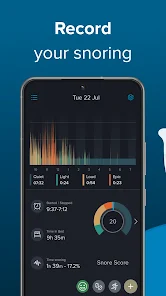
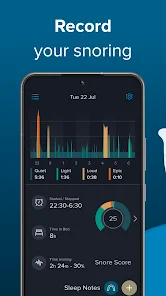
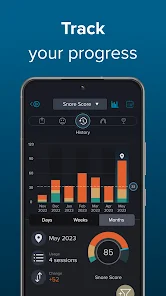
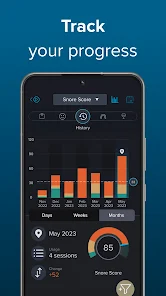
The app provides detailed analysis of your snoring habits, showcasing frequency and intensity levels. By visualizing your snoring data, you can identify trends and potential triggers, making it easier to address and manage your snoring issues effectively.

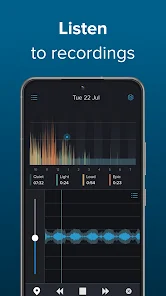
Snoring Recordings

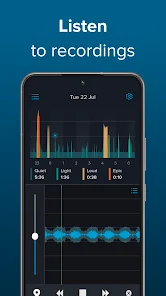
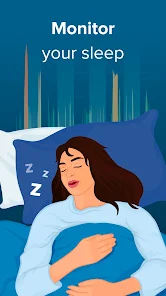
SnoreLab allows you to effortlessly record your snoring throughout the night. With high-quality audio capture, you can listen to your snoring patterns and gain insights into how often and when you snore, helping you understand your sleep disturbances better.

Pros & Cons

Pros
  • Accurately tracks your snoring patterns over time
  • Identifies triggers that worsen your snoring
  • Offers personalized recommendations for improvement
  • Provides soothing sounds to aid sleep quality
  • Shares progress with friends or doctors easily
Cons
  • Limited accuracy in snore detection
  • Requires smartphone placement for effective use
  • May drain battery quickly during recording
  • Lacks personalized solutions for snoring issues

Real Experience Using SnoreLab : Record Your Snoring

Application Scenarios

SnoreLab is designed for anyone looking to understand their snoring habits and improve their sleep quality. Whether you are a chronic snorer, sharing a bed with someone who snores, or just curious about your nighttime sounds, this app provides valuable insights. It’s particularly beneficial for individuals who are seeking to identify the triggers of their snoring, such as sleep position, alcohol consumption, or allergies. By recording your snoring patterns over time, SnoreLab allows users to correlate their snoring with lifestyle changes, offering a comprehensive view of what impacts their sleep. This makes it an ideal companion for those preparing for sleep studies or wanting to discuss their snoring with medical professionals.

User Experience

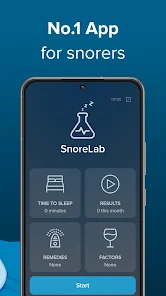
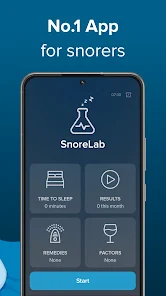
The user experience of SnoreLab is largely positive, as it boasts a clean and intuitive interface. Upon opening the app, users are greeted with straightforward navigation options, making it easy to set up recordings. The app's ability to automatically detect snoring sounds and differentiate them from ambient noise is impressive, providing users with accurate data. Many users appreciate the detailed statistics and graphs that display their snoring intensity, frequency, and duration. The personalized feedback and tips offered after each recording session are also well-received, giving users actionable advice to reduce their snoring. However, some users have reported occasional bugs, particularly with the recording feature, though these seem to be addressed in updates.

Pricing

SnoreLab operates on a freemium model, allowing users to access basic features for free while offering a premium version for those seeking more advanced tools. The premium subscription unlocks additional features such as unlimited recording time, advanced statistics, and the ability to export data. The pricing is competitive compared to similar apps on the market, and many users find the premium features worth the investment, especially if they are serious about tackling their snoring issues. The app occasionally offers discounts or trial periods, making it accessible for users who want to explore its full potential before committing to a subscription.

Updates & Support

SnoreLab is regularly updated, which reflects the developers' commitment to improving the user experience and addressing any issues. Updates often include new features, bug fixes, and enhancements based on user feedback. The support team is responsive and provides assistance through various channels, including email and an FAQ section within the app. Users have noted that the support team is helpful in resolving concerns and providing guidance on how to make the most of the app. Overall, the combination of consistent updates and effective customer support ensures that users feel valued and supported in their journey toward better sleep.

verified Security & Privacy Review

The SnoreLab app prioritizes user privacy and data security by implementing robust measures to protect personal information. The app requires minimal permissions, primarily accessing the microphone to record snoring sounds, which ensures that users maintain control over their data. Users are informed about the permissions needed upfront, fostering transparency. SnoreLab does not collect personally identifiable information (PII) unless explicitly provided by the user for optional features. Data generated from recordings is stored locally on the device, limiting exposure to cloud vulnerabilities. If users choose to share their data for research or improvement purposes, they are prompted to give explicit consent. The app's privacy policy is accessible within the app and outlines how data is handled, emphasizing that user recordings are not shared with third parties without permission. This commitment to privacy extends to regular updates that enhance security protocols, ensuring users can enjoy the app without concerns about unauthorized access to their data. Overall, SnoreLab demonstrates a responsible approach to user privacy and data security.

Reviews

4.5

“Accurate snoring analysis, very helpful for sleep improvement”

“User-friendly interface, easy to navigate”

“Great insights into my sleep patterns”

“Helps identify triggers for better rest”

“Effective tool for tracking snoring progress”

FAQ

1

Does SnoreLab : Record Your Snoring collect my personal data?

SnoreLab is designed to prioritize user privacy and does not collect personal data unless explicitly provided for account creation or feedback purposes.

2

Does SnoreLab : Record Your Snoring offer a free trial or free version?

Yes, SnoreLab offers a free version with basic features, as well as a free trial for users to explore premium features before committing to a subscription.

3

Does SnoreLab : Record Your Snoring require an internet connection?

No, SnoreLab does not require an internet connection to record snoring; however, an internet connection may be needed for accessing certain features, updates, and account management.

4

How can I contact support or send feedback for SnoreLab : Record Your Snoring?

You can contact SnoreLab support or send feedback through the app's settings menu, where you will find options to reach out via email or their support website.

5

How do I manage or cancel my SnoreLab : Record Your Snoring subscription?

You can manage or cancel your subscription through your device's app store settings, where you can view your subscriptions and make changes as needed.

How to use SnoreLab : Record Your Snoring

1

How can I contact Customer Service for SnoreLab?

You can reach SnoreLab's Customer Service via the support section in the app or by emailing support

2

How do I activate SnoreLab after purchase?

After purchase, open the app, go to settings, and select 'Restore Purchase' to activate the full features.

3

How do I find my Customer Number for SnoreLab?

Your Customer Number can typically be found in the account settings within the app.

4

How do I log in to my SnoreLab account?

Open the app and select 'Log In' from the home screen, then enter your registered email and password.

Editor's Choice