This site uses cookies to enhance your user experience. By clicking any link on this site you are giving your consent to our cookie policy. Read more
Reject
Accept All

Advertiser and Editorial Disclosures

Smart Optometry - Eye Tests

Smart Optometry - Eye Tests

verified Verified App

Developer: Hundred Vision d.o.o.

  • category

    Category: Health & Fitness

  • price

    Price: free

  • age rating

    Age Rating: Everyone

  • rating

    Rating: 4.3

  • download

    Downloads: 100,000+

  • version

    Version: v5.0.3

Screenshot 1
Screenshot 2
Screenshot 3
Screenshot 4
Screenshot 5
Screenshot 6
Screenshot 7

Features & Highlights

Comprehensive Eye Assessments

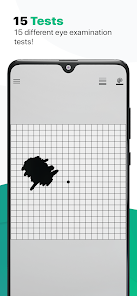
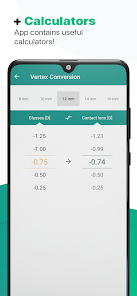
Smart Optometry offers thorough eye tests that cover a wide range of visual health aspects, ensuring that no detail is overlooked. Each assessment is designed to identify issues early on, helping users maintain optimal eye health and receive timely recommendations for corrective measures if necessary.

Personalized Recommendations

After completing an eye test, users receive tailored recommendations based on their results, ensuring they get the most appropriate care. This personalized approach helps individuals understand their unique visual needs and empowers them to make informed decisions about their eye health.

Progress Tracking Tools

Smart Optometry features advanced tracking tools that allow users to monitor their eye health over time. By keeping a record of test results and changes in vision, users can easily share this valuable information with their eye care professionals, leading to more effective treatment plans.

User-Friendly Interface

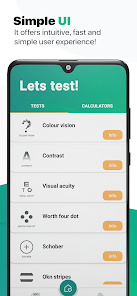
Navigating Smart Optometry is a breeze, thanks to its intuitive design that caters to users of all ages. The app simplifies the process of booking appointments and accessing test results, making it easy for anyone to stay on top of their eye care routine without feeling overwhelmed.

Pros & Cons

Pros
  • Smart Optometry offers comprehensive eye tests for accurate prescriptions.
  • Enjoy advanced technology for precise diagnostics.
  • Receive personalized care tailored to individual vision needs.
  • Benefit from quick results and minimal waiting times.
  • Experience a comfortable environment with friendly professionals.
Cons
  • Limited personalization may overlook individual eye health needs
  • High reliance on technology can lead to inaccuracies
  • Potential lack of comprehensive assessments compared to traditional methods

Real Experience Using Smart Optometry - Eye Tests

Real Experience Application Scenarios

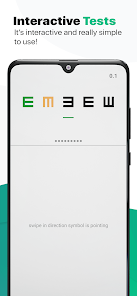
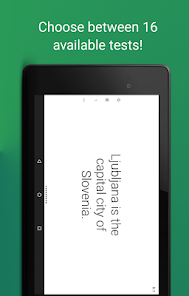
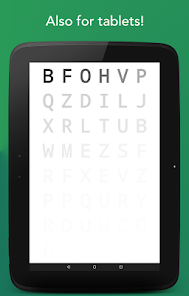
Smart Optometry - Eye Tests is designed to cater to a variety of eye care needs, making it an invaluable tool for both individuals looking to monitor their eye health and professionals seeking efficient testing methods. Users can utilize the app at home to perform preliminary eye tests, such as visual acuity assessments and color blindness tests, which can serve as a convenient way to gauge vision changes over time. Additionally, the app is useful for optometry clinics, where practitioners can integrate it into their patient care routines, allowing for quicker assessments and follow-up evaluations. Whether you are a parent wanting to check your child's vision or an elderly person keeping track of your eye health, this app provides a versatile platform for eye care.

User Experience

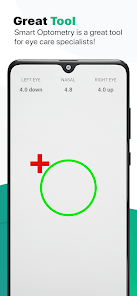
The user experience with Smart Optometry is generally smooth and intuitive. Upon launching the app, users are greeted with a clean and user-friendly interface, making navigation effortless. The app’s design is visually appealing, with easy-to-read fonts and vibrant colors that enhance usability. Each test is clearly explained, ensuring that users understand the process and purpose of what they are doing. The app also offers feedback after tests, which provides users with immediate insights into their results. Many users appreciate the convenience of being able to conduct eye tests in the comfort of their own homes without the need for a professional visit. However, some users have noted occasional calibration issues, particularly when using different devices, which could impact the accuracy of test results.

Pricing

Smart Optometry - Eye Tests adopts a freemium pricing model, allowing users to access a selection of basic tests for free. For those seeking a more comprehensive experience, a premium subscription is available, which unlocks advanced tests and additional features. The premium pricing is competitive compared to similar apps in the market, making it an attractive option for users seeking quality eye care without breaking the bank. Users have appreciated the value for money, especially given the potential savings on professional eye exams if the app is used regularly to monitor their vision.

Updates & Support

The app is frequently updated, with the developers actively enhancing functionality and introducing new features based on user feedback. This commitment to improvement reflects an understanding of the evolving needs of their users. Support is readily available through the app, with a dedicated help section that addresses common queries and issues. Users can also contact customer support directly for more complex problems, and responses are typically prompt and helpful. Overall, Smart Optometry demonstrates a solid commitment to user satisfaction through ongoing updates and reliable support.

verified Security & Privacy Review

Security & Privacy Review Smart Optometry - Eye Tests prioritizes user security and privacy, implementing robust measures to protect sensitive information. The app utilizes encryption protocols to safeguard data during transmission, ensuring that personal details and test results remain confidential. In terms of permissions, Smart Optometry requests access only to essential features, such as camera and storage, necessary for optimal functionality. Users are informed about permission usage through clear prompts, allowing them to make informed choices regarding their data. The app adheres to strict privacy practices, committing to not sell or share user data with third parties without explicit consent. Regular updates are provided to address any potential security vulnerabilities, showcasing the developers' dedication to maintaining a secure environment. Overall, Smart Optometry - Eye Tests offers a reliable platform for eye health management, with a strong focus on user privacy and data protection, fostering trust among its users.

Reviews

4.3

“User-friendly interface makes scheduling eye tests a breeze.”

“Accurate test results, very satisfied with my experience.”

“Great customer service, they answered all my questions.”

“App crashes frequently, really frustrating to use.”

“Love the reminders for upcoming appointments, very helpful!”

FAQ

1

Can I submit suggestions or feedback to Smart Optometry - Eye Tests?

Yes, users are encouraged to submit suggestions or feedback through the app’s support section, helping improve features and user experience.

2

Does Smart Optometry - Eye Tests collect my personal data?

The app adheres to privacy guidelines and may collect minimal personal data for functionality and user experience enhancement, but it prioritizes user privacy and data security.

3

Does Smart Optometry - Eye Tests support offline use?

Yes, Smart Optometry - Eye Tests allows users to access certain features and perform tests offline, though internet connectivity may be required for updates and additional resources.

4

How do I cancel my Smart Optometry - Eye Tests subscription?

Users can cancel their subscription through their app store settings or account management section, following the specific guidelines provided for their platform.

5

How much does a subscription to Smart Optometry - Eye Tests cost?

The subscription cost for Smart Optometry - Eye Tests varies depending on the plan chosen, and users can check the app for the latest pricing details.

How to use Smart Optometry - Eye Tests

1

Can I log in from multiple devices?

Yes, you can log in to your account from multiple devices as long as you have your login credentials handy.

2

Can I update my customer information after logging in?

Yes, once logged in, you can update your customer information in the "Account Settings" section of your profile.

3

How can I contact customer service for assistance?

You can reach our customer service team via the contact form on our website or by calling our support hotline. We’re here to help!

4

How can I reach customer service if I have a specific question?

You can reach customer service through our website's contact page or by calling our customer support line for immediate assistance.

5

How do I activate my account after signing up?

After signing up, check your email for an activation link. Click it to activate your account and gain access to our services.

Editor's Choice