This site uses cookies to enhance your user experience. By clicking any link on this site you are giving your consent to our cookie policy. Read more
Reject
Accept All
Skin Editor for Minecraft

Skin Editor for Minecraft

verified Verified App

Developer: Remoro Studios

  • category

    Category: Tools

  • price

    Price: free

  • age rating

    Age Rating: Everyone

  • rating

    Rating: 4.1

  • download

    Downloads: 10,000,000+

  • version

    Version: 10.0

Screenshot 1
Screenshot 2
Screenshot 3
Screenshot 4
Screenshot 5
Screenshot 6
Screenshot 7
Screenshot 8
Screenshot 9

Features & Highlights

Custom Skin Creation

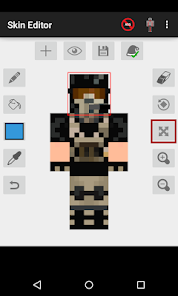
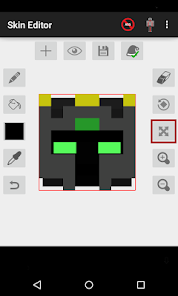
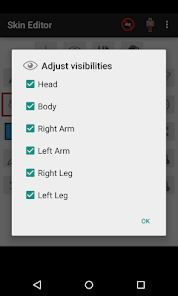
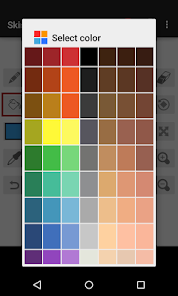
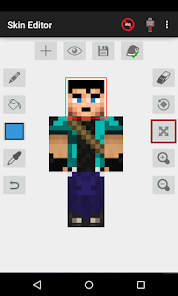
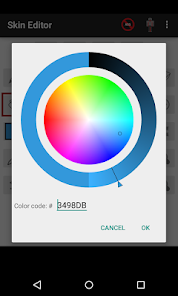
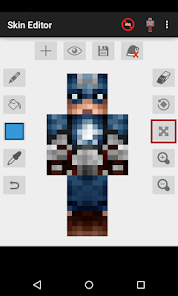
Unleash your creativity with the Custom Skin Creation feature, allowing you to design unique skins from scratch. Use an intuitive interface to paint, edit, and customize every detail, ensuring that your character stands out in the Minecraft world. It's a fun way to express your individuality while gaming.

Easy Import & Export

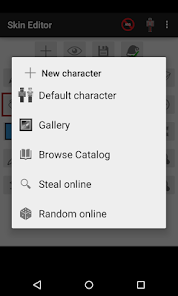
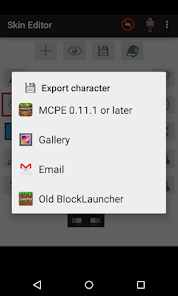
With the Easy Import & Export function, you can quickly upload your creations to Minecraft or download skins from the game with just a few clicks. This seamless integration makes it simple to switch between custom designs and pre-existing styles, enhancing your gaming experience effortlessly.

Pre-Made Skin Library

Explore a vast library of pre-made skins that cater to various themes and styles. Whether you're looking for a classic character or something more whimsical, there's plenty to choose from. This feature saves you time and offers inspiration for your next Minecraft adventure.

Real-Time Preview

The Real-Time Preview feature lets you see how your skin will look in-game as you make adjustments. This immediate feedback helps you fine-tune your design, ensuring that every pixel is perfect before you bring your character to life. It's a handy tool for both beginners and seasoned skin creators.

Pros & Cons

Pros
  • Easy-to-use interface for quick skin creation
  • Wide range of customization options for unique designs
  • Instantly preview changes in real-time for better results
  • Supports multiple formats for versatile skin compatibility
  • Community sharing features to showcase your creativity
Cons
  • Limited customization options for advanced users
  • Skin resolution may not support high-quality designs
  • Potential for compatibility issues with certain mods
  • User interface can be confusing for newcomers

Real Experience Using Skin Editor for Minecraft

Application Scenarios

The Skin Editor for Minecraft serves a variety of purposes, catering to both casual players and dedicated enthusiasts. Whether you’re looking to personalize your character for a single-player adventure or aiming to stand out in multiplayer realms, this app offers numerous scenarios where it shines. Players can create custom skins for themed events or simply to express their individuality within the Minecraft universe. Additionally, it is an excellent tool for content creators who want to develop unique avatars for their streaming channels or YouTube videos. The intuitive interface allows users to quickly design and modify skins, making it perfect for those who enjoy experimenting with different looks or collaborating with friends to create matching skins for their team. Furthermore, the app also supports importing and exporting skins, which enables users to share their creations easily across various platforms and communities.

User Experience

User experience is a critical aspect of the Skin Editor for Minecraft, and this app does not disappoint. The interface is clean and user-friendly, ensuring that both novices and experienced gamers can navigate with ease. Tools for coloring, shading, and texturing are easily accessible, allowing for a smooth design process. The app also includes a variety of templates and pre-designed skins that users can modify, significantly reducing the time needed to create a unique character. Many users have reported enjoying the real-time preview feature, which allows them to see how their skin will look in-game as they make adjustments. Additionally, the app runs smoothly on most devices, with minimal lag or crashes, enhancing the overall user experience. This seamless interaction encourages creativity and keeps users engaged for longer periods.

Pricing

Updates & Support The developers of Skin Editor for Minecraft are committed to providing regular updates and support, ensuring the app remains current with the latest Minecraft trends and community preferences. Frequent updates include new tools, features, and bug fixes that enhance functionality and improve user experience. The support team is responsive and helpful, often addressing user concerns and feedback promptly. Additionally, the app features a comprehensive FAQ section and tutorials for new users, making it easy to find solutions to common issues. This dedication to updates and support fosters a loyal user base, as players feel valued and heard.

verified Security & Privacy Review

The Skin Editor for Minecraft prioritizes user security and privacy, implementing robust measures to protect personal information. The app requires minimal permissions, primarily accessing storage to save and manage skins, ensuring that users retain control over their data. It does not request unnecessary permissions that could compromise user privacy. User data handling practices are transparent, with a clear privacy policy outlining how data is collected, used, and shared. The app does not collect personal information such as location, contacts, or device identifiers, which reinforces its commitment to safeguarding user anonymity. Any data processed within the app is used solely for functionality purposes, such as creating and editing skins. Additionally, the Skin Editor employs secure data storage methods, minimizing the risk of unauthorized access. Regular updates improve security features, addressing potential vulnerabilities promptly. Overall, users can feel confident using the Skin Editor for Minecraft, knowing that their privacy and data security are taken seriously.

Reviews

4.1

“Easy to use and very intuitive interface”

“Great customization options for unique skins”

“Perfect for Minecraft enthusiasts wanting personal touches”

“Frequent updates keep the features fresh”

“User-friendly and fun for all ages”

Editor's Choice