This site uses cookies to enhance your user experience. By clicking any link on this site you are giving your consent to our cookie policy. Read more
Reject
Accept All
Simplenote

Simplenote

verified Verified App

Developer: Automattic, Inc

  • category

    Category: Productivity

  • price

    Price: free

  • age rating

    Age Rating: Everyone

  • rating

    Rating: 3.6

  • download

    Downloads: 1,000,000+

  • version

    Version: 2.37

Screenshot 1
Screenshot 2
Screenshot 3
Screenshot 4
Screenshot 5
Screenshot 6
Screenshot 7
Screenshot 8
Screenshot 9
Screenshot 10
Screenshot 11
Screenshot 12
Screenshot 13
Screenshot 14
Screenshot 15
Screenshot 16
Screenshot 17
Screenshot 18

Features & Highlights

Collaborative Editing

Simplenote supports collaborative editing, allowing you to share your notes with others and work together in real time. This feature is perfect for team projects or brainstorming sessions, fostering a sense of community while you create and edit notes together.

Markdown Support

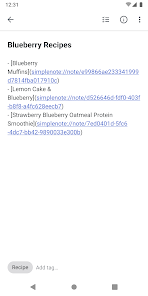
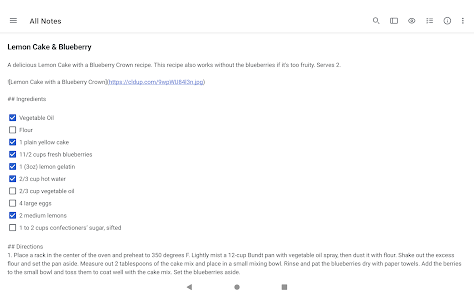
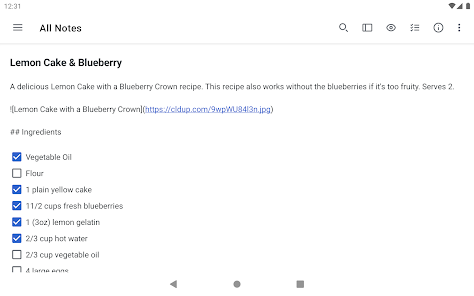
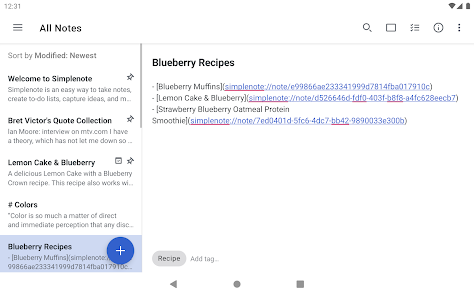
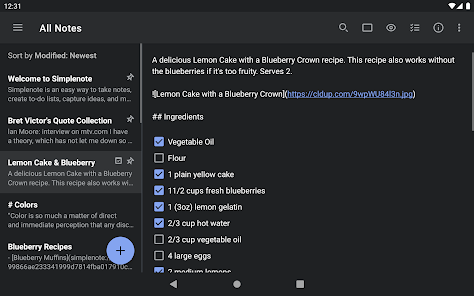
With built-in Markdown support, Simplenote enables you to format your notes effortlessly. Whether you're writing a quick list or a detailed article, you can easily add headers, lists, and links, all while enjoying a clean and distraction-free writing environment.

Real-Time Sync

Simplenote offers seamless real-time synchronization across all your devices, ensuring that your notes are always up-to-date no matter where you are. This feature allows you to access your notes from your phone, tablet, or computer without missing a beat, making it perfect for on-the-go users.

Tagging System

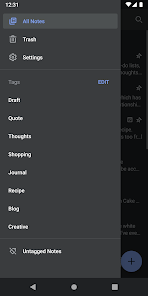
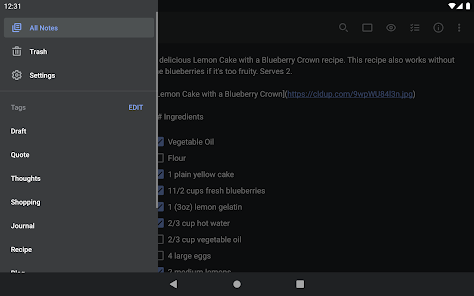
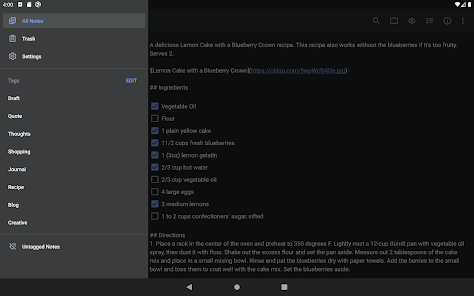
Organize your notes with Simplenote's intuitive tagging system, which allows you to categorize and retrieve your notes with ease. By adding tags, you can quickly find related content, making your note-taking experience more efficient and streamlined.

Pros & Cons

Pros
  • User-friendly interface enhances note-taking efficiency
  • Syncs seamlessly across all devices in real-time
  • Supports markdown for easy formatting and organization
  • Lightweight app saves storage space on devices
  • Offline access ensures notes are always available
Cons
  • Limited formatting options for notes
  • No collaboration features for teams
  • Lacks multimedia support for richer content
  • Syncing issues can occur occasionally

Real Experience Using Simplenote

Application Scenarios

Simplenote is a versatile note-taking app that caters to a variety of users, from students to professionals. Its minimalist design makes it perfect for jotting down quick thoughts, brainstorming ideas, or managing to-do lists. Students can benefit from its organizational features, allowing them to categorize notes by subject or project. Writers use Simplenote to draft articles and keep track of plot ideas, while developers appreciate the ability to store code snippets and technical notes. Additionally, teams can leverage its collaborative features to share notes and work together in real time, making it an ideal tool for project management and brainstorming sessions.

User Experience

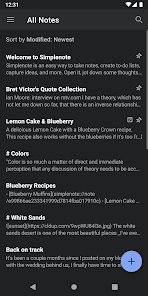
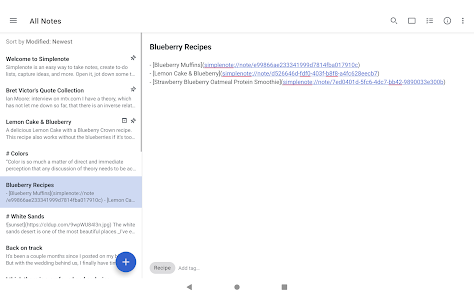
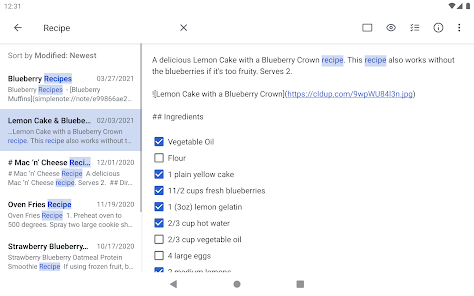
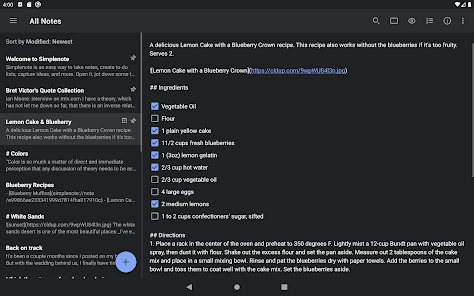
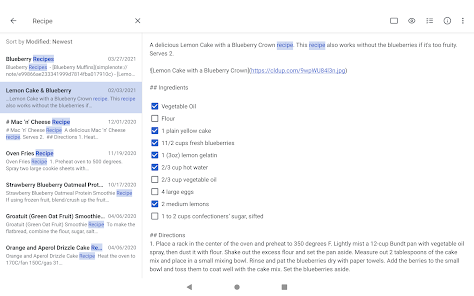
The user experience in Simplenote is streamlined and intuitive. Upon opening the app, users are greeted with a clean interface that emphasizes functionality over unnecessary features. The layout is simple, with a sidebar for easy navigation between notes and tags. Users can quickly create, edit, and organize notes with just a few taps. The search functionality is robust, allowing users to find specific notes effortlessly. Synchronization across devices is seamless, ensuring that notes are always accessible, whether on a phone, tablet, or computer. The lack of distractions, such as ads or complex formatting options, allows users to focus solely on their writing. Overall, the experience is smooth, efficient, and satisfying.

Pricing

Simplenote is completely free to use, which is one of its standout features. Unlike many other note-taking applications that impose subscription fees or in-app purchases, Simplenote offers all its core functionalities without any cost. This makes it an attractive option for users who seek a reliable note-taking solution without financial commitment. The app also provides a simple, user-friendly experience without the clutter of premium features, allowing users to enjoy a fully functional app without any hidden fees.

Updates & Support

The development team behind Simplenote is committed to regular updates and improvements, ensuring that the app stays current with user needs and technological advancements. Users can expect periodic updates that enhance performance, fix bugs, and introduce new features based on user feedback. Support is readily available through an online help center, where users can find FAQs, troubleshooting guides, and contact options for further assistance. This commitment to updates and support fosters a strong community of users who feel valued and heard, enhancing the overall experience of using Simplenote.

verified Security & Privacy Review

Simplenote prioritizes user security and privacy by implementing a range of measures designed to protect your notes and personal information. All data is encrypted during transmission using SSL, ensuring that your notes are secure while being transferred over the internet. However, it is important to note that Simplenote does not offer end-to-end encryption, meaning that while your data is secure in transit, it could be accessed by the service provider. The app collects minimal user information, primarily focusing on what is necessary for functionality, such as email addresses for account creation and synchronization purposes. Users have the ability to manage their privacy settings, including the option to delete their account and all associated data at any time. Furthermore, Simplenote does not display ads, which helps to reduce data tracking. In terms of permissions, Simplenote requires basic access to storage for saving notes but does not request unnecessary permissions that could compromise user privacy. Overall, while Simplenote provides a straightforward and effective note-taking experience, users should be aware of its limitations regarding end-to-end encryption.

Reviews

3.6

“User-friendly and intuitive interface for quick note-taking.”

“Syncs seamlessly across all my devices.”

“Great for minimalists who love simplicity.”

“Search function is incredibly fast and efficient.”

“Lacks advanced features but perfect for basic needs.”

Editor's Choice