This site uses cookies to enhance your user experience. By clicking any link on this site you are giving your consent to our cookie policy. Read more
Reject
Accept All
Samsung Wallet (Samsung Pay)

Samsung Wallet (Samsung Pay)

verified Verified App

Developer: Samsung Electronics Co., Ltd.

  • category

    Category: Lifestyle

  • price

    Price: free

  • age rating

    Age Rating: Everyone

  • rating

    Rating: 4.2

  • download

    Downloads: 100,000,000+

  • version

    Version: 2.5.76

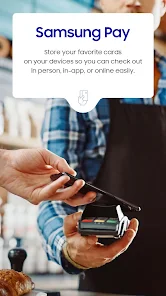
Screenshot 1
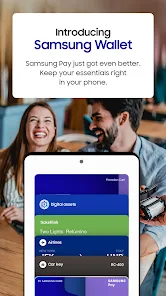
Screenshot 2
Screenshot 3
Screenshot 4
Screenshot 5
Screenshot 6

Features & Highlights

Loyalty and Rewards

With Samsung Wallet, you can easily store and access your loyalty cards and rewards programs all in one place. This feature helps you earn points and redeem offers effortlessly, ensuring you never miss out on savings and rewards while shopping.

Mobile Payments

Samsung Wallet allows you to make secure and convenient mobile payments with just a tap of your phone. Whether you're shopping in-store or online, this feature supports a wide range of cards and payment methods, making transactions a breeze while keeping your information safe.

Secure Digital Storage

Beyond payments, Samsung Wallet offers a secure space for storing important documents like IDs and insurance cards. With advanced security features, you can rest assured that your sensitive information is kept safe while being easily accessible when you need it.

Transit Pass Integration

Samsung Wallet makes your daily commute easier by allowing you to store your transit passes directly in the app. You can quickly access your tickets without fumbling through your wallet, streamlining your travel experience and making public transit a hassle-free option.

Pros & Cons

Pros
  • Seamless payment experience with various merchants.
  • Enhanced security features protect your financial data.
  • Rewards and offers help you save money.
  • Easy integration with loyalty programs and tickets.
  • User-friendly interface for quick transactions.
Cons
  • Limited merchant acceptance compared to competitors
  • Requires a Samsung device for use
  • May face issues with older payment terminals
  • Lacks some features found in rival apps

Real Experience Using Samsung Wallet (Samsung Pay)

Application Scenarios

Samsung Wallet, previously known as Samsung Pay, serves as a versatile digital wallet that caters to a variety of everyday payment needs. Users can seamlessly store their credit and debit cards, loyalty cards, and even digital tickets, making it a one-stop solution for cashless transactions. Whether you're at a grocery store, dining at a restaurant, or shopping online, Samsung Wallet provides an easy and secure way to complete your purchases. Its compatibility with both NFC (Near Field Communication) and MST (Magnetic Secure Transmission) technology ensures that users can make transactions at virtually any terminal, whether it's contactless or traditional. Additionally, the app is particularly useful for those on the go, enabling quick payments without rummaging through wallets or bags.

User Experience

The user interface of Samsung Wallet is intuitive and user-friendly, allowing even tech novices to navigate it with ease. Upon opening the app, users are greeted with a clean layout that highlights their stored cards and offers quick access to features such as rewards and offers. The onboarding process is smooth, with straightforward steps for adding payment methods and configuring security settings. Samsung Wallet also incorporates biometric authentication, such as fingerprint recognition and facial recognition, enhancing security without sacrificing convenience. Users have reported that the transaction process is fast and efficient, often requiring only a tap of the phone to complete a purchase. However, some users have expressed a desire for additional customization options, such as personalized themes or layouts.

Pricing

One of the most appealing aspects of Samsung Wallet is that it is completely free to download and use. There are no subscription fees or hidden costs associated with its functionality. Users can link their existing bank accounts and credit cards without incurring additional charges, making it an economical choice for those looking to streamline their payment methods. It's worth noting that while the app itself is free, standard bank fees may apply to transactions depending on the user's financial institution. Samsung Wallet also occasionally features promotions and cashback offers, enhancing its value proposition for users.

Updates & Support

Samsung Wallet is regularly updated to enhance functionality and security, keeping pace with the latest technological advancements in digital payments. Users can expect periodic enhancements that improve user experience, add features, or address bugs. Samsung provides a robust support system, offering help through their official website, community forums, and direct customer service. Users can easily find FAQs and troubleshooting guides, making it simpler to resolve any issues that may arise. Overall, the combination of continuous updates and strong customer support makes Samsung Wallet a reliable choice for digital transactions.

verified Security & Privacy Review

The Samsung Wallet app prioritizes user security and privacy, employing advanced encryption methods to protect sensitive information during transactions. It utilizes tokenization, which replaces actual card details with unique tokens, minimizing the risk of fraud. Additionally, biometric authentication options, such as fingerprint and facial recognition, ensure that only authorized users can access the app and complete transactions. In terms of privacy practices, Samsung Wallet adheres to stringent data protection regulations, limiting data collection to what is necessary for transaction processing and user experience enhancement. Users have control over their data, with options to manage permissions for location access and notifications. The app also provides clear privacy policies, outlining how user data is collected, used, and shared. Samsung Wallet does not share personal information with third parties without user consent, reinforcing its commitment to user privacy. Regular updates and security patches further enhance the app's resilience against potential threats, making Samsung Wallet a reliable choice for users concerned about data security and privacy.

Reviews

4.2

“Convenient and easy to use for daily payments”

“Love the seamless integration with Samsung devices”

“Fast transactions make checkout a breeze”

“Lacks support for some loyalty cards”

“Occasional glitches with app updates are frustrating”

Editor's Choice