This site uses cookies to enhance your user experience. By clicking any link on this site you are giving your consent to our cookie policy. Read more
Reject
Accept All

Advertiser and Editorial Disclosures

Downloader - Android TV

Downloader - Android TV

verified Verified App

Developer: FlagAppCompany

  • category

    Category: Tools

  • price

    Price: $2.99

  • age rating

    Age Rating: Everyone

  • rating

    Rating:

  • download

    Downloads: 5,000+

  • version

    Version: 1.3.3

Screenshot 1
Screenshot 2
Screenshot 3
Screenshot 4
Screenshot 5
Screenshot 6
Screenshot 7
Screenshot 8
Screenshot 9
Screenshot 10
Screenshot 11
Screenshot 12
Screenshot 13
Screenshot 14
Screenshot 15
Screenshot 16
Screenshot 17
Screenshot 18
Screenshot 19
Screenshot 20
Screenshot 21
Screenshot 22
Screenshot 23
Screenshot 24
Screenshot 25
Screenshot 26
Screenshot 27
Screenshot 28
Screenshot 29
Screenshot 30
Screenshot 31
Screenshot 32
Screenshot 33
Screenshot 34
Screenshot 35
Screenshot 36
Screenshot 37
Screenshot 38
Screenshot 39
Screenshot 40
Screenshot 41
Screenshot 42
Screenshot 43
Screenshot 44
Screenshot 45
Screenshot 46
Screenshot 47
Screenshot 48

Features & Highlights

Built-In Browser

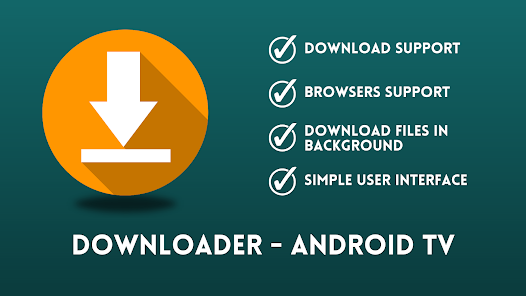
The app features a built-in web browser that allows you to navigate the internet seamlessly. This means you can search for content, explore websites, and quickly find the files you want without needing to switch between apps, enhancing your overall experience.

Easy File Downloads

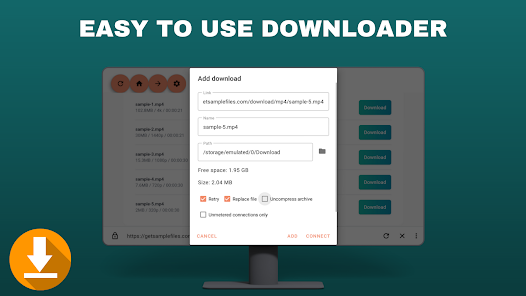
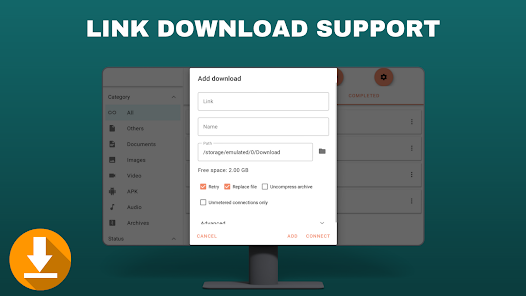
Downloader - Android TV simplifies the process of downloading files directly to your device. With its user-friendly interface, you can easily enter URLs or browse the web to find the files you need, making it a breeze for users of all skill levels.

File Management Tools

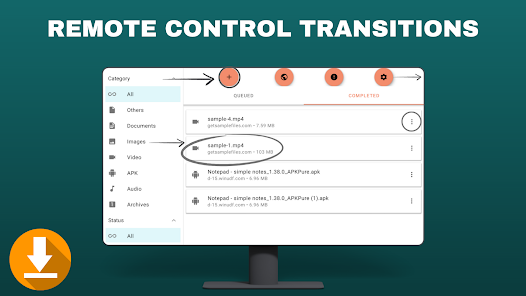
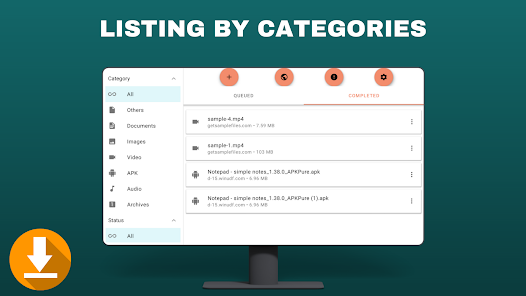
Downloader offers robust file management tools that let you organize your downloaded content effortlessly. You can rename, move, or delete files with just a few taps, ensuring that your device remains clutter-free and your favorite content is always easy to find.

Support for Multiple Formats

This app supports a wide range of file formats, ensuring compatibility with various types of media. Whether you're downloading APKs, videos, or documents, Downloader - Android TV has you covered, making it a versatile choice for all your downloading needs.

Pros & Cons

Pros
  • Fast and efficient file downloads for your TV.
  • User-friendly interface for easy navigation and use.
  • Supports multiple file formats for versatility.
  • Seamless integration with various streaming apps.
  • Enhanced privacy features for secure downloading.
Cons
  • Limited compatibility with certain file types
  • User interface can be confusing
  • Frequent ads disrupt user experience
  • Slow download speeds on some networks

Real Experience Using Downloader - Android TV

Application Scenarios

The Downloader app for Android TV is a versatile tool designed for a wide range of usage scenarios. Primarily, it serves as a means to download files directly onto your Android TV, which can be especially useful for those who want to install apps that aren't available on the Google Play Store. Users can easily download APK files from trusted sources, enabling them to access a wider array of applications tailored for their entertainment needs. Additionally, the app supports downloading multimedia content, making it a suitable choice for users who wish to save videos, music, or documents directly onto their devices. Whether you're setting up a new Android TV or simply looking to enhance your existing setup, Downloader proves to be an essential component in customizing your viewing experience.

User Experience

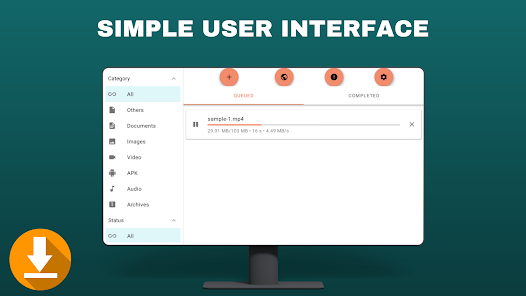
The user experience with Downloader is generally smooth and intuitive. The interface is designed to be TV-friendly, featuring large icons and straightforward navigation that allows users to find and download files with ease. Upon opening the app, users are greeted with a minimalistic layout that guides them through the downloading process without overwhelming them with options. The built-in browser allows for seamless navigation to various download sites, and the app also supports bookmarks for quick access to frequently visited URLs. Additionally, users have reported that the download speeds are commendable, making it easy to get the desired files quickly. Overall, the app's ease of use, combined with its functional design, makes it a favorite among Android TV users looking for a reliable solution to download content.

Pricing

Downloader is available for free on the Google Play Store, which is a significant advantage for users seeking a budget-friendly solution for their downloading needs. The app does not impose any hidden fees or subscription models, allowing users to access its full functionality without any financial commitment. While the free version is robust and capable of meeting the needs of most users, some may wonder if premium features are available. Currently, Downloader has not introduced a paid version, which means users can enjoy all features without worrying about costs. This makes it an attractive option for both casual users and tech-savvy individuals alike.

Updates & Support

Downloader is frequently updated to ensure compatibility with the latest Android TV operating system and to introduce new features that enhance user functionality. The developers are dedicated to providing a seamless experience and actively seek user feedback to improve the app. Updates are typically rolled out without disrupting the user experience, ensuring that users can continue to enjoy the app without interruption. In terms of support, the app offers a comprehensive FAQ section that addresses common queries, alongside an accessible contact option for direct assistance. Overall, the commitment to regular updates and user support reinforces Downloader's reputation as a reliable and user-friendly application for Android TV users.

verified Security & Privacy Review

When it comes to security and privacy, Downloader - Android TV implements several measures to safeguard user data. The app requires permissions that are essential for its functionality, such as access to storage for downloading files. However, it is crucial for users to be aware of the permissions granted, as excessive access can lead to potential privacy risks. The app does not collect personally identifiable information, which is a significant advantage in terms of user privacy. It operates on a straightforward model that prioritizes user discretion, allowing users to choose what they download and where to save it. Additionally, Downloader - Android TV utilizes secure connections for file transfers, minimizing the risk of data interception. Regular updates to the app are also vital, as they often include security patches that protect against vulnerabilities. Users are encouraged to keep the app updated to enhance their security posture. Overall, Downloader - Android TV exhibits a commendable approach to data security and privacy, but users should remain vigilant regarding the permissions they grant and stay informed about the app’s updates.

Reviews

“Easy to use and very reliable for downloads”

“Great for sideloading apps on Android TV”

“Fast download speeds, highly recommended”

“User-friendly interface makes navigation simple”

“Works flawlessly for streaming content offline”

FAQ

1

Can I access my downloaded files through Downloader?

Yes, you can access your downloaded files through the Downloader app. Once a file is downloaded, it will typically appear in the app's download history, where you can open, install, or delete it as needed.

2

Can I use Downloader on devices other than Android TV?

Yes, Downloader is available for various Android devices, including smartphones and tablets. However, its functionality may differ slightly based on the device type and screen size. It's optimized for use on Android TV but can be accessed on other platforms as well.

3

Can I use Downloader to install third-party apps?

Yes, Downloader is commonly used to install third-party apps on Android TV. You can enter the URL of the APK file you want to download, and once the download is complete, you can install the app directly from the Downloader interface. Make sure to enable installation from unknown sources in your device settings.

4

Can I use Downloader to stream content?

While Downloader is primarily used for downloading files, you can use it to download apps that facilitate streaming content. However, Downloader itself does not stream content directly; it's a tool for obtaining files and applications that can be used for streaming.

5

Does Downloader support resume for interrupted downloads?

Yes, Downloader supports resuming interrupted downloads. If your download is interrupted due to a lost connection or other issues, you can usually restart it from where it left off without starting over from scratch.

How to use Downloader - Android TV

1

How can I contact customer service for the Downloader app on Android TV?

You can reach the Downloader app customer service through their support email or the app's official website. Look for a "Contact Us" section for direct assistance.

2

How do I find the customer number for the Downloader app?

The Downloader app does not have a specific customer number; support is typically provided via email or through their website. Check the app for help options.

3

How do I log into the Downloader app on Android TV?

The Downloader app does not require a login; you can use it immediately after installation to download files.

4

Is there a way to activate the Downloader app if needed?

The Downloader app usually does not require activation. Simply install it from the Google Play Store and start using it.

Editor's Choice