This site uses cookies to enhance your user experience. By clicking any link on this site you are giving your consent to our cookie policy. Read more
Reject
Accept All
Samsung Members

Samsung Members

verified Verified App

Developer: Samsung Electronics Co., Ltd.

  • category

    Category: Tools

  • price

    Price: free

  • age rating

    Age Rating: Everyone

  • rating

    Rating: 4.5

  • download

    Downloads: 1,000,000,000+

  • version

    Version: 5.6.00.11

Screenshot 1
Screenshot 2
Screenshot 3
Screenshot 4
Screenshot 5
Screenshot 6
Screenshot 7
Screenshot 8
Screenshot 9
Screenshot 10
Screenshot 11
Screenshot 12
Screenshot 13
Screenshot 14
Screenshot 15
Screenshot 16
Screenshot 17

Pros & Cons

Pros
  • Access exclusive promotions and discounts on products
  • Get personalized support and troubleshooting assistance
  • Join a vibrant community of Samsung users
  • Receive timely software updates and news
  • Enjoy tips and tricks for better device usage
Cons
  • Limited access to exclusive features and content
  • User interface can be confusing for new users
  • Frequent bugs and glitches in the app
  • Customer support response times can be slow

Real Experience Using Samsung Members

Application Scenarios

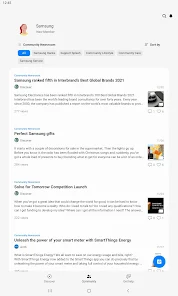
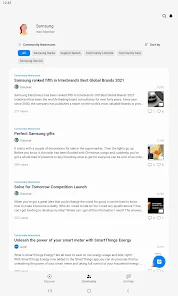
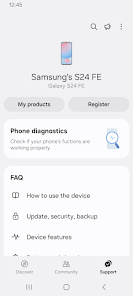
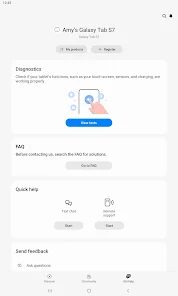
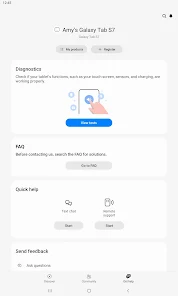
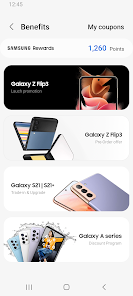
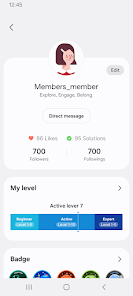
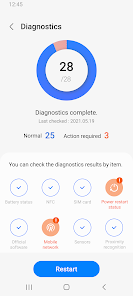
The Samsung Members app serves as a versatile hub for Samsung device users, enhancing their overall experience. Users can access a range of features tailored to their specific devices, whether it be a smartphone, tablet, or wearable. One of the primary scenarios involves troubleshooting and optimizing device performance. The app provides diagnostic tools to identify issues like battery drain or application crashes, offering users step-by-step solutions. Additionally, users can participate in community forums, allowing them to share experiences and tips with fellow Samsung enthusiasts. Samsung Members is also a gateway to exclusive promotions and events, making it invaluable for users looking to maximize their investment in Samsung products.

User Experience

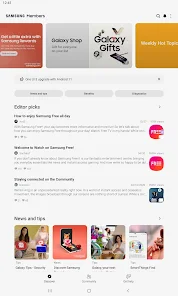
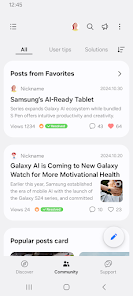
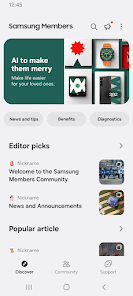
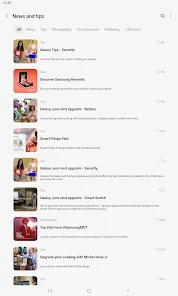
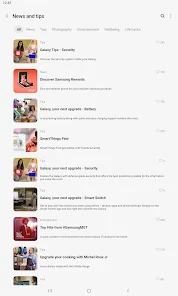
The user interface of the Samsung Members app is designed with simplicity and functionality in mind. Upon launching the app, users are greeted with a clean layout that highlights key areas such as diagnostics, community discussions, and rewards. The navigation is intuitive, making it easy to find relevant information or tools. Users have noted that the diagnostic tests are quick and informative, with clear results and actionable suggestions. The community forum is another highlight, as it fosters a sense of belonging among users, allowing them to exchange ideas and seek advice. However, some users have reported occasional bugs and glitches, particularly after updates, but these issues tend to be addressed promptly by Samsung's support team.

Pricing

The Samsung Members app is free to download and use, which is a significant advantage for users. There are no hidden fees or subscription costs associated with accessing the app's features. This accessibility encourages more Samsung device owners to engage with the platform, enhancing the overall user community. While the app does offer exclusive promotions and deals for Samsung products, these are optional and do not require any financial commitment, making the app an attractive resource for all Samsung users regardless of their budget.

Updates & Support

Samsung is committed to providing regular updates for the Members app, ensuring that it remains compatible with the latest devices and operating systems. Users can expect frequent enhancements that improve functionality and fix bugs, which is crucial for maintaining a seamless experience. The support section within the app is well-stocked with FAQs, troubleshooting guides, and contact options for direct assistance. Users appreciate the responsiveness of Samsung's support team, often receiving timely feedback on their inquiries. Overall, the combination of regular updates and robust support makes Samsung Members a reliable companion for any Samsung device user.

verified Security & Privacy Review

The Samsung Members app prioritizes user security and privacy by implementing robust data protection measures. The app requires certain permissions, such as access to storage and location, which are typical for enhancing functionality. Users are informed clearly about these permissions, allowing them to make informed decisions regarding their data sharing. Samsung has established a comprehensive privacy policy that outlines how user data is collected, used, and shared. The app collects diagnostic and usage data to improve user experience, but this data is anonymized to protect individual identities. Users also have the option to manage their privacy settings, enabling them to control the extent of data shared with the app. Additionally, Samsung employs encryption technologies to safeguard sensitive information, ensuring that user data remains secure during transmission. Regular updates and security patches demonstrate the company’s commitment to maintaining a secure environment. Overall, the Samsung Members app provides a reliable platform that respects user privacy while offering features that enhance device performance and user engagement.

Reviews

4.5

“Great for troubleshooting and device management!”

“User-friendly interface makes access easy.”

“Helpful tips and community support are invaluable.”

“Regular updates keep it fresh and functional.”

“Love the personalized recommendations and features!”

Editor's Choice