This site uses cookies to enhance your user experience. By clicking any link on this site you are giving your consent to our cookie policy. Read more
Reject
Accept All
Samsung Email

Samsung Email

verified Verified App

Developer: Samsung Electronics Co., Ltd.

  • category

    Category: Productivity

  • price

    Price: free

  • age rating

    Age Rating: Everyone

  • rating

    Rating: 4.4

  • download

    Downloads: 1,000,000,000+

  • version

    Version: 6.2.07.5

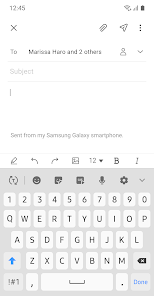
Screenshot 1
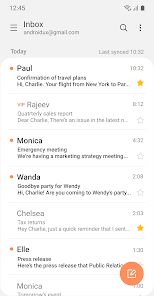
Screenshot 2
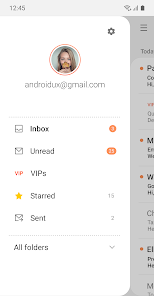
Screenshot 3
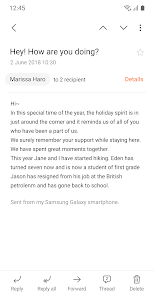
Screenshot 4
Screenshot 5
Screenshot 6

Features & Highlights

Customizable Notifications

With customizable notifications, you can tailor your email alerts based on your preferences, ensuring you never miss important messages. Choose specific sounds, vibration patterns, or even silent modes for different accounts to stay in control of your email interactions throughout the day.

Email Scheduling

Samsung Email's email scheduling feature allows you to compose messages and set them to send at a later time. This is perfect for managing communications across different time zones or for ensuring your emails arrive exactly when you want them to.

Smart Search

The smart search functionality enables users to quickly locate specific emails, attachments, and contacts, saving you valuable time. With advanced filtering options, you can refine your searches based on different criteria, making it effortless to find what you need, when you need it.

Unified Inbox

Samsung Email offers a unified inbox feature that allows you to manage multiple email accounts in one convenient place. This means you can easily switch between personal and work emails without the hassle of logging in and out, keeping your communications organized and accessible.

Pros & Cons

Pros
  • User-friendly interface enhances productivity easily.
  • Integrated calendar streamlines scheduling and reminders.
  • Robust security features protect sensitive information effectively.
  • Customizable options allow personalized email management.
  • Supports multiple accounts for seamless organization.
Cons
  • Limited customization options for email interface
  • Sync issues with third-party services are common
  • Occasional slow performance on older devices
  • Lacks advanced features found in other apps

Real Experience Using Samsung Email

Application Scenarios

Samsung Email is designed to cater to a diverse range of email management needs, making it a versatile choice for both personal and professional use. Users can effortlessly integrate multiple email accounts, including popular services like Gmail, Outlook, and Yahoo, into a single interface. This feature is particularly beneficial for professionals who manage work and personal emails simultaneously. The app is optimized for mobile devices, allowing users to send, receive, and organize emails on the go. In addition, Samsung Email includes robust features such as scheduling emails, setting reminders, and utilizing templates, which enhance productivity for users in various settings, whether at home, in the office, or while traveling.

User Experience

The user experience of Samsung Email is intuitive and user-friendly, with a clean interface that is easy to navigate. The app's layout allows for smooth transitions between different email accounts, making it simple to switch contexts. Users appreciate the customizable options, such as themes and layout settings, which allow for personalization according to individual preferences. The app boasts a powerful search function that helps users quickly locate specific emails or attachments. Moreover, the integration of Samsung's Bixby and Smart Reply features enhances communication efficiency by suggesting quick responses based on the email's content. Overall, users report high satisfaction with the app's functionality and design, noting that it meets their email management needs effectively.

Pricing

Samsung Email is available as a free application for all Samsung device users, which is a significant advantage for those looking for a cost-effective solution for email management. The app does not require any subscription fees or in-app purchases, allowing users to access all its features without financial barriers. This pricing model makes Samsung Email particularly appealing to budget-conscious users who still want a feature-rich email client. Additionally, the app seamlessly integrates with Samsung's ecosystem, providing added value to users who own other Samsung devices.

Updates & Support

Samsung regularly updates the Email app to enhance its functionality and security. These updates often include new features, performance improvements, and bug fixes, ensuring that users have a reliable and efficient email experience. The app is supported by an extensive help center that offers troubleshooting guides, FAQs, and user forums, allowing users to find solutions to common issues quickly. For more personalized support, users can contact Samsung's customer service through various channels, including chat and email. This commitment to ongoing support and updates reflects Samsung's dedication to providing a high-quality user experience for its email application.

verified Security & Privacy Review

The Samsung Email app prioritizes user security and privacy, integrating several robust features to protect sensitive information. The app employs encryption protocols to secure emails both in transit and at rest, ensuring that your communications remain confidential. Additionally, users can enable two-factor authentication for an extra layer of security, significantly reducing the risk of unauthorized access. Regarding permissions, Samsung Email requires access to your contacts and storage to facilitate seamless email interactions and file attachments. Users have the option to manage these permissions, granting or revoking access as needed. The app also supports secure sign-in methods, including biometric authentication, which enhances user security without compromising convenience. Samsung is committed to transparency in its data handling practices. The company provides a clear privacy policy outlining how user data is collected, used, and shared. Users can customize their privacy settings, allowing them to control the information shared with third parties. Overall, the Samsung Email app demonstrates a strong commitment to protecting user data while delivering a feature-rich email experience.

Reviews

4.4

“User-friendly interface and easy navigation.”

“Syncs effortlessly with my Samsung devices.”

“Customizable features enhance my email experience.”

“Occasional lag, but overall a solid app.”

“Notifications are reliable and timely.”

Editor's Choice