This site uses cookies to enhance your user experience. By clicking any link on this site you are giving your consent to our cookie policy. Read more
Reject
Accept All

Advertiser and Editorial Disclosures

Salesforce Field Service

Salesforce Field Service

verified Verified App

Developer: Salesforce.com, inc.

  • category

    Category: Productivity

  • price

    Price: free

  • age rating

    Age Rating: Everyone

  • rating

    Rating: 2.2

  • download

    Downloads: 100,000+

  • version

    Version: 258.3.12

Screenshot 1
Screenshot 2
Screenshot 3
Screenshot 4
Screenshot 5
Screenshot 6
Screenshot 7

Features & Highlights

Analytics and Reporting

Salesforce Field Service includes powerful analytics tools that provide insights into service performance and operational efficiency. This feature helps organizations identify trends, optimize resource allocation, and make informed decisions that drive continuous improvement in service delivery.

Mobile Access

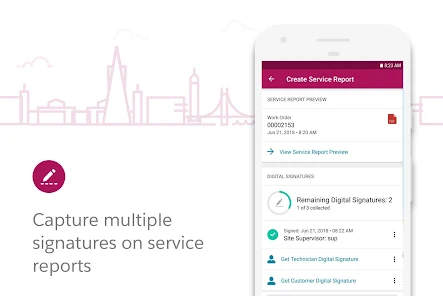
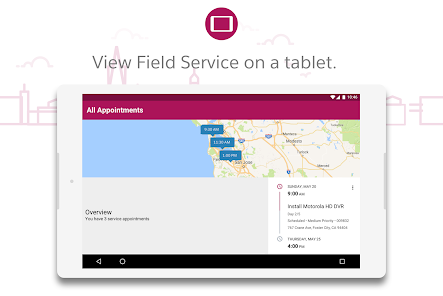
With a robust mobile application, field technicians can access real-time data and updates on the go. This capability empowers them to manage tasks, view customer information, and capture signatures right from their devices, streamlining operations and improving communication with both customers and back-office teams.

Smart Scheduling

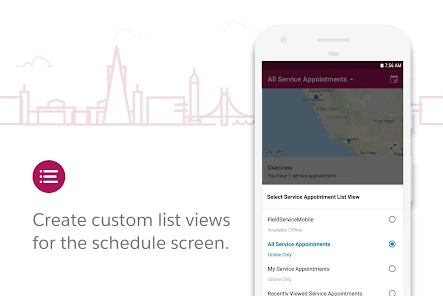
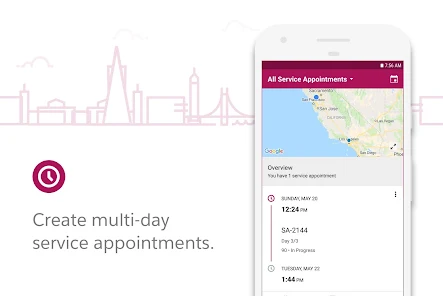
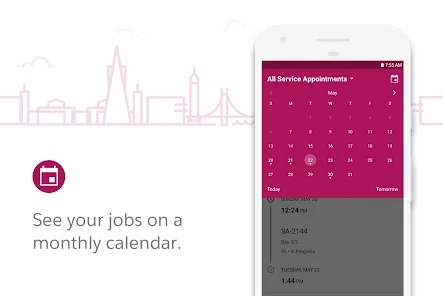
Salesforce Field Service offers intelligent scheduling that optimizes technician assignments based on skills, location, and availability. This feature reduces travel time and improves service efficiency, ensuring that the right expert arrives at the right place, enhancing customer satisfaction and operational performance.

Work Order Management

The platform provides comprehensive work order management that allows users to create, track, and prioritize service requests effortlessly. This feature ensures that every job is logged and addressed in a timely manner, helping teams stay organized and responsive to customer needs.

Pros & Cons

Pros
  • Enhances real-time communication between field agents and customers for better service delivery
  • Optimizes scheduling and routing, reducing travel time and costs for technicians
  • Provides a comprehensive view of customer history to improve service personalization
  • Integrates seamlessly with other Salesforce products for a unified business solution
  • Offers robust reporting tools to track performance and identify improvement areas
Cons
  • High implementation costs can strain budgets for small businesses.
  • Complex user interface may require extensive training for effective use.
  • Limited customization options can hinder specific operational needs and flexibility.

Real Experience Using Salesforce Field Service

Application Scenarios

The Salesforce Field Service app is designed to streamline the operations of field service teams across various industries. It excels in scenarios where real-time data access and communication are crucial, such as in telecommunications, utilities, and home services. For instance, a telecommunications company can utilize the app to manage technicians' schedules, ensuring they have the necessary tools and information to complete installations or repairs efficiently. Additionally, businesses that require on-site customer support can benefit from the app's ability to dispatch the right technician based on skill set and location, ultimately enhancing customer satisfaction. The app also integrates seamlessly with other Salesforce products, making it a robust solution for organizations already invested in the Salesforce ecosystem.

User Experience

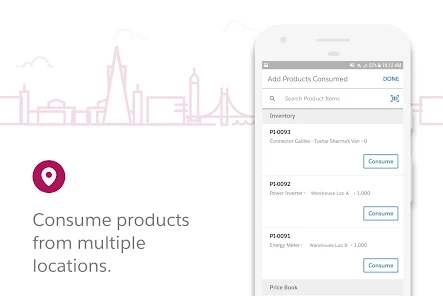
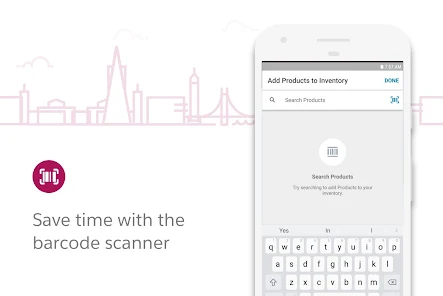
User experience is at the heart of the Salesforce Field Service app. The interface is intuitive, allowing field technicians to navigate through tasks with ease. Users have reported that the app's mobile capabilities enable them to access job details, customer history, and inventory management directly from their smartphones or tablets. This real-time access minimizes the need for back-and-forth communication with the office, allowing technicians to focus on their work. Notifications and reminders help keep users on track with their schedules, and the ability to capture customer signatures directly in the app enhances the professionalism of service calls. Overall, users have found the app to be a powerful tool that significantly improves their daily workflows.

Pricing

The pricing structure for Salesforce Field Service is competitive, especially considering the extensive features it offers. Salesforce provides a tiered pricing model, which allows businesses of various sizes to find a plan that fits their budget and needs. While the initial investment may be higher than some standalone field service solutions, the return on investment is evident through improved efficiency and customer satisfaction. Additionally, Salesforce often offers promotional discounts for new customers, making it more accessible for organizations looking to enhance their field service operations.

Updates & Support

Salesforce is known for its commitment to continuous improvement and innovation, and the Field Service app is no exception. Regular updates are rolled out to enhance functionality, fix bugs, and incorporate user feedback. These updates ensure that users always have access to the latest features and security enhancements. Furthermore, Salesforce provides comprehensive support resources, including an extensive knowledge base, community forums, and dedicated customer support teams. This level of support reassures users that assistance is readily available when they encounter challenges, fostering a positive experience with the app.

verified Security & Privacy Review

The Salesforce Field Service app prioritizes data security and privacy, ensuring that user information is handled with the utmost care. The app employs advanced encryption protocols for data both in transit and at rest, safeguarding sensitive information from unauthorized access. User authentication mechanisms, including multi-factor authentication, add an extra layer of protection, ensuring that only authorized personnel can access critical data. Privacy practices are built into the app’s framework, aligning with global data protection regulations such as GDPR and CCPA. Users have control over their data, with options to manage permissions and sharing settings effectively. The app allows users to customize access levels, ensuring that team members only see the information necessary for their roles. Salesforce is committed to transparency in data handling, providing clear documentation about the types of data collected and how it is used. Regular security audits and assessments help maintain the app's integrity and address any potential vulnerabilities proactively. Overall, Salesforce Field Service demonstrates a strong commitment to protecting user data and maintaining privacy standards.

Reviews

2.2

“Intuitive interface enhances field service efficiency.”

“Great for managing technician schedules seamlessly.”

“Customizable features fit our unique business needs.”

“Customer support is responsive and helpful.”

“Mobile app improves field operations significantly.”

FAQ

1

Can I submit suggestions or feedback to Salesforce Field Service?

Yes, users can submit suggestions or feedback to Salesforce Field Service through the Salesforce Ideas platform or directly through their support channels, where they can share their thoughts and experiences.

2

Does Salesforce Field Service collect my personal data?

Yes, Salesforce Field Service may collect personal data as part of its operations, which is outlined in its privacy policy and is used to improve service and user experience.

3

Does Salesforce Field Service support offline use?

Yes, Salesforce Field Service offers offline capabilities, allowing field technicians to access important information and complete tasks even without an internet connection.

4

How do I cancel my Salesforce Field Service subscription?

To cancel a Salesforce Field Service subscription, users can log into their Salesforce account, navigate to the subscription settings, and follow the prompts to cancel, or contact Salesforce support for assistance.

5

How much does a subscription to Salesforce Field Service cost?

The cost of a subscription to Salesforce Field Service varies depending on the specific plan and features selected, and it's best to consult Salesforce's official pricing page for the most accurate information.

How to use Salesforce Field Service

1

Can I change my customer service account details after activation?

Yes, you can change your account details after activation by logging in and navigating to your profile settings.

2

Can customer service help me retrieve my account activation link?

Yes, customer service can assist you in retrieving your account activation link. Just provide your email address associated with the account.

3

How can I log in to my Salesforce Field Service account?

You can log in by visiting the Salesforce Field Service login page and entering your credentials. If you forgot your password, use the password recovery option.

4

How do I activate my Salesforce Field Service account?

You can activate your account by clicking the activation link sent to your email after registration. Follow the prompts to complete the activation.

5

How do I contact customer service for help with logging in?

You can contact customer service via the support page or call the provided helpline for immediate assistance with logging in.

Editor's Choice