This site uses cookies to enhance your user experience. By clicking any link on this site you are giving your consent to our cookie policy. Read more
Reject
Accept All

Advertiser and Editorial Disclosures

Reverse Image Search - Multi

Reverse Image Search - Multi

verified Verified App

Developer: THINK FREE

  • category

    Category: Tools

  • price

    Price: free

  • age rating

    Age Rating: Everyone

  • rating

    Rating: 4.2

  • download

    Downloads: 1,000,000+

  • version

    Version: 8.0.3

Screenshot 1
Screenshot 2
Screenshot 3
Screenshot 4
Screenshot 5
Screenshot 6

Features & Highlights

Advanced Search Options

With Reverse Image Search - Multi, you can refine your results using various filters like color, size, and orientation. This makes it easier to find exactly what you're looking for, whether it's an image, similar visuals, or specific attributes you want to explore further.

Multiple Source Integration

This app seamlessly integrates with numerous online image databases and search engines, giving you access to a wide array of images and resources. You can quickly find sources for your images, discover related content, and even track down the original creators.

Quick Results Processing

Enjoy lightning-fast image recognition and search results with Reverse Image Search - Multi. The advanced algorithms work behind the scenes to provide you with relevant matches in seconds, allowing you to focus on the insights rather than waiting for results.

User-Friendly Interface

The app boasts an intuitive design that simplifies the image search process for users of all skill levels. Its straightforward navigation ensures that you can upload images and view results without any hassle, making your experience smooth and efficient.

Pros & Cons

Pros
  • Find similar images quickly and easily
  • Discover image sources effortlessly
  • Verify image authenticity with confidence
  • Explore related content for deeper insights
  • Enhance creative projects with relevant visuals
Cons
  • Limited accuracy for similar images
  • Slow processing for large datasets
  • Privacy concerns with uploaded images
  • May miss obscure or altered images

Real Experience Using Reverse Image Search - Multi

Application Scenarios

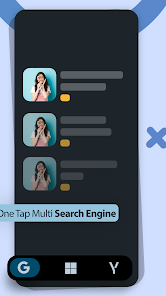
The Reverse Image Search - Multi app is a versatile tool that caters to various needs, making it a must-have for anyone who frequently uses images. Whether you are a student looking for sources for your research, a journalist verifying the authenticity of a photo, or a casual user wanting to discover the origin of an image, this app has you covered. It excels in scenarios where you need to identify the creator of artwork, trace stolen images, or find similar photos across the web. The app’s ability to search across multiple search engines simultaneously increases efficiency, allowing users to gather diverse results quickly. Additionally, it can be particularly beneficial for e-commerce sellers who wish to monitor where their product images appear online, ensuring they maintain control over their branding.

User Experience

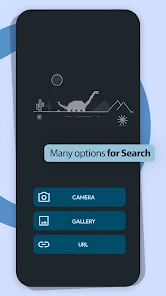
User experience is one of the standout features of the Reverse Image Search - Multi app. The interface is clean, intuitive, and easy to navigate, making it accessible for users of all skill levels. Uploading images is straightforward; users can either take a photo directly through the app or upload one from their gallery. The search results appear rapidly, displaying a variety of options to explore. Users have reported high accuracy in the results, which adds to the app's credibility. Furthermore, the app provides a seamless experience across devices, ensuring that users can access it on their smartphones or tablets without any hiccups. The addition of features like image cropping before search and the ability to view similar images enhances user interaction, making the process both efficient and enjoyable.

Pricing

Updates & Support The developers of Reverse Image Search - Multi are committed to continuous improvement, regularly releasing updates that enhance functionality and user experience. Users can expect new features based on feedback, ensuring the app stays relevant in a rapidly evolving digital landscape. Customer support is responsive and helpful, offering assistance through various channels, including email and in-app chat. The FAQ section is also well-structured, providing quick answers to common queries, which helps users resolve issues without unnecessary delays. Overall, the app’s dedication to updates and support significantly contributes to a positive user experience, fostering a loyal and satisfied user base.

verified Security & Privacy Review

Security and privacy are crucial aspects of the Reverse Image Search - Multi app. The app is designed with user confidentiality in mind, employing strong data encryption protocols to safeguard any images processed through its platform. Users can rest assured that their images are not stored on the app’s servers long-term, minimizing the risk of unauthorized access or data breaches. The app requests only essential permissions, such as access to the device's camera and photo library, which are necessary for its core functionality. Users are informed about these permissions transparently and have the option to revoke them at any time. The app's privacy policy clearly outlines how user data is handled, ensuring compliance with relevant data protection regulations. Moreover, Reverse Image Search - Multi does not share user data with third parties without explicit consent, reinforcing its commitment to user privacy. Overall, the app demonstrates a strong focus on protecting user information and maintaining trust through responsible data handling practices.

Reviews

4.2

“Accurate results every time I use it!”

“User-friendly interface, easy to navigate.”

“Quick searches save me so much time.”

“Great for finding image sources online.”

“Helpful tool for verifying artwork authenticity.”

FAQ

1

Does Reverse Image Search - Multi collect my personal data?

Reverse Image Search - Multi prioritizes user privacy and does not collect personal data unless explicitly provided by the user for specific features or functionalities.

2

Does Reverse Image Search - Multi offer a free trial or free version?

Reverse Image Search - Multi offers a free version with limited features, allowing users to try the app before committing to any subscription plans.

3

Does Reverse Image Search - Multi require an internet connection?

Yes, Reverse Image Search - Multi requires an internet connection to perform searches, as it relies on online databases and image search engines to retrieve relevant results.

4

How can I contact support or send feedback for Reverse Image Search - Multi?

To contact support or provide feedback for Reverse Image Search - Multi, you can access the help section within the app, where you will find options for emailing support or submitting your feedback directly.

5

How do I manage or cancel my Reverse Image Search - Multi subscription?

You can manage or cancel your subscription directly through the app’s settings or your device’s app store subscription management section, depending on your platform.

How to use Reverse Image Search - Multi

1

Can I reset my password for the Reverse Image Search - Multi app?

Yes, use the 'Forgot Password' option on the login screen to reset your password via email.

2

How can I contact customer service for the Reverse Image Search - Multi app?

You can reach customer service through the app's help section or by emailing support at their official website.

3

How do I access customer support for issues with the app?

You can access customer support via the app's settings or help section for FAQs and contact options.

4

How do I activate my account for the Reverse Image Search - Multi app?

Click the link in the confirmation email you received after registering to activate your account.

5

How do I log in to the Reverse Image Search - Multi app?

Open the app and enter your registered email and password on the login screen.

Editor's Choice