This site uses cookies to enhance your user experience. By clicking any link on this site you are giving your consent to our cookie policy. Read more
Reject
Accept All

Advertiser and Editorial Disclosures

Quick Settings

Quick Settings

verified Verified App

Developer: EdgePro

  • category

    Category: Tools

  • price

    Price: 1.99

  • age rating

    Age Rating: Everyone

  • rating

    Rating: 4

  • download

    Downloads: /

  • version

    Version: 2.6.5

Screenshot 1
Screenshot 2
Screenshot 3
Screenshot 4
Screenshot 5
Screenshot 6
Screenshot 7
Screenshot 8

Features & Highlights

Customizable Toggles

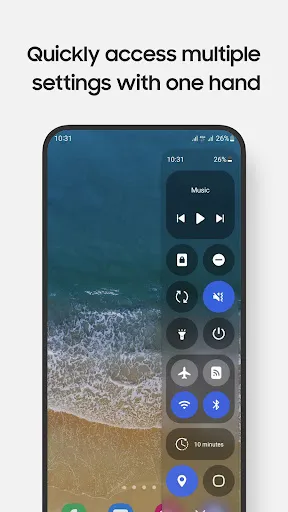
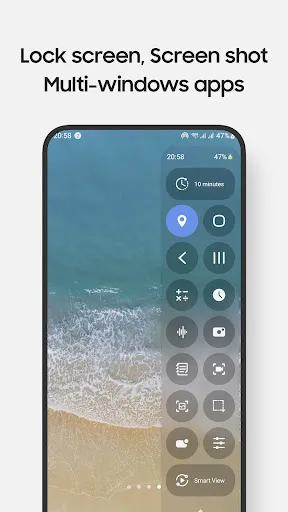
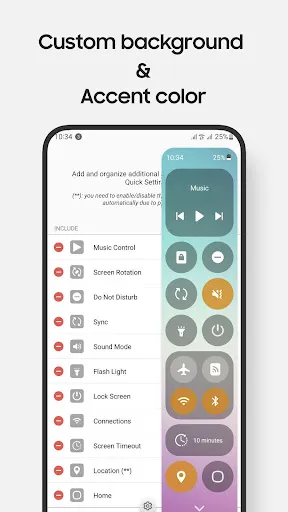
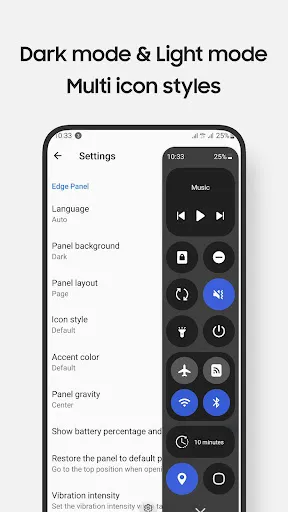
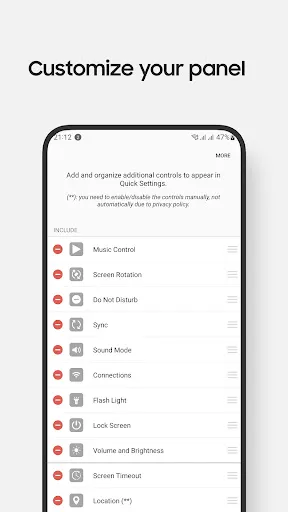
Quick Settings allows you to personalize your experience by adding or removing toggles for various functions like Wi-Fi, Bluetooth, and Airplane Mode. This means you can prioritize what matters most to you, making it easier to access your frequently used settings without any hassle.

Dark Mode Support

Quick Settings is designed to support dark mode, providing a sleek and visually appealing interface that is easy on the eyes. This feature not only enhances the aesthetic of your device but also helps save battery life, especially on OLED screens, making it a practical choice for nighttime use.

Quick Access Menu

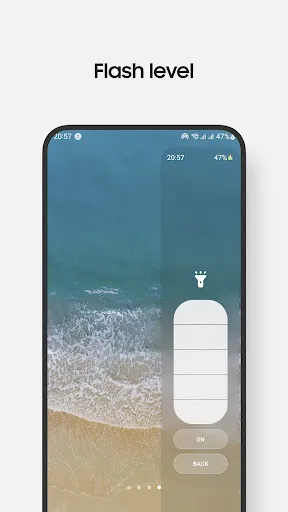
With Quick Settings, you can access essential features with just a swipe down from the top of your screen. This convenient menu gives you instant control over your device’s connectivity, brightness, and notifications, streamlining your daily tasks and improving efficiency.

Smart Suggestions

The app intelligently learns your usage patterns and offers smart suggestions for settings adjustments based on your behavior. Whether it's suggesting battery-saving modes or reminding you to switch to Do Not Disturb during meetings, Quick Settings helps optimize your device seamlessly.

Pros & Cons

Pros
  • Easily access essential features in seconds
  • Customize settings for personal convenience
  • Streamline device control with a single swipe
  • Reduce time spent navigating through menus
  • Enhance productivity with quick adjustments
Cons
  • Limited customization options hinder user preferences.
  • Sometimes confusing layout leads to user frustration.
  • Not all settings are easily accessible through shortcuts.
  • Frequent updates can disrupt familiar navigation patterns.

Real Experience Using Quick Settings

Application Scenarios

Quick Settings is an indispensable tool for anyone seeking to streamline their mobile experience. Whether you are a busy professional needing to toggle Wi-Fi, Bluetooth, and Airplane mode in an instant, or a casual user looking to access frequently used settings without navigating through multiple menus, this app caters to all. It's particularly useful in scenarios such as traveling, where quick access to settings can help manage data usage and battery life. Additionally, parents will appreciate the ability to quickly adjust settings, ensuring their child's device is safe and appropriate for use. The app also shines in situations where quick adjustments are essential, like during meetings or while driving, allowing users to remain focused on their tasks without unnecessary distractions.

User Experience

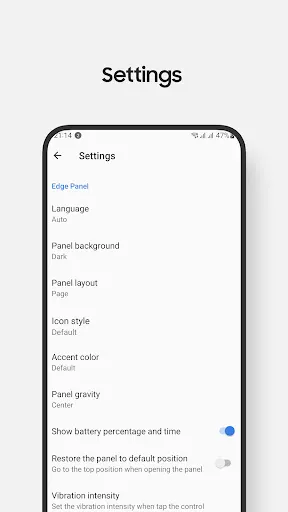
Upon launching Quick Settings, users are greeted with a clean and intuitive interface that makes navigation a breeze. The app’s design is straightforward, allowing for fast access to essential features. Users can easily customize their quick access menu by choosing which settings to display, ensuring that all their preferences are just a tap away. The responsiveness of the app is commendable; settings change almost instantaneously, which enhances the overall user experience. Moreover, the ability to create shortcuts for various functions, such as toggling location services or adjusting screen brightness, adds a layer of convenience that many users will find invaluable. Feedback from users highlights the smooth performance and reliability of Quick Settings, making it a favorite among those who demand efficiency from their mobile applications.

Pricing

Quick Settings offers a freemium model, providing users with a robust set of features at no cost. The free version is perfectly adequate for most users, but for those seeking advanced functionalities such as additional customization options or ad-free browsing, a premium subscription is available. The pricing for the premium version is competitive compared to similar apps on the market, offering great value for the features included. Users often find that the premium features significantly enhance their experience, making the investment worthwhile for those who rely heavily on their mobile devices.

Updates & Support

The developers of Quick Settings are committed to providing regular updates, ensuring that the app remains compatible with the latest operating system versions and devices. Users can expect to see improvements in performance, as well as new features based on community feedback. The support team is responsive and helpful, with a dedicated FAQ section that addresses common issues and user queries. For more complex problems, users can reach out directly for assistance, and many report positive experiences with the support team's efficiency. Overall, the combination of frequent updates and robust customer support makes Quick Settings a reliable choice for those looking to enhance their mobile settings management.

verified Security & Privacy Review

The Quick Settings app places a strong emphasis on user security and privacy, ensuring that sensitive data remains protected. The app requires minimal permissions, primarily accessing only those necessary for its core functionality, which helps to mitigate potential security risks. Users are informed about any permissions requested during installation, promoting transparency in data handling practices. Quick Settings employs encryption protocols to safeguard user data, both in transit and at rest. This ensures that personal information is not exposed to unauthorized access. Additionally, the app does not collect unnecessary data, adhering to a strict policy of data minimization. Users can manage their privacy settings directly within the app, offering greater control over what information is shared. Moreover, the app is regularly updated to address potential vulnerabilities, demonstrating a commitment to maintaining robust security measures. Overall, Quick Settings strikes a commendable balance between functionality and user privacy, making it a reliable choice for those concerned about data security.

Reviews

4

“User-friendly interface, highly customizable features!”

“Great for quick access to settings!”

“Saves time, very efficient to use.”

“Intuitive design, easy navigation.”

“Perfect for managing notifications and connectivity!”

FAQ

1

Does Quick Settings collect my personal data?

Quick Settings prioritizes user privacy and does not collect personal data unless explicitly stated. Any data collected is typically anonymized and used solely for improving app functionality.

2

Does Quick Settings offer a free trial or free version?

Yes, Quick Settings offers a free version with basic features, and users can also access a free trial of the premium version to explore additional functionalities before committing to a subscription.

3

Does Quick Settings require an internet connection?

No, Quick Settings does not require an internet connection to function. However, certain features that involve online services may need internet access to work properly.

4

How can I contact support or send feedback for Quick Settings?

For support or feedback, you can reach out to the Quick Settings team through the app's help section or by visiting their official website, where you'll find contact information and support resources.

5

How do I manage or cancel my Quick Settings subscription?

You can manage or cancel your Quick Settings subscription through your device's app store settings, where you can find options to view your subscriptions and make changes as needed.

How to use Quick Settings

1

Can I change my login credentials for the Quick Settings app?

Yes, you can change your login credentials in the account settings section within the app.

2

Do I need to create an account to use the Quick Settings app?

Yes, creating an account is necessary to access personalized features and settings within the app.

3

How can I contact customer service for the Quick Settings app?

You can reach customer service by visiting the app's support section or calling the customer support number listed in the app's settings.

4

How do I activate the Quick Settings app?

Activation typically occurs upon installation. If prompted, follow the on-screen instructions to enable necessary permissions for full functionality.

5

How do I log in to the Quick Settings app?

To log in, open the app and enter your registered email and password. If you don't have an account, you can create one directly within the app.

Editor's Choice