This site uses cookies to enhance your user experience. By clicking any link on this site you are giving your consent to our cookie policy. Read more
Reject
Accept All

Advertiser and Editorial Disclosures

QR code reader&QR code Scanner

QR code reader&QR code Scanner

verified Verified App

Developer: Tahoe Digital LTD.

  • category

    Category: Tools

  • price

    Price: free

  • age rating

    Age Rating: Everyone

  • rating

    Rating: 4.3

  • download

    Downloads: 100,000,000+

  • version

    Version: 4.0.4

Screenshot 1
Screenshot 2
Screenshot 3
Screenshot 4
Screenshot 5
Screenshot 6
Screenshot 7
Screenshot 8
Screenshot 9
Screenshot 10
Screenshot 11
Screenshot 12

Features & Highlights

Customizable Settings

Tailor your scanning experience with customizable settings that allow you to adjust the app's functionality to suit your preferences. From enabling sound notifications to choosing the type of codes you want to scan, you have the power to make this app truly yours.

History Log

Never lose track of your scanned codes with our convenient history log feature. This allows you to revisit previously scanned QR codes, making it easy to access important links, contact information, or promotional offers whenever you need them.

Instant Scanning

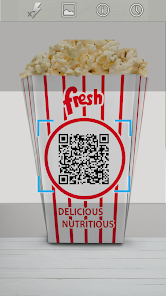
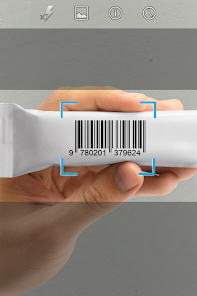
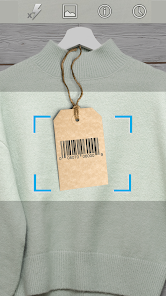
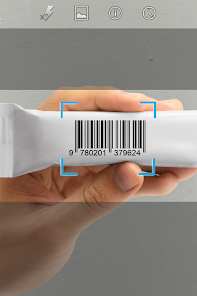
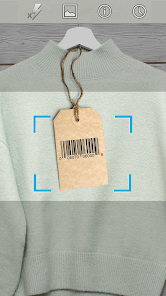
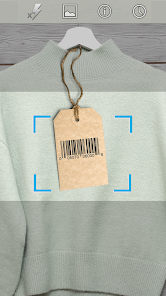
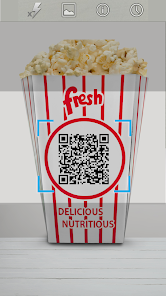
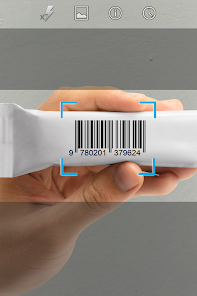
Experience lightning-fast scanning with our QR code reader, allowing you to instantly decode information in seconds. Whether you're at a store or attending an event, simply point your camera at the code, and watch as the app provides you with the relevant details without any hassle.

User-Friendly Interface

Navigate effortlessly with our user-friendly interface designed for all ages. The clean layout and intuitive controls ensure that anyone can scan QR codes with ease, making it a perfect tool for both tech-savvy users and newcomers alike.

Pros & Cons

Pros
  • Quickly access information by scanning QR codes with your smartphone.
  • Save time by avoiding manual data entry and typing.
  • Effortlessly connect to Wi-Fi networks without remembering passwords.
  • Easily share contact details with just a scan.
  • Enhance marketing campaigns with trackable and interactive content.
Cons
  • Limited compatibility with older devices can hinder accessibility.
  • Users may encounter scanning issues in poor lighting conditions.
  • Reliance on camera functionality can drain battery life quickly.

Real Experience Using QR code reader&QR code Scanner

Application Scenarios

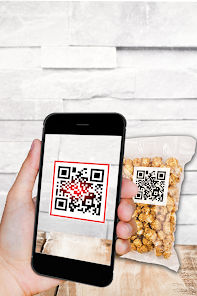
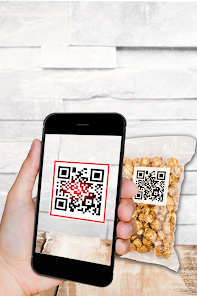
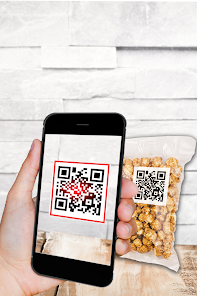
The QR Code Reader & QR Code Scanner app proves to be an invaluable tool in a variety of everyday situations. Whether you’re at a restaurant scanning a menu, at an event checking in through a QR code, or shopping where product information is encoded in QR codes, this app has you covered. It seamlessly integrates into daily life, allowing users to quickly access websites, download apps, or retrieve information without the need for manual typing. Additionally, this application is perfect for business professionals who need to share contact details or promotional materials efficiently. Simply generate a QR code for your business card or marketing campaign, and let others scan it to receive your information in an instant.

User Experience

User experience is where the QR Code Reader & QR Code Scanner truly shines. The app features an intuitive and user-friendly interface that makes scanning QR codes a breeze. Upon launching the app, users are greeted with a clean design that allows for immediate scanning without unnecessary steps. The scanning speed is impressive; within seconds, the app recognizes a QR code and provides relevant information, whether it’s a URL, contact details, or a Wi-Fi password. Additionally, the app offers customization options, allowing users to select themes or adjust settings to enhance their experience. The built-in history feature is also noteworthy, as it saves previously scanned codes, providing easy access to past information. Overall, the app delivers a smooth and efficient user experience, making it a pleasure to use.

Pricing

Updates & Support The developers of the QR Code Reader & QR Code Scanner app are committed to providing regular updates, ensuring that the app remains compatible with the latest smartphone technologies and QR code trends. Users can expect periodic enhancements that improve functionality and user experience. Furthermore, the app includes an extensive support section, complete with FAQs and troubleshooting guides. Should users encounter any issues, the support team is readily available through email or in-app messaging, ensuring prompt assistance. This dedication to customer support and continuous improvement is a significant advantage for users, as it reflects the developers' commitment to quality and user satisfaction.

verified Security & Privacy Review

The QR Code Reader & QR Code Scanner prioritizes user security and privacy by implementing stringent data protection measures. The app does not collect personal information unless explicitly provided by the user for specific features. Users are advised to review the privacy policy to understand how their data is utilized. In terms of permissions, the app requires access to the device's camera for scanning QR codes, which is standard for such applications. However, it does not access unnecessary data such as location or contacts, minimizing potential privacy risks. Users can use the app without creating an account, further enhancing their privacy. The app ensures that any scanned data is processed locally on the device, thus limiting exposure to external servers. Additionally, it employs encryption protocols for any data transmitted over the internet, ensuring that sensitive information remains secure during transmission. Overall, QR Code Reader & QR Code Scanner demonstrates a commitment to user privacy and data security, making it a reliable choice for those concerned about their digital footprint.

Reviews

4.3

“Fast and efficient scanning experience!”

“User-friendly interface, easy to navigate.”

“Reliable and accurate QR code detection.”

“Great for quick access to links!”

“No ads, smooth performance overall.”

FAQ

1

Can I submit suggestions or feedback to QR code reader&QR code Scanner?

Yes, users can submit suggestions or feedback through the app's support or contact section, where they can share their thoughts directly with the development team.

2

Does QR code reader&QR code Scanner collect my personal data?

QR code reader&QR code Scanner does not collect personal data unless explicitly provided by the user, and it typically adheres to privacy policies designed to protect user information.

3

Does QR code reader&QR code Scanner support offline use?

Yes, QR code reader&QR code Scanner can be used offline to scan QR codes, although certain features, like accessing online content linked to the codes, may require an internet connection.

4

How do I cancel my QR code reader&QR code Scanner subscription?

To cancel your subscription, you can go to your device's settings, find the subscriptions option, and follow the prompts to cancel the QR code reader&QR code Scanner subscription.

5

How much does a subscription to QR code reader&QR code Scanner cost?

The subscription cost for QR code reader&QR code Scanner varies, with options for monthly or yearly plans, often starting at a competitive price for premium features.

How to use QR code reader&QR code Scanner

1

Can I get customer service help for scanning issues with the QR code reader?

Absolutely! Our customer service team is here to help with any scanning issues you may encounter. Just reach out via our support page.

2

How can I activate my account for the QR code reader?

To activate your account, check your email for an activation link after registration and click on it to complete the process.

3

How do I activate my account for the QR code scanner?

You can activate your account by clicking the activation link sent to your registered email after signing up.

4

How do I contact customer service for issues with the QR code reader?

You can reach our customer service by calling the support line listed on our website or emailing us directly at support

5

How do I log in if my QR code reader app keeps crashing?

If the app crashes while logging in, try reinstalling it or clearing the cache. If issues persist, reach out to customer service for further help.

Editor's Choice