This site uses cookies to enhance your user experience. By clicking any link on this site you are giving your consent to our cookie policy. Read more
Reject
Accept All

Advertiser and Editorial Disclosures

Punchbowl: Invites & eCards

Punchbowl: Invites & eCards

verified

Punchbowl

4.8
Rating
1,000,000+ Downloads
4.2.3 Version
  • category

    Category: Lifestyle

  • price

    Price: free

  • age rating

    Age Rating: Everyone

  • rating

    Rating: 4.8

  • available on

    Available on: /

  • updated on

    Updated on: Jan 30, 2026

Screenshot 1
Screenshot 2
Screenshot 3
Screenshot 4
Screenshot 5
Screenshot 6
Screenshot 7
Screenshot 8

Features & Highlights

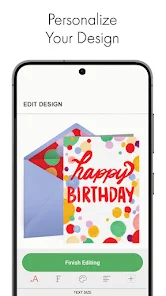
Customizable Invitations

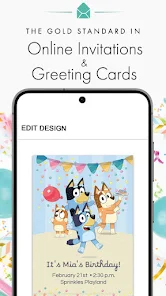
Punchbowl offers a wide range of customizable invitations to suit any occasion, from birthdays to weddings. Users can easily personalize their invites with unique designs, colors, and text, ensuring that each invitation reflects their style and the event's theme.

Digital eCards

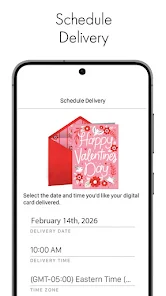
With Punchbowl, sending digital eCards is a breeze. You can choose from a variety of animated options to celebrate special moments, making it easy to share heartfelt messages with friends and family, no matter where they are.

Event Reminders

Punchbowl helps ensure your guests never forget an important date with customizable event reminders. You can set up notifications that will be sent directly to guests, making it easier for them to remember and join in on the celebration.

RSVP Tracking

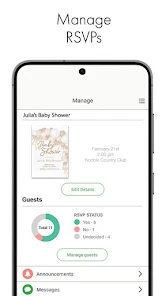
Keep track of your guest list effortlessly with Punchbowl's RSVP tracking feature. You can monitor who has responded and send reminders to those who haven't, ensuring you stay organized and informed leading up to your event.

Pros & Cons

Pros
  • Create customizable invites and eCards for any occasion easily.
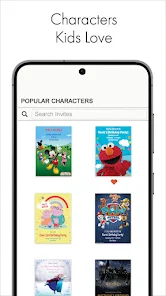
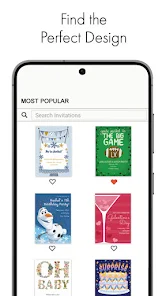
  • Enjoy a vast library of beautiful designs and templates.
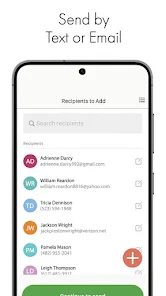
  • Send invites instantly via email or social media for quick responses.
  • Track RSVPs effortlessly to manage your guest list effectively.
  • Personalize messages and add photos for a unique touch.
Cons
  • Limited customization options may restrict personal expression in invites.
  • The platform may have occasional technical glitches affecting user experience.
  • Some users may find the subscription model costly for event planning.

Real Experience Using Punchbowl: Invites & eCards

Application Scenarios

Punchbowl: Invites & eCards shines in a variety of scenarios where social gatherings and celebrations are involved. Whether you're planning a birthday party, a wedding, a baby shower, or even a casual get-together, this app serves as a one-stop solution for creating and sending personalized invitations. The seamless integration of digital eCards allows users to send heartfelt greetings for holidays, thank-yous, and other special occasions. Additionally, Punchbowl is perfect for busy professionals who want to organize corporate events or meetings without the hassle of traditional paper invitations. The app caters to diverse age groups, making it suitable for both younger users looking for trendy designs and older users who appreciate a classic touch.

User Experience

The user experience on Punchbowl is notably intuitive and engaging. Upon opening the app, users are greeted with a clean interface that simplifies the invitation creation process. The app offers a wide range of customizable templates and themes, allowing users to easily personalize their invites. The drag-and-drop functionality enhances the design process, enabling users to incorporate images, text, and other elements effortlessly. Furthermore, Punchbowl provides an RSVP management feature, which helps hosts keep track of their guest list in real time. The notifications remind users of pending RSVPs, ensuring that no detail is overlooked. Overall, Punchbowl balances functionality with aesthetic appeal, making it enjoyable for users to navigate through various features.

Pricing

Punchbowl operates on a freemium model, which allows users to access a wide range of features without any upfront cost. Users can create and send invitations for free, but certain premium features, such as exclusive designs and additional customization options, require a subscription. The pricing for these premium services is competitive compared to similar apps in the market. Users can choose between monthly or yearly plans, with discounts often available for longer commitments. This flexible pricing structure ensures that individuals and families can find a suitable option that meets their needs without breaking the bank.

Updates & Support

Punchbowl is committed to providing an excellent user experience, which is evident in its regular updates and robust customer support. The app frequently adds new templates, features, and enhancements based on user feedback, ensuring that it stays relevant and functional. Users can access a comprehensive help center within the app, which includes FAQs and troubleshooting guides. For more personalized assistance, the support team is responsive and helpful, available through email and social media channels. This dedication to continuous improvement and user satisfaction makes Punchbowl a reliable choice for those looking to elevate their event planning experience.

verified Security & Privacy Review

Punchbowl: Invites & eCards prioritizes user security and privacy with several key practices in place. The app employs encryption protocols to protect user data during transmission, ensuring that personal information remains confidential. Additionally, Punchbowl is transparent about its data collection practices, clearly outlining what information is gathered and how it is used in its privacy policy. The app requests permissions that are necessary for its functionality, such as access to contacts and storage, enabling users to send invitations seamlessly. However, users have control over these permissions and can adjust them according to their comfort level. Punchbowl also allows users to manage their account settings, including options to delete their account and associated data, reinforcing the app's commitment to user autonomy. Overall, Punchbowl demonstrates a responsible approach to data handling, balancing convenience with strong privacy measures. Users can enjoy its features with confidence, knowing that their information is treated with care and respect.

User Reviews

  • Nick Teal
    2024/11/18

    Tldr; complete scam. They require to to subscribe for premium service just to send it out. They falsely advertise under $6 per month, when really it's over $50 / year - they don't allow you to subscribe on a monthly basis. If I can't subscribe per month, you don't offer a mo that service. They just hope your desperate enough to pay a yearly sub for the single event you want to invite ppl to, because they don't tell you that until you've finished the invite. Horrible company.

  • Amy Sharpe
    2026/04/20

    App is horrible. you can't upgrade once you select not to. it doesn't tell you ahead of time how many invites you can send for free so you have to upgrade once you have already entered all of your phone numbers but there is no option to. When you click on the help option it doesn't let you fill it out. I have spent 3 days trying to figure this out. Very frustrating.

  • m griffith
    2026/03/07

    I had a larger number of guests to invite, and needed to upgrade my membership. It didn't matter if I tried to upgrade on the app, or the computer, or my phone's web browser, it kept telling me that it couldn't upgrade me right now. I was on a deadline, that day! The Punchbowl powers that be, upgraded me at no charge for a short time frame. So thankful because out of all the online invites I picked through, I loved Punchbowl the best! Thanks

  • DeKenya Williams
    2026/03/06

    Use it mainly for invitations for my kids parties. A lot of fun designs and I like that I can just use the invitees from the previous year as opposed to having to look up everyone's number or email again. lastly, I actually got a reminder that I had sent an invitation around the same time last year and that I could use the same list....totally reminded me that I needed to get myself in gear because I was behind in planning this year 😅.

  • E Howard
    2026/02/15

    I purchased a subscription because this way of sending cards makes so much sense, and is extremely convenient. Unfortunately, the app doesn't work very well. I kept getting an error message to 'try again later. ' Maybe too many people are trying to send e cards today. I will try again with thank you cards and see if the issue is corrected.

Review Source: Google Play store public user reviews.

FAQ

1

Can I submit suggestions or feedback to Punchbowl: Invites & eCards?

Yes, users can submit suggestions or feedback through the app's support feature or by contacting customer service directly.

2

Does Punchbowl: Invites & eCards collect my personal data?

Yes, Punchbowl: Invites & eCards may collect personal data to provide its services, but it has a privacy policy in place to protect user information.

3

Does Punchbowl: Invites & eCards support offline use?

Punchbowl: Invites & eCards requires an internet connection to create and send invitations, so it does not support offline use.

4

How do I cancel my Punchbowl: Invites & eCards subscription?

Users can cancel their subscription through their account settings within the app or via the app store where the subscription was purchased.

5

How much does a subscription to Punchbowl: Invites & eCards cost?

Subscription costs for Punchbowl: Invites & eCards vary based on the plan chosen, with options for monthly or annual subscriptions.

How to use Punchbowl: Invites & eCards

1

Can I update my Customer Number if I change accounts?

Unfortunately, Customer Numbers are unique and cannot be changed. You may need to create a new account for a different Customer Number.

2

How can I activate my Punchbowl account?

To activate your account, check your email for the activation link sent after registration and follow the instructions provided.

3

How do I contact Customer Service for Punchbowl?

You can reach Customer Service through the "Help" section on our website or by emailing support

4

How do I log in if I forgot my password?

Click on the "Forgot Password?" link on the login page to receive a password reset email.

5

I forgot my Customer Number, how can I retrieve it?

You can find your Customer Number in your account settings or on your account confirmation email.

What's New

• New invitations & greeting cards for 2026• Celebrate Winter Birthdays, The Big Game, Valentine's Day & more

Editor's Choice