This site uses cookies to enhance your user experience. By clicking any link on this site you are giving your consent to our cookie policy. Read more
Reject
Accept All

Advertiser and Editorial Disclosures

Procore

Procore

verified

Procore Technologies Inc

4.1
Rating
500,000+ Downloads
2026.0121 Version
  • category

    Category: Productivity

  • price

    Price: free

  • age rating

    Age Rating: Everyone

  • rating

    Rating: 4.1

  • available on

    Available on: /

  • updated on

    Updated on: Jun 26, 2026

Screenshot 1
Screenshot 2
Screenshot 3
Screenshot 4
Screenshot 5
Screenshot 6
Screenshot 7
Screenshot 8
Screenshot 9
Screenshot 10
Screenshot 11
Screenshot 12
Screenshot 13
Screenshot 14
Screenshot 15
Screenshot 16
Screenshot 17
Screenshot 18

Features & Highlights

Financial Management

With Procore’s financial management features, users can effectively manage budgets, forecasts, and contracts all in one place. The platform provides detailed insights into financial performance, helping teams make informed decisions and maintain financial control over projects, ultimately leading to cost savings and enhanced profitability.

Mobile Accessibility

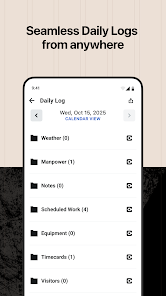
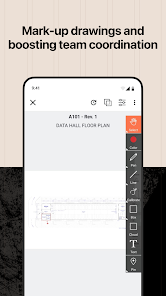
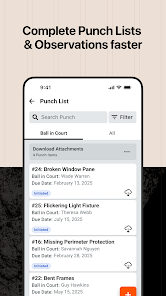
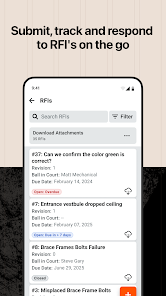
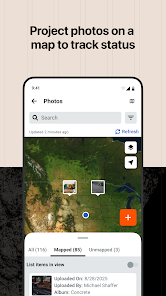
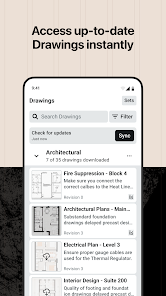
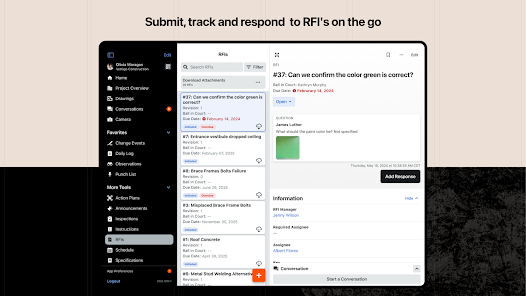
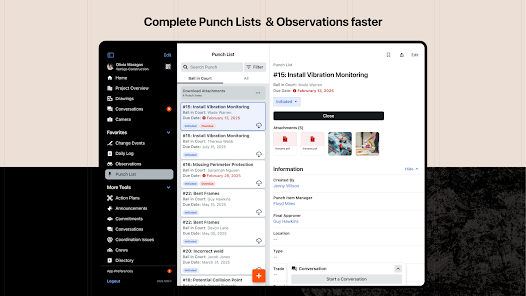
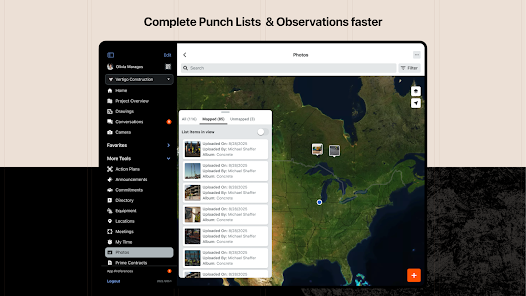
Procore’s mobile app allows users to access vital project information anytime, anywhere, enhancing flexibility and productivity on the go. With features like document sharing, field reporting, and punch list management, teams can stay connected and responsive, ensuring that critical tasks are completed efficiently, regardless of location.

Project Management

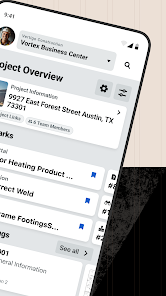
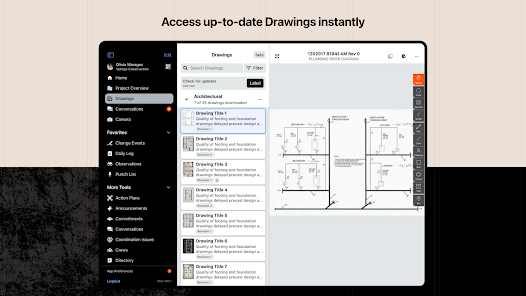
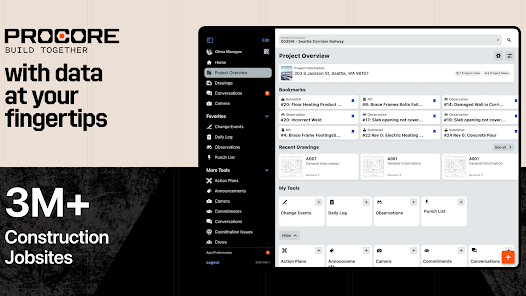
Procore’s robust project management tools streamline the construction workflow by offering real-time collaboration and easy access to project documents. Users can create and manage schedules, track progress, and communicate seamlessly with teams, ensuring everyone stays on the same page throughout the project lifecycle.

Quality & Safety

Procore emphasizes safety and quality by providing tools for inspections, incident reporting, and compliance management. Teams can document issues in real-time, ensuring that safety protocols are followed and quality standards are met, which fosters a culture of accountability and minimizes risks on job sites.

Pros & Cons

Pros
  • Streamlines project management for better efficiency
  • Enhances collaboration among team members in real-time
  • Improves budget tracking and financial oversight
  • Offers mobile access for on-the-go updates
  • Integrates seamlessly with existing tools and software
Cons
  • High learning curve for new users
  • Limited offline functionality available
  • Integration with other tools can be challenging
  • Cost may be prohibitive for small companies

Real Experience Using Procore

Application Scenarios

Procore is designed to streamline construction project management across various stages, making it an ideal solution for contractors, project managers, architects, and engineers. Whether you are overseeing a large-scale commercial project or a small residential renovation, Procore helps in managing everything from scheduling and budgeting to quality control and safety regulations. Users can utilize Procore to create detailed project plans, track progress in real-time, and facilitate communication among team members. Its robust reporting tools allow stakeholders to gain insights into project performance, ensuring that every aspect of the construction process is transparent and accountable. The flexibility of the platform also makes it suitable for different types of construction projects, including infrastructure, industrial, and residential developments.

User Experience

The user experience of Procore is highly rated among construction professionals. The intuitive interface allows users to navigate the app seamlessly, reducing the learning curve typically associated with complex project management software. Users appreciate the mobile compatibility, which enables them to access project information from the field, ensuring that they can stay updated on project developments no matter their location. The collaboration features facilitate communication between various stakeholders, allowing for easy sharing of documents, plans, and updates. Feedback often highlights the app’s ability to integrate with other software tools, which helps in maintaining a cohesive workflow. However, some users have noted that the extensive features can be overwhelming at first, but thorough onboarding resources and customer support assist in overcoming initial challenges.

Pricing

Procore offers a pricing model that is tailored to the needs of different businesses, making it accessible for both small firms and large enterprises. The pricing structure is subscription-based, with fees depending on the number of users and the scale of the projects managed. While some users find the cost to be on the higher side when compared to basic project management tools, many believe that the comprehensive features and the efficiency gained justify the investment. Procore also provides a free demo, allowing potential customers to explore the platform before committing to a subscription, which is a significant advantage for those looking to assess its suitability for their specific needs.

Updates & Support

Procore is committed to continuous improvement and regularly updates its platform to enhance user experience and add new features. Users can expect frequent updates that not only address bugs and performance issues but also introduce innovative tools that align with industry trends. The customer support team is highly regarded for its responsiveness and expertise, providing assistance through various channels, including phone, email, and live chat. Additionally, Procore offers extensive online resources, including webinars, tutorials, and a community forum, enabling users to maximize their use of the app. This ongoing support and commitment to development ensure that Procore remains a leading choice for construction project management.

verified Security & Privacy Review

The Procore app prioritizes user data security and privacy through robust measures designed to protect sensitive information. The app employs advanced encryption protocols to safeguard data both in transit and at rest, ensuring that project-related details remain confidential. Additionally, Procore follows industry best practices in access control, allowing users to define permissions based on roles, thereby limiting access to critical information only to authorized personnel. Procore’s privacy policy clearly outlines how user data is collected, used, and shared, providing transparency about their data handling practices. Users are informed about the types of data collected, including personal and project-specific information, and have the option to manage their privacy settings directly within the app. The app also complies with relevant data protection regulations, ensuring that user rights are upheld. Overall, Procore demonstrates a commitment to maintaining the security and privacy of its users, making it a reliable choice for construction project management.

User Reviews

  • Justin Hinesley
    2026/06/08

    Great but not great if youre working remotely. Even if drawings are downloaded, they still do not pop up if youre offline, or it takes awhile. Daily log has several issues, sometimes it will stay pending and never upload or its a struggle to add things without good service. would be nice if they had an offline set-up that would upload once back online.

  • Jeremy Lemesany
    2023/10/03

    I just found out that my company is going to stop using Procore and try something different, and I could not be happier! This app has never worked correctly for me, and is so aggravating to use, and wastes so much of my time that I cannot wait to be rid of it. Soon, there'll be no more retaking pictures that disappear randomly, standing around looking like an idiot while I wait, (and wait, and wait) for pages to load, or hoping my phone is going to turn back on when it locks up while uploading!

  • Matthew Hart
    2022/06/16

    This app makes my life easier! A couple notes: it would be good if submittals could be responded to on the app and not just on the website. If this is already possible then it would be good to make it more intuitive or to include a tutorial (currently could not find one by googling it). Also, it seems there is a glitch when using the flash to take pictures when during punch list. The camera will not take a picture after using the flash unless i either restart the app or take the flash off.

  • Sven Wyn
    2026/05/14

    This app has always been a bit finicky but lately it's really going to s***. Every single time I open the app I have to re-download the discipline that I'm trying to look at. Every. Single. Time. Also the search function recently stopped working properly. Really wish the general contractor for the jobs we do would use a different app.

  • Brock hammer
    2023/03/11

    The user interface of this app closely resembles iOS, which is garbage in opinion. Whether on Windows or the mobile app, the convenience of the data input is not there. Most of the drop downs in the tools dont have the same format. Lastly on mobile, every drop-down menu I click on pulls up the leyboard. With a drop-down, all I want is to pick one of the dictated options. I don't need the keyboard unless I need to search. I would then click the search button,and THEN the keyboard should pull up.

Review Source: Google Play store public user reviews.

FAQ

1

Does Procore collect my personal data?

Yes, Procore collects personal data as part of its user registration and usage to provide services, improve user experience, and comply with legal obligations.

2

Does Procore offer a free trial or free version?

Procore does not offer a free version, but it typically provides a free trial for new users to explore the platform's features before committing to a subscription.

3

Does Procore require an internet connection?

Yes, Procore is a cloud-based solution and requires an internet connection to access its features and functionalities.

4

How can I contact support or send feedback for Procore?

You can contact Procore support through the help center on their website, by submitting a support ticket, or by using the chat feature available within the Procore app.

5

How do I manage or cancel my Procore subscription?

You can manage or cancel your Procore subscription by accessing your account settings through the Procore dashboard or by contacting Procore's customer support for assistance.

How to use Procore

1

How do I activate my Procore account?

After receiving your invitation email, click the link provided, set your password, and follow the prompts to complete your account activation.

2

How do I contact Procore's customer service?

You can reach Procore's customer service by calling their support line or submitting a request through the Procore website. Check the support section for specific contact details.

3

How do I log in to the Procore app?

Open the Procore app, enter your email and password, and click 'Log In.' If you face issues, reset your password via the 'Forgot Password?

4

What is Procore's customer number?

Procore does not have a public customer number; you need to log in to your account and access support through the Help Center for assistance.

What's New

Further improvements to make managing your construction projects as easy as possible.

Editor's Choice