This site uses cookies to enhance your user experience. By clicking any link on this site you are giving your consent to our cookie policy. Read more
Reject
Accept All
Polycam: 3D Scanner & Editor

Polycam: 3D Scanner & Editor

verified Verified App

Developer: Polycam

  • category

    Category: Photography

  • price

    Price: free

  • age rating

    Age Rating: Everyone

  • rating

    Rating: 3.7

  • download

    Downloads: 1,000,000+

  • version

    Version: 2.1.12

Screenshot 1
Screenshot 2
Screenshot 3
Screenshot 4
Screenshot 5
Screenshot 6
Screenshot 7
Screenshot 8
Screenshot 9
Screenshot 10
Screenshot 11
Screenshot 12
Screenshot 13
Screenshot 14
Screenshot 15
Screenshot 16
Screenshot 17
Screenshot 18
Screenshot 19
Screenshot 20
Screenshot 21
Screenshot 22

Features & Highlights

Advanced Editing Tools

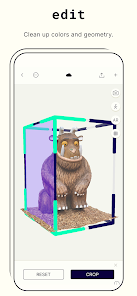
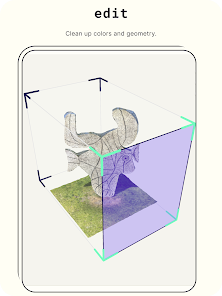
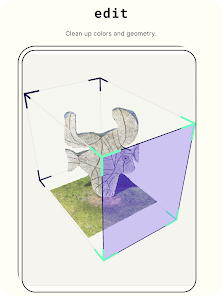
With Polycam's powerful editing suite, users can refine their 3D scans with ease. The intuitive interface offers a range of tools for cleaning up models, adjusting textures, and optimizing mesh quality, ensuring that your final product looks polished and professional.

Cloud Storage Integration

Enjoy seamless access to your projects with Polycam’s cloud storage feature. This allows you to save, organize, and retrieve your 3D scans from anywhere, ensuring that your work is always at your fingertips, whether you're in the office or on the go.

Export Options

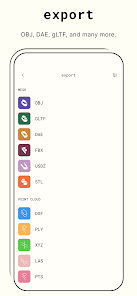
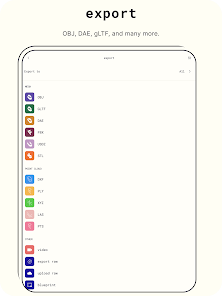
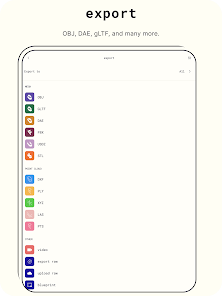
Polycam supports a variety of export formats, including OBJ, STL, and GLTF, making it easy to integrate your 3D models into other applications. Whether you’re using them for gaming, architecture, or virtual reality, sharing your work has never been easier.

Real-Time Scanning

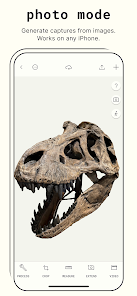
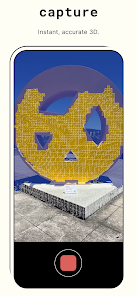
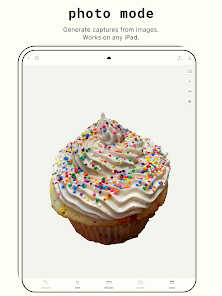
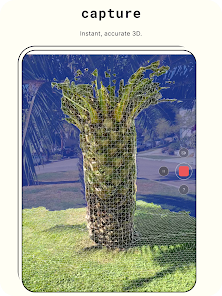
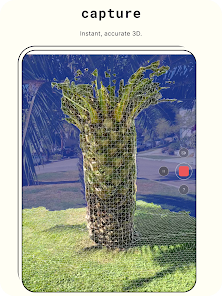
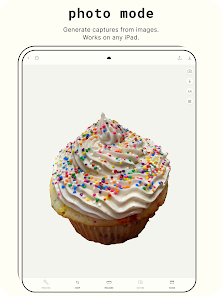
Polycam allows users to capture 3D models in real-time using LiDAR and photogrammetry technology. This feature is perfect for quickly digitizing objects and spaces, making it easy to create detailed models right from your device with impressive accuracy and speed.

Pros & Cons

Pros
  • High-resolution scans capture intricate details effectively
  • User-friendly interface simplifies 3D modeling for everyone
  • Real-time editing allows instant adjustments and enhancements
  • Supports various file formats for versatile use
  • Cloud storage enables easy access and sharing options
Cons
  • Limited scanning range affects detail capture
  • Requires high-quality lighting for optimal results
  • May struggle with complex textures or surfaces
  • Exporting formats can be restrictive for some users

Real Experience Using Polycam: 3D Scanner & Editor

Application Scenarios

Polycam: 3D Scanner & Editor offers a versatile suite of tools ideal for various applications. Whether you're a designer, architect, or hobbyist, the app provides a unique opportunity to capture the real world in 3D. Users can create detailed models of objects, spaces, and even entire environments, making it especially useful for professionals in the construction and real estate industries. For artists, Polycam serves as a powerful tool to digitize sculptures or installations, allowing for easy sharing and manipulation of 3D assets. Additionally, educators can leverage the app to create interactive learning experiences, turning static concepts into vibrant, tangible models. The app’s ability to export in various formats enhances its usability across different platforms, making it a go-to choice for collaborative projects.

User Experience

The user experience with Polycam is generally smooth and intuitive. The app is designed to be user-friendly, catering to both beginners and experienced users. The interface is clean, with easy navigation that allows users to access the scanning and editing features seamlessly. Users can initiate a scan with just a few taps, and the app provides real-time feedback on the scanning process, helping users understand how to achieve the best results. The editing tools are robust yet straightforward, allowing for adjustments like scaling, cropping, and texturing with minimal hassle. Many users appreciate the app’s ability to perform scans quickly, with impressive accuracy that captures intricate details. However, some users have noted occasional performance hitches on older devices, which might affect the scanning experience.

Pricing

Polycam operates on a freemium model, allowing users to explore basic features without any upfront costs. The free version offers limited scanning capabilities and export options, which is great for casual users or those who want to test the app's functionality. For professionals or users requiring advanced features, Polycam offers a subscription plan that unlocks high-resolution scans, additional export formats, and enhanced editing tools. The pricing is competitive compared to other 3D scanning applications, making it a worthwhile investment for serious users. Regular promotions and discounts are occasionally available, further enhancing its accessibility.

Updates & Support

Polycam is committed to continuous improvement, with regular updates that introduce new features and enhancements based on user feedback. The development team actively listens to the community, often implementing suggestions that enhance functionality and performance. Support options are robust, with a comprehensive FAQ section, user guides, and a responsive customer service team ready to assist with any issues. Users can engage with the Polycam community through social media and forums, where they can share their experiences and learn from others. Overall, the app's dedication to updates and user support ensures that it remains relevant and user-friendly in an ever-evolving digital landscape.

verified Security & Privacy Review

Polycam: 3D Scanner & Editor places a strong emphasis on user security and privacy. The app requires several permissions, including access to the camera and storage, which are essential for capturing and saving 3D models. Users are informed about these permissions during the installation process, ensuring transparency. The app’s privacy policy clearly outlines how user data is collected, used, and stored. Polycam may collect usage data to enhance app performance and user experience, but it does not share personal information with third parties without user consent. Users have control over their data, allowing them to delete stored scans and account information at any time. Polycam employs encryption protocols to protect user data during transmission, safeguarding it against unauthorized access. However, users are encouraged to remain vigilant regarding the sharing of their scans, as public sharing may expose personal information inadvertently. Overall, Polycam demonstrates a commitment to maintaining user privacy and security while providing robust 3D scanning capabilities.

Reviews

3.7

“Incredible scanning accuracy and detail preservation!”

“User-friendly interface, easy to navigate.”

“Perfect for creating 3D models quickly.”

“Impressive features, but occasional crashes.”

“Great for architects and designers alike!”

Editor's Choice