This site uses cookies to enhance your user experience. By clicking any link on this site you are giving your consent to our cookie policy. Read more
Reject
Accept All
Photoshop Express Photo Editor

Photoshop Express Photo Editor

verified Verified App

Developer: Adobe

  • category

    Category: Photography

  • price

    Price: free

  • age rating

    Age Rating: Everyone

  • rating

    Rating: 4.6

  • download

    Downloads: 100,000,000+

  • version

    Version: 17.8.20

Screenshot 1
Screenshot 2
Screenshot 3
Screenshot 4
Screenshot 5
Screenshot 6
Screenshot 7
Screenshot 8
Screenshot 9
Screenshot 10
Screenshot 11
Screenshot 12
Screenshot 13
Screenshot 14
Screenshot 15
Screenshot 16
Screenshot 17
Screenshot 18
Screenshot 19
Screenshot 20
Screenshot 21
Screenshot 22

Features & Highlights

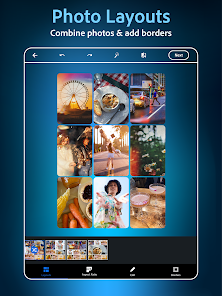
Collage Maker

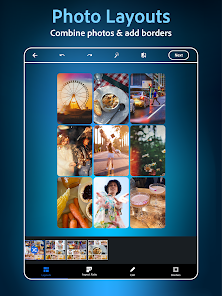
Create stunning collages effortlessly with the built-in collage maker. You can choose from a variety of templates and layouts, allowing you to combine multiple photos into one beautiful composition that’s perfect for sharing on social media or preserving memories.

Filters And Effects

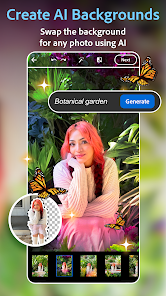
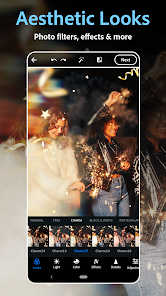
Photoshop Express offers a wide array of filters and effects to give your images a unique and artistic flair. From vintage styles to modern aesthetics, you can easily transform your photos into works of art that reflect your personal style and creativity.

One-Tap Enhancements

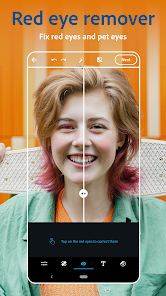
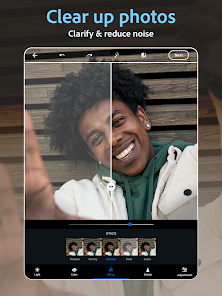
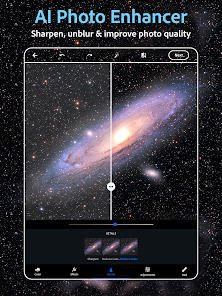
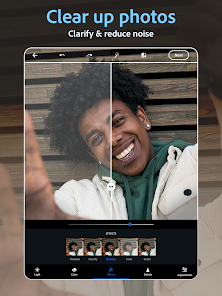
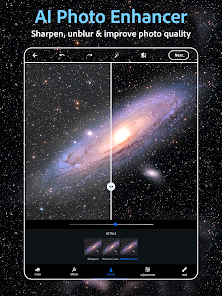
With just a single tap, you can instantly enhance your photos, bringing out the best in colors and details. This feature uses intelligent algorithms to analyze your image and apply the optimal adjustments, making it perfect for those who want stunning results without the hassle of manual editing.

Text And Graphics

Add personality to your images with customizable text and graphics options. You can choose from various fonts, colors, and styles to overlay your messages, making your photos not only visually appealing but also meaningful and expressive.

Pros & Cons

Pros
  • User-friendly interface for quick edits
  • Wide range of filters for creative enhancement
  • Powerful tools for precise adjustments
  • Supports various file formats for versatility
  • Seamless integration with cloud storage options
Cons
  • Limited advanced editing features available
  • Lacks customizable brushes and tools
  • Ads can disrupt user experience
  • Requires internet connection for some features

Real Experience Using Photoshop Express Photo Editor

Application Scenarios

Photoshop Express Photo Editor is designed for a variety of users, from casual photographers to social media enthusiasts. It excels in scenarios where quick editing is essential, such as enhancing photos taken during travel or special events. Users can easily crop, rotate, and adjust the brightness of images directly from their mobile devices, making it ideal for on-the-go editing. Additionally, the app is perfect for those looking to create stunning visuals for platforms like Instagram and Facebook. With its wide range of filters and effects, users can transform ordinary photos into eye-catching masterpieces with just a few taps. Whether you need to touch up a family photo or create an artistic image for your blog, Photoshop Express provides the tools necessary to achieve professional-quality results.

User Experience

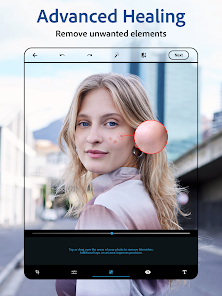
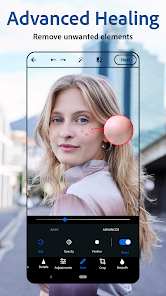
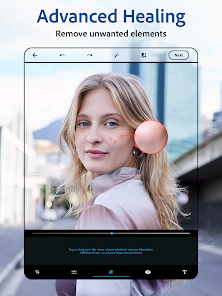
The user experience of Photoshop Express is smooth and intuitive. Upon launching the app, users are greeted with a clean interface that is easy to navigate. The layout is well-organized, allowing users to quickly access essential editing tools and features. The app supports a variety of image formats, ensuring compatibility with most photos users have on their devices. The editing tools are robust, offering options for adjusting exposure, contrast, and saturation, as well as advanced features like blemish removal and spot healing. Moreover, the app’s one-touch filters enable users to apply stylish effects effortlessly. While most features are user-friendly, more complex options may require a bit of exploration, but the overall experience remains enjoyable and engaging.

Pricing

Photoshop Express is available as a free download, making it accessible to a broad audience. The core functionalities are extensive and sufficient for most casual users without requiring any payment. However, Adobe also offers a premium subscription that unlocks additional features, such as advanced editing tools, exclusive filters, and access to premium content. This subscription model provides flexibility for users who want to enhance their editing capabilities without committing to a full Adobe Creative Cloud subscription. Overall, the pricing structure allows users to enjoy a robust photo editing experience at little to no cost while also providing options for those looking for more advanced features.

Updates & Support

Adobe regularly updates Photoshop Express to enhance its functionality and introduce new features in response to user feedback. These updates often include additional filters, new editing tools, and performance improvements, ensuring that the app remains competitive in the ever-evolving world of photo editing. Support is readily available through Adobe’s online resources, including tutorials, FAQs, and community forums. Users can also access customer service for more personalized assistance. This commitment to consistent updates and user support underscores Adobe’s dedication to providing an excellent user experience, ensuring that Photoshop Express continues to meet the needs of its diverse user base.

verified Security & Privacy Review

The Photoshop Express Photo Editor prioritizes user security and privacy by implementing robust data protection measures. Adobe, the parent company, adheres to stringent privacy policies that govern how user data is collected, stored, and used. The app requires access to certain device permissions, such as storage for saving edited photos, and camera access for capturing images directly within the app. Users are informed about these permissions upfront, ensuring transparency in the app's functionality. Photoshop Express employs encryption to safeguard user data during transmission and storage, minimizing the risk of unauthorized access. Additionally, Adobe offers users control over their data, allowing them to manage and delete personal information as needed. The app does not share personal data with third parties without user consent, aligning with industry best practices for data privacy. Overall, Photoshop Express Photo Editor demonstrates a commitment to maintaining user security and privacy, making it a trustworthy choice for photo editing on mobile devices.

Reviews

4.6

“User-friendly interface with powerful editing tools”

“Great for quick edits on the go”

“A must-have for photo enthusiasts”

“Occasional bugs, but overall very reliable”

“Impressive filters and effects enhance images beautifully”

Editor's Choice